
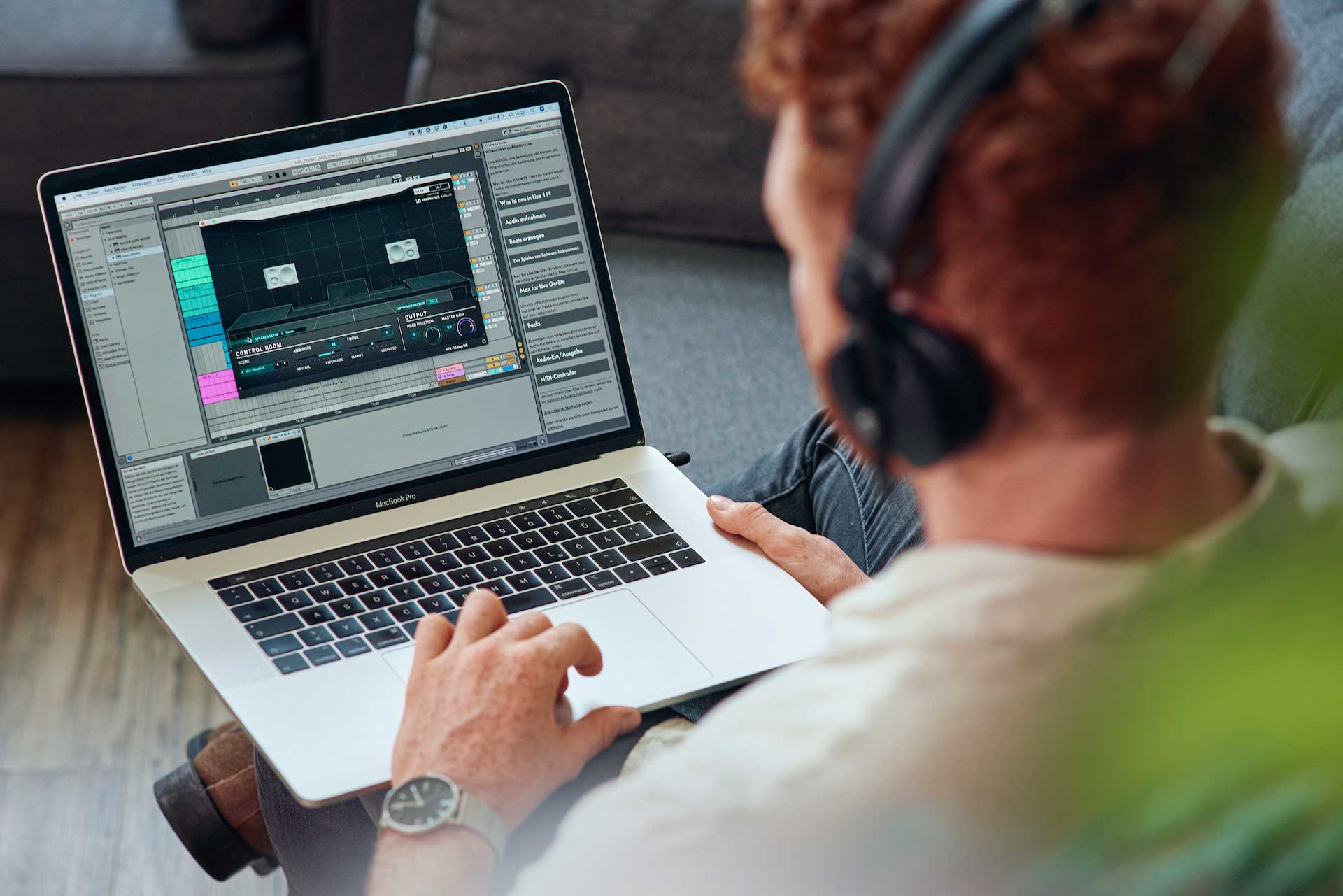
dearVR MIX Release - Count on what you hear and gain confidence mixing over headphones.

VST, AU, AAX, CLAP, etc. Plugin Virtual Effects Discussion
Post Reply New Topic
RELATED
PRODUCTS

Post

We are happy to present you the newest member of our virtual monitoring product family: dearVR MIX!

Image

dearVR MIX turns your professional studio headphones into a world-class stereo mix room with carefully designed acoustics, all through advanced spatial audio technology.
Gain confidence and create better mixes by easily monitoring your session across multiple adjustable reference rooms and other common environments, such as a car.

The new Spatial Headphone Compensation technology allows you to mix with unmatched accuracy by adapting the virtual mixing environment to your beloved headphones.

Click https://info.dear-reality.com/dearvr-mix for more information.

Key features:
  • ULTIMATE MIXING ENVIRONMENT
    Reference-grade mix room for stereo productions
  • WORLD-CLASS MIX ROOMS
    Choose from 3 ideal mix room models (Mix Room A, Mix Room B, Analytic Dry)
  • SPATIAL HEADPHONE COMPENSATION
    Supports 44 headphone models, find full list here
  • ADJUSTABLE VIRTUAL ACOUSTICS
    Easily adjust the acoustic characteristics of your virtual mixing environment using the AMBIENCE and FOCUS slider
  • EASY-TO-USE
    Easy-to-use graphic interface showing the selected
    loudspeaker setup
  • HEAD ROTATION
    Support for head tracking using dearVR SPATIAL CONNECT
  • STEREO SPEAKER SETUPS
    4 selectable speaker positions (Mono Input, Mono Summed, Stereo, Stereo Wide)
  • COMMON LISTENING ENVIRONMENTS
    Double-check your mix in 6 typical listening environments (Car, Club, Home Theater, Kitchen, Living Room, Stadium)
  • REDUCED SPECTRAL COLORIZATION
    Unique FOCUS parameter allows control over the amount of spectral coloration, built on the patented Clarity algorithm from Sennheiser AMBEO

Post

Does it include frequency correction curves for the headphones? Should I turn Sonarworks correction off while using dearVR MIX! ?

Post

I don't want to be a troll but I tried DearVR Monitor. I don't mix much on headphones, but I did not like what it did. Everything became less defined and thin. So far, I'm not sold on this technology. I use Sonarworks on my monitors as well as headphones. Maybe I'm just used to that sound. I just couldn't gel with DearVR Monitor. But, I'm still going to mess with it for a while more.

Post

less defined is a "feature" of almost any room as compared to headphones. And, for frequency adjustment, of course you should use Sonarworks (or Morphit or any other respective software) after this (or any other room simulation) plugin. (Edit: I see they have some headphone profiles included but not a big selection.)

Post

Scarlet Pumpernickel wrote: Wed Nov 03, 2021 1:34 pm Does it include frequency correction curves for the headphones? Should I turn Sonarworks correction off while using dearVR MIX! ?
Yes, with the release of dearVR MIX we introduced our new Spatial Headphone Compensation. The new feature is optimized for spatial audio and will come soon to dearVR MONITOR, too.
When you turn on our compensation, you should turn off Sonarworks in the meantime.

Post

trmupstage wrote: Wed Nov 03, 2021 2:41 pm I don't want to be a troll but I tried DearVR Monitor. I don't mix much on headphones, but I did not like what it did. Everything became less defined and thin. So far, I'm not sold on this technology. I use Sonarworks on my monitors as well as headphones. Maybe I'm just used to that sound. I just couldn't gel with DearVR Monitor. But, I'm still going to mess with it for a while more.
Thank you for your feedback! Maybe you want to try our plugin again with the new Spatial Headphone Compensation feature, there is a 14 day trial version of dearVR MIX available.

Post

Dear Reality wrote: Thu Nov 04, 2021 10:45 am
Thank you for your feedback! Maybe you want to try our plugin again with the new Spatial Headphone Compensation feature, there is a 14 day trial version of dearVR MIX available.
Hi I have a question in relation to the free 14 day trial. how do I download the plugin to try it out before purchasing? i've registered on your site but all I can see is that it wants me to buy the plugin and make payment upfront? is there a download page for the plugin so I can download first and just use the trial to assess whether it works for me or not?

also you have a version called "se" which I would assume is standard edition? how does this differ? where can this version be obtained? would I need to install dearvr mix plugin then after the trial define that I want the se version instead of the other version?

Post Reply

Return to “Effects”