

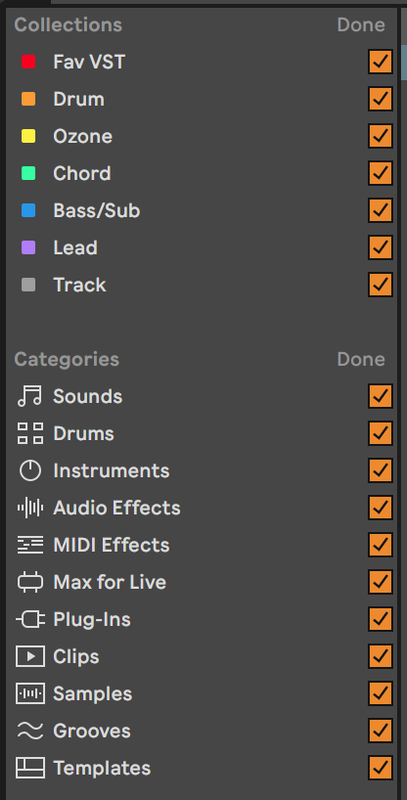
Orange Box in Live's Browser
-
- KVRian
- 906 posts since 25 Jan, 2014
Hey I was messing with Live 11.1 and I tried to go faster than my finger can while using a keyboard shortcut and that was a swing and a miss.. I don't know what I type and those orange boxes appears ...I have never seen that ...what is this ?
-

- Banned
- 11467 posts since 4 Jan, 2017 from Warsaw, Poland
I'd imagine some sort of folder scanning status message? Right click on the top bar (where it says Collections / Done) and you should be able to disable it.
-
- KVRian
- Topic Starter
- 906 posts since 25 Jan, 2014
Oh ! Right click doesn't do anything but if I left click on "Done", it disappear... ...and you can recall it by clicking on edit which is at the same place than "Done" when you put the mouse over it...antic604 wrote: Wed Jan 05, 2022 6:03 am I'd imagine some sort of folder scanning status message? Right click on the top bar (where it says Collections / Done) and you should be able to disable it.
....and I realized that if you uncheck a box and click done the associated "folder" disappear ...it is to manage what you want to see in the browser ...nice !
-
- KVRAF
- 2140 posts since 16 Jan, 2013 from USA
Deleted