

Thanks for your post. The situation is that I have owned a Studio One Pro license for years, but have not upgraded from 4.5. I just wanted to try the latest version to see if its worth upgrading at some point. When I originally downloaded the version 5 demo it never worked, it just said my demo period had expired before I had even used it.musicproducerdee wrote: Wed Mar 09, 2022 9:45 am
Studio One has a free version of the DAW, in case you just need to test out the workflow etc. Although it won't have all the features from artist/pro.
You can alternatively sign up for a splice.com account and sign up for the Studio One rent-to-own plan. They'll let you test out the software for 3 days (fully functional) before charging you. Although, if you do this, don't forget to cancel the rent-to-own plan before 3 days or you'll be charged. Hope this helps.
EDIT: You can also sign up for Sphere for a month for $14.99 which will give you the full version of the DAW and a lot of extras to go with. In case you want to test it out extensively before making a decision.
Is Studio 1 the only realistic alternative to Cubase ?
-
- KVRAF
- 2772 posts since 28 Mar, 2007
-

- KVRist
- 387 posts since 4 Apr, 2021
ABSOLUTELY contact the support. And see how they respond to you.dellboy wrote: Wed Mar 09, 2022 10:01 amThanks for your post. The situation is that I have owned a Studio One Pro license for years, but have not upgraded from 4.5. I just wanted to try the latest version to see if its worth upgrading at some point. When I originally downloaded the version 5 demo it never worked, it just said my demo period had expired before I had even used it.musicproducerdee wrote: Wed Mar 09, 2022 9:45 am
Studio One has a free version of the DAW, in case you just need to test out the workflow etc. Although it won't have all the features from artist/pro.
You can alternatively sign up for a splice.com account and sign up for the Studio One rent-to-own plan. They'll let you test out the software for 3 days (fully functional) before charging you. Although, if you do this, don't forget to cancel the rent-to-own plan before 3 days or you'll be charged. Hope this helps.
EDIT: You can also sign up for Sphere for a month for $14.99 which will give you the full version of the DAW and a lot of extras to go with. In case you want to test it out extensively before making a decision.
-
- KVRist
- 387 posts since 4 Apr, 2021
Hey I think the zoom level affects this (can’t test it right now). But if I remember right: if you are zoomed far enough the pen tool doesn’t change into eraser.BONES wrote: Wed Mar 09, 2022 2:12 amI am on the latest version - 5.5.1 - and I can recall that happening to me on occasion but either I found a way around it or they changed it because I can't remember the last time it happened to me, unless you click and then click again straight away. Maybe try marquee selecting?Bartone wrote: Tue Mar 08, 2022 8:58 amAre you using S1 5? I think if I remember right this feature did come only in S1 5.
So it works like this: you have pen tool, you draw a midi note. If you want to replace the note the paint tool automatically changes into eraser tool. So you need to either erase the midi note and draw it again. Or change the pen tool into arrow tool.
-
musicproducerdee musicproducerdee https://www.kvraudio.com/forum/memberlist.php?mode=viewprofile&u=478446
- KVRist
- 422 posts since 9 Nov, 2020 from Los Angeles, CA
Just incase..Bartone wrote: Wed Mar 09, 2022 10:37 amHey I think the zoom level affects this (can’t test it right now). But if I remember right: if you are zoomed far enough the pen tool doesn’t change into eraser.BONES wrote: Wed Mar 09, 2022 2:12 amI am on the latest version - 5.5.1 - and I can recall that happening to me on occasion but either I found a way around it or they changed it because I can't remember the last time it happened to me, unless you click and then click again straight away. Maybe try marquee selecting?Bartone wrote: Tue Mar 08, 2022 8:58 amAre you using S1 5? I think if I remember right this feature did come only in S1 5.
So it works like this: you have pen tool, you draw a midi note. If you want to replace the note the paint tool automatically changes into eraser tool. So you need to either erase the midi note and draw it again. Or change the pen tool into arrow tool.
Ok, I'm not 100% sure as to what exactly you guys are trying to figure out with the smart tool, so I'm not gonna quote anyone on this, but here's what I understand.
So you're drawing notes on the piano roll using the "paint tool" which automatically turns into an "eraser" when you hover over the notes you've drawn. You can already change the note length by dragging the note from the start or end of it.
Now let's say you want to drag the note around or want to change the note itself (from G to G#), without having to erase it and draw it again (you still have the paint tool selected). All you need to do is hover over the note and wait for the cursor to change into the "eraser".
Now press hold "Ctrl" and click on the note you wish to move around. Now (this is important), release "Ctrl" without releasing the mouse click and drag the note around wherever you wish to. Done.
PS: If you do not release "Ctrl" before moving the note around, it's gonna keep the original note in place and create a duplicate note (basically copy paste).
Hope someone found this helpful

Ableton Live | Pro Tools | Launchpad X | Numark Party Mix II | Arturia MINILAB 3
-
- KVRAF
- 3405 posts since 26 Mar, 2002 from london
Where do you get this stuff from? Battery life on intel laptops is farcical. People might be disappointed with M1 that once you have multiple browser windows open and a bunch of background tasks going on you're not going to get battery life on par with the marketing claims, but you can run Logic maxed out for a couple of hours with no throttling on a MacBook Air. On an intel laptop performance would be throttled to 50% and the battery would drain after an hour. That's why my intel laptop gets no use. Plugged in it throttles due to heat, whereas the Air with no fan generally doesn't.BONES wrote: Fri Mar 04, 2022 3:35 am At the moment, there is no area in which Apple's ARM-based systems are superior and in many areas they aren't even competitive. I'd have thought they'd at least be able to nail it on battery life, but they can't even manage that, so what's point of them?
Edit: Just read the rest of the thread and realised it got back on track after being derailed, and I've succumbed to pointlessly derailing again. Oh, well, that's the internet I suppose.
Every day takes figuring out all over again how to f#ckin’ live.
-

- Banned
- Topic Starter
- 4491 posts since 8 Jul, 2008 from UK
OK well Presonus are a pretty cool company so far, they gave me a new demo period and Studio One FINALLY loaded with no issues.
First impressions are not good, the piano roll / midi editor is god awful and that's important for me. It reminds me of Reasons and that's the only reason I dont USE Reason, I hate the MIDI editing.
Rest of it is something i'd learn quickly I guess, doesn't seem too far away from Cubase, but it's definitely not a straight swap out.
I like the layout and feel of it, and if I HAD to I could swap to it. But I think i'm staying with Cubase. I've found a solution for the VST2's I can't be without, and when Cubase eventually drops support, I should be covered.
First impressions are not good, the piano roll / midi editor is god awful and that's important for me. It reminds me of Reasons and that's the only reason I dont USE Reason, I hate the MIDI editing.
Rest of it is something i'd learn quickly I guess, doesn't seem too far away from Cubase, but it's definitely not a straight swap out.
I like the layout and feel of it, and if I HAD to I could swap to it. But I think i'm staying with Cubase. I've found a solution for the VST2's I can't be without, and when Cubase eventually drops support, I should be covered.
Don't trust those with words of weakness, they are the most aggressive
-
- KVRAF
- 35672 posts since 11 Apr, 2010 from Germany
Awful in which way? Visually? The workflow?LeVzi wrote: Thu Mar 10, 2022 11:00 am First impressions are not good, the piano roll / midi editor is god awful and that's important for me.
-
- Banned
- Topic Starter
- 4491 posts since 8 Jul, 2008 from UK
Both tbh, but I am guessing I can alter the way it looks, but the way it works, double click to write a note is REALLY annoying, I think they mentioned it here before, wtf is that about ?
It just opened like Reasons does, small and under the playlist, I assume I can detach that, and make it bigger. Cubase's is detached and larger, and its just click write, not double click write.
I do have a gaming mouse with the option for that double click button, but even that's a ballache.
I have spent very little time with it so far, I will keep using the demo, but in all honesty, I can answer my own question now.
It IS the logical replacement should I ever leave Cubase.
Don't trust those with words of weakness, they are the most aggressive
-
- KVRAF
- 5144 posts since 3 Oct, 2013
^^^ I would mention patterns too
if compare MIDI parts with Cubase, can see the pads of Groove Agent too similarly to Cubase
if compare MIDI parts with Cubase, can see the pads of Groove Agent too similarly to Cubase
"Where we're workarounding, we don't NEED features." - powermat
-
- KVRAF
- 35672 posts since 11 Apr, 2010 from Germany
Guess we all have our preferences in that regard.LeVzi wrote: Thu Mar 10, 2022 11:07 amBoth tbh, but I am guessing I can alter the way it looks, but the way it works, double click to write a note is REALLY annoying, I think they mentioned it here before, wtf is that about ?
It just opened like Reasons does, small and under the playlist, I assume I can detach that, and make it bigger. Cubase's is detached and larger, and its just click write, not double click write.
I found that thousand windows workflow of Cubase horrible. Much better to have those windows attached IMO. (Although Cubase does that by default now as well. Go figure.)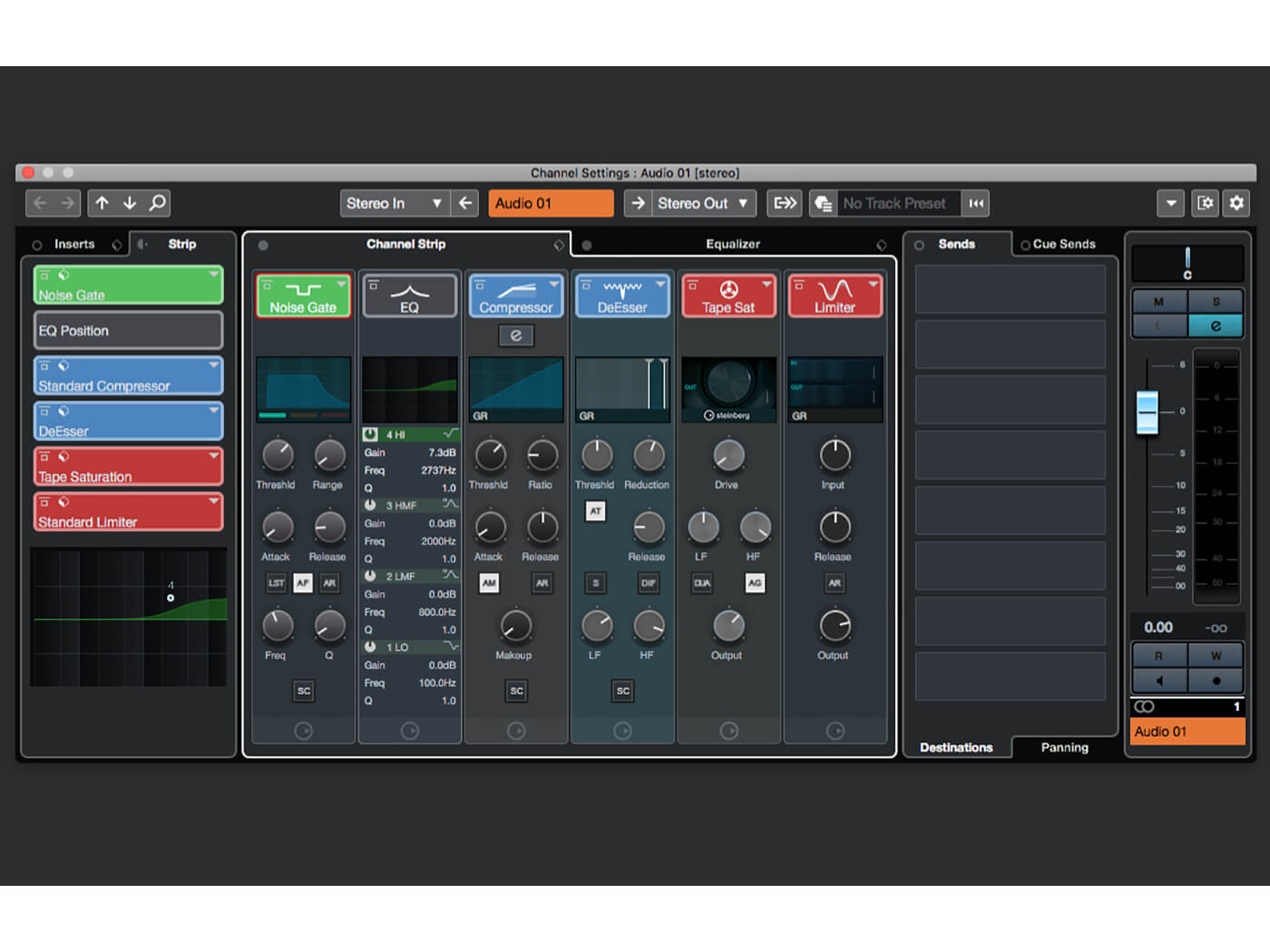 or the ones in Fat Channel
-
- KVRist
- 387 posts since 4 Apr, 2021
Do you mean it’s better in Bucase 13 or in S1?xbitz wrote: Thu Mar 10, 2022 11:41 am ^^^ I would mention patterns too
if compare MIDI parts with Cubase, can see the pads of Groove Agent too similarly to Cubase
Edit: Bucase

-
- KVRAF
- 2772 posts since 28 Mar, 2007
My complete piano roll newbies opinion after trying Cubase 12 and Studio One 4.5 for 20 minutes is that I prefer Studio One.
I have not looked at the manual, just trying stuff through intuition. Cubase 12 is double click to insert notes with the arrow pointer. If you want single click you have to use the draw tool, and then erasing is awkward. Studio One is single click by holding down ctrl and then the eraser appears. Whats not to like in Studio Ones method?
-
- Banned
- Topic Starter
- 4491 posts since 8 Jul, 2008 from UK
Its always the same damn thing though, you get used to something, and doing something different you always end up drawing the comparison to the one you know.chk071 wrote: Thu Mar 10, 2022 11:58 amGuess we all have our preferences in that regard.LeVzi wrote: Thu Mar 10, 2022 11:07 amBoth tbh, but I am guessing I can alter the way it looks, but the way it works, double click to write a note is REALLY annoying, I think they mentioned it here before, wtf is that about ?
It just opened like Reasons does, small and under the playlist, I assume I can detach that, and make it bigger. Cubase's is detached and larger, and its just click write, not double click write.
Kinda wish I could forget everything I know of Cubase so I can demo S1 with no bias.
Don't trust those with words of weakness, they are the most aggressive
-
- Banned
- Topic Starter
- 4491 posts since 8 Jul, 2008 from UK
The more time I spend with it, the more I like it. Once you get your head around it, and make it work the way you want it to, the better.
You can lay it out exactly as I am used to with Cubase.
It's definitely the only direct replacement for Cubase.
I am just glad too it actually loaded this time.
You can lay it out exactly as I am used to with Cubase.
It's definitely the only direct replacement for Cubase.
I am just glad too it actually loaded this time.
Don't trust those with words of weakness, they are the most aggressive