

I hope I am just doing something wrong...
Let´s say I have an audio loop I drag into Cubase...
As in all other DAWs Cubase displays the name of the audio clip after the file name... let´s call this "Schnulli Loop 075 140bpm"
In Cubase I name the track "Loop 1" and hold Shift when pressing enter... now the clip is named "Loop 1 (Schnulli Loop 075 140bpm)"
I don´t want that... I want to name the clip the same as the track and when I hold Shift to name the clips the same while pressing enter it shall stop showing me the silly file name...
Now there is the info pane above where it gives me the option to name the file... If I now change this too to "Loop 1" finally the clip is named the same like the track but now the file on my hard drive is renamed... seriously???
Please tell me that Cubase has a setting or something that stops this super silly behaviour!!!
Or do I seriously have to turn every event into a part before I can name it the "normal" way??
If so, is there a setting to let Cubase do that automatically when dropping an audio file onto a track??
Cubase: Naming Audio clips???
-
- KVRAF
- 5144 posts since 3 Oct, 2013
AFAIK can't be changed, comes from the combination of

desc is hidden by default, shift+enter changes the desc, hope this one will be your biggest problem with Cubase
desc is hidden by default, shift+enter changes the desc, hope this one will be your biggest problem with Cubase
"Where we're workarounding, we don't NEED features." - powermat
-
- KVRAF
- Topic Starter
- 5070 posts since 27 Jul, 2004
Thx, with the hint of the hidden describtion...
But at the very end there seem to be no solution other than turning the event into a part to get rid of the sample name in bracketts...
Sorry, but I have to say this is the most stupid implementation I have seen in DAW land so far...
But at the very end there seem to be no solution other than turning the event into a part to get rid of the sample name in bracketts...
Sorry, but I have to say this is the most stupid implementation I have seen in DAW land so far...
-
- KVRAF
- 5144 posts since 3 Oct, 2013
dunno, I'm using the pattern-based method from FL Studio (triggering them in GA)
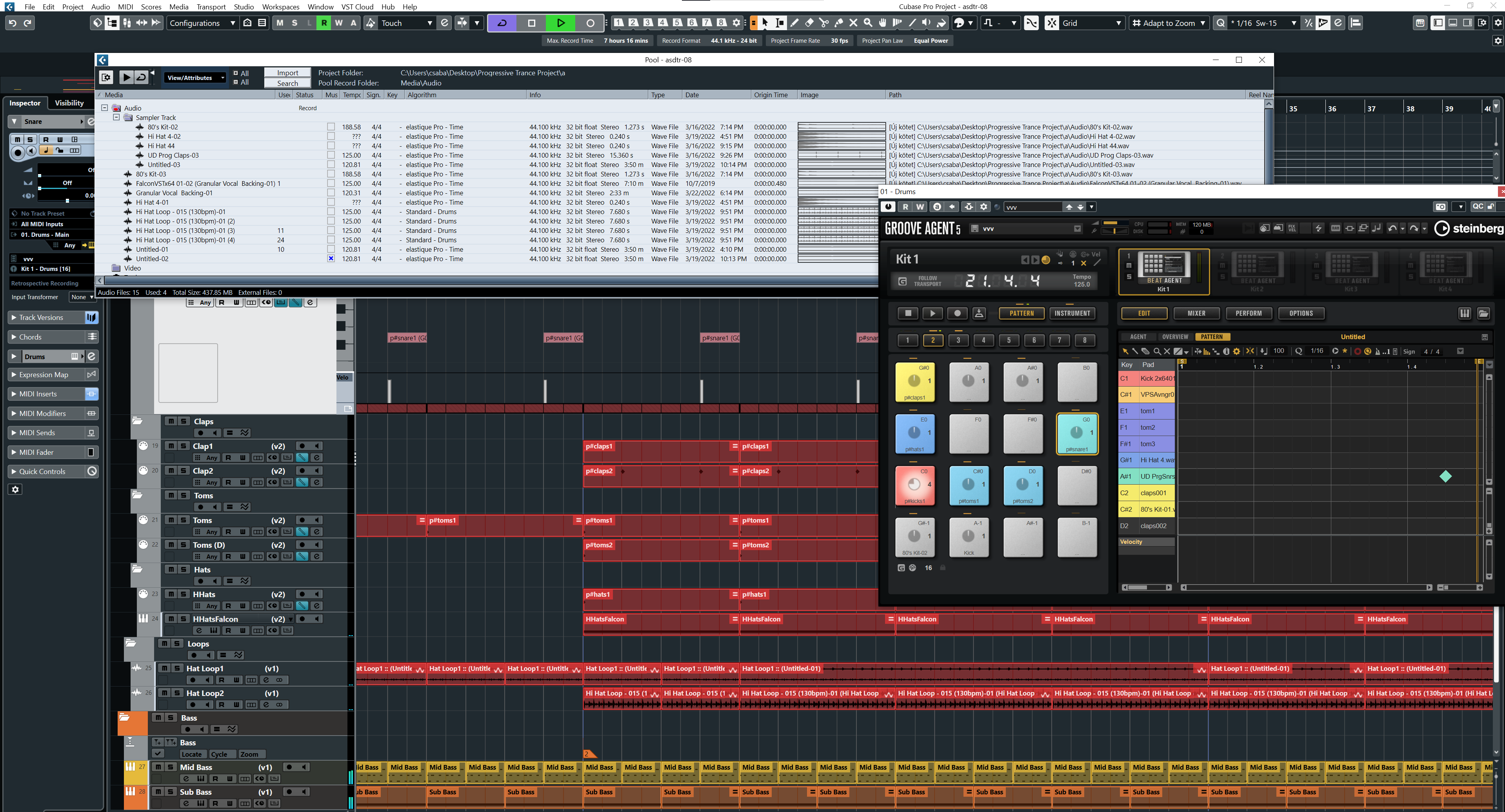
so can't see filenames in the arranger too much during groove building etc., and the Pool uses filenames anyway ... I would say just acclimatize to it
so can't see filenames in the arranger too much during groove building etc., and the Pool uses filenames anyway ... I would say just acclimatize to it
"Where we're workarounding, we don't NEED features." - powermat
-
- KVRAF
- 8705 posts since 24 May, 2002 from Tutukaka, New Zealand
TBH I turn all my audio into parts anyway - not only because of that silly naming thing but also because you can cut/copy/snip etc which seems to be impossible with just audio parts. I guess there's some logic into the way they do straight audio, but I always worked in parts and it just seems the logical way to do audio to me also. Audio to part is your friend in Cubase.
-

- KVRAF
- 26033 posts since 20 Oct, 2007 from gonesville
"finally the clip is named the same like the track but now the file on my hard drive is renamed"
Cubase has no way to tell the two names are supposed to represent one thing, so if it doesn't do this the file will come up missing.
generally I insert the audio file into project with a name I want to see. So with the preference 'Parts get track names', the name of the track is created here (except if it's render in place, which annoyingly gets an abstract name like "Stereo" I have to change). If I change it, and I want the event name to conform with the new track name, I do it in Project Browser via copy/paste.
There are times at a certain point in building a piece I might want to distinguish between Parts (clips, whatever you like) inside a track/channel. I'd just as soon have all the events glued into a Part ultimately, ie., if I edit audio it's in regions anyway.
Cubase has no way to tell the two names are supposed to represent one thing, so if it doesn't do this the file will come up missing.
generally I insert the audio file into project with a name I want to see. So with the preference 'Parts get track names', the name of the track is created here (except if it's render in place, which annoyingly gets an abstract name like "Stereo" I have to change). If I change it, and I want the event name to conform with the new track name, I do it in Project Browser via copy/paste.
There are times at a certain point in building a piece I might want to distinguish between Parts (clips, whatever you like) inside a track/channel. I'd just as soon have all the events glued into a Part ultimately, ie., if I edit audio it's in regions anyway.
-
- KVRAF
- Topic Starter
- 5070 posts since 27 Jul, 2004
Sorry, I have to say it again: silly system... I don´t think that Cubase and me getting good friends...jancivil wrote: Fri Mar 25, 2022 11:09 pm "finally the clip is named the same like the track but now the file on my hard drive is renamed"
Cubase has no way to tell the two names are supposed to represent one thing, so if it doesn't do this the file will come up missing.
...
-

- KVRAF
- 1844 posts since 3 Jan, 2019 from Holland
In Cubase you can do everything with single audio clips : Cut/copy/paste etc.kritikon wrote: Fri Mar 25, 2022 10:55 pm TBH I turn all my audio into parts anyway - not only because of that silly naming thing but also because you can cut/copy/snip etc which seems to be impossible with just audio parts. I guess there's some logic into the way they do straight audio, but I always worked in parts and it just seems the logical way to do audio to me also. Audio to part is your friend in Cubase.
And on contrary to parts, you can also fade/crossfade/volume/pitch/tempo etc. straight in the project window and/or by using the info lane.
The only time when i use parts is when i have a lot of small clips like for example with drums, or when doing small edits because it's faster as a part remembers zoom level.
The loudness war is over, loudness has won
-
- KVRAF
- 1844 posts since 3 Jan, 2019 from Holland
To be honest : I think what you want is silly. But here's a tip :Trancit wrote: Sat Mar 26, 2022 12:12 am Sorry, I have to say it again: silly system... I don´t think that Cubase and me getting good friends...
When you import audio into a project, you can set in preferences that it's copied into your projects 'Audio' folder (It's called 'Copy files to working directory', think it's on by default).
That way it doesn't change the original audio when you rename, but only the copy that's in your project audio folder (and in your Pool).
An other way would be to have "parts get track name" on in preferences, then use "bounce selection" (in the audio menu) on a single clip. This will automatically create a copy in your audio folder with the name that you gave your track.
But anyway, in Cubase it works the way it should be imo : When you import/drag audio into the project, the corresponding new track gets the audio's name. Simple but effective.
The loudness war is over, loudness has won
-
- KVRAF
- 26033 posts since 20 Oct, 2007 from gonesville
I literally can't believe you don't grasp this concept. How is a program going to recognize the file you changed the name of next time you load the project if it's not that on disk? I don't think computer technology and you are going to get along, for that matter.Trancit wrote: Sat Mar 26, 2022 12:12 amSorry, I have to say it again: silly system... I don´t think that Cubase and me getting good friends...jancivil wrote: Fri Mar 25, 2022 11:09 pm "finally the clip is named the same like the track but now the file on my hard drive is renamed"
Cubase has no way to tell the two names are supposed to represent one thing, so if it doesn't do this the file will come up missing.
...
-
- KVRian
- 765 posts since 26 Sep, 2007
The way other DAWs do it: by internally storing the file name independently from the name that's displayed on the clip. No need to couple the two.jancivil wrote: Fri Mar 25, 2022 11:09 pm I literally can't believe you don't grasp this concept. How is a program going to recognize the file you changed the name of next time you load the project if it's not that on disk?
Then again if that's how Cubase works I'd just get used to it, it's just clip names after all.
-
- KVRAF
- 1863 posts since 11 Apr, 2008
This is what I "love" about Cubase. No matter how many years, there's still something new to discover, often even obvious stuff like thisxbitz wrote: Fri Mar 25, 2022 6:27 pm AFAIK can't be changed, comes from the combination of
desc is hidden by default, shift+enter changes the desc, hope this one will be your biggest problem with Cubase

-
- KVRAF
- Topic Starter
- 5070 posts since 27 Jul, 2004
I go a step further: The way ALL other DAWs do it ... there is absolutely no benefit in Cubase´ actual implementation other that you are forced either into additional user interaction to turn the event into a part or to work with copies of your audio files to not mess them up...Dionysos wrote: Sat Mar 26, 2022 6:24 amThe way other DAWs do it: by internally storing the file name independently from the name that's displayed on the clip. No need to couple the two.jancivil wrote: Fri Mar 25, 2022 11:09 pm I literally can't believe you don't grasp this concept. How is a program going to recognize the file you changed the name of next time you load the project if it's not that on disk?
Of course but it´s super ugly and it gets for me double super ugly as there is absolutely no sense behind... I mean many samples have very silly names like this one from Loopcloud:Then again if that's how Cubase works I'd just get used to it, it's just clip names after all.
"SMV_138_D_Male_Vocal_Mantra_11_Om_Shri_Mahalaxmi_Namah_(Wet).wav"
Does really noone got problems with looking at a clip you perhaps "renamed" to something like
that you look at a clip which is now named:Break Vocal 01
instead of just:Break Vocal 01 (SMV_138_D_Male_Vocal_Mantra_11_Om_Shri_Mahalaxmi_Namah_(Wet).wav)
Am I really the only one not liking this behaviour??Break Vocal 01

-
- KVRAF
- 5144 posts since 3 Oct, 2013
in this case you lose the advantage of folders which able to extract the parts in collapsed modedionenoid wrote: Sat Mar 26, 2022 12:37 amIn Cubase you can do everything with single audio clips : Cut/copy/paste etc.kritikon wrote: Fri Mar 25, 2022 10:55 pm TBH I turn all my audio into parts anyway - not only because of that silly naming thing but also because you can cut/copy/snip etc which seems to be impossible with just audio parts. I guess there's some logic into the way they do straight audio, but I always worked in parts and it just seems the logical way to do audio to me also. Audio to part is your friend in Cubase.
And on contrary to parts, you can also fade/crossfade/volume/pitch/tempo etc. straight in the project window and/or by using the info lane.
The only time when i use parts is when i have a lot of small clips like for example with drums, or when doing small edits because it's faster as a part remembers zoom level.

even the shared ... feature is working between folded events so good for patternization too, independent track looping also works in such a way
ps. just for the sake of completeness GA has the same workflow

one folder track to rule them all, dunno how silly is Cubase otherwise but able to reduce the visible track number nicely even without using the visibility agent (multi-marker track is cool)
"Where we're workarounding, we don't NEED features." - powermat