Advantages / disadvantages Studio One Pro and Cubase Pro

Audio Plugin Hosts and other audio software applications discussion
RELATED
PRODUCTS

Post

BONES wrote: Fri Aug 05, 2022 7:08 am But look at this image and explain to us all exactly where Cubase's heavy-handed use of too many colours and shades actually looks good. And, please, let's not even talk about the use of gradient fills in 2022.


GUI_Compare.jpg


To my professional graphic artist's eyes, every part of S1 looks better and more consistent. The toolbars are way nicer, the tracks look way nicer, as does the window in which they are displayed. The mixer channels look way nicer and the consistent look of light text on a dark background across the board makes the whole thing look wonderfully integrated. Studio One looks better overall and in every detail, too.
I think what makes Studio One a bit less clear and more tedious/busy looking is the lack of contrast, and the flat GUI elements.

Again, I think Studio One's GUI is absolutely alright and functional. But, it's far from the best GUI's out there.

Post

BONES wrote: Fri Aug 05, 2022 7:08 am But look at this image and explain to us all exactly where Cubase's heavy-handed use of too many colours and shades actually looks good. And, please, let's not even talk about the use of gradient fills in 2022.

GUI_Compare.jpg
That's Cubase 8, from 2014, running on Windows 7. You could have found a more recent image.

This is Cubase 11:
Cubase11.jpg
You do not have the required permissions to view the files attached to this post.

Post

Thank you for your feedback and reviews.

There is, as they say, food and drink for both Cubase and Studio One.

Here I have a license for Cubase AI, I will install it and compare the base with Studio One and if I like Cubase, maybe upgrade to Artist or Pro.

As I will not fully use certain specific features of each, my choice will be made on the one that will bring me the most (ergonomics / workflow / stability / compatibility / hardware support).

The CPU load is also an important criterion, as well as the management of vst.


From what I can see, ergonomics and workflow point of view, Studio One has a real advantage over Cubase, to see for the rest of my needs.

Either way, both are great products.

Will have to see the evolution and what will offer and bring both version 13 of Cubase and the version of Studio One Pro 6.

Post

Trancer wrote: Fri Aug 05, 2022 9:21 pm Either way, both are great products.
:tu:

I think it's up to taste, and the wallet, which one is more suited to one's needs.

Post

chk071 wrote: Fri Aug 05, 2022 12:07 pmI think what makes Studio One a bit less clear and more tedious/busy looking is the lack of contrast, and the flat GUI elements.
Except there is plenty of contrast and the "flat" GUI elements make it look clean and modern, way less busy than Cubase. More neutral by deafult, too, which means it will work well in a broader range of environemnts, from a brightly lit room to complete darkness, which is great on stage where you might have all the lights on you or none at all. OTOH, Cubase is very dark and would be much harder to work with in a bright space.
Again, I think Studio One's GUI is absolutely alright and functional. But, it's far from the best GUI's out there.
I think Logic is the only DAW with a better, cleaner GUI but I have no idea how usable it is.
Giova942 wrote: Fri Aug 05, 2022 7:56 pmThat's Cubase 8, from 2014, running on Windows 7. You could have found a more recent image.
It was hard to find one that didn't have instrument or effects windows open across it.
This is Cubase 11:
Cubase11.jpg
Look at that, way more like Studio One! But still with too many colours, still with inconsistent text colours and still with gradient fills. A lot more subtle but it still looks dated. A good spot to compare is the transport controls. In Studio One they are clean and clear, whereas in Cubase they are in their own little box with a fill and an outline and it looks way more cluttered. It's also too small in Cubase, for something you use literally more than any other part of the GUI.
NOVAkILL : Legion GO, AMD Z1x, 16GB RAM, Win11 | Audient EVO 8 | Lumi Keys | Studio Pro 8
Korg Odyssey, bx-oberhausen, Proxima, PolyMax, GR8, JP6K, Union, Atomika,
Invader 2, Flow Motion, Olga, TRK 01, Thorn, Spire, VG Iron

Post

I went from Cubase 6.5 to 9 , hated the GUI at the start, but over time it's just improved and now I cant imagine working on anything else.

I love the darker shades, I can work with no eye strain at all. C6.5 was lighter but that didn't hurt my eyes either.

I tend to work in a very dark environment anyway, so a light GUI would kill me.

S1's GUI was fine tbh, when I tried the demo. Would take some getting used to, but I definitely would choose the Cubase one over it.

Lets not talk about Abletons GUI , because i'd rant for hours.
Don't trust those with words of weakness, they are the most aggressive

Post

Trancer wrote: Fri Aug 05, 2022 9:21 pm

From what I can see, ergonomics and workflow point of view, Studio One has a real advantage over Cubase, to see for the rest of my needs.
Studio One is easier to get into and the modern design of course wins here. S1 also has a very useful and helpful info bar! It shows you all the shortcuts when you hove your mouse or and press ctrl, shift or Alt. So, you don't have to worry memorising the shortcuts. It also starts and exits much faster than Cubase (opening projects might not as fast). Those are obvious things when started. However, personally, I trust Cubase more than S1 when it comes to the final rendering (I mean S1 might have hidden bugs), but this is what I feel. Others might conclude the opposite because Cubase also has bugs, but which team do you trust more to fix them! I slightly trust Steinberg team more! In the end, you can always just trust your ears, so when you hear something wrong, you investigate the reason.

Anyway, I want to make two points. First, the shortcuts are really very similar. Once you get used to the Keyboard/mouse shortcuts for the transport and navigation, it will make no big difference for you. Second, and this is in general, sometimes you stick with something knowing its drawbacks, but still stick to it!

I haven't stick to Cubase and made a big round more than once and in the end I needed to choose one main DAW because I couldn't just start another DAW every day! Things got so cluttered with my projects and music! I thought it is ok, it is just a hobby, but even if it is a hobby, I need to finish those pieces! So, in the end it is between S1 and Cubase. I chose Cubase as my main and S1 as backup (I don't know what this means, but I found an excuse to not sell S1 :hihi: )
Using: Cubase Pro 15, Reason 13, Tascam US-4x4HR, MODX6, DM12D, LaunchKey 49, Yamaha guitar(Pacifica 612v) and bass (BB234) and some virtual instruments and synths.

Post

Opening projects in Studio One is way faster for me than it is in Cubase. Way faster. It was an important factor in my choosing it.
NOVAkILL : Legion GO, AMD Z1x, 16GB RAM, Win11 | Audient EVO 8 | Lumi Keys | Studio Pro 8
Korg Odyssey, bx-oberhausen, Proxima, PolyMax, GR8, JP6K, Union, Atomika,
Invader 2, Flow Motion, Olga, TRK 01, Thorn, Spire, VG Iron

Post

Yes I begin to notice this! S1 seems faster in opening similar projects!
Using: Cubase Pro 15, Reason 13, Tascam US-4x4HR, MODX6, DM12D, LaunchKey 49, Yamaha guitar(Pacifica 612v) and bass (BB234) and some virtual instruments and synths.

Post

LeVzi wrote: Sat Aug 06, 2022 7:49 am I went from Cubase 6.5 to 9 , hated the GUI at the start, but over time it's just improved and now I cant imagine working on anything else.

I love the darker shades, I can work with no eye strain at all. C6.5 was lighter but that didn't hurt my eyes either.

I tend to work in a very dark environment anyway, so a light GUI would kill me.

S1's GUI was fine tbh, when I tried the demo. Would take some getting used to, but I definitely would choose the Cubase one over it.

Lets not talk about Abletons GUI , because i'd rant for hours.
Cubase GUI is great for working for long times with no eye strain, definitely.

You can also really set up and create very useful working environments with different views. Very good on dual monitors.

The only issue I have with cubase is it's a bit slow to start to setup projects, add instruments, groups and routing. But with templates and a bit of patience it's fine really. Very good for mixing once project is well configured.Could maybe use some more workflow streamlining.

Bitwig is the other DAW I use and it just is a lot smoother to add thing, routing is really simple so it makes it really nice for starting ideas. The layout options also work really well for dual screens and it's also got a very easy on the eye colour scheme.

Studio One looks perfectly fine to me. Was a bit tempted to try a small project with the demo, but as I don't see anything of real advantage over my Bitwig cubase combo, seems it would just be a time distraction for me personally.

Post

Yeah I agree, Cubase can be a pain in the ass to setup but tbh, its not a big deal to me. I like to group and change routing and stuff as I go along. My main template runs the same.

I'd like the option to have a secondary out before the stereo out and all new channels / groups / fx channels etc route to that.
Don't trust those with words of weakness, they are the most aggressive

Post

Image
visual feedback of the mixer is definitely better in S1 and some plugin families like the bx ones can talk back to S1 so can see the gain reduction etc. or can see even their control of them directly
"Where we're workarounding, we don't NEED features." - powermat

Post

Some things that come to mind:

Cubase has a nicer mixer setup, with 4 different mixer views available in V12. S1 has better visual feedback to see what tracks have audio playing. So overall Cubase wins, but in S1 its easier to hide/unhide tracks in large projects because you can see which have audio playing.

The macro functions in both are deep, but S1 is far easier to set up, and of course share. Cubase has a long way to go here.

C12 midi remote function is amazing and a massive workflow boost once you set it up. Its still not exposing all functions to the host though. For example I cannot insert a plugin by a single button press, or a particalar saved effect chain.

C12 export of stems is very comprehensive.I am not sure that S1 is that deep.

C12 recording of VST in real time is a PITA!!! You have to route the audio of the VST to a BUSS, which then has to be routed to a audio channel. So if I have a 16 channel drum plug and want to record in real time I need to have 48 channels in total to get that done. This is just stupid.

C12 has better customisability for screen sets for my taste.

S1 drum pattern function is cool. Nothing comparable in C12.
My milkshake brings all the girls to the yard

http://soundcloud.com/the-boogee-man

Post

xbitz wrote: Wed Aug 10, 2022 7:26 am Image
visual feedback of the mixer is definitely better in S1 and some plugin families like the bx ones can talk back to S1 so can see the gain reduction etc. or can see even their control of them directly
I really like that. Wished that more plugins would offer that functionality.

Post

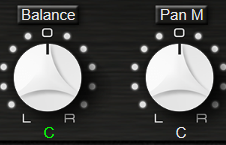
^^^ bx ones even mark the automated parameters differently
Image
also should be supported more ... and it seems doesn't work in Cubase (just checked and can't see), so another +1 for S1

ps. so seems in S1 there is two-ways communication between the plugins and the host which is missing for C
"Where we're workarounding, we don't NEED features." - powermat

Post Reply

Return to “Hosts & Applications (Sequencers, DAWs, Audio Editors, etc.)”