RapidComposer v4 beta feedback and discussion (locked)

Official support for: musicdevelopments.com
Locked New Topic
RELATED
PRODUCTS
RapidComposer RapidComposer LE

Post

RapidComposer v4.5b9 is available!

Improvements:
  • Removed automatic selection of 'acoustic guitar' voicing when a guitar instrument is chosen
  • Fixed MIDI export/dragging "missing notes" bug introduced recently
  • Fixed a hanging bug when using Auto-Apply with VST plug-ins
  • Fixed saving/loading of Rhythm Mapper phrases
  • [macOS] Fixed scrolling 'inverted' behaviour: when the OS setting for the mouse wheel/touch pad was inverted, "Invert scrolling direction" was ignored
https://www.musicdevelopments.com
Home of RapidComposer, Melodya, MIDI Mutator and Syne
Summer Sale • June 3-15 • 40% off RapidComposer, Melodya, MIDI Mutator, Syne

Post

FYI the new CC editor started to work but it is not yet ready for a beta version:

Image

It offers an 'event' mode and a 'curve' mode with automatic placement for MIDI CC events depending on the curve steepness. It has undo/redo and several tools for drawing curves, or just setting points. It supports all CC's in 14-bit resolution where possible.
https://www.musicdevelopments.com
Home of RapidComposer, Melodya, MIDI Mutator and Syne
Summer Sale • June 3-15 • 40% off RapidComposer, Melodya, MIDI Mutator, Syne

Post

nice! Please make sure you have the ability to show/hide the editor.. looking good..

Post

Yea, everyone, also related to that is an update to R-Tic. It is now resizable to accommodate Kontact 7 being resizable. It makes it easy to see both side by side on the same monitor. You can also show less/more of what you are editing just to keep it cleaner looking.

R-Tic uses the same default midi CC as RC, the "General Midi" control, so, when you create a new control file, you now have the ability to "uncheck all" CC's in the table, rather than having to manually uncheck each one you don't need. You then select just the ones you want..

It will be made available after the next RC version is released..

Post

:clap: Thanks for your efforts and well done work.

Post

BluGenes wrote: Sun Oct 30, 2022 5:08 pm
Wabashprof wrote: Sun Oct 30, 2022 3:38 pm CTL-Dragging a track to my desktop or to a new track in my DAW creates midi of one note playing at a time. The full content of the track (e.g. chords, ostinatos, etc.) does not export. Am I doing something wrong? RC 4.5b8

 
could be.. depends on where you are dragging from.. if it's the master track (The name label), it's just chords.. from a track, start the drag from the track name.. if it's the file button, it's the entire composition..

 
The new beta version fixed the problem for me. I can now drag from the track (not master track) and get all the midi notes in the export. Thanks!

Post

Can someone send me link to beta version

Post

lovemusic15 wrote: Fri Nov 04, 2022 12:33 pm Can someone send me link to beta version
yea, you should never ask that, really.. You should ONLY get that from Atilla.. If someone nefariously decided to hack you, that would be a way to do it.. a bad link.

Just email support for that..

Post

I sent the beta download links to lovemusic15 in PM.
https://www.musicdevelopments.com
Home of RapidComposer, Melodya, MIDI Mutator and Syne
Summer Sale • June 3-15 • 40% off RapidComposer, Melodya, MIDI Mutator, Syne

Post

:tu:

Post

musicdevelopments wrote: Fri Nov 04, 2022 4:08 pm I sent the beta download links to lovemusic15 in PM.
Thanks Attila

Post

musicdevelopments wrote: Wed Nov 02, 2022 4:57 pm RapidComposer v4.5b9 is available!

Improvements:
  • Removed automatic selection of 'acoustic guitar' voicing when a guitar instrument is chosen
  • Fixed MIDI export/dragging "missing notes" bug introduced recently
  • Fixed a hanging bug when using Auto-Apply with VST plug-ins
  • Fixed saving/loading of Rhythm Mapper phrases
  • [macOS] Fixed scrolling 'inverted' behaviour: when the OS setting for the mouse wheel/touch pad was inverted, "Invert scrolling direction" was ignored
thank you !

i also found some bugs with the vst plugin while using it in fl studio, auto regeneration doesn't work and the "regenerate all selected phrases" doesn't work. i have to open the phrase inspector to regenerate phrases, it also misses the very first midi note on all tracks, also the 64 bit version of the plugin glitches a lot it does not let you resize the window it glitches out and the phrase library disappears
You do not have the required permissions to view the files attached to this post.

Post

Ouch! I'll check FL Studio... The plug-ins work quite well in other hosts.
Resizing the plug-in window is a nightmare because each host does it differently.
It is possible that I should add an FL Studio specific hack...
Please always use the VST3 plug-in, where the VST3 API has some support for resizing the UI.

Thanks,
Attila
https://www.musicdevelopments.com
Home of RapidComposer, Melodya, MIDI Mutator and Syne
Summer Sale • June 3-15 • 40% off RapidComposer, Melodya, MIDI Mutator, Syne

Post

musicdevelopments wrote: Sat Oct 22, 2022 11:45 am Hi magicmusic,

You can actually make the window bigger in S1 5 but it is tricky to find the right pixel at the bottom right corner ;)
This is not the fault of the plug-in, but the host creates a window with a very thin border, but it is resizable.

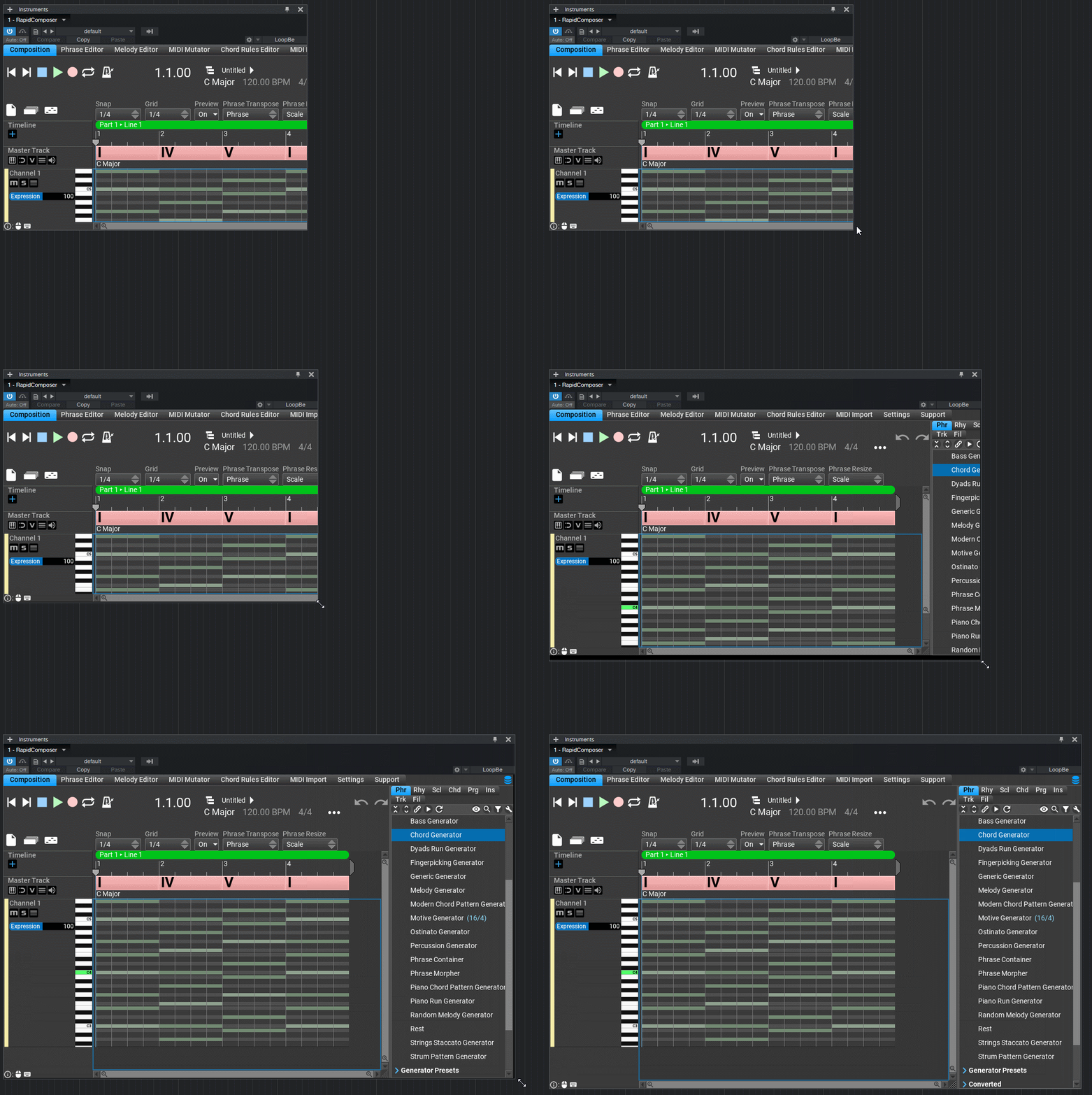
I prepared a GIF:
Image

BTW I am working on MIDI CC editing for notes and phrases. You can expect the first beta in about 2 weeks.

Thanks,
Attila
I notice the resize work as you say only in VST 3 version. the VST 2 version did not resize . I notice how can resize the VST 2 with a workaround. load another instrument with a big gui in other s1 track. then switch on the s1 instrument tab back to rc. then window get larger and resize button of RC can see. then i choose the size that all is show and save as default in studio one menu. now when add a new rc then size is good

it is ok so, so no fix need.
win 11 64 25H2 ryzen 8600G (6*4.3 GHZ) 48 GB Ram

Post

Steinberg no longer supports VST 2, so, maybe it's time to retire it altogether. It's now all about VST3 and VST3i....

Locked

Return to “MusicDevelopments”