

Hi,
I would like to use different latencies with my different softs (Reaper and Pianoteq).
But when I change the ASIO latency in reaper (or start Reaper with a different latency), it changes the latency of PIanoteq (and the latency of my sound card panel)! My pianoteq latency is replaced!
PIanoteq is a piano and I want to a very low latency like 32 samples. For Reaper, I use 128 samples.
There is a solution to this issue?
Windows 10 and my sound car is PreSonus Revelator io 24.
Thx you!
__________________
How to avoid than a soft changes the latency of my sound card panel? I want different latency depending on my softs.
-
- KVRist
- 37 posts since 18 Mar, 2012
Last edited by Pere Founasse on Fri Nov 04, 2022 12:47 am, edited 1 time in total.
-

- KVRAF
- 16827 posts since 8 Mar, 2005 from Utrecht, Holland
The solution is to go into the control panel of your interface before starting either program, and adjust the buffer size. Alas...
We are the KVR collective. Resistance is futile. You will be assimilated. 
My MusicCalc is served over https!!
My MusicCalc is served over https!!
-
- KVRist
- Topic Starter
- 37 posts since 18 Mar, 2012
No. Of course, it not works.
-
 Vocalpoint Studios Vocalpoint Studios https://www.kvraudio.com/forum/memberlist.php?mode=viewprofile&u=3112
 - KVRian
- 894 posts since 20 Jun, 2002
The critical setting of Buffer Size (in my case with my RME interfaces) is set using the hardware control panel and that value is passed to Studio One (in my case) which gives me my Device Block Size, Sample Rate, Input Latency and Output Latency.
This is a global value controlled by hardware and only one value can be used at any given time. You cannot set unique latencies per VST within a specific project - since the hardware exposes only one value and the DAW uses that value.
I guess if you wanted to keep exiting your project and going back and forth within your hardware to keep changing buffer settings - but that makes no sense.
The Revelator is solid entry level interface but it still plays by the same I/O rules.
FWIW: I cannot imagine needing a buffer lower than 128 to play any piano I have here.
Cheers
VP
-
- KVRist
- Topic Starter
- 37 posts since 18 Mar, 2012
Hi !
I use Pianoteq like standalone. Not like a VST. I want to keep the lantency I have set on Reaper and on Pianoteq, but it seems impossible for Pianoteq.
For me, it's hard / unconfortable to play well piano at 128 samples. 64 is acceptable but not amazing.
I use Pianoteq like standalone. Not like a VST. I want to keep the lantency I have set on Reaper and on Pianoteq, but it seems impossible for Pianoteq.
For me, it's hard / unconfortable to play well piano at 128 samples. 64 is acceptable but not amazing.
-
Vocalpoint Studios Vocalpoint Studios https://www.kvraudio.com/forum/memberlist.php?mode=viewprofile&u=3112
- KVRian
- 894 posts since 20 Jun, 2002
Ah - I get it now. Still doesn't matter.Pere Founasse wrote: Fri Nov 04, 2022 8:22 pm Hi !
I use Pianoteq like standalone. Not like a VST. I want to keep the lantency I have set on Reaper and on Pianoteq, but it seems impossible for Pianoteq. For me, it's hard / unconfortable to play well piano at 128 samples. 64 is acceptable but not amazing.
The audio interface controls the buffer settings - for everything. If you drop the Revelator buffer to 64 and then noodle around in Pianotec Standalone - that buffer setting is global in scope. If you close PianoTec and do not change the card buffer - and then fire up Reaper - it's going to grab the global settings. (64)
The only way around this is to reset your buffer for each scenario - every time. Change to 64 for Pianotec and when you are done - exit Pianotec and then change it back to 128 (or whatever you use) for Reaper and start up Reaper.
There is no way (that I am aware of) to create/manage multiple unique buffer settings and assign then to each unique sceanario.
VP

-

- KVRAF
- 4078 posts since 28 Jan, 2011 from MEXICO
It also depends on the brand of the interface, RME for example can't be set up form the software directly, it always opens the RME little software to set buffer size.
But AFAIK what you want can't be done in windows.
But AFAIK what you want can't be done in windows.
dedication to flying
-

- KVRAF
- 9564 posts since 6 Jan, 2017 from Outer Space
There are two different sizes, one is the buffer size of the interface, the other is the block size of the DSP. The block size can be different for different apps, the buffer size of the interface is an interface setting and is simply communicated back to all hosts…
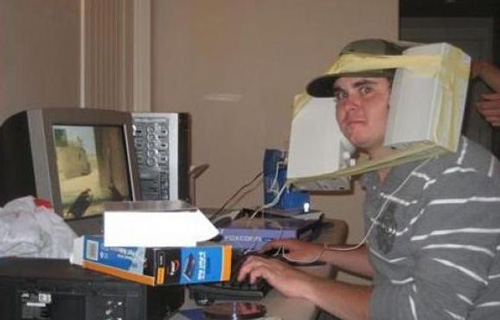
If 128 samples is too bad, move your speakers about 50 cm closer to your ears and you get about the same latency as with 64 samples…
If 128 samples is too bad, move your speakers about 50 cm closer to your ears and you get about the same latency as with 64 samples…
-

- KVRAF
- 2982 posts since 31 Jan, 2003 from Ghent, Belgium
Ok...Tj Shredder wrote: Sat Nov 05, 2022 5:20 pm If 128 samples is too bad, move your speakers about 50 cm closer to your ears and you get about the same latency as with 64 samples…
Me:

-
- KVRist
- Topic Starter
- 37 posts since 18 Mar, 2012
I have taken this advice like a joke. 