

We have published a full guide to optimize your Windows laptop for low latency real time audio. There are probably many things people here are aware of, but there are hopefuly a few tricks that you will find helpful.
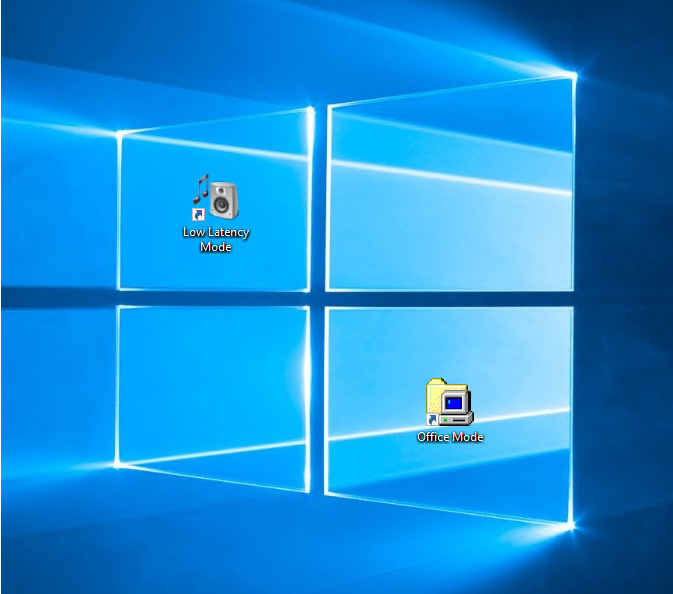
Enjoy!



 .
.Nor would I expect you too, core parking is to stop potential micro-stuttering and some audio glitching scenarios.Blue Cat Audio wrote: Tue Jun 18, 2019 6:20 pm Regarding core parking, we haven't noticed performance gains on the laptops (or even desktops) being tested so far.
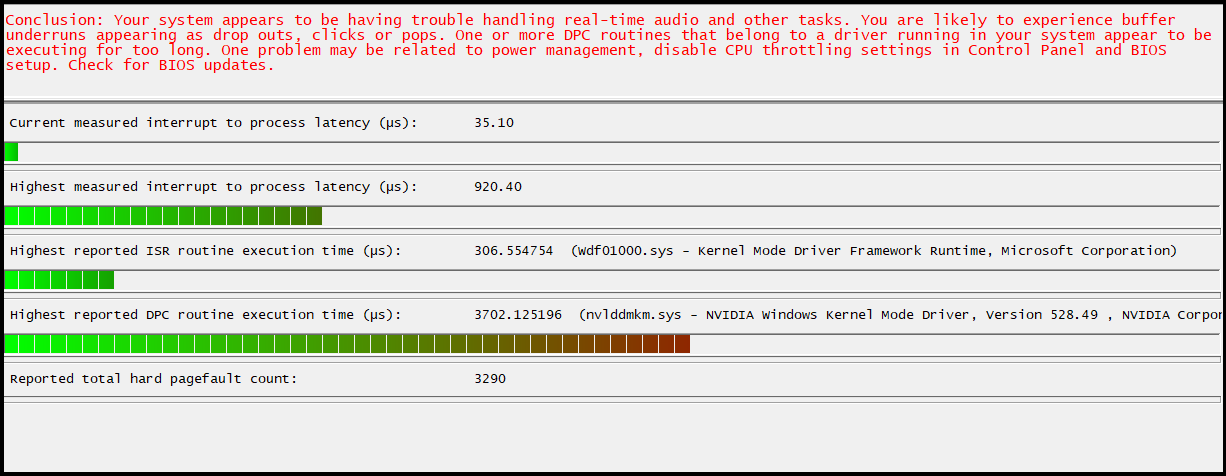
Try setting "Prefer maximum performance" under Power management mode in NVIDIA control panel, and rebooting afterwards.Blue Cat Audio wrote: Mon Feb 27, 2023 3:52 pm After struggling for days with NVIDIA drivers issues that cannot be solved (yet), it seems that another trick can help solve audio dropouts with faulty drivers with high DPC latency:
Solving Audio Dropouts & DPC Latency Issues With NVIDIA Drivers On Windows
It has only been tried on these NVIDIA drivers but I guess it should be applicable to most other drivers with high DPC latency.
Great idea, I will try this out today2DaT wrote: Sat Mar 04, 2023 12:42 pmTry setting "Prefer maximum performance" under Power management mode in NVIDIA control panel, and rebooting afterwards.Blue Cat Audio wrote: Mon Feb 27, 2023 3:52 pm After struggling for days with NVIDIA drivers issues that cannot be solved (yet), it seems that another trick can help solve audio dropouts with faulty drivers with high DPC latency:
Solving Audio Dropouts & DPC Latency Issues With NVIDIA Drivers On Windows
It has only been tried on these NVIDIA drivers but I guess it should be applicable to most other drivers with high DPC latency.
It does help, but the disadvantage is that you get increased power consumption. Expect to consume 50W instead of 10-15W. I think setting the separate NVIDIA profile for DAW works and you don't get increased power consumption when not using one, which is a reasonable compromise.
They (NVIDIA) have acknowledged the problem, but nobody knows when the drivers will be fixed. So far this is the only workaround that we have. Burning unnecessary electricity to avoid having audio pops and glitches.

Thanks for sharing! I have tried pretty much every type of options available in the NVIDIA control panel, but nothing made a difference regarding audio dropouts. The only way to fix it was to force the interrupts to happen on a different CPU core. And now it is working very well, the system can achieve very low latencies without a single dropout!2DaT wrote: Sat Mar 04, 2023 12:42 pm Try setting "Prefer maximum performance" under Power management mode in NVIDIA control panel, and rebooting afterwards.
It does help, but the disadvantage is that you get increased power consumption. Expect to consume 50W instead of 10-15W. I think setting the separate NVIDIA profile for DAW works and you don't get increased power consumption when not using one, which is a reasonable compromise.
They (NVIDIA) have acknowledged the problem, but nobody knows when the drivers will be fixed. So far this is the only workaround that we have. Burning unnecessary electricity to avoid having audio pops and glitches.
Good to know!Blue Cat Audio wrote: Mon Mar 06, 2023 11:16 am Thanks for sharing! I have tried pretty much every type of options available in the NVIDIA control panel, but nothing made a difference regarding audio dropouts. The only way to fix it was to force the interrupts to happen on a different CPU core. And now it is working very well, the system can achieve very low latencies without a single dropout!

Submit: News, Plugins, Hosts & Apps | Advertise @ KVR | Developer Account | About KVR / Contact Us | Privacy Statement
© KVR Audio, Inc. 2000-2026