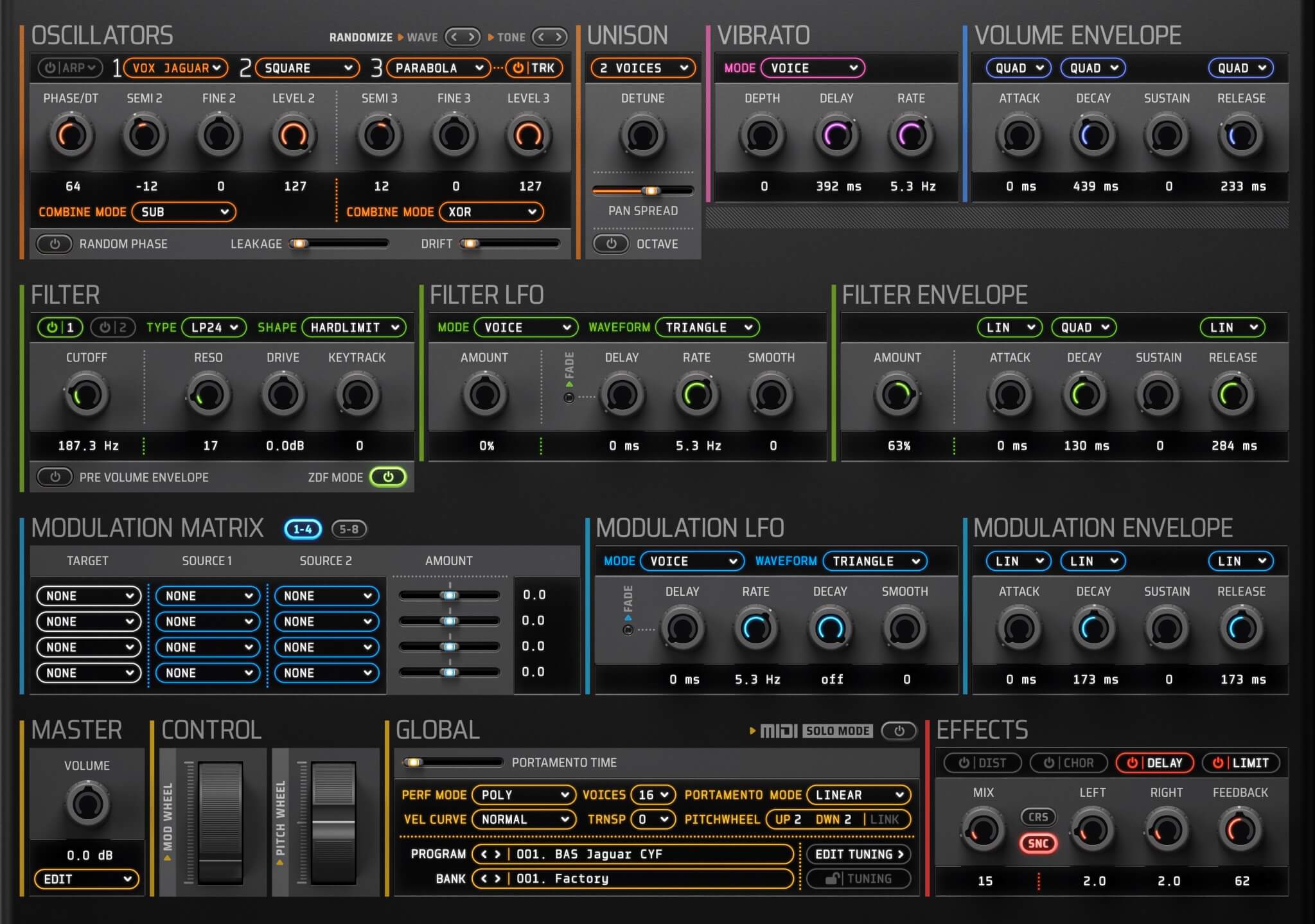
Corona 6.0 released

VST, AU, AAX, CLAP, etc. Plugin Virtual Instruments Discussion
Locked New Topic
RELATED
PRODUCTS
Corona$149.00Buy

Post

Presets showcase by @elektronickmusick 🔥🎶

Post

..
Last edited by Vortifex on Sat May 24, 2025 7:37 pm, edited 1 time in total.

Post

Vortifex wrote: Wed Aug 09, 2023 10:52 am Enjoying the synth! I wish I could drag the interface to be just a little bit bigger, as the fonts on the various drop down menus are smaller than in the previous version and are on the borderline of readability for me. Looking forward to being able to manually select dark mode.
Totally get where you're coming from. For 6.1, we're gonna amp up the zoom to 125% so you won't need to squint anymore. And yep, selectable dark/light theme is on the checklist. Plus, we've got your back on those fixes and a lil' something extra for the WAV/SF2 import. Cheers for the feedback!

Post

..
Last edited by Vortifex on Sat May 24, 2025 7:37 pm, edited 1 time in total.

Post

Vortifex wrote: Sun Aug 06, 2023 5:43 pm Random phase doesn't seem to work for me. Detuning two saw waves has them both reset whether random phase is on or off.
The random phase does work, but be aware that it applies to all oscillators, not independently.

Post

A cool demo by SoundForMore

Post

..
Last edited by Vortifex on Sat May 24, 2025 7:36 pm, edited 1 time in total.

Post

Vortifex wrote: Sun Aug 13, 2023 10:14 am How can I tweak a preset and save the new version into a new slot while also preserving the original?
Simply copy and paste the preset first into a new slot.

Post

On the Corona 6.0 product page it says:

"Multi-size GUI: Corona graphics are configurable in four window sizes: 75%, 100%, 150% and 200%."

The same is stated in the manual.

... which makes sense to me as the image assets all come in three different sizes (just like in Discovery or OB-Xd).

Now, the demo only gives you two options: 75% and 100%.

Q: Is this another limitation of the demo, or does the full version also only have a 75% and 100% option?

I am asking because the manual says this about the demo version:

"Demo version has the following limitations:
● Active preset will not be restored after a project is reloaded.
● Preset position and bank will not be restored after a project is reloaded.
● Programs can't be stored or exported.
● Parameter automation is not available"

[So, it doesn't say: "Only two different GUI sizes to choose from - 75% and 100%."]

Post

..
Last edited by Vortifex on Sat May 24, 2025 7:38 pm, edited 1 time in total.

Post

Vortifex wrote: Wed Aug 16, 2023 1:54 pm
e-musician wrote: Wed Aug 16, 2023 1:49 pm Now, the demo only gives you two options: 75% and 100%.

Q: Is this another limitation of the demo, or does the full version also only have a 75% and 100% option?
I own it and those are the only two size options.

Thanks a lot for replying, Vortifex!
So the information given both on the discodsp website and in the Corona manual is clearly wrong and therefore misleading.

Corona GUI.png
You do not have the required permissions to view the files attached to this post.

Post

I own it and I see 75%, 100% and 150%.

The version history at the end of the manual reads: "GUI size setting is limited by detecting the system screen size."

200% wouldn't fit on my screen, so that works as expected.

Post

Frettchen wrote: Thu Aug 17, 2023 10:20 pm I own it and I see 75%, 100% and 150%.

The version history at the end of the manual reads: "GUI size setting is limited by detecting the system screen size."

200% wouldn't fit on my screen, so that works as expected.
Thanks for clarifying. Now I understand.
Yes, my screen resolution is 1920X1080, so the 150% GUI (together with the window frame) wouldn't fit, and therefore that size is not selectable.

The changelog for 6.1 already says that GUI scaling to 125% will be introduced (as well as a selectable dark variant).

Post

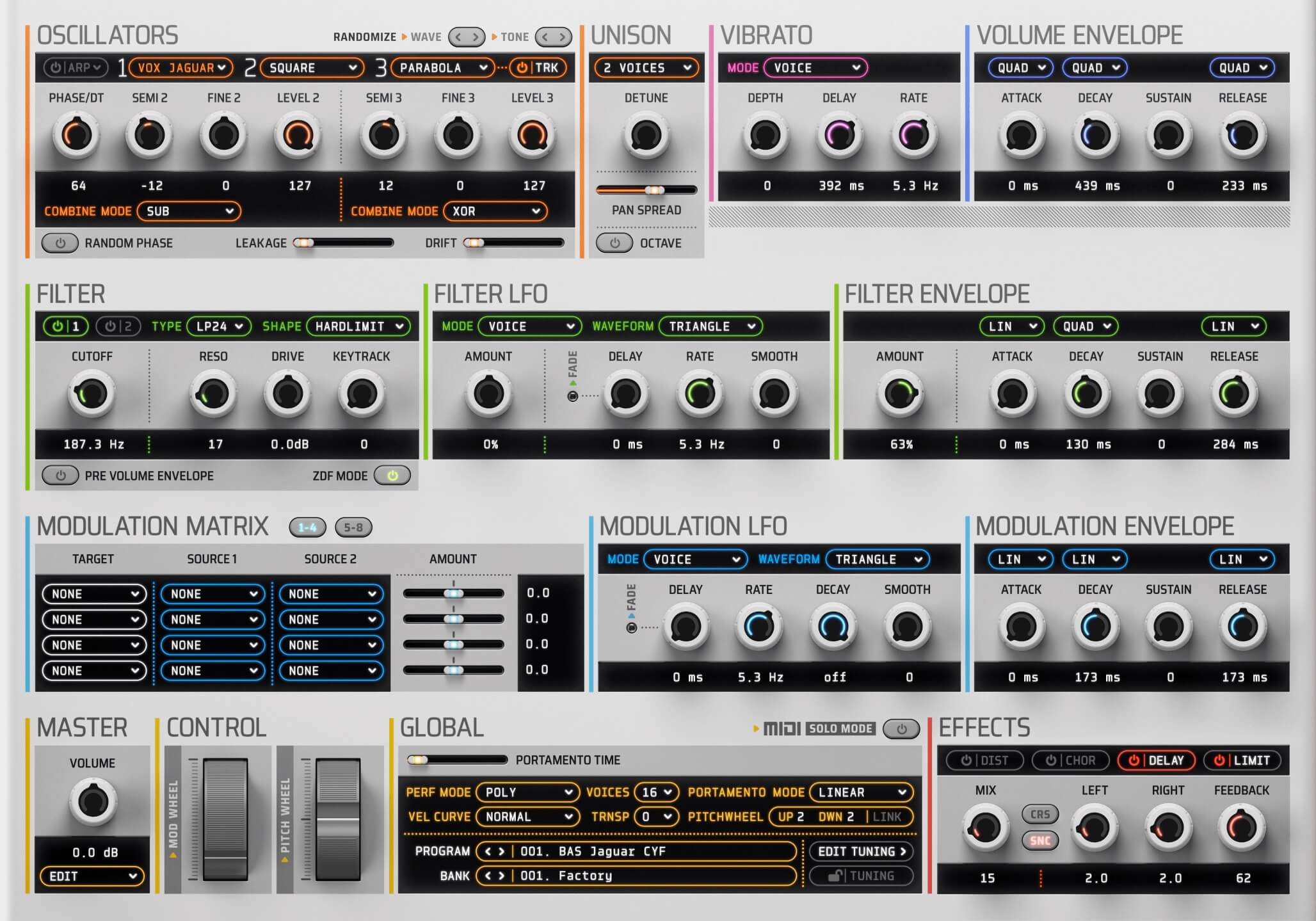
To force the GUI zoom in Corona 6 or higher, edit the Corona.settings file using a text editor. Change the value in the following line from 100 to 75, 150, or 125 (only for 6.1 onwards).

Code: Select all

<VALUE name="GUISize" val="100"/>
Post

We're thrilled to announce the release of discoDSP Corona 6.1, ushering in an array of improvements and optimizations that promise to refine your sound design journey!

Image

Image

What's New in 6.1
  • Framework: We've upgraded our core framework, ensuring smoother operations and heightened performance.
  • SDK Updates: We've made the transition to the latest versions of VST3 and AAX SDKs, offering more compatibility and streamlined integrations.
  • Rendering: Good news for macOS users – we've tackled and resolved Metal rendering anomalies, so you can expect flawless visual feedback.
  • MIDI: We've addressed and fixed the issue where MIDI Out was non-functional, ensuring seamless MIDI operations.
  • UI Enhancements: Our commitment to offering you the best user experience continues with:
    • Rectification of the limiter button meter display issues.
    • Fixes for non-responsive sliders in the modulation matrix.
    • Introduction of 125% GUI scaling for better visibility and accessibility.
    • Streamlined GUI menu, tailor-made for a better user experience.
    • Enhanced skin theme selector now comes with Auto, Light, and Dark options.
    • Adjusted the mod matrix position of the GUI slider on the default skin for better access.
    • Highlight colors for menu items for easier navigation.
    • Fixed scaling for Edit and Arpeggio popup menus.
    • Presenting a brand new Standalone app icon for instant recognition.
    • Additional Edit > File > Import Wave... function to optimize your workflow.
    • Boosted functionality with WAV files - you can now import them, whether individually or in batches, via drag and drop.
For our dedicated community of existing Corona users, there's an exclusive upgrade offer waiting for you. Upgrade to the advanced discoDSP Corona 6.1 for just $29/29 EUR in our Members Area, maintaining the promotional price from the early access period.

Locked

Return to “Instruments”