Blue Cat's Connector 1.2: Internet Connection made easy with UPnP

VST, AU, AAX, CLAP, etc. Plugin Virtual Effects Discussion
Post Reply New Topic
RELATED
PRODUCTS
Connector$49.00Buy

Post

Dear KVR Members,

We are happy to unleash Blue Cat's Connector 1.2, a free update for our universal connection plug-in that can that can stream audio and MIDI almost anywhere "in the box" and beyond.

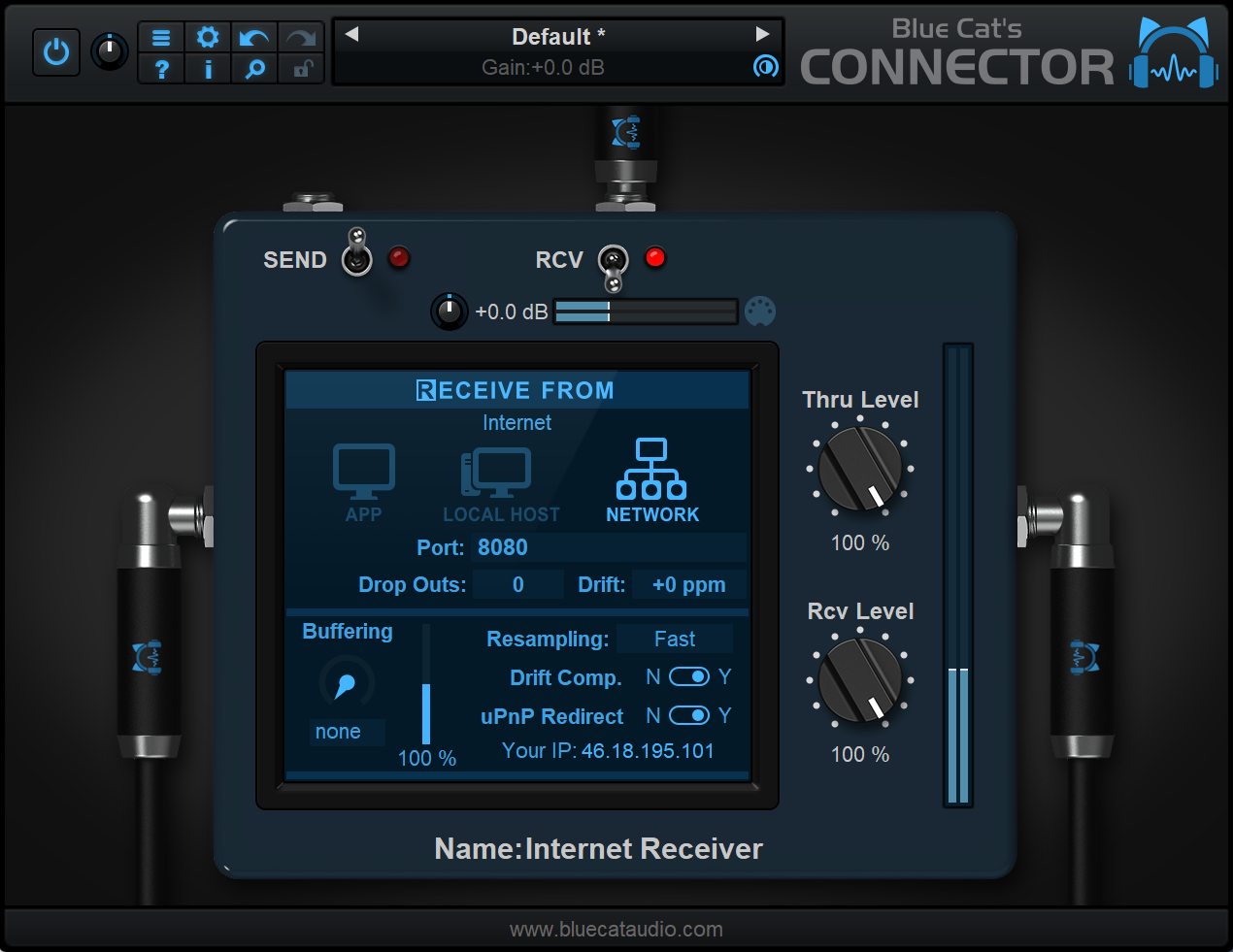
This new version improves performance and simplifies the connection of multiple audio applications thru the Internet thanks to Universal Plug'n Play (UPnP) support: it now configures the Internet router automatically and displays the public IP address the sender should connect to. Full change list is available below.

The free update can be downloaded from the same location as the original full version (link received by email upon purchase). Connector is exceptionally on sale (20% off) until September 22nd, while existing customers will receive an even better deal by email. Demo versions are available on www.bluecataudio.com in most plug-in formats for Mac and Windows PC.
Image

What's New:
- New uPnP (universal Plug'n Play) redirect option to automate port forwarding to accept connections from the Internet.
- The plug-in now displays the public IP address for remote Internet communication (uPnP required).
- Improved integration with MIDI controllers.
- Faster plug-in loading time, especially when in network send mode and the destination cannot be reached.

System requirements:
- Apple Silicon or Intel Mac running Mac OS 10.9 or newer.
- PC running Windows Vista or newer.

Introduction Pricing until September 22nd:
- Blue Cat's Connector: 39 USD/EUR (instead of 49)

Enjoy! :party:
Last edited by Blue Cat Audio on Wed Aug 23, 2023 8:47 am, edited 1 time in total.

Post

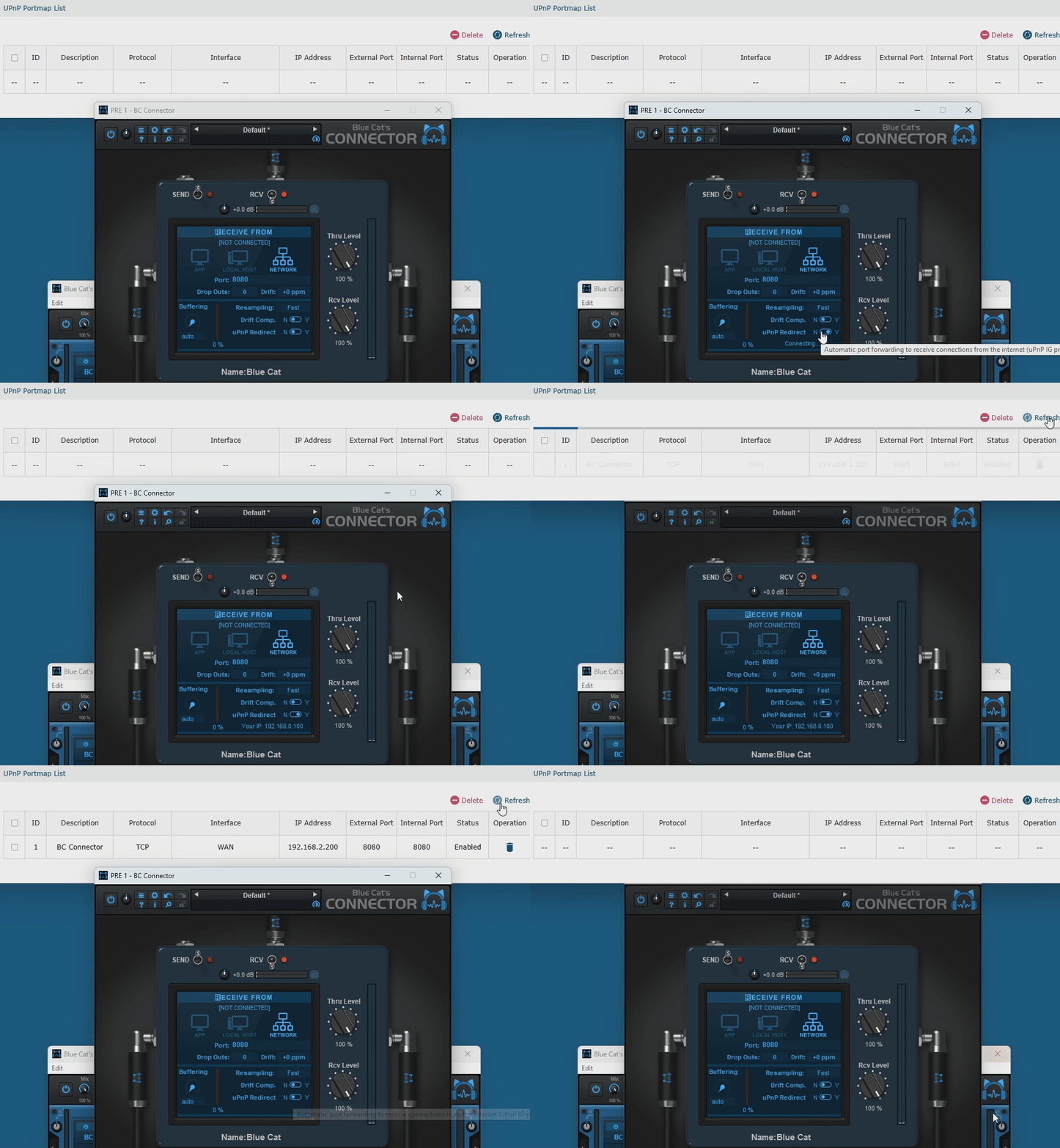
Here is how Connector 1.2 automatically configures an Internet router via UPnP in the background, making it much easier to connect to a remote location thru the Internet:

Image

Post

Three questions:

• What is the internal resolution (and also input/output resolution) of this plugin: 32-Bit FP or 64-Bit FP?

• Can you use it in a virtual machine and then route the signal back to the main OS (host)? Say you have Nuendo on your main OS, you also have a virtual machine installed on the same computer with a second copy of your Nuendo installed on said virtual machine. Can the signal from Nuendo on the virtual machine be sent to Nuendo on the host OS? Is that even possible?

• Is there a guarantee of bit-perfect transfer? How would one check if the transfer was bit-perfect?

Post

Would we want to use Connector from PC to Mac like the Protools Audio Bridge?

24 channels of Cubase - PC streamed over Ethernet into 24 Luna inputs - Mac
https://www.production-expert.com/produ ... ed-to-know
Intel Core2 Quad CPU + 4 GIG RAM

Post

limitlesssss wrote: Tue Aug 22, 2023 6:43 pm • What is the internal resolution (and also input/output resolution) of this plugin: 32-Bit FP or 64-Bit FP?
The plug-in is all 32-bit floating point and transmits the audio as 32-bit floats as well. There is no transformation made to the audio signal. (64-bit external resolution is however not supported).
• Can you use it in a virtual machine and then route the signal back to the main OS (host)? Say you have Nuendo on your main OS, you also have a virtual machine installed on the same computer with a second copy of your Nuendo installed on said virtual machine. Can the signal from Nuendo on the virtual machine be sent to Nuendo on the host OS? Is that even possible?
I think so, if the virtual machine is setup for network access.
• Is there a guarantee of bit-perfect transfer? How would one check if the transfer was bit-perfect?
If you do not use the drift compensation, the audio should be exactly the same on both sides (but with a bit of latency). You can record the output and subtract it to the original if you want to check if there is any difference.

Post

electro wrote: Tue Aug 22, 2023 6:50 pm Would we want to use Connector from PC to Mac like the Protools Audio Bridge?

24 channels of Cubase - PC streamed over Ethernet into 24 Luna inputs - Mac
https://www.production-expert.com/produ ... ed-to-know
You can indeed do that. I don't know if it is really convenient. I guess it depends on your workflow.

Post

Blue Cat Audio wrote: Wed Aug 23, 2023 8:43 am
limitlesssss wrote: Tue Aug 22, 2023 6:43 pm • What is the internal resolution (and also input/output resolution) of this plugin: 32-Bit FP or 64-Bit FP?
The plug-in is all 32-bit floating point and transmits the audio as 32-bit floats as well. There is no transformation made to the audio signal. (64-bit external resolution is however not supported).
• Can you use it in a virtual machine and then route the signal back to the main OS (host)? Say you have Nuendo on your main OS, you also have a virtual machine installed on the same computer with a second copy of your Nuendo installed on said virtual machine. Can the signal from Nuendo on the virtual machine be sent to Nuendo on the host OS? Is that even possible?
I think so, if the virtual machine is setup for network access.
• Is there a guarantee of bit-perfect transfer? How would one check if the transfer was bit-perfect?
If you do not use the drift compensation, the audio should be exactly the same on both sides (but with a bit of latency). You can record the output and subtract it to the original if you want to check if there is any difference.
Thank you for the concise response. I appreciate it.

Post

It's my understanding that, since my computer gets bogged down with too many plugins, that I could run some instances of plugins from my second computer (2015 but OS is not too old) and feed it the blue cat virtual system there and back to Logic from, say, a mixing or tracking scenario, eg, in Logic. I'm curious if there are any demos that exist along these lines. I mean, of course, if I'm understanding what this technology offers.

Post

uraniumbilly wrote: Wed Aug 23, 2023 4:02 pm It's my understanding that, since my computer gets bogged down with too many plugins, that I could run some instances of plugins from my second computer (2015 but OS is not too old) and feed it the blue cat virtual system there and back to Logic from, say, a mixing or tracking scenario, eg, in Logic. I'm curious if there are any demos that exist along these lines. I mean, of course, if I'm understanding what this technology offers.
Yes this is indeed possible, and we have an offloading plug-in processing video tutorial that actually uses Logic, so you may want to check it out.

Post

Sadly, it remains unusable because it's marked as an effect and thus can't be placed in an instrument slot.

Also, I notice the ASIO driver for it seems to have disappeared from the download page.

Post

NikkiA wrote: Thu Aug 24, 2023 11:54 am Sadly, it remains unusable because it's marked as an effect and thus can't be placed in an instrument slot.
What do you mean? In most DAWs you can simply connect the output of the effect plug-in to ny virtual instrument and vice versa.
Also, I notice the ASIO driver for it seems to have disappeared from the download page.
Thanks for the heads up and sorry for that. It has just been brought back!

Post Reply

Return to “Effects”