



we are proud to announce the release of Blue Cat's Destructor V2, a significant upgrade for our innovative distortion and amp simulation modeling tool.
This latest version of Destructor brings a host of exciting updates and enhancements, including a complete refresh of the user interface, with new 3D graphics and expanded customization features. The core DSP engine has also undergone significant expansion, introducing new filters, a wealth of overhauled presets, and fresh parameters that provide fine-tuned control over the plugin's dynamics response (full change list below).
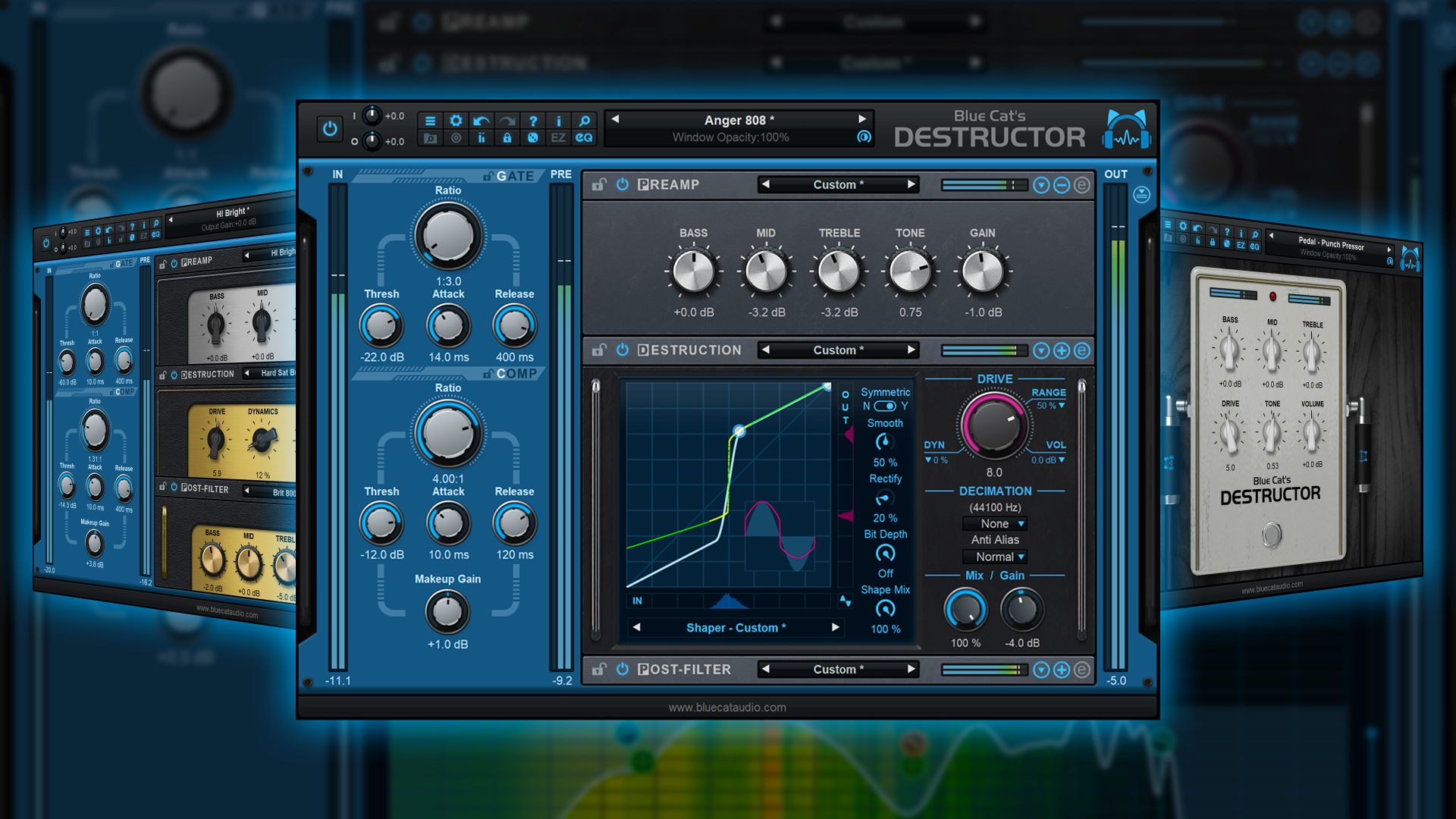
Blue Cat's Destructor V2 is designed to serve as a precise tone-sculpting tool for sound designers, guitar and bass players, synthesizers enthusiasts, and sound engineers. It ships with an extensive library of presets and meticulously crafted models inspired by legendary gear, such as guitar and bass amps, cabinets, compressors, pedals, tape machines, and more, offering users a robust foundation for exploring a limitless universe of distortion simulations.
For a limited time, Destructor V2 is available at a special 20% discount (until December 7th), with an additional loyalty discount extended to long-standing Blue Cat Audio customers (details provided via email). The upgrade is free for customers who purchased Destructor V1 in 2023, while others can upgrade to V2 for a small fee.
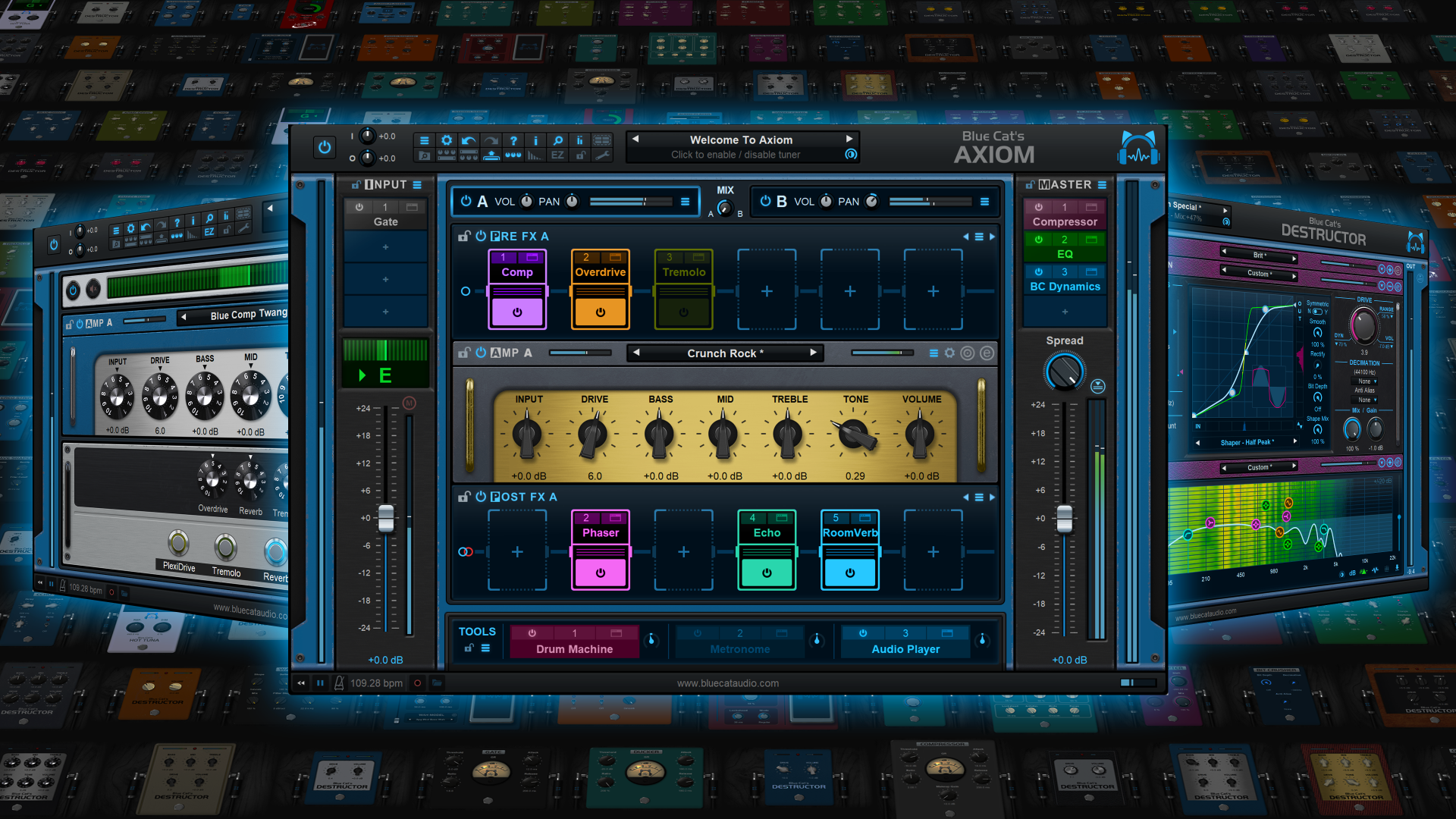
To coincide with this release, Blue Cat's Axiom, which harnesses Destructor as a modeler for its amps and distortion pedal simulations, has been upgraded to version 2.05. It brings a couple of enhancement and fixes to the recently released version 2 of our guitar and bass multi effects software (full list below). It is also on sale (20% off) until December 7th.
Free demos of both Destructor V2 and Axiom 2.05 are available for download on www.bluecataudio.com to explore the capabilities of these powerful tools.
What's New in Destructor V2:
- Revamped 3D HD Graphics: Enjoy an enhanced visual experience with additional knobs and backgrounds that add a touch of sophistication to your sound crafting journey.
- Rack Designer: Customize presets like never before with our brand-new Rack Designer, offering a staggering selection of over 600,000 styles. Tailor the look and feel of your presets to match your unique artistic vision.
- Random GUI Component Selection: Get creative effortlessly with the option to randomly select GUI components in the Rack Designer.
- Enhanced Filtering Precision: Elevate your sound precision with added peak and comb filters in the Preamp and Post Filter modules, giving you more control over your sonic canvas.
- Drive Dynamics Parameter: Fine-tune your distortion dynamics by adjusting the influence of the drive parameter on the waveshaper curve, ensuring your tones hit just right.
- Perceived Loudness Control: Choose the gain reduction applied when increasing the drive parameter to keep perceived loudness equal.
- Tailored EQ Controls: Select the EQ controls to display in easy view (pre, post filter, or no EQ).
- New BASS/MID/TREBLE parameters that follow the eq displayed in easy view for MIDI or automation control.
- Hundreds of presets and module settings have been updated to take advantage of the new DSP capabilities.
- Guitar & Bass Presets Overhaul: We have given our guitar and bass amps and pedal presets a makeover, enhancing filtering, drive response, EQ frequencies, and EQ placement for an even more authentic and satisfying experience.
- High-Gain Tone Revamp: Explore high-gain guitar tones that have been meticulously rebuilt from the ground up
- New Guitar Amps and Pedals: Dive into new creative possibilities with our latest additions to the guitar amps and pedals presets.
- Improved tone maps computation efficiency.
- Synchronize multiple MIDI controllers: when "all channels" (0) is used for MIDI input control and "send MIDI events when parameters values change" is active, the plug-in now sends MIDI events to all other channels.
- Fully compatible with Destructor V1.
- Fixed Graphical User Interface performance issues on Mac OS Sonoma (caused by an Apple bug)
What's New in Axiom 2.05:
- Added 15 extra knobs to customize amps, pedals and the Axiom pedalboard.
- Updated several Axiom and built-in Destructor factory presets.
- Fixed VST plug-in crashing Ableton Live 11 upon load.
- Fixed random crashes when unloading the plug-in in several hosts (Pro Tools, Live).
- Fixed crash when unloading the VST3 plug-in Reason 12.
- Fixed Audio Unit validation issues in Logic when a user default preset has been defined before upgrading to V2.
- Fixed preset sometimes flagged as modified when browsing presets in EZ mode.
- Fixed style of the amp simulator post filter not always updated with tone maps.
- Fixed Graphical User Interface performance issues on Mac OS Sonoma (caused by an Apple bug).
System requirements:
- Apple Silicon or Intel Mac running Mac OS 10.9 or newer.
- PC running Windows Vista or newer.
Price:
Blue Cat's Destructor: $79 or 79 EUR instead of 99 (20% off until December 7th)
Blue Cat's Axiom: $199 or 199 EUR instead of 249 (20% off until December 7th)
Enjoy!


