Global Modulators and Track Modulators

Audio Plugin Hosts and other audio software applications discussion
RELATED
PRODUCTS

Post

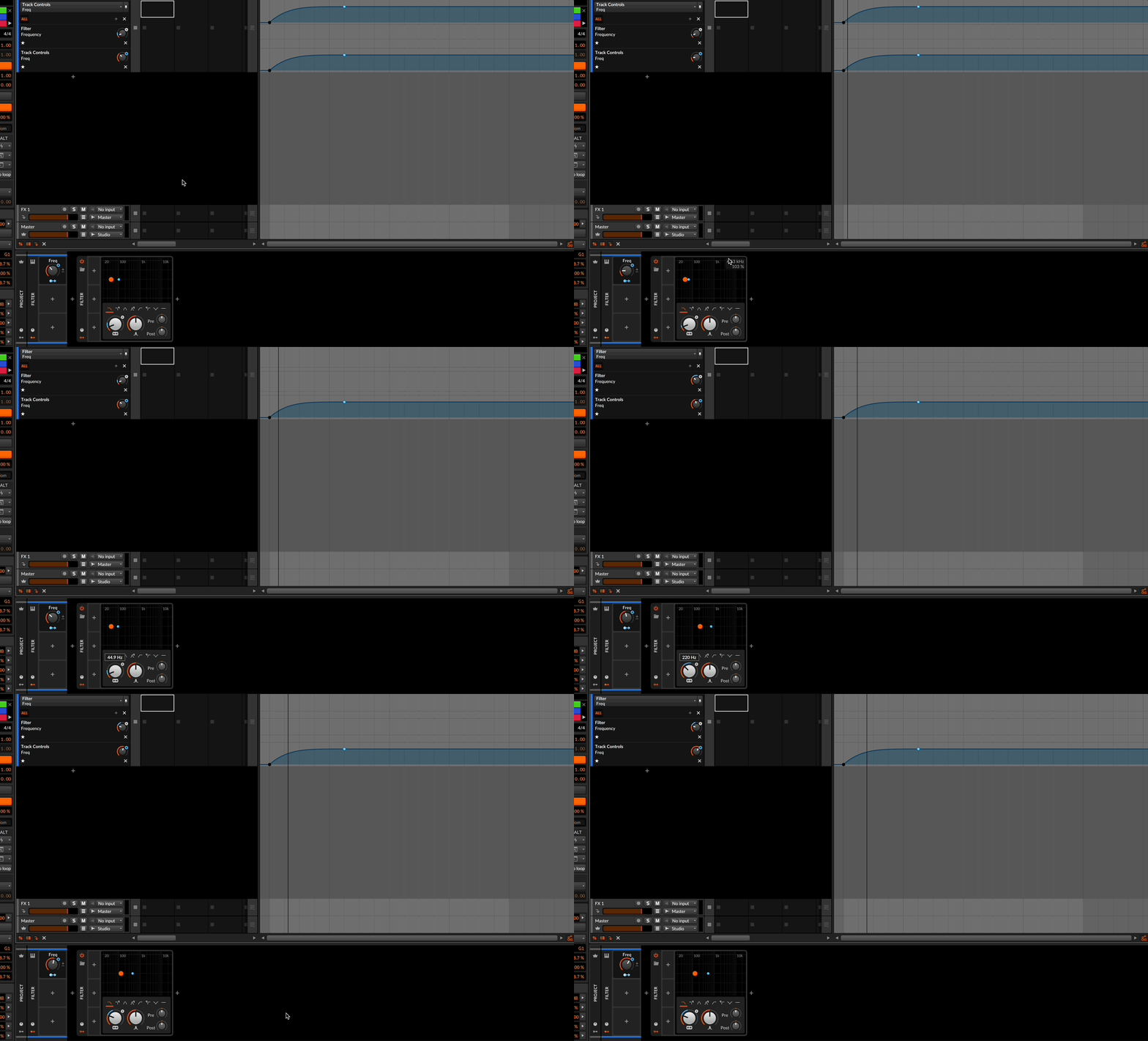
Hello everyone. In Bitwig 5, the division of modulator panels into "Project" and "Track" appeared, it would seem very convenient. But I use these functions less often than I would like. Since I rarely use the SAME parameter settings on different tracks.

Here is an example - I want to install a global sidechain from kick, it is very convenient to sew a Segments modulator with a sidechain curve into the modulators of the "Project" panel, specifying the source of the side chain -kick and just hang this sidechain on the tools volume in the right track. But the disadvantage is that the main Segments slider will be the SAME for all tracks. but the degree of sidechain on tracks is rarely the same. Yes, you will say "adjust the sidechain level with the volume of tools", but this is less convenient

Another example is that I want to make a group of voice samples from 20 pieces to choose the best sound from them after processing. I put the processing plugin in the track of the group, I took the modulators of the parameters of this plugin I needed to the "modulators of the group". Now in each track I can change these modulators, looking for the right sound. But the problem is that I CAN'T save the parameters of the modulators I like on a particular track, because by changing the modulators of the group, I will make them the same for all tracks... It would be great to model the modulators of a band through the modulators of a specific track, but this is technically impossible to do. Of course, you will say "put the plugin in each track and make individual settings for each track". I understand that, but I want more.
Image
You do not have the required permissions to view the files attached to this post.

Post

I'm not sure it could be different. What functionality would you like added?

Post

macros can call each other allowing them to be linked from top to bottom. Therefore, the offset can vary at different levels, even if the source change is the same. However, the UI does not reflect this behavior(I have had to click on the track headers for updating). For support, please contact viewtopic.php?t=420129 with the devs
Image
I've used knobs just as proof of concept

even so, the offsets still need to be manually transferred one by one from the group to the tracks, and for that, someone would still need a good idea

so

global macro actual = global macro base value + global macro offset; (offset can come from some sidechain, audiorate etc.)

track macro actual value = track macro base value + track macro offset = track macro base value + global macro actual value = track macro base value + global macro base value + global macro offset;

destination actual value = destination base value + destination value offset = destination base value + track macro actual value = destination base value + track macro base value + track macro offset = destination base value + track macro base value + global macro actual value = destination base value + track macro base value + global macro base value + global macro offset; (=> so it depend from each levels)

Image

math can't be wrong :scared: :D
"Where we're workarounding, we don't NEED features." - powermat

Post

xbitz wrote: Sat Nov 11, 2023 6:40 am macros can call each other allowing them to be linked from top to bottom. Therefore, the offset can vary at different levels.. However, the UI does not reflect this behavior(I have had to click on the track headers for updating). For support, please contact viewtopic.php?t=420129 with the devs
Image
I've used knobs just as proof of concept

even so, the offsets still need to be manually transferred one by one from the group to the tracks, and for that, someone would still need a good idea

so

global macro actual = global macro base value + global macro offset; (offset can come from some sidechain, audiorate etc.)

track macro actual value = track macro base value + track macro offset = track macro base value + global macro actual value = track macro base value + global macro base value + global macro offset;

destination actual value = destination base value + destination value offset = destination base value + track macro actual value = destination base value + track macro base value + track macro offset = destination base value + track macro base value + global macro actual value = destination base value + track macro base value + global macro base value + global macro offset; (=> so it depend from each levels)

Image

math can't be wrong :scared: :D
Thanks for the answer, but I'm interested in the connection of macros from the BOTTOM up. When the project modulator adjusts the degree of impact on each track INDIVIDUALLY.Now, on the contrary, the global modulator affects all tracks in the same way.

In other words, I would like that by clicking a specific track I had the opportunity to set individual parameters with a global modulator on this particular track (track No. 1). And when I change the parameters of this global modulator on track No. 2, so that the parameters of track No. 1 do not get lost. And I understand it's so impossible.

That is, we are talking about having one frequently used effect, adjusting the degree of its impact individually for concreted tracks. This could be done by means of "fx track", but for example in the case of sidechain, this is not what I would like to get. When using fx track, the audio signal will consist of 2: not pulsating and pulsating (from under the sidechain), but ONE pulsating signal is needed. I described the problems in more detail in the topic

Post

pdxindy wrote: Fri Nov 10, 2023 5:48 pm I'm not sure it could be different. What functionality would you like added?
Yes, I understand that this is probably impossible to do. But I would like to.

The proposal is to implement the possibility of applying global effects with varying degrees of mixing in each track with one knob in each track. But so that it does not work according to the logic of fx track, where the signal is divided by 2, but so that the effect goes to the entire audio signal of the track.

Post

"When the project modulator adjusts the degree of impact on each track INDIVIDUALLY.Now, on the contrary, the global modulator affects all tracks in the same way."

global modulator adds individual offsets on each track
Képernyőfotó 2023-11-13 - 12.24.03.png
You do not have the required permissions to view the files attached to this post.
"Where we're workarounding, we don't NEED features." - powermat

Post

Anatolio wrote: Mon Nov 13, 2023 8:53 am The proposal is to implement the possibility of applying global effects with varying degrees of mixing in each track with one knob in each track.
What do you mean by "mixing"

Add say a Segments Modulator at the project level with input from kick and use that to control track level for 6 other tracks. Each of those mod targets can have its mod depth set individually. That seems like what you are asking for in terms of mixing.

Set the mod depths to max and add 6 macro modulators and use those macros to control the mod depth. Put each of them on the track they are controlling if you want. Although all 6 on the project pane makes more sense to me.

Post

xbitz wrote: Mon Nov 13, 2023 11:26 am "When the project modulator adjusts the degree of impact on each track <span class="skimlinks-unlinked">INDIVIDUALLY.Now</span>, on the contrary, the global modulator affects all tracks in the same way."

global modulator adds individual offsets on each track
Képernyőfotó 2023-11-13 - 12.24.03.png
pdxindy wrote: Mon Nov 13, 2023 2:38 pm
Anatolio wrote: Mon Nov 13, 2023 8:53 am The proposal is to implement the possibility of applying global effects with varying degrees of mixing in each track with one knob in each track.
What do you mean by "mixing"

Add say a Segments Modulator at the project level with input from kick and use that to control track level for 6 other tracks. Each of those mod targets can have its mod depth set individually. That seems like what you are asking for in terms of mixing.

Set the mod depths to max and add 6 macro modulators and use those macros to control the mod depth. Put each of them on the track they are controlling if you want. Although all 6 on the project pane makes more sense to me.
Friends, you have correctly understood the essence of my problem. I tried to solve it by modulating global modulators using track modulators (bottom-up). It's impossible. But your method brought me closer to solving the problem (top-down modeling). I admit that this method (via intermediate modulators) did not occur to me. I probably wrote here, knowing that experienced people can tell me. But after spending an hour, I couldn't get the track modulator to change the sidechain at the Tool volume from 50 to 0. It changes it not from 50% but from a certain delta, which is unacceptable. I made a video - bass 1 -the sidechain works fine here, but the options discussed (via the track modulator) are bass 2 and bass 3 - they do not work from full volume, but from delta. Tell me how to solve it. so that it works like in bass 1, but through the track modulator

Post

The macro shouldn't be modulating the volume, you need to modulate the depth of the segments modulator for each track.

To do this go into modulation mapping mode for the track macro, then click on the segments. In the inspector you'll see the modulation mapping destinations for segments, click on the name (Vol) of the one for the track you are on (only one of them should be highlighted as modulatable, since the other modulation destinations are out of scope for the track macro since they are on other tracks). If you've done it correctly you'll see an extra line in the modulation mappings for the macro with an arrow pointing above which indicates it's modulating the depth of that modulation mapping.

Post

pikey wrote: Mon Nov 13, 2023 3:50 pm The macro shouldn't be modulating the volume, you need to modulate the depth of the segments modulator for each track.

To do this go into modulation mapping mode for the track macro, then click on the segments. In the inspector you'll see the modulation mapping destinations for segments, click on the name (Vol) of the one for the track you are on (only one of them should be highlighted as modulatable, since the other modulation destinations are out of scope for the track macro since they are on other tracks). If you've done it correctly you'll see an extra line in the modulation mappings for the macro with an arrow pointing above which indicates it's modulating the depth of that modulation mapping.
Thank you!!! This is exactly what I wanted! :hug: :phones: :tu:
Image
You do not have the required permissions to view the files attached to this post.

Post

Anatolio wrote: Mon Nov 13, 2023 4:35 pm
Thank you!!! This is exactly what I wanted! :hug: :phones: :tu:
Oops... sorry for not explaining that clearly. But glad it got there! Bitwig's modulation system is amazing! :tu:

Post

about the mystical delta on your video
Képernyőfotó 2023-11-13 - 19.52.36.png
vs
Képernyőfotó 2023-11-13 - 19.52.56.png
can you see the difference between the two assignments, clue :D the vol macro

spoiler: one of them uses bipolar mode other is unipolar (the plus-minus sign) the range of the unipolar is 0..127 not 0..100 that 27 is the delta, so that solution also should work ... using the same mode as the volume knob on the Tool (the bipolar one)
You do not have the required permissions to view the files attached to this post.
"Where we're workarounding, we don't NEED features." - powermat

Post

in the OP " panels into "Project" and "Track" appeared, it would seem very convenient. But I use these functions less often than I would like."

I use track modulators mostly for automation through macro "proxies", as direct automation 'blocks' the control to which it is assigned, it can only be modified by temporarily suspending the automation. Of course, there is additive and multiplicative automation too, but these are not convenient when working with looped materials(if it is able to work with these kinds of stuffs anyway).

Image

so, I automate the offset on the target control instead of the target itself. big + that it can be assigned to multiple targets (with different amounts) or can be put even to the group tracks too, so it can be used far more practically.
"Where we're workarounding, we don't NEED features." - powermat

Post

pdxindy wrote: Mon Nov 13, 2023 5:58 pm
Anatolio wrote: Mon Nov 13, 2023 4:35 pm
Thank you!!! This is exactly what I wanted! :hug: :phones: :tu:
Oops... sorry for not explaining that clearly. But glad it got there! Bitwig's modulation system is amazing! :tu:
It's okay, you have suggested the direction of the solution in any case! Bitwig with its modulation really pleasantly surprises and delights! This is a really different level of work! Here is specifically for this example -you throw overboard all sorts of third - party sidechains ! You sew up the sidechain using Segments into your template and just activate it on the track wherever you want! You adjust the depth of impact and that's it! And if you need an artistic sidechain (when there is no kick), then you make it based on Curves, also hang it in global modulators, add it to your template. I'm just thrilled!

Post

xbitz wrote: Mon Nov 13, 2023 7:00 pm about the mystical delta on your video

Képernyőfotó 2023-11-13 - 19.52.36.png
vs
Képernyőfotó 2023-11-13 - 19.52.56.png

can you see the difference between the two assignments, clue :D the vol macro

spoiler: one of them uses bipolar mode other is unipolar (the plus-minus sign) the range of the unipolar is 0..127 not 0..100 that 27 is the delta, so that solution also should work ... using the same mode as the volume knob on the Tool (the bipolar one)
The most correct solution has already been found above, but I also don't mind finding alternatives! Let's figure it out - I understand the difference in modes and tried possible options for a couple of hours. You saw the results on the video. There has always been a mystical delta. :D If it doesn't bother you, recreate my case, achieve work without delta and write here -how to do it? It would be extremely useful to know all the alternatives. I say - I did not succeed :neutral:

Post Reply

Return to “Hosts & Applications (Sequencers, DAWs, Audio Editors, etc.)”