Audio Application / Plug-in Development Made Easy with Plug'n Script 3.5 [Now 3.6]

DSP, Plugin and Host development discussion.
Post Reply New Topic
RELATED
PRODUCTS
Plug'n Script$99.00Buy

Post

Dear fellow developers,

with the release of Plug'n Script 3.5, a free update to our audio & MIDI scripting plug-in/app, it is now possible to export scripts as independent standalone applications, in addition to the existing plug-in formats (AAX, VST, VST3 and Audio Unit).

This lets you create and distribute audio applications easily like never before.
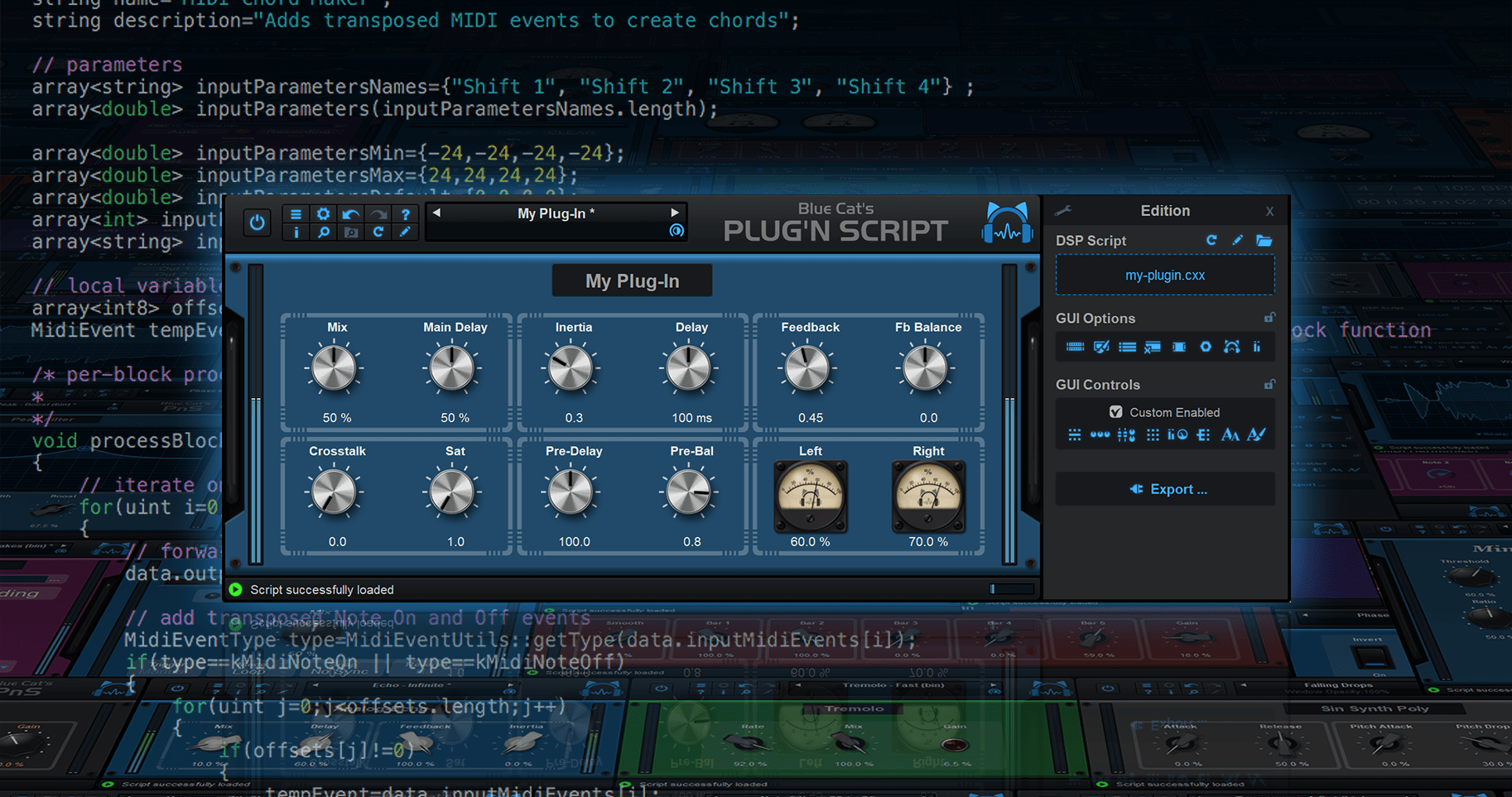
Image

This free update also adds MIDI System Exclusive (SysEx) messages support to the MIDI stack, with new features in the MIDI library to help with MIDI SysEx scripting as well as new example scripts.

What's New in Blue Cat's Plug'n Script 3.5:
- Projects can now be exported as standalone audio/MIDI applications.
- SysEx MIDI events support (RAW Sysex data stream uses series of 4 bytes MIDI events).
- Updated MIDI library scripts for SysEx support.
- New MIDI Timecode and MIDI Clock generation scripts.
- Updated MIDI log script with SysEx support.
- Enlarged text fields in export window.
- App can now receive and send MIDI even when no audio interface is selected.
- App: it is now possible to adjust compression settings and activate UpnP for the Connector Slave network Audio Device.
- Plug-in and App can now send Bank Select and Program Change messages upon changes in the user interface to keep in sync with external controller.
- Find currently selected preset easily in the menu (folders containing the preset now display a check mark).
- Added an option to cycle next/previous preset in current bank.
- Improved performance of VST3 plug-in when receiving program change messages.
- Fixed display issue with large output strings.
- Fixed plug-in windows not resized upon zoom when statically set in the root SKIN tag.
- Fixed application sometimes dropping local MIDI events when using the Network Audio Device.
- Mac: fixed text edit box in the wrong position when closing / re-opening the user interface of the plug-in.
- Fixed text edit boxes and buttons in export window not properly scaled when zooming UI.
- Fixed system widgets with default size not properly scaled when using zoom in exported plug-ins.
- Fixed CPU meter display sometimes off by one pixel.

Exported plug-ins and applications are compatible with MacOS 10.9 or newer (64-bit Apple Silicon or Intel) and Windows Vista or newer (32 or 64-bit).

Post

Plug'n Script 3.6 is now available!

This major update brings long-awaited features including private output parameters, DSP state persistency, enhanced MIDI control, Windows multitouch support, performance improvements, numerous fixes, and a lot more:

NEW IN PLUG'N SCRIPT 3.6:

Scripting / Audio DSP
- Private output params support (same as outputParams, but not exposed to host).
- Script state persistency API to save the dsp script's internal state.
- Fixed DSP script sometimes reloaded twice upon preset load.
- Fixed rare "Internal error" popup messages upon loading the user interface under heavy memory load and many user interface scripts.
- Fixed VST3 Instrument plug-in version not routing to aux channels properly in some host applications and sometimes producing white noise instead of silence.
- Reduced CPU usage in DSP thread.
- Fixed output strings corruption and random crashes when switching quickly between scripts that use different output string sizes.

User Interface
- Added 20 new knobs styles, and 3 types of sliders for automatically generated user interfaces.
- New scalable vector graphics for parameters groups.
- New graphics for built-in analog meters.
- Windows multitouch support (manipulate multiple controls at the same time with several fingers).
- Export plug-in windows is now non-modal, fixing crashes when trying to export a plug-in while hosted in Logic Pro.
- Reload script icon is back in the main toolbar.
- Windows accessibility: native system widgets are now scaled according to text size settings on Windows 8 and newer in settings windows.
- Minor Graphics optimizations for Hi resolution displays.
- Improved user interface loading time on slow hard drives.
- Optimized size of image resources for GUIs.
- Fixed window opacity changes not shown in plug-in when host application modifies it.
- Fixed selected text in text edit box sometimes not easy to read on Mac depending on the color scheme.
- Fixed text edit boxes sometimes loosing focus when hovering mouse over other controls.
- Fixed Mac installers not showing brand image in dark mode.
- Fixed audio I/O selection not always appearing in audio/MIDI settings for exported standalone applications.
- Fixed some exported plug-ins starting with no parameters upon launch.
- Fixed 3D Views openGL issues on retina displays for recent versions of MacOS.
- Windows: multiple GUI display and HiDPI performance improvements.
- Windows: fixed context menu not always displayed in the right position when the window spans across several screens with different DPI.
- Windows: fixed return key sometimes unexpectedly forwarded to host while typing in a text edit box.
- Fixed revert current preset not always triggering undo properly
- Fixed gradients not displayed properly on MacOS Tahoe when loaded in applications built with older versions of the MacOS SDK (Apple Bug)

MIDI Control
- All plug-in parameters can now be controlled with MIDI notes, pitch bend, NRPN, 14-bit CCs, aftertouch or channel pressure, in addition to MIDI CC.
- MIDI settings window can now be resized to display more parameters.
- Optimized MIDI settings window display on Windows (load time and scroll).
- MIDI Settings window now splits parameters into multiple pages for faster access.
- MIDI Settings window now shows custom display names if any.
- Optimized preset load upon MIDI messages when using several hundreds of user presets.
- Fixed plug-in sending Bank number 0 when loading a preset that is not located in a bank.
- Fixed audio dropouts when navigating presets via next/previous and plug-in set to send MIDI Program Change messages.

Standalone Application
- Windows: ASIO driver now keeps running when ASIO Control panel is opened from the app audio preferences.
- Windows: the application now follows ASIO driver buffer changes made in the ASIO control panel or external ASIO configuration app.
- Performance: application now automatically selects the minimum number of I/O required from the driver.
- Fixed audio dropouts when selecting MIDI output devices in preferences while using many MIDI devices.

System requirements:
- Intel or M1 Mac running Mac OS 10.9 or newer.
- PC running Windows Vista or newer.

Post Reply

Return to “DSP and Plugin Development”