


Studio One 7.2
-
- KVRist
- 82 posts since 31 Jan, 2024
It's an out of topic question, but which V6 release do you think is better to use? I'm stuck at 6.5.something and never went on because I heard of some stability issues of the later...dastewart wrote: Tue Jun 03, 2025 9:58 pm I'm sticking with S1 v6 until something better comes along. And that includes v7 which has nothing of any real interest to me.
-

- KVRist
- Topic Starter
- 243 posts since 4 Oct, 2021
The last one they released, so 6.6.4.102451 built October 4th 2024ben_ita wrote: Wed Jun 04, 2025 7:05 amIt's an out of topic question, but which V6 release do you think is better to use? I'm stuck at 6.5.something and never went on because I heard of some stability issues of the later...
I'm using windows 11, used to have a quantum 2626 but now have an RME, and didn't notice any stability issues when I moved to this on either interface. I still do get the occasional crash but maybe one a week (and I'm using it every day)
-

- KVRian
- 1277 posts since 10 Oct, 2002 from Barcelona
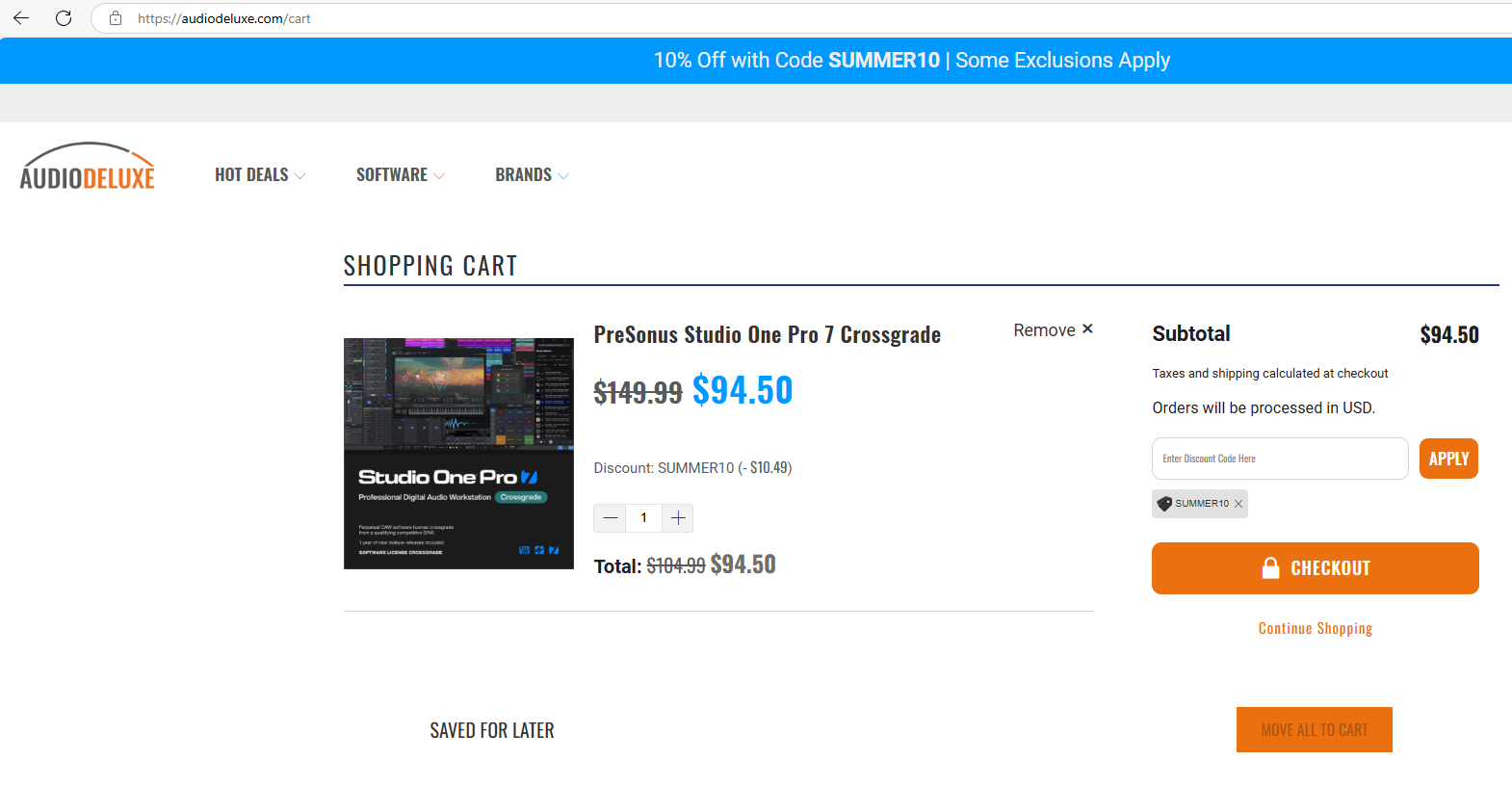
Not updated in KVR's Marketplace... 7.0 is the last update shown.dastewart wrote: Tue Jun 03, 2025 5:25 pm And I haven't checked for a while but I see I can buy a v7 perpetual licence for £99.99 or I can upgrade my v6 licence for £79.99.
Thanks, Presonus - you now value my years of investment into Studio One licences at ... £20.

-

- KVRAF
- 37396 posts since 14 Sep, 2002 from In teh net
‘One year of new feature releases included’
From when you buy it (inc the upgrade?) or from when it was released?
So if v8 comes out within that period would you get that too?
From when you buy it (inc the upgrade?) or from when it was released?
So if v8 comes out within that period would you get that too?
-
qtheerearranger qtheerearranger https://www.kvraudio.com/forum/memberlist.php?mode=viewprofile&u=325452
- KVRian
- 924 posts since 26 Mar, 2014 from Denver, Co
I may be back to s1???? I left because s1 was unstable. particularly with sound toys. I did a test where I threw a lot of different plugin companies in the same project and no crashes and I just did a sound toys test which I've always had problems with inside of studio one which has been a huge dealbreaker for me and...
You do not have the required permissions to view the files attached to this post.
Bitwig 6 • Diva, Dune, Serum, and UVI Falcon are my Daily Drivers • Drum Machines • Harrison 32c + DSM 3 + American Class A Enjoyer • Apple M4 Max • Apollo User • DJ • Dance Music is life
-

- KVRAF
- 7664 posts since 2 Sep, 2019
From when you register it.aMUSEd wrote: Wed Jun 04, 2025 12:05 pm ‘One year of new feature releases included’
From when you buy it (inc the upgrade?) or from when it was released?
So if v8 comes out within that period would you get that too?
I suggest buying an upgrade when they have a good sale and sitting on it until there’s an update you really want.
As for v8, supposedly v7 is the last iterated version, and they are going to switch to date-based versioning in the future, so it will just increment continuously without arbitrary breaks between versions.
Last edited by jamcat on Wed Jun 04, 2025 6:07 pm, edited 1 time in total.
THIS MUSIC HAS BEEN MIXED TO BE PLAYED LOUD SO TURN IT UP
-
- KVRAF
- 37396 posts since 14 Sep, 2002 from In teh net
Actually with VAT it's over £94 for the upgrade anyway - so nowikter wrote: Wed Jun 04, 2025 11:09 amNot updated in KVR's Marketplace... 7.0 is the last update shown.dastewart wrote: Tue Jun 03, 2025 5:25 pm And I haven't checked for a while but I see I can buy a v7 perpetual licence for £99.99 or I can upgrade my v6 licence for £79.99.
Thanks, Presonus - you now value my years of investment into Studio One licences at ... £20.
-
- KVRAF
- 12086 posts since 2 Dec, 2004 from North Wales
X32 and 24C mixers, S88MK3, Live + PUSH 3, Osmose, RedShift 6, Pro3, S4, Tempera, Syntakt, Digitone, OP1-F, OPXY, TR-1000, Eurorack, TD27 Drums, Guitars, Basses, Amps and of course lots of pedals!
-
- KVRAF
- 2595 posts since 26 Jul, 2004
I am normaly not critical about DAWs and their onboard vst equipment and their sounds.
But to be really honest, this new additions to Studio One, all this new instruments, they do not sound really good to my ears.
May be its just me, but .............or is it just me?
But to be really honest, this new additions to Studio One, all this new instruments, they do not sound really good to my ears.
May be its just me, but .............or is it just me?
-
- KVRAF
- 3496 posts since 30 Dec, 2014
Full Release Notes:
Version 7.2 Released (June 3, 2025)
Link to Studio One 7.2 Online Discussion.
https://studiooneforum.com/.../studio-o ... discussion...
New features and improvements:
Plug-ins and Virtual Instruments
● New virtual instrument: Sub Zero Bass
● Updated Tuner plug-in with support for open tunings (Tuner2)
Recording and Editing
● Postroll for Auto Punch (loop recording)
● Nashville Number System (alternative chord view)
● Continuous Cursor options
● Improved score synchronization
Mixing and Mastering
● Improved “real-time” vs. “offline” audio export
● Plug-in management improvements
● Search field for Automation targets
User Interface
● Auto Zoom for Patterns
● Improved range selection visibility
● Improved distinction of Pattern Parts
General
● [macOS] Improved multi-processing performance for Apple Silicon processors
● [Windows] Native Windows on Arm support (available as public beta version)
● Notifications for new downloadable sound content
The following issues have been fixed:
● [Ampire] Tuner does not refresh in certain situations
● [ATOM] Polyphonic aftertouch always maxed out when Full Level mode active
● [Browser] Expanding subfolders sluggish after refreshing
● [Browser] Text elements in Audio Files folder overlap visually
● [CLAP] Latency compensation not working properly
● [CV Instrument] Calibration Fail indicator is misaligned
● [Drum Editor] Hidden pitches move notes to incorrect visible rows
● [Launcher] Pasting cell properties doesn’t carry over tempo follow settings
● [Launcher] Chopped long clips dragged into cells have incorrect loop lengths
● [Launcher] Progress bar not visible on white cells
● [macOS] File Browser highlights random rows during arrow key navigation
● [macOS ARM] Occasional UI glitches when graphics hardware acceleration is enabled
● [macOS] UI scaling issues occur with certain VST3 plug-ins like Pulsar 8200
● [macOS] Mouse pointer not updated when hovering over plug-in windows
● [macOS] 'N' key creates new document despite custom assignment
● [macOS] Sluggish plug-in window behavior when moved around
● [Open AIR²] IR graph flickers during parameter adjustments
● [Open AIR²] Parameter automation doesn’t update in real-time
● [Plug-in Set] Envelope knob not shown sometimes
● [Sample One] Record tab is not retained between sessions
● [Score Editor] Changing time signature miscalculates note values
● [Score Editor] Time Signature edits remove tuplets and alter beams
● [Score Editor] Fret numbers shift incorrectly when moving notes
● [Track Presets] CV Instrument Pitch/Gate outputs not restored with preset
● [Windows] DDP export misaligns audio files
● [Windows] Kemper Profiler Player ASIO driver causes system freeze
● 11.025 kHz files glitch during playback in Audio Batch Converter & Browser/Pool
● 7#9 chords are incorrectly interpreted as 6 chords
● ARA data loads without active ARA content
● ARA plug-in notes in duplicated or looped clips don’t display properly
● Audio engine dropouts occur on real-time export in specific cases
● Browser fullscreen state doesn't persist
● Bus-to-audio transform yields wrong result if Scratch Pad exists
● Channel/track icon editor reset button has oversized text margins
● Chord interval text redraw issue in Audio Editor
● “Clipping has occurred” alert doesn’t close when Bus Transform is aborted
● Collapse all Micro Views command fails when executed from Macro
● Compressor threshold handle disappears on mouse-over
● Crash after uninstalling Cinematic Lights
● Cue mix pan/level lock reactivates after bus transformation
● Custom tunings are not retained after reopening document
● Dragging folder events into Launcher may cause cell assignment issues
● Faderport: Encoder use in Section mode deletes sections and freezes UI
● Find Track doesn't scroll or isolate track in collapsed folders
● First note in looped clip may not retrigger in loop-based instruments
● Focus element in tree view renders incorrectly
● Impact view in editor shows incorrect pad cell count
● JUCE plug-in window resize causes flickering and redraw artifacts
● Launcher global mode state isn’t restored on reload
● Launcher playlist behaves inconsistently after bus transform
● Loop Browser hides Sound Set icons after applying tags
● MP3 export bitrate slider flickers visually
● Notes disappear after transforming back to instrument from bus
● Ripple Edit + Delete does not remove video events
● Score Editor misrepresents note durations post-quantization
● Sidechain sources on instrument track lost after round-trip bus transform
● Sound Set scan slows drastically when content is on external drive
● Spatial Audio Support option remains visible even with service disabled
● Split tool deletes notes from loop when splitting
● Track duplication may result in placement errors
● Track order differs opening v6.x song in Studio One Pro 7.x
● Transform to Bus removes controls and track icon from resulting bus
● Transform to Bus restores Mix FX with incorrect init state
● Using "D" to duplicate Arranger Sections adds blank space and misaligns events
● Visual glitches during plug-in browsing
● Wrong mouse cursor when dragging events between track types
Version 7.2 Released (June 3, 2025)
Link to Studio One 7.2 Online Discussion.
https://studiooneforum.com/.../studio-o ... discussion...
New features and improvements:
Plug-ins and Virtual Instruments
● New virtual instrument: Sub Zero Bass
● Updated Tuner plug-in with support for open tunings (Tuner2)
Recording and Editing
● Postroll for Auto Punch (loop recording)
● Nashville Number System (alternative chord view)
● Continuous Cursor options
● Improved score synchronization
Mixing and Mastering
● Improved “real-time” vs. “offline” audio export
● Plug-in management improvements
● Search field for Automation targets
User Interface
● Auto Zoom for Patterns
● Improved range selection visibility
● Improved distinction of Pattern Parts
General
● [macOS] Improved multi-processing performance for Apple Silicon processors
● [Windows] Native Windows on Arm support (available as public beta version)
● Notifications for new downloadable sound content
The following issues have been fixed:
● [Ampire] Tuner does not refresh in certain situations
● [ATOM] Polyphonic aftertouch always maxed out when Full Level mode active
● [Browser] Expanding subfolders sluggish after refreshing
● [Browser] Text elements in Audio Files folder overlap visually
● [CLAP] Latency compensation not working properly
● [CV Instrument] Calibration Fail indicator is misaligned
● [Drum Editor] Hidden pitches move notes to incorrect visible rows
● [Launcher] Pasting cell properties doesn’t carry over tempo follow settings
● [Launcher] Chopped long clips dragged into cells have incorrect loop lengths
● [Launcher] Progress bar not visible on white cells
● [macOS] File Browser highlights random rows during arrow key navigation
● [macOS ARM] Occasional UI glitches when graphics hardware acceleration is enabled
● [macOS] UI scaling issues occur with certain VST3 plug-ins like Pulsar 8200
● [macOS] Mouse pointer not updated when hovering over plug-in windows
● [macOS] 'N' key creates new document despite custom assignment
● [macOS] Sluggish plug-in window behavior when moved around
● [Open AIR²] IR graph flickers during parameter adjustments
● [Open AIR²] Parameter automation doesn’t update in real-time
● [Plug-in Set] Envelope knob not shown sometimes
● [Sample One] Record tab is not retained between sessions
● [Score Editor] Changing time signature miscalculates note values
● [Score Editor] Time Signature edits remove tuplets and alter beams
● [Score Editor] Fret numbers shift incorrectly when moving notes
● [Track Presets] CV Instrument Pitch/Gate outputs not restored with preset
● [Windows] DDP export misaligns audio files
● [Windows] Kemper Profiler Player ASIO driver causes system freeze
● 11.025 kHz files glitch during playback in Audio Batch Converter & Browser/Pool
● 7#9 chords are incorrectly interpreted as 6 chords
● ARA data loads without active ARA content
● ARA plug-in notes in duplicated or looped clips don’t display properly
● Audio engine dropouts occur on real-time export in specific cases
● Browser fullscreen state doesn't persist
● Bus-to-audio transform yields wrong result if Scratch Pad exists
● Channel/track icon editor reset button has oversized text margins
● Chord interval text redraw issue in Audio Editor
● “Clipping has occurred” alert doesn’t close when Bus Transform is aborted
● Collapse all Micro Views command fails when executed from Macro
● Compressor threshold handle disappears on mouse-over
● Crash after uninstalling Cinematic Lights
● Cue mix pan/level lock reactivates after bus transformation
● Custom tunings are not retained after reopening document
● Dragging folder events into Launcher may cause cell assignment issues
● Faderport: Encoder use in Section mode deletes sections and freezes UI
● Find Track doesn't scroll or isolate track in collapsed folders
● First note in looped clip may not retrigger in loop-based instruments
● Focus element in tree view renders incorrectly
● Impact view in editor shows incorrect pad cell count
● JUCE plug-in window resize causes flickering and redraw artifacts
● Launcher global mode state isn’t restored on reload
● Launcher playlist behaves inconsistently after bus transform
● Loop Browser hides Sound Set icons after applying tags
● MP3 export bitrate slider flickers visually
● Notes disappear after transforming back to instrument from bus
● Ripple Edit + Delete does not remove video events
● Score Editor misrepresents note durations post-quantization
● Sidechain sources on instrument track lost after round-trip bus transform
● Sound Set scan slows drastically when content is on external drive
● Spatial Audio Support option remains visible even with service disabled
● Split tool deletes notes from loop when splitting
● Track duplication may result in placement errors
● Track order differs opening v6.x song in Studio One Pro 7.x
● Transform to Bus removes controls and track icon from resulting bus
● Transform to Bus restores Mix FX with incorrect init state
● Using "D" to duplicate Arranger Sections adds blank space and misaligns events
● Visual glitches during plug-in browsing
● Wrong mouse cursor when dragging events between track types
KVR S1-Thread | The Intrancersonic-Design Source > Program Resource | Studio One Resource | Music Gallery | 2D / 3D Sci-fi Art | GUI Projects | Animations | Photography | Film Docs | 80's Cartoons | Games | Music Hardware |
-
- KVRian
- 811 posts since 2 Aug, 2013
I wonder what happened to the people behind all the "state space" code. I would have preferred they worked on an analog synth or even a new state space effect than release another rompler.
-
- KVRAF
- 7664 posts since 2 Sep, 2019
MixFX are also "state space." They only support stereo, and they've never been updated to work with ATMOS or other multi-channel surround audio. Now I'm wondering if they've cut loose state space development and have abandoned further development on MixFX.
THIS MUSIC HAS BEEN MIXED TO BE PLAYED LOUD SO TURN IT UP
-

- KVRAF
- 1574 posts since 21 Nov, 2018
I wish MixFX got more love and there was more than just Softube's Tape from other vendors to use it withjamcat wrote: Wed Jun 04, 2025 9:41 pm MixFX are also "state space." They only support stereo, and they've never been updated to work with ATMOS or other multi-channel surround audio. Now I'm wondering if they've cut loose state space development and have abandoned further development on MixFX.
-
- KVRian
- 794 posts since 2 Nov, 2014
I believe that is no more the case.jamcat wrote: Wed Jun 04, 2025 6:05 pm
As for v8, supposedly v7 is the last iterated version, and they are going to switch to date-based versioning in the future, so it will just increment continuously without arbitrary breaks between versions.