


AUTO-ADMIN: Non-MP3, WAV, OGG, SoundCloud, YouTube, Vimeo, Twitter and Facebook links in this post have been protected automatically. Once the member reaches 5 posts the links will function as normal.
reVUeAdvanced VU plugin - VST3 / AU / CLAP with REAPER embedded UI
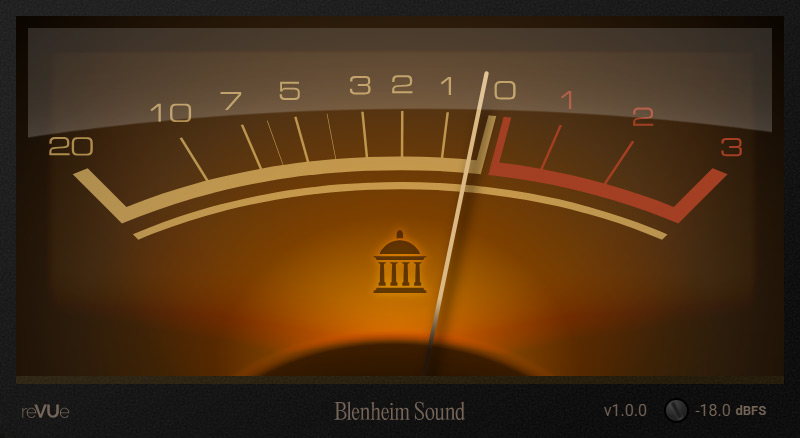
Download at https://www.blenheimsound.com (https://www.blenheimsound.com)
Blenheim sound is launching with a new VU plugin...
Analogue VU meters act as a representation of how dynamics and loudness feel, not just through the levels they display but also by the way that they move. To model this, we went right back to recreate the original VU specification from 1940, and then really put the effort in to refine it by eye and ear with modern material.
reVUe is the result, and like a real analogue VU there's no options page or preferences to tune. It's our take on how good a modern recreation of a classic VU could be.
- Ballistics : smooth, musical needle excursion but with immediate response to transients. No 'jittery' motion. We think you're going to love it.
- Completely resizable UI, from really small all the way up to filling an entire screen ..for all your 'VU metering from across the room' needs.
- Combined loudness for stereo sources using an RMS average; which means you get consistent readings for any equal-power panned elements in a mix, regardless of their position in the stereo field.
- Calibrate from -30dBFS to 0dBFS (defaults to -18dBFS, and the setting is stored and recalled for each plugin instance).
- Overshoots at both ends, and no clip indication, because this is about the movement - that's where the meaning is.
- REAPER users using the VST3 can place the VU as an embedded UI on the track or mixer channel.

