

I nearly understand FL Studio!
-
- KVRAF
- 5060 posts since 27 Jul, 2004
Welcome to FL Studio... but what you wrote is not always necessarily true...havran wrote: Tue Oct 28, 2025 3:40 am For me, the biggest thing to understand and accept is that the playlist tracks are not in any way connected to the mixer. Wow!
What you describe is the default but "old" way to work in FL Studio.
Since (I think it was) FLS 20 there are so called Instrument and audio tracks which make a connection between the Playlist track, the Mixer track and the corresponding entry in the Channel Rack...
This was done to bring in a bit more the workflow of "traditional" tape style DAWs
-
- KVRAF
- 2610 posts since 17 Apr, 2004
The link between playlist tracks and the mixer is a futz at best, and only actually works with audio tracks. It's a kludge for those people who are uncomfortable with the freedom with "anything goes anywhere" without any actual functionality behind it for VSTs.
You are much better off actually understanding how FL Studio works and the advantage it offers than pretending it is something that it isn't. You can't mix 2 incompatible paradigms no matter how much some people want to.
You are much better off actually understanding how FL Studio works and the advantage it offers than pretending it is something that it isn't. You can't mix 2 incompatible paradigms no matter how much some people want to.
Voted KVR's resident drunk Robert Smith impersonator (thanks Frantz!)
https://open.spotify.com/artist/2myYesRBRgQB3LkZzEYdt5 | https://soundcloud.com/steevm/
https://open.spotify.com/artist/2myYesRBRgQB3LkZzEYdt5 | https://soundcloud.com/steevm/

-
- KVRian
- 865 posts since 30 May, 2019
Unless, you happen to use the "Instrument tracks" or "Audio tracks" workflow. In which case, they are linked. And FL Studio can be used much more like other conventional DAWs' linear workflows.havran wrote: Tue Oct 28, 2025 3:40 am For me, the biggest thing to understand and accept is that the playlist tracks are not in any way connected to the mixer. Wow!
The simplest way to do so, is to drag your Samples or Instrument plugins directly on to each Playlist track "header".
Doing so, will automatically link the Channel Rack / Playlist / Mixer together (i.e. no need for any subsequent manual routing thereof.)
There are other methods to do this, but that's probably the quickest for new users of FL Studio.
The above can also be unlinked, if you need them to, by switching the Playlist "Track mode" to "Unassigned." (just right-click the relevant Playlist track header and select from its menu).
-
- KVRAF
- 2610 posts since 17 Apr, 2004
There's no actual playlist functionality for VSTs (instrument tracks), only for audio tracks. Clips subsequently added to the playlist lane are only automatically linked to the mixer for audio tracks. Yes, it initially sets the mixer channel for the channel rack instrument, but you can do that by dragging it to the mixer too or using Ctrl+L. There is no actual functional link from playlist to mixer for VSTs like there is for audio tracks.MrJubbly wrote: Tue Oct 28, 2025 6:38 pmDoing so, will automatically link the Channel Rack / Playlist / Mixer together (i.e. no need for any subsequent manual routing thereof.)havran wrote: Tue Oct 28, 2025 3:40 am For me, the biggest thing to understand and accept is that the playlist tracks are not in any way connected to the mixer. Wow!
There can't be, because it contradicts how FL works.
You can easily test this:
- Assign a VST to a playlist lane. Then put a pattern with note data for another VST on that lane. The notes continue to play on the same VST as before.
- Add a pattern with more than one instrument with notes. You can still add it anywhere in the playlist.
This has to be the case, because of how patterns work in FL. Try it. The functionality is just auto-naming and auto-colouring the playtlist lanes and mixer channel when you drag the plugin there, plus a few management options, e.g. when deleting mixer lanes. That's it. Otherwise it's exactly the same as FL without assigning instrument tracks. There's no playlist functionality behind it at all. That's purely an illusion.
Things are different for audio tracks - they will be routed to the associated mixer channel depending on the playlist lane you put them on. But this actually eliminates a great advantage of the FL Studio playlist. Unlike other DAWs, you can keep your playlist far more compact by having audio tracks on the same playlist lane, but playing on different mixer channels. This is particularly useful for applying different FX to vocals or guitars for chorus and verse sections, but keeping the playlist lane name as "Main Vox" or "Rhythm Guitar" and having it all in one place. I use this all the time and find it extremely helpful and useful.
You do not have the required permissions to view the files attached to this post.
Voted KVR's resident drunk Robert Smith impersonator (thanks Frantz!)
https://open.spotify.com/artist/2myYesRBRgQB3LkZzEYdt5 | https://soundcloud.com/steevm/
https://open.spotify.com/artist/2myYesRBRgQB3LkZzEYdt5 | https://soundcloud.com/steevm/
-
- KVRian
- 865 posts since 30 May, 2019
Depends what you mean by "link." The OP used the term "connected," both of which I assumed meant "routed" to the mixer. In which case, those above methods all work fine.
As for the separate Playlist and Mixer windows. They are what they are and as intended to be.
There is limited Playlist functionality in Instrument tracks mode, in that left-clicking an Instrument track's header/selector will also select its relevant Mixer track, while double-clicking the Playlist header will open the relevant instrument plugin, just as double-clicking the Pattern clip will open in the Piano Roll.
If, and I guess you are, talking specifically about controlling the Mixer directly from the Playlist, well then no, that is not how FL Studio currently works. But then it doesn't need to.
I have no problem using FL Studio strictly linearly, and creating projects within separate Pattern clips within the Playlist (in Song mode). And I am equally comfortable using it non-linearly in Pattern mode with multiple instruments routed to the same mixer track. Or of course, any hybrid methods in-between. Whatever is best for the situation.
Since I have been using the DAW for more than two decades, I don't really give it much thought, I just intuitively use whichever method is appropriate for the task at hand. Although, I am aware that the fact that there are less constrictions on how a user can approach the various workflows can confuse or annoy some people.
If I ever had a problem with these (I never have), I would just have switched to another DAW better suited for those ways of working. Which I would recommend people who don't like FL Studio's methods should do. There are great alternatives available for anyone who prefers them instead.
As for the separate Playlist and Mixer windows. They are what they are and as intended to be.
There is limited Playlist functionality in Instrument tracks mode, in that left-clicking an Instrument track's header/selector will also select its relevant Mixer track, while double-clicking the Playlist header will open the relevant instrument plugin, just as double-clicking the Pattern clip will open in the Piano Roll.
If, and I guess you are, talking specifically about controlling the Mixer directly from the Playlist, well then no, that is not how FL Studio currently works. But then it doesn't need to.
I have no problem using FL Studio strictly linearly, and creating projects within separate Pattern clips within the Playlist (in Song mode). And I am equally comfortable using it non-linearly in Pattern mode with multiple instruments routed to the same mixer track. Or of course, any hybrid methods in-between. Whatever is best for the situation.
Since I have been using the DAW for more than two decades, I don't really give it much thought, I just intuitively use whichever method is appropriate for the task at hand. Although, I am aware that the fact that there are less constrictions on how a user can approach the various workflows can confuse or annoy some people.
If I ever had a problem with these (I never have), I would just have switched to another DAW better suited for those ways of working. Which I would recommend people who don't like FL Studio's methods should do. There are great alternatives available for anyone who prefers them instead.
-
- KVRAF
- Topic Starter
- 3238 posts since 21 May, 2010
"Corkboard" is the word that came to my mind.VOODOO U wrote: Tue Oct 28, 2025 4:04 pm The freedom with anything goes anywhere = modular. See? I explained with one word.

-
- KVRAF
- 2610 posts since 17 Apr, 2004
A lot of people keep on asking for FL Studio to adopt the same workflow as a traditional linear DAW. There is often a misconception that this is what the new instrument tracks do. This has been confusing for quite a few new users, so I'm referring to the link in the sense of how a traditional DAW works. If you look at what Trancit and you wrote above, you are claiming a link between the playlist and the mixer. This is patently untrue and suggests a fundamental misunderstanding of how FL Studio actually works and what the instrument tracks actually do. There is absolutely no functionality in the playlist linking clips in the playlist to the mixer for MIDI data. There are simply a few helper functions that auto-name and auto-colour lanes and mixer channels, and that allow you to remove more than just the playlist lane when deleting it from the playlist. The routing is still from the channel rack to the mixer, and always will be.MrJubbly wrote: Tue Oct 28, 2025 10:17 pm Depends what you mean by "link." The OP used the term "connected," both of which I assumed meant "routed" to the mixer.
For those of us who have used FL for yonks, we're well aware of how FL works, and probably a lot of us appreciate the advantages. But it's important to ensure the people have no illusions about what the "instrument tracks" actually are - which is nothing more than another way to do do the same things you could always do, and in no way approximates a linear DAW workflow. That seems to be what a lot of people either believe it is or are hoping for somewhere down the line. but there's no way you can combine the linear DAW paradigm with the established FL Studio paradigm, as they are completely incompatible.
This might seem like pedantic semantics. But given how confused a lot of new users are by FL now appearing to be linear, but not actually behaving linearly, I think it really matters that we are crystal clear about how FL Studio actually works.
Yeah, that's what I'm advocating for. Understand how FL Studio actually works, which is not the same way that a traditional DAW works, instruments tracks or not. There's a lot of advantages in the FL Studio playlist that go untapped if you try and limit yourself to the traditional linear workflow. Yes, 90% of the time, most people I know go with a linear approach, but it's that 5-10% of the time when you can just do what makes sense for the track that gives you that added power that you will miss out on if you try and shoehorn it into being something it isn't.MrJubbly wrote: Tue Oct 28, 2025 10:17 pm I am equally comfortable using it non-linearly in Pattern mode with multiple instruments routed to the same mixer track. Or of course, any hybrid methods in-between. Whatever is best for the situation.
Voted KVR's resident drunk Robert Smith impersonator (thanks Frantz!)
https://open.spotify.com/artist/2myYesRBRgQB3LkZzEYdt5 | https://soundcloud.com/steevm/
https://open.spotify.com/artist/2myYesRBRgQB3LkZzEYdt5 | https://soundcloud.com/steevm/
-
- KVRAF
- 5144 posts since 3 Oct, 2013
playist, the ghosting of notes outside the pattern — they’re not editable or selectable, just there visually — it actually bothers me more, but it’s still nice that they managed to implement it this way.
https://www.image-line.com/fl-studio-le ... ghostnotes
also an intereting solution when the pattern plays from the Channel Rack and the visuals come from the Piano Roll or Playlist — although at least you can see the other patterns, so I guess I can’t complain too much.
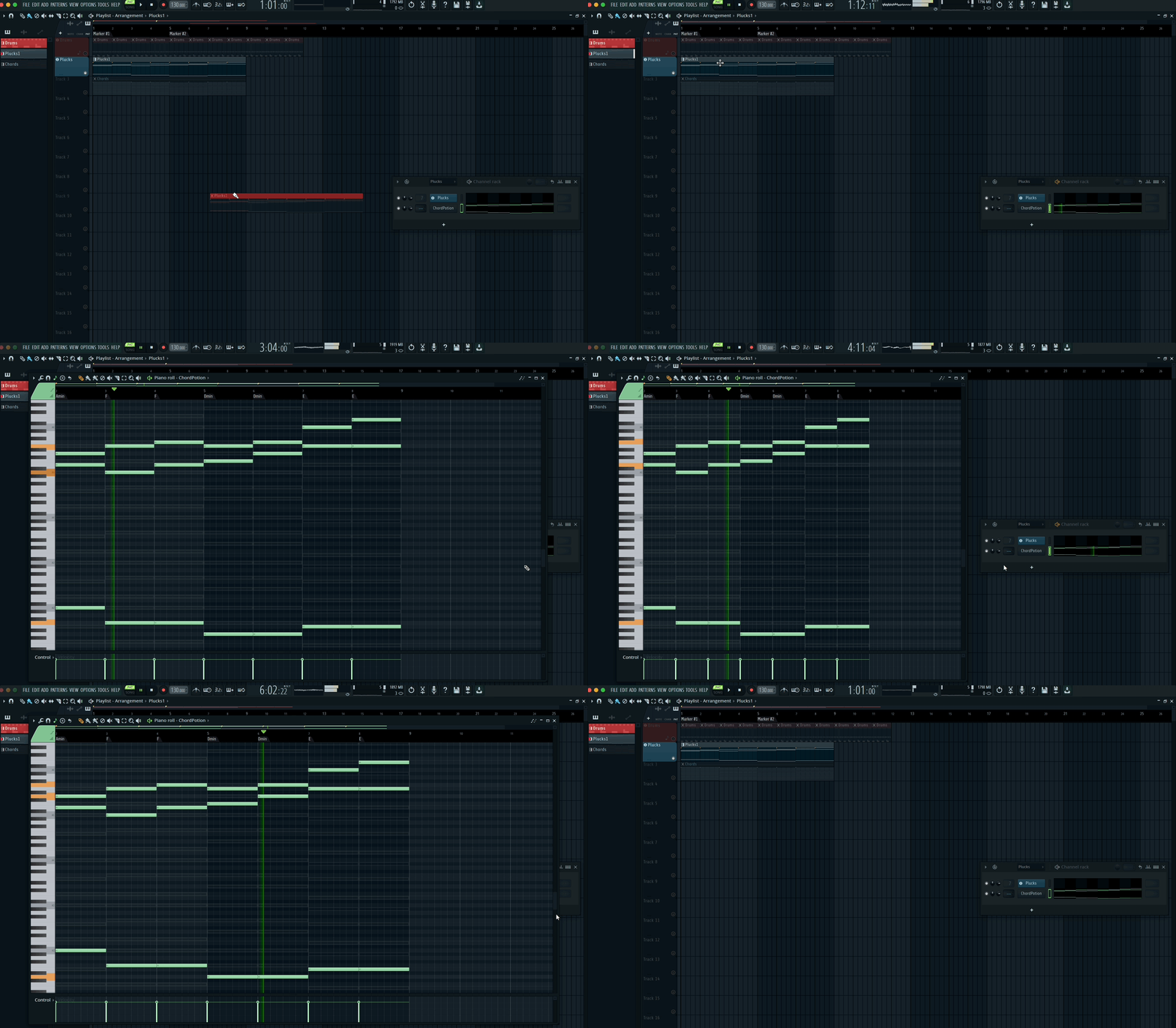
also an intereting solution when the pattern plays from the Channel Rack and the visuals come from the Piano Roll or Playlist — although at least you can see the other patterns, so I guess I can’t complain too much.
You do not have the required permissions to view the files attached to this post.
Last edited by xbitz on Sun Nov 02, 2025 5:53 pm, edited 1 time in total.
"Where we're workarounding, we don't NEED features." - powermat
-
- KVRAF
- 5060 posts since 27 Jul, 2004
You start to split hairs here!
What a link or connection is or should be or could be... FL Studio works how it works... and that isn´t bad at all!
Don´t forget: It´s a pattern based DAW! The only one which has survived in a world of tape style DAWs with 2 other slightly different ones (but linear at their cores...)
Don´t forget as well: Even if a lot of what you see is intentional, there might change a whole lot in near future and will offer different options.
FL Studio is being rewritten/modified since already a few years (and will continue to do so in the next years) to bring it´s the technical state to the future.
Many things weren´t possible in the past because of how Gol designed that thing.
This is about to change...
Maybe already in the next bigger updates we will see a new Playlist and a new Mixer (including the whole rewritten Audio Engine) which may change a lot...
There is no point in arguing now about the burdens of the past and their limitations, as this could change soon.
Nonetheless FL Studio will stay FL Studio... that´s for sure!
If you urgently need the limits of a tapestyle DAW with it´s fixed architecture (1 Arranger track = 1 Mixer Track (apart from Midi tracks)) you are looking at the wrong place!
The new code will allow additional and optional functionality but it will not change the fundamental structures how this DAW operates no matter how hard you cry!
There is a little hope that they will implement an optional workflow, which might come close to the ones found in so called "linear" DAWs... but it will be at the very end just an approximation, but
- first never a 1:1 match...
- and second this will take (most likely) even longer...
What a link or connection is or should be or could be... FL Studio works how it works... and that isn´t bad at all!
Don´t forget: It´s a pattern based DAW! The only one which has survived in a world of tape style DAWs with 2 other slightly different ones (but linear at their cores...)
Don´t forget as well: Even if a lot of what you see is intentional, there might change a whole lot in near future and will offer different options.
FL Studio is being rewritten/modified since already a few years (and will continue to do so in the next years) to bring it´s the technical state to the future.
Many things weren´t possible in the past because of how Gol designed that thing.
This is about to change...
Maybe already in the next bigger updates we will see a new Playlist and a new Mixer (including the whole rewritten Audio Engine) which may change a lot...
There is no point in arguing now about the burdens of the past and their limitations, as this could change soon.
Nonetheless FL Studio will stay FL Studio... that´s for sure!
If you urgently need the limits of a tapestyle DAW with it´s fixed architecture (1 Arranger track = 1 Mixer Track (apart from Midi tracks)) you are looking at the wrong place!
The new code will allow additional and optional functionality but it will not change the fundamental structures how this DAW operates no matter how hard you cry!
There is a little hope that they will implement an optional workflow, which might come close to the ones found in so called "linear" DAWs... but it will be at the very end just an approximation, but
- first never a 1:1 match...
- and second this will take (most likely) even longer...
-
- KVRAF
- Topic Starter
- 3238 posts since 21 May, 2010
Thank you for taking the time to put that together. I appreciate your examples and clarifications.sjm wrote: Tue Oct 28, 2025 7:23 pm
[...]
There's no actual playlist functionality for VSTs (instrument tracks), only for audio tracks. Clips subsequently added to the playlist lane are only automatically linked to the mixer for audio tracks. Yes, it initially sets the mixer channel for the channel rack instrument, but you can do that by dragging it to the mixer too or using Ctrl+L. There is no actual functional link from playlist to mixer for VSTs like there is for audio tracks.
There can't be, because it contradicts how FL works.
You can easily test this:(image: instrument tracks make no sense.png)
- Assign a VST to a playlist lane. Then put a pattern with note data for another VST on that lane. The notes continue to play on the same VST as before.
- Add a pattern with more than one instrument with notes. You can still add it anywhere in the playlist.
In the screenshot above, the "Sawer" pattern continues to play notes via the Sawer plugin and the "Morphine" pattern continues to play them via the Morphine plugin, irrespective of the playlist lane the pattern is on. This isn't how a linear DAW works.
This has to be the case, because of how patterns work in FL. Try it. The functionality is just auto-naming and auto-colouring the playtlist lanes and mixer channel when you drag the plugin there, plus a few management options, e.g. when deleting mixer lanes. That's it. Otherwise it's exactly the same as FL without assigning instrument tracks. There's no playlist functionality behind it at all. That's purely an illusion.
Things are different for audio tracks - they will be routed to the associated mixer channel depending on the playlist lane you put them on. But this actually eliminates a great advantage of the FL Studio playlist. Unlike other DAWs, you can keep your playlist far more compact by having audio tracks on the same playlist lane, but playing on different mixer channels. This is particularly useful for applying different FX to vocals or guitars for chorus and verse sections, but keeping the playlist lane name as "Main Vox" or "Rhythm Guitar" and having it all in one place. I use this all the time and find it extremely helpful and useful.