QDelay - new free Dual-Delay

VST, AU, AAX, CLAP, etc. Plugin Virtual Effects Discussion
Post Reply New Topic
RELATED
PRODUCTS
QDelay

Post

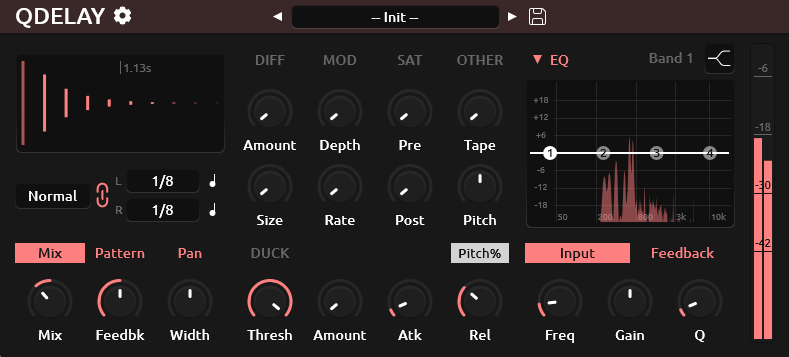
Just released a new Delay plugin called QDelay (short for Quick-Delay).
It packs quite a number of features for a free Delay plugin that's supposed to be quick, built for my own (occasional) productions.

https://www.kvraudio.com/product/qdelay-by-tilr
https://github.com/tiagolr/qdelay
Image

Features:

- Stereo Dual Delay with independent delay times and multiple modes.
- Ping-Pong mode with feedback width control.
- Tap mode with offset time (tap) and delay time.
- Swing and Feel offset.
- Accent odd or even taps.
- Parametric EQ on feedback and input signal.
- Diffusion on pre or post delay signal.
- Modulation of delay line time.
- Pitch Shifter on the feedback or post delay signal.
- Saturation on pre and post delay signal.
- Color, Bias and Dynamics controls for saturation.
- Ducking to muffle the delayed signal on input.
- Tape wow and flutter to add tone variation.
- Taps preview display.

The goal was to build a plugin that can come close to others like EchoBoy or ReplikaXT, maybe I should have considered Valhalla more but I am always in time to add new versions to it. I consider it a solid alternative to Deelay which I am used to.

Hope you like it, cheers.

Post

Thanks :)
FL Studio 25 | AudioThing JULY - Deimos - U-he Filterscape - NI Kontour - Softube Model 80 - LUSH-2 - UAD Opal - WaveOSC

Post

Looks quite feature packed for a free plugin.
Thanks very much.

Post

Im going to give it a shot along with your physmod synth

Post

Wow, it looks amazing!
Thank you for the freebie and happy new year :party: :hug:

Post

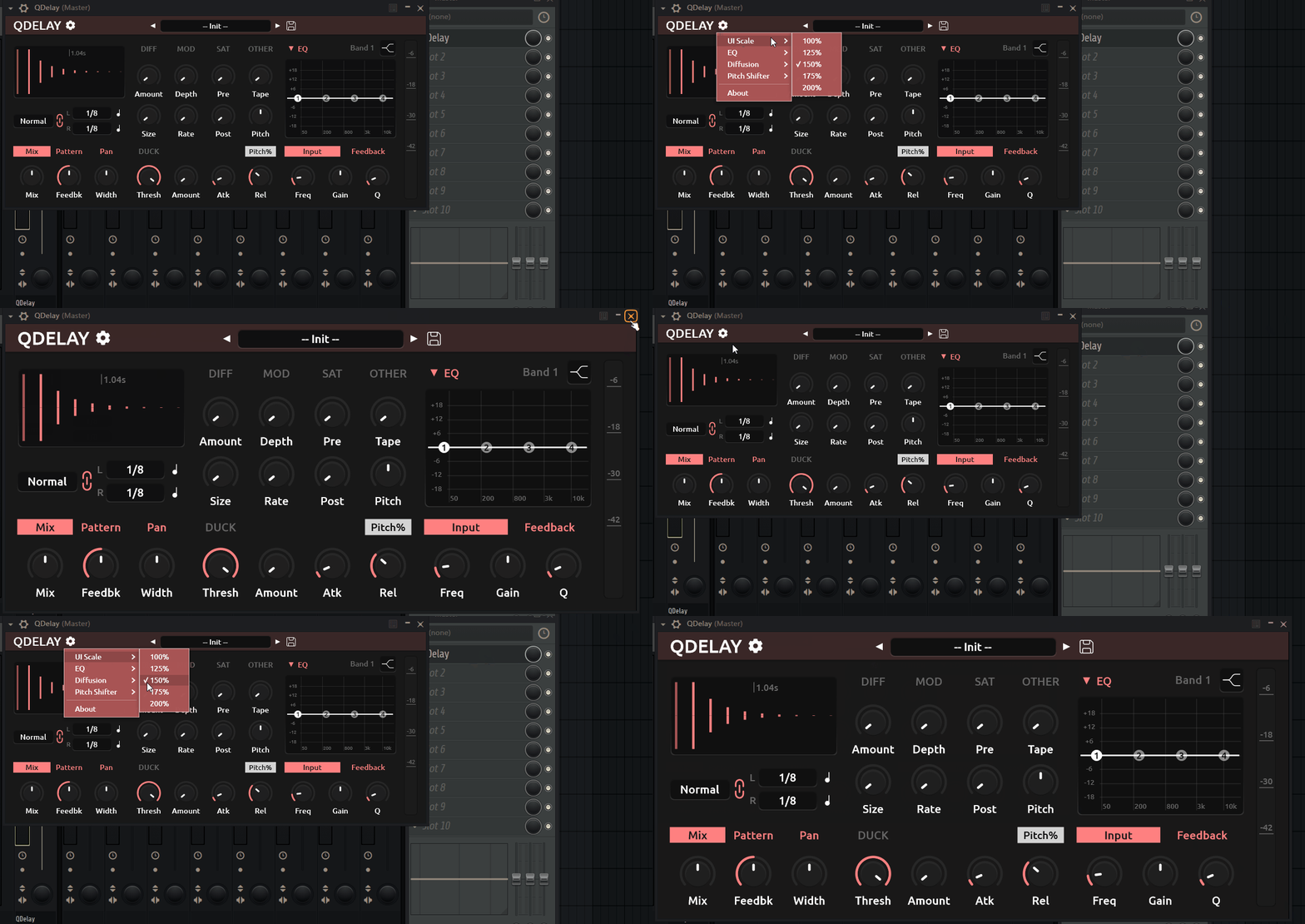
It looks like the best free delay plugin at least in terms of all the possibilities it offers. Does anyone else have the problem that when I minimize the plugin and reopen it, even though a higher size (150%) is specified in the settings, it opens at 100% resolution and I have to click on the gear icon and reset it again (even though there is a check mark confirming 150% size)?
Thank you for this one and all the best in 2026!

Image has been added.

Image
Last edited by yzcoruhT on Sat Jan 03, 2026 12:04 pm, edited 1 time in total.

Post

Wow, the feature set looks well thought out and is extensive.
Interesting your remark about Deelay as inspiration.
Thanx for your generous gift!
ABX is enemy to GAS

Post

yzcoruhT wrote: Sat Jan 03, 2026 11:49 am It looks like the best free delay plugin at least in terms of all the possibilities it offers.
Indeed, except for one thing - it doesn't seem to have separate Dry/Wet

Yes I know it's a small detail, but I felt like it needed to be said in case of there's being a 1% chance OP isn't aware this can be a dealbreaker for some of us.

(For the record, I don't think I've ever used Deelay, and aren't planning to. My bias is zero.)

Post

Agg wrote: Sat Jan 03, 2026 12:23 pm Indeed, except for one thing - it doesn't seem to have separate Dry/Wet
What is the „Mix“ Control in the bottom left for?

Post

kinkajou wrote: Sat Jan 03, 2026 12:38 pm
Agg wrote: Sat Jan 03, 2026 12:23 pm
Indeed, except for one thing - it doesn't seem to have separate Dry/Wet
What is the „Mix“ Control in the bottom left for?
it doesn't seem to have separate Dry/Wet
Image

Post

Thanks, a significant release I'd say, very fully featured for everyday use.

Thanks also for the Linux version too, while I've been trying to go native only I was missing a delay with swing (use ReplikaXT for that in Windows).
yzcoruhT wrote: Sat Jan 03, 2026 11:49 am Does anyone else have the problem that when I minimize the plugin and reopen it, even though a higher size (150%) is specified in the settings, it opens at 100% resolution
Yeah, confirmed on Windows for sure (will try Linux later)

Post

Filters and frequency shifting would be welcome for a future update.

Post

Looks great! Thank you Tilr

Post

Thank you so much, a very cool native Linux free delay finally, I had to ditch Deelay, now I have THE replacement :)

Post

Thanks!
I'll be looking at the issue with the scaling being lost on reopen, pushing a fix soon.
Keep in mind the pitch shifting is quite aggressive because its compounded, in settings you can switch the pitch shifting to Post and it applies only once. This and other things like forgetting drive at 100% by default I'll have a fix soon.

Post Reply

Return to “Effects”