DynCurve – draw your dynamics curve (public beta, Win/Mac VST3/AU/AAX)

VST, AU, AAX, CLAP, etc. Plugin Virtual Effects Discussion
RELATED
PRODUCTS

Post

Hi all,
I’ve just released a public beta of DynCurve, a dynamics plugin I’ve been working on for a while and I’d love some real-world feedback.

What it is:
DynCurve lets you shape dynamics by drawing a transfer curve instead of dialing in traditional compressor parameters like Threshhold and Ratio. You can immediately hear and see how quiet vs. loud parts are being mapped, and then dive deeper with attack/release, detector modes, oversampling, etc. if you want to fine-tune. You also have instant access to separate Mid/Side curves.

The goal was to make something that feels more intuitive than a standard compressor, but still precise enough for surgical mix work.
Current state:
Public beta, still refining UX and edge cases.
No hard limitations yet — I’m mainly looking for:

stability reports
workflow feedback
“this is confusing” moments
use-cases I didn’t think of

If you send thoughtful feedback, I’m happy to provide free licenses for beta testers.
Formats:
macOS + Windows
VST3 / AU / AAX

Download / info:
https://fehrenberg-audio.com/dyncurve.html
There’s a short trial you can start instantly from the plugin.
Curious to hear how people end up using it — especially if you try it in a real mix.
Thanks for checking it out 🙂
You do not have the required permissions to view the files attached to this post.

Post

This is looking very interesting. I've had an idea tumbling around in my big dumb head about an envelope based compressor for a while, glad to see a dev go at it. Will try, thanks!

Post

Really interesting concept.

The metering is a little hard to decipher. I might have gone with a horizontal orientation of the input signal, but I understand why vertical was chosen. A user would probably get used to it over time

Post

It opened fine, but is there a way to reduce the size of the window? If there is a bottom right corner adjuster, I can't get to it as it's cut off. Thanks -

Post

Jonathan Shepherd wrote: Tue Feb 10, 2026 6:16 pm This is looking very interesting. I've had an idea tumbling around in my big dumb head about an envelope based compressor for a while, glad to see a dev go at it. Will try, thanks!
been a few of these over the years...the detail guys should love it
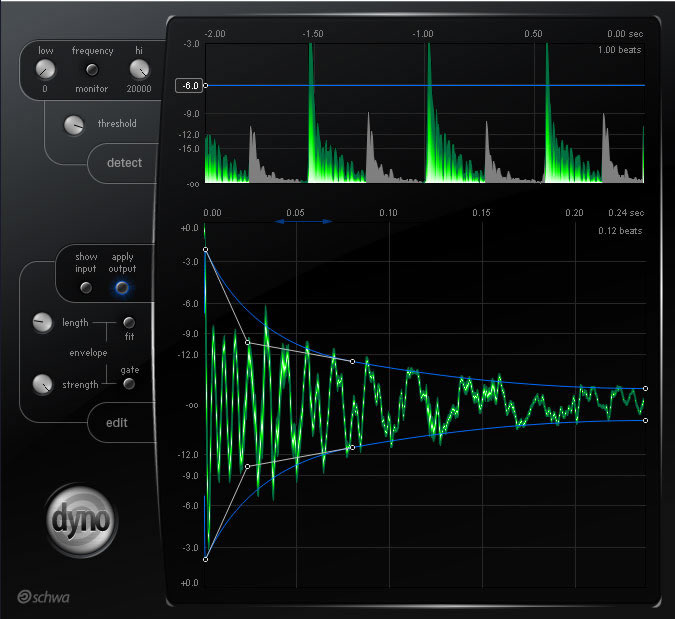
Image

https://www.kvraudio.com/product/dyno-by-schwa


https://www.kvraudio.com/product/recont ... t-software
Music had a one night stand with sound design.....And the condom broke

Post

Jonathan Shepherd wrote: Tue Feb 10, 2026 11:02 pm It opened fine, but is there a way to reduce the size of the window? If there is a bottom right corner adjuster, I can't get to it as it's cut off. Thanks -
At the moment it is a fixed window-size. I put a resizable Window on the list for future updates, perhaps together with a full screen mode...

Post

Alright thanks man. I have a smaller monitor, maybe it's time to upgrade. Good day-

Post

Make it multiband, saturation per band and s clipper at the very end and you have Fl Studio Maximus!! That would be insane since Maximus is only Fl studio compatible (the Vst version is very old now and they're not going to update it)

Post

MichaelWhiteMusic wrote: Thu Feb 12, 2026 2:56 pm Make it multiband, saturation per band and s clipper at the very end and you have Fl Studio Maximus!! That would be insane since Maximus is only Fl studio compatible (the Vst version is very old now and they're not going to update it)
Actually I thought a lot about a multilband Option. But then I decided to go for that Mid-Side approach instead because there are already so many cool Multiband compressors out there but I don‘t know any which gives an additional Mid-Side Path. I think combining both ideas could quickly become a bit Overkill for the UI. But Thanks for your thoughts anyway. I didn‘t know the Maximus. Perhaps I have to Check it out.

Post

DynCurve 0.9.1 – Beta Update

Dear Beta Testers,
First of all, thank you.
Thank you for your trust, your time, and your willingness to explore DynCurve while it’s still evolving. Your thoughtful feedback has been incredibly valuable. Thanks to your insights, questions, and feature requests, I’ve been able to implement a series of meaningful improvements in this new Beta Version 0.9.1.

I truly hope many of your wishes have found their way into this update.

What’s New in 0.9.1

• Preset Management
• A/B Comparison
• Improved Curve Editor Behavior
• Enhanced Reset Options
• Improved GPU Rendering
• Multichannel Support (Audio Unit) (No need for DynCurve MC anymore.)
• Auto-Gain Functionality
• Resizable UI
• Various Bug Fixes and Stability Improvements

Download here:
https://fehrenberg-audio.com/dyncurve.html

Important Compatibility Note:
Due to internal changes required to enable multichannel support for the Audio Unit version, this release is not backward compatible with version 0.9.
As a result, DynCurve may appear as a new plugin to your DAW even though the name remains the same.

If you are using DynCurve in existing sessions, I recommend rendering/bouncing the affected tracks or taking screenshots of your settings before updating, so they can be recreated manually if necessary.
If you have critical sessions that rely on the previous version, you may want to keep the older version installed until those projects are finished.

Your continued feedback is very welcome — it directly helps shape the future of DynCurve.

If your trial period already expired but you would like to continue testing, PM me.

Thanks again for being part of this journey.
Best,
Jonas

Post

nice update jonas. the backward compat note is the right call, better to be upfront about it than have people discover broken sessions silently.

the drawn-curve approach is interesting from a UX perspective. threshold/ratio is really just a shorthand for describing a curve shape that most people can't visualise anyway, so going direct makes sense. curious how you're handling the attack/release interaction with a free-form curve though, because some shapes that look intuitive on the graph probably behave unexpectedly when the RMS changes fast. is the detector pre or post the curve?

also a fellow solo dev here, just shipped two plugins after a few years of building. know exactly what it's like to field the "make it multiband" requests on day one. sometimes the answer really is "no, that's a different plugin".

Post

Thanks Kern! :-)
The handling of attack / release / rms is actually quite intuitive because every change is instantly reflected in the waveform behind the transfer curve. So you will always be sure what you actually are mapping with your curve.

Post

Hey Jonas. Nice to see another one of these.
Does it have snap to grid for the nodes, like Maximus and the Melda plugins have?
(Useful because it allows you to experiment and make changes, knowing you can just snap a node back to it's previous position).

Honestly, I defo think you should entertain the idea of either snap to grid, or A/B states, so that people can feel confident making changes. A/B is ideal, but even with that, I would still want my snap to grid. :shrug:

Post

Thanks Al!
A-B-States are already built in. If you hold shift, the node you are moving will snap to the 1:1-Ratio-diagolal.

Otherwise, what kind of grid are you thinking of?

Post

jonasfehrenberg wrote: Sat Mar 07, 2026 6:35 am Thanks Al!
A-B-States are already built in. If you hold shift, the node you are moving will snap to the 1:1-Ratio-diagolal.

Otherwise, what kind of grid are you thinking of?
Well, I'm assuming we can add and remove nodes as we see fit?
I'm talking about being able to move nodes in small and reproduceable increments.
With a bit more detail than your current readout suggests may be possible (12db, 24db etc).

So maybe a faint independent grid that sits behind, but also coincides with the 12db, 24db grid that's in the foreground (hope I'm making sense).

It may seem like overkill, but the main thing I use comps like this for, are bringing up lower elements without touching the higher peaks in any way (preserving transients).
This usually requires a curve / bump in the lower left quarter of the grid, and sometimes needs very fine precision tuning, as the curve will be shaped for the specific audio.
So to have a nearby grid point that we can snap to, or even just have as reference, can make things so much easier and faster.
Maximus and Melda both take care of this, but Maximus has the problem that you will run into, if you just snap to the current db grid. Not enough nodes.

Melda manages this perfectly, but doesn't have the easy hands on feel that maximus gives.
It would be interesting if your plugin turned out to be a happy middle ground between those two!

I know that probably sounds like a lot of work, and honestly, I could survive with just the A/B (if I didn't already have Melda and Max). But hey, at the very least, I'm letting you know the reason you would never pull me away from those 2 comps.

Post Reply

Return to “Effects”