We are happy to announce the release of Blue Cat's Axiom 2.3, a significant update to our flagship multi-effects processor for guitar and bass.
This new version of our guitar and bass workstation is loaded with new features and improvements, bringing enhanced tone quality, significantly better performance, improved user interface (with multitouch support), expanded MIDI control, greater compatibility with third party plug-ins, and much more (full change list below).
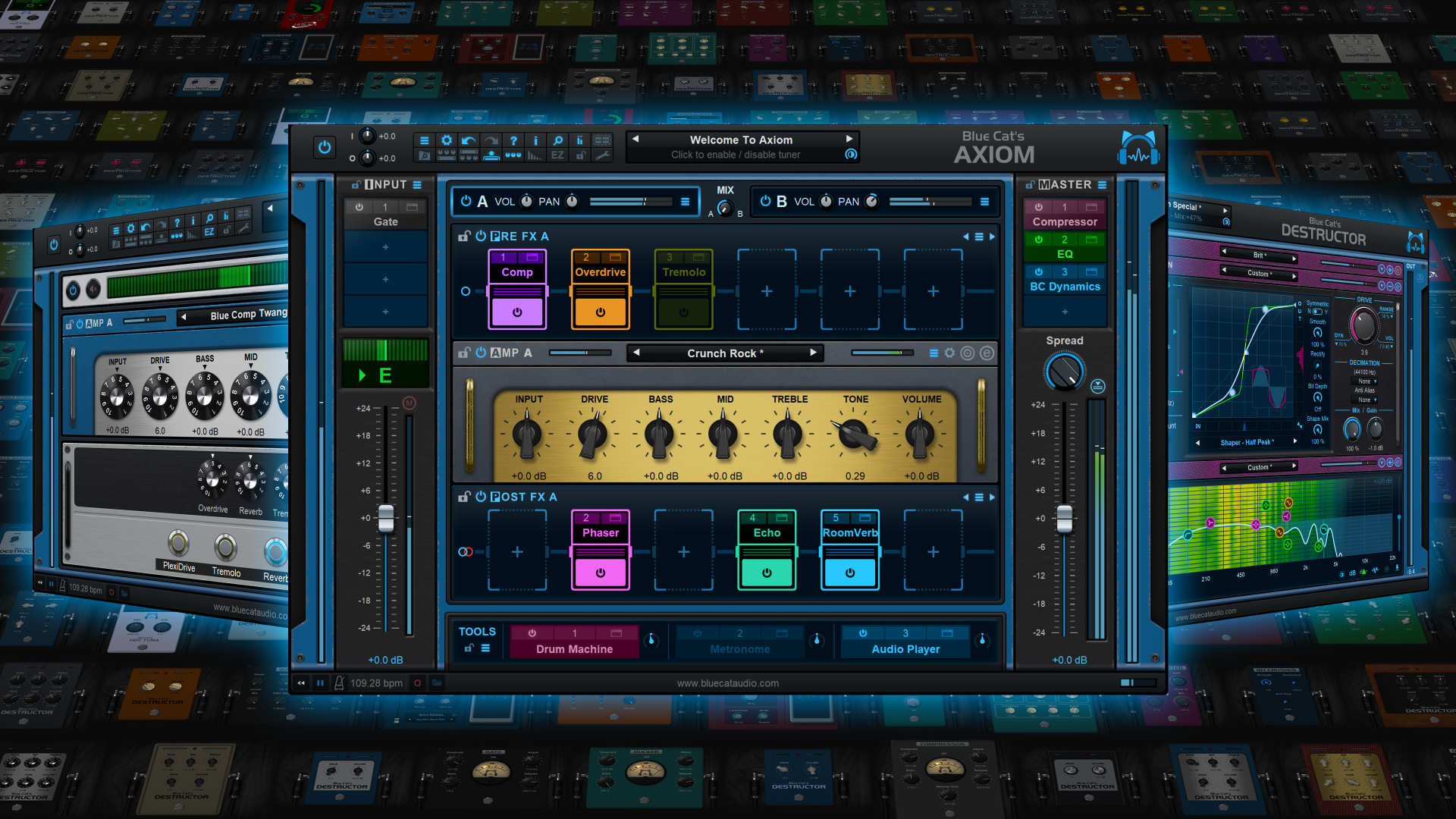
The update is free for registered Axiom V2 owners. For newcomers who do not already own the software, the price has been permanently reduced to make Axiom more accessible, and it is currently available at an additional 15% discount until April 21st.
Existing Blue Cat Audio customers will receive an even more attractive offer via email. It is time to download and try the free demo available on www.bluecataudio.com!
NEW IN AXIOM 2.3
Audio / DSP
- Smoother transition between presets (in particular between presets using IRs and others using modeled cabs).
- New quiet update mode for built-in delays (Late Replies, Echo and Multitap delay): avoid "zipping" noise that happens with analog delay emulations when changing delay lengths.
- Destructor engine can now oversample the signal up to 16 times.
- Drastic DSP performance improvements for Axiom and most built-in plug-ins (up to twice faster on some presets).
- New pedals and amps models.
- All factory presets have been tweaked and updated.
User Interface
- Select the background color to customize Axiom and the built-in Late Replies delay plug-in.
- Windows: multitouch support (manipulate multiple controls at the same time with several fingers).
- Changed Mute button color to yellow to avoid confusion with record buttons.
- Improved skin loading time on slow hard drives.
- Optimized size of image resources for GUIs.
- Improved performance when changing zoom factor.
- Minor Graphics optimizations for Hi resolution displays.
- Fixed window opacity changes not shown in plug-in when host application modifies it.
- Fixed selected text in text edit box sometimes not easy to read on Mac depending on the color scheme.
- Fixed text edit boxes sometimes loosing focus when hovering mouse over other controls.
- Fixed Mac installers not showing brand image in dark mode.
- Fixed minor glitch in Reverb plug-in layout.
- Fixed EZ View footswitches display issues on Mac OS 26 Tahoe.
- Windows: fixed context menu not always displayed in the right position when the window spans across several screens with different DPI.
- Windows accessibility: native system widgets are now scaled according to text size settings on Windows 8 and newer in settings windows.
- Windows: fixed return key sometimes unexpectedly forwarded to host while typing in a text edit box.
Macros Parameters
- Choose Macro params control style: knob or switch.
- Macro params default/neutral value can now be chosen (the value set upon right click or alt-click).
- Fixed "Learn once" issues in the Macro editor.
- Fixed macro params issues when back-inserting a plug-in (via drag and drop) in a chain that overwrites its previous position.
Plug-ins Hosting
- A missing plug-ins report is now displayed in case plug-ins are missing upon loading a session or presets.
- Improved synchronization of hosted plug-ins synchronized to host transport when using plug-ins with latency.
- Built-in plug-ins can now follow host zoom.
- Recently updated VST, VST3 and Audio Unit plug-ins can now follow Blue Cat Audio hosts zoom like built-in plug-ins.
- Plug-in format is now displayed in the title bar of the plug-in window.
- Recording status is now reported to Audio Units that support it.
- It is now possible to use different oversampling options for realtime and offline rendering.
- Fixed two memory leaks in VST3 plug-ins host (causing potential crashes upon VST3 plug-in unload too).
- Fixed plug-in latency not always fully compensated when using plug-ins with latencies of more than 1024 samples.
- Improved undo management with built-in and VST3 plug-ins, now detecting non-parameter changes.
- Fixed built-in multitap delay high DSP usage upon first load when syncing delay to host BPM.
- Fixed offline rendering mode not always reported to hosted plug-ins.
- Fixing built-in harmonizer crashing when manually configured with more audio outputs than inputs.
- Fixed some VST3 plug-ins taking several minutes to load (HALion and several other plug-ins with multiple audio busses).
- Fixed built-in harmonizer crashing when manually forcing more audio outputs than inputs.
- Added an option to use different resampling settings for realtime and offline rendering.
- Added recording status support for Audio Unit format.
- Fixed unexpected bypass control behavior with some Audio Unit plug-ins.
- Fixed VST3 plug-ins not loading when moved to a directory with the same name as the original .vst3 library file.
Audio Recording/Playback
- Recorded audio files now contain current transport position to help synchronizing recordings when imported into a DAW (BF format).
- Audio file recorder now switches automatically to RF64 file format for files larger than 2 GB.
- Fixed mp3 files loaded in audio player not always in sync with transport.
- Audio recording and playback now take plug-ins latency into account (with latency compensation).
MIDI Control
- All plug-in parameters can now be controlled with MIDI notes, pitch bend, NRPN, 14-bit CCs, aftertouch or channel pressure, in addition to MIDI CC.
- MIDI settings window can now be resized to display more parameters.
- Optimized MIDI settings window display on Windows (load time and scroll).
- MIDI Settings window now splits parameters into multiple pages for faster access.
- MIDI Settings window now shows custom display names if any.
- Optimized preset load upon MIDI messages when using several hundreds of user presets.
- Fixed plug-in sending Bank number 0 when loading a preset that is not located in a bank.
- Fixed audio dropouts when navigating presets via next/previous and plug-in set to send MIDI Program Change messages.
Standalone Application
- Windows: ASIO driver now keeps running when ASIO control panel is opened from the app audio preferences.
- Windows: the application now follows ASIO driver buffer changes made in the ASIO control panel or external ASIO configuration app.
- Performance: application now automatically selects the minimum number of I/O required from the driver.
- Fixed audio dropouts when selecting MIDI output devices in preferences when using many MIDI devices.
Prices until April 21st:
- Blue Cat's Axiom: 169 USD/EUR (instead of 199)
- Blue Cat's Re-Guitar plug-in: 79 USD/EUR (instead of 99)