
Beam by Lunacy Audio - Multi Effect plugin

VST, AU, AAX, CLAP, etc. Plugin Virtual Effects Discussion
Post Reply New Topic
RELATED
PRODUCTS
BEAM$99.00Buy

Post

Lunacy Audio wrote: Sun Apr 12, 2026 10:51 pm
aMUSEd wrote: Thu Apr 02, 2026 8:16 am Wouldn't a spectral effect add latency though? I like the fact I can use this in realtime
All of our BEAM plugins are zero latency effects :)
Thank you for replying to the thread. The current effect nodes may be zero latency, which is great by the way. But what is your opinion in regards to designing a new spectral effect node for BEAM?

Has Lunacy Audio ever considered adding spectral effects of some kind? For example, I think adding a spectral delay to BEAM, would be like putting the cherry on top of this already killer multi-effect.

Or, have you decided against using spectral effects altogether, due to their issues with latency? This is all just pure speculation and curiosity on my part.

Post

morphex wrote: Wed Apr 15, 2026 12:40 am
Lunacy Audio wrote: Sun Apr 12, 2026 10:51 pm
aMUSEd wrote: Thu Apr 02, 2026 8:16 am Wouldn't a spectral effect add latency though? I like the fact I can use this in realtime
All of our BEAM plugins are zero latency effects :)
Thank you for replying to the thread. The current effect nodes may be zero latency, which is great by the way. But what is your opinion in regards to designing a new spectral effect node for BEAM?

Has Lunacy Audio ever considered adding spectral effects of some kind? For example, I think adding a spectral delay to BEAM, would be like putting the cherry on top of this already killer multi-effect.

Or, have you decided against using spectral effects altogether, due to their issues with latency? This is all just pure speculation and curiosity on my part.
A good q! We've committed to keeping the plugin zero latency, so that's a big reason we haven't explored certain effects. We also only add very specific effects which we feel will add a unique character to the ecosystem. Otherwise, spectral would certainly be cool :)

Post

morphex wrote: Wed Apr 15, 2026 12:40 am
Lunacy Audio wrote: Sun Apr 12, 2026 10:51 pm
aMUSEd wrote: Thu Apr 02, 2026 8:16 am Wouldn't a spectral effect add latency though? I like the fact I can use this in realtime
All of our BEAM plugins are zero latency effects :)
Thank you for replying to the thread. The current effect nodes may be zero latency, which is great by the way. But what is your opinion in regards to designing a new spectral effect node for BEAM?

Has Lunacy Audio ever considered adding spectral effects of some kind? For example, I think adding a spectral delay to BEAM, would be like putting the cherry on top of this already killer multi-effect.

Or, have you decided against using spectral effects altogether, due to their issues with latency? This is all just pure speculation and curiosity on my part.
I have not used a spectral delay - what do they offer? In BEAM if I were wanting to delay specific frequencies I would use parallel bandpass filters into TAPS

Post

Lunacy Audio wrote: Wed Apr 15, 2026 12:59 am
morphex wrote: Wed Apr 15, 2026 12:40 am
Lunacy Audio wrote: Sun Apr 12, 2026 10:51 pm
aMUSEd wrote: Thu Apr 02, 2026 8:16 am Wouldn't a spectral effect add latency though? I like the fact I can use this in realtime
All of our BEAM plugins are zero latency effects :)
Thank you for replying to the thread. The current effect nodes may be zero latency, which is great by the way. But what is your opinion in regards to designing a new spectral effect node for BEAM?

Has Lunacy Audio ever considered adding spectral effects of some kind? For example, I think adding a spectral delay to BEAM, would be like putting the cherry on top of this already killer multi-effect.

Or, have you decided against using spectral effects altogether, due to their issues with latency? This is all just pure speculation and curiosity on my part.
A good q! We've committed to keeping the plugin zero latency, so that's a big reason we haven't explored certain effects. We also only add very specific effects which we feel will add a unique character to the ecosystem. Otherwise, spectral would certainly be cool :)
If there was a way to add a Spectral delay effect without latency it would be cool - as I recall the old NI Spektral Delay (still the best imho) didn't seem to have latency - or am I misremembering?

Post

NI Spectral Delay was cool, no idea why they dropped it...AI has an opinion on latency and my understanding of how Spectral Delays work is that there would always be some latency.

Yes, the original Native Instruments Spektral Delay (released around 2000) introduced significant latency because it relied on FFT (Fast Fourier Transform) algorithms to process audio in frequency bands. This latency is inherent to spectral processing, where the plugin must analyze a "window" of audio data before processing and re-synthesizing it.

I am very new to Beam (enjoying it) and although I came for 'Bithmus' I have found the overall structuring and 'portals' is the real star. I think 'portals' should have be baked in to the core product, but that's a small gripe. You can do so much with what's already included I am not sure what I would add!
X32 Desk, i9 PC, S88MK3, S1, BWS, Live + PUSH 3, Osmose, RedShift 6 Pro3, Tempera, Syntakt, Digitone II, OP1-F, OPXY, Eurorack, TD27 Drums, Guitars, Basses, Amps and of course lots of pedals!

Post

Well, Beam is definitely far from being a killer multi-effect. It is good and interesting enough to use creatively, but it is still buggy, mainly because of its graphical concept, which is also its strongest feature.
I have never managed to use it for very long because every second or third time I try to randomize the settings, the editor zooms uncontrollably beyond the window proportions. After that, I can no longer scroll properly or move anything.
It just stalls, no nodes are visible anymore and it becomes completely unusable. So, the effect that was generated while the editor was out of proportion might actually be great, but you cannot keep or properly use it because you cannot see or control it anymore.
The only way to get the editor back into a usable state is to randomize again, which means losing that effect completely.
This has been broken since day one and has never been fixed.
Its over for Bitwig--CUBASE WON !!!!!!!!!!!!!!!!!!!!!!!!!!!!!!!!!

Post

enCiphered wrote: Wed Apr 15, 2026 10:15 am Well, Beam is definitely far from being a killer multi-effect. It is good and interesting enough to use creatively, but it is still buggy, mainly because of its graphical concept, which is also its strongest feature.
I have never managed to use it for very long because every second or third time I try to randomize the settings, the editor zooms uncontrollably beyond the window proportions. After that, I can no longer scroll properly or move anything.
It just stalls, no nodes are visible anymore and it becomes completely unusable. So, the effect that was generated while the editor was out of proportion might actually be great, but you cannot keep or properly use it because you cannot see or control it anymore.
The only way to get the editor back into a usable state is to randomize again, which means losing that effect completely.
This has been broken since day one and has never been fixed.
I cant reproduce this in Bitwig or Live? (PC)
X32 Desk, i9 PC, S88MK3, S1, BWS, Live + PUSH 3, Osmose, RedShift 6 Pro3, Tempera, Syntakt, Digitone II, OP1-F, OPXY, Eurorack, TD27 Drums, Guitars, Basses, Amps and of course lots of pedals!

Post

Yes, in Bitwig Studio 5/6. Win 11
Its over for Bitwig--CUBASE WON !!!!!!!!!!!!!!!!!!!!!!!!!!!!!!!!!

Post

enCiphered wrote: Wed Apr 15, 2026 10:43 am Yes, in Bitwig Studio 5/6. Win 11
I am BWS 5 and Win 11, no issues? Just clicked random about 100 times (ended up saving a couple :) ). I have had GUI issues in the past with BWS, I followed this:

Per-Plugin Fix (Windows): Right-click the plugin in the Bitwig browser and toggle "Stretch Plug-in Window to match DPI".

Alternative Per-Plugin Fix (Windows): Right-click in the browser and select "Toggle Plug-in Window to match DPI" to re-enable.

Global Scaling: Navigate to Settings -> Plugins and toggle "Enable plugin scaling" to see if it fixes the issue.

Windows Scaling: Ensure your OS font scaling is at 100%, or set High DPI scaling to "Performed by Application" in Windows compatibility settings for Bitwig.

Reload Plugin: Re-instantiate the plugin after changing settings to ensure the new scaling takes
X32 Desk, i9 PC, S88MK3, S1, BWS, Live + PUSH 3, Osmose, RedShift 6 Pro3, Tempera, Syntakt, Digitone II, OP1-F, OPXY, Eurorack, TD27 Drums, Guitars, Basses, Amps and of course lots of pedals!

Post

SLiC wrote: Wed Apr 15, 2026 11:22 am
enCiphered wrote: Wed Apr 15, 2026 10:43 am Yes, in Bitwig Studio 5/6. Win 11
I am BWS 5 and Win 11, no issues? Just clicked random about 100 times (ended up saving a couple :) ). I have had GUI issues in the past with BWS, I followed this:

Per-Plugin Fix (Windows): Right-click the plugin in the Bitwig browser and toggle "Stretch Plug-in Window to match DPI".

Alternative Per-Plugin Fix (Windows): Right-click in the browser and select "Toggle Plug-in Window to match DPI" to re-enable.

Global Scaling: Navigate to Settings -> Plugins and toggle "Enable plugin scaling" to see if it fixes the issue.

Windows Scaling: Ensure your OS font scaling is at 100%, or set High DPI scaling to "Performed by Application" in Windows compatibility settings for Bitwig.

Reload Plugin: Re-instantiate the plugin after changing settings to ensure the new scaling takes
Interesting, thank you very much. I tried everything you suggested, but without success.

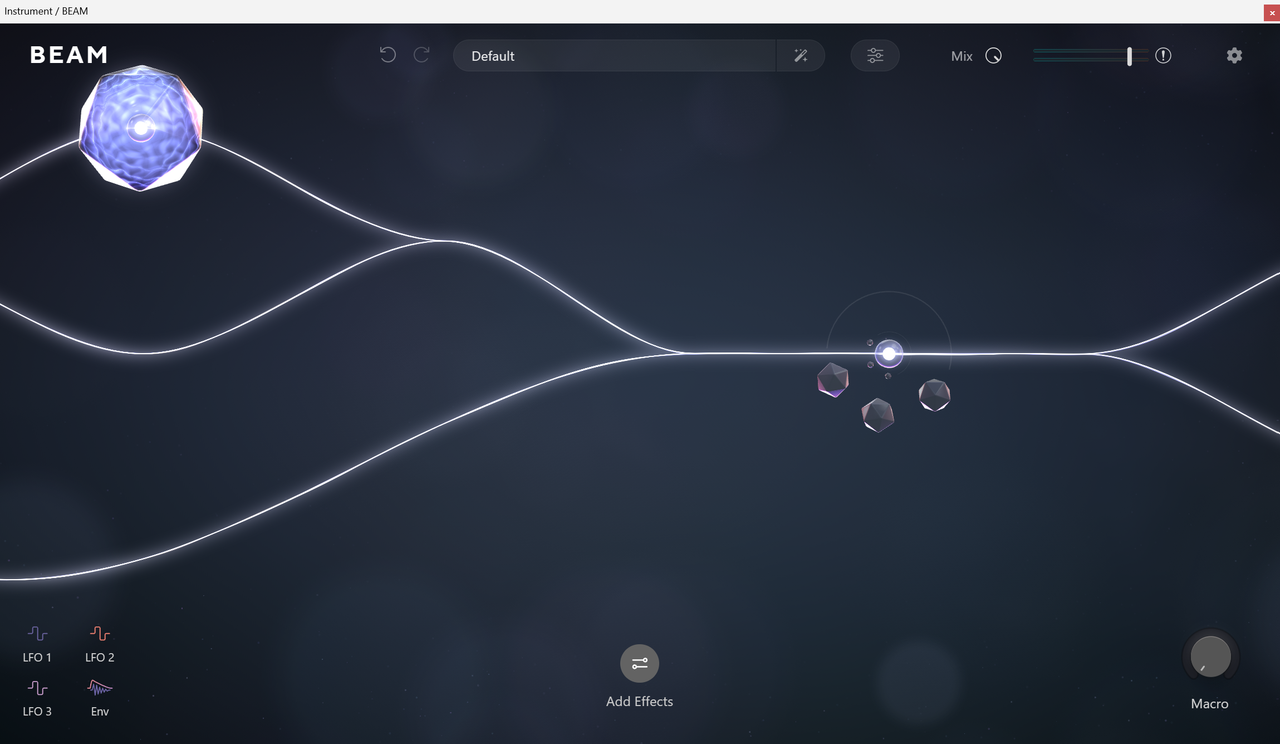
Here is a screenshot of what it looks like after Beam generates a random effect state. The zoom is too high, half of the nodes are not visible, the animation stops completely, and I cannot do anything except randomize again and hope the next result is normal.

Image
Its over for Bitwig--CUBASE WON !!!!!!!!!!!!!!!!!!!!!!!!!!!!!!!!!

Post

How weird! I assume you have tried a re-install and on the latest Beam? Do you have another DAW to try it in? (See if it’s the DAW or aubergine a graphic card issue) you have to figure if this was happening to everyone there would be more posts about it…looks very annoying indeed!
X32 Desk, i9 PC, S88MK3, S1, BWS, Live + PUSH 3, Osmose, RedShift 6 Pro3, Tempera, Syntakt, Digitone II, OP1-F, OPXY, Eurorack, TD27 Drums, Guitars, Basses, Amps and of course lots of pedals!

Post

Yes, I’m seeing the same behavior in Nuendo and Reaper as well. I’ll try reinstalling it, but I’m not very hopeful.
Its over for Bitwig--CUBASE WON !!!!!!!!!!!!!!!!!!!!!!!!!!!!!!!!!

Post

enCiphered wrote: Wed Apr 15, 2026 4:48 pm Yes, I’m seeing the same behavior in Nuendo and Reaper as well. I’ll try reinstalling it, but I’m not very hopeful.
So strange, I am a pretty new user but I havent seen anyone else post issues like that when I was looking before buying so I can only think its a bad installation something system specific like a graphics card driver. Good Luck :hug:
X32 Desk, i9 PC, S88MK3, S1, BWS, Live + PUSH 3, Osmose, RedShift 6 Pro3, Tempera, Syntakt, Digitone II, OP1-F, OPXY, Eurorack, TD27 Drums, Guitars, Basses, Amps and of course lots of pedals!

Post

enCiphered wrote: Wed Apr 15, 2026 10:15 am Well, Beam is definitely far from being a killer multi-effect. It is good and interesting enough to use creatively, but it is still buggy, mainly because of its graphical concept, which is also its strongest feature.
I have never managed to use it for very long because every second or third time I try to randomize the settings, the editor zooms uncontrollably beyond the window proportions. After that, I can no longer scroll properly or move anything.
It just stalls, no nodes are visible anymore and it becomes completely unusable. So, the effect that was generated while the editor was out of proportion might actually be great, but you cannot keep or properly use it because you cannot see or control it anymore.
The only way to get the editor back into a usable state is to randomize again, which means losing that effect completely.
This has been broken since day one and has never been fixed.
Honestly, we've never seen this before. Very sorry to hear you're experiencing this! We've tested BEAM on hundreds of computers without this issue, so it could be a weird graphics card incompatibility or a setting for the DAW's plugin performance. Could you reach out to our support team here? https://support.lunacy.audio

Post

enCiphered wrote: Wed Apr 15, 2026 10:15 am Well, Beam is definitely far from being a killer multi-effect. It is good and interesting enough to use creatively, but it is still buggy, mainly because of its graphical concept, which is also its strongest feature.
I have never managed to use it for very long because every second or third time I try to randomize the settings, the editor zooms uncontrollably beyond the window proportions. After that, I can no longer scroll properly or move anything.
It just stalls, no nodes are visible anymore and it becomes completely unusable. So, the effect that was generated while the editor was out of proportion might actually be great, but you cannot keep or properly use it because you cannot see or control it anymore.
The only way to get the editor back into a usable state is to randomize again, which means losing that effect completely.
This has been broken since day one and has never been fixed.
I’ve never had this problem in Logic Pro

Post Reply

Return to “Effects”