Blue Cat's PatchWork 2.76 [Now 2.77] Released / Plug-Ins Scanner Preview

VST, AU, AAX, CLAP, etc. Plugin Virtual Effects Discussion
RELATED
PRODUCTS
PatchWork$99.00Buy

Post

Dear KVR Members,

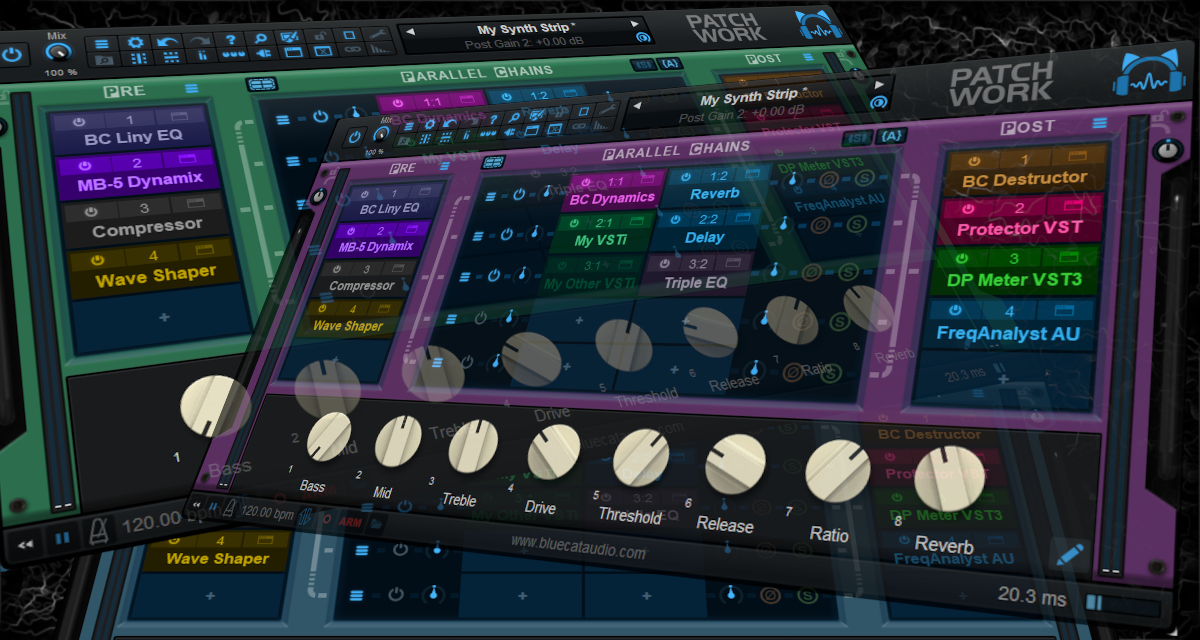
We are happy to unleash yet another free update for Blue Cat's PatchWork, our multi-effects processor and plug-ins host.

This new version is mainly focused on performance and workflow, with a couple of new features and multiple improvements and fixes. The full change list is detailed below.

The free PatchWork update can be easily downloaded from the same location as the original full version, accessible through the link provided via email upon purchase. If you do not own the software yet demo versions in various plug-in formats and as standalone applications for both Mac and Windows PC can be freely downloaded on www.bluecataudio.com.
Image

New Features:
- PatchWork's background color can now be customized (tip: choose a color matching your track).
- A missing plug-ins report is now displayed in case plug-ins are missing upon loading a session or presets.
- Windows multitouch support (manipulate multiple controls at the same time with several fingers).

Performance:
- Improved large session loading performance when using some VST3 plug-ins responding slowly to setSpeakerArrangement (such as Fab Filter plug-ins).
- Improved undo performance.
- Windows: multiple GUI display and HiDPI performance improvements.
- Major performance improvements in the DSP thread, especially when used in multichannel modes.
- Reduced the impact of level meters on the DSP thread CPU usage.

Fixes:
- Fixed a crash upon unloading some VST3 plug-ins (Dada Life and probably others).
- Fixed some audio unit plug-ins detected with no audio I/O (Berlin Studio and probably others).
- Fixed VST3 plug-ins not loading when moved to a directory with the same name as the original .vst3 library file.
- Fixed zoom menu sometimes missing check mark for current zoom when follow host option is available.
- Fixed revert current preset not always triggering undo properly.
- Fixed VST3 Instrument plug-in version not routing to aux channels properly in some host applications and sometimes producing white noise instead of silence.
- Fixed a random crash happening when automating the visibility of plug-in editors.
- Fixed issues with undo when loaded as a plug-in inside a Blue Cat Audio host.
- Fixed MIDI Program Change message dismissed when receiving any MIDI CC on the same channel shortly after.
- Windows: fixed context menu not always displayed in the right position when the window spans across several screens with different DPI.
- Windows accessibility: native system widgets are now scaled according to text size settings on Windows 8 and newer in settings windows.
- Windows: fixed return key sometimes unexpectedly forwarded to host while typing in a text edit box.
- Mac: fixed param names background color in plug-in settings window.

Standalone Application:
- Windows: ASIO driver now keeps running when ASIO control panel is opened from the app audio preferences.
- Windows: the application now follows ASIO driver buffer changes made in the ASIO control panel or external ASIO configuration app.
- Performance: application now automatically selects the minimum number of I/O required for the audio driver.

Enjoy! :party:
Last edited by Blue Cat Audio on Thu Apr 09, 2026 1:56 pm, edited 2 times in total.

Post

Very nice!
Thank you, BlueCat!

Post

Heads up! PatchWork 2.77 has been released, with several fixes and a few improvements.

What's New?
- Performance improvements.
- New quiet update mode for built-in delay plug-ins for silent delay length changes.
- Fixed offline oversampling option not working properly in some hosts (Logic).
- Fixed Learn Once issues in Params Map editor (could trigger unwanted plug-in parameters additions).
- Fixed VST3 ppqPosition field not set for midi events (could trigger MIDI issue with some virtual instruments using it).
- Fixed preset wrongly set as modified upon loading sessions with some VST3 plug-ins.
- Fixed user interface settings sometimes not restored properly upon user interface reload, when using some VST3 plug-ins.
- Fixed macro params issues when back-inserting a plug-in (via drag and drop) in a chain that overwrites its previous position.

As usual it is a free update. Enjoy!

Post

Blue Cat Audio wrote: Thu Mar 26, 2026 11:06 am Heads up! PatchWork 2.77 has been released, with several fixes and a few improvements.
Another great update! One of my favorite companies. No drama, fair prices, free updates. Can't ask for more.

Hope some tasty Polyvibe and Spinal Vibe updates are in the works as well. Top favorites!

Forgive my little tangent, perhaps, you could look into adding "Distance" control to Spinal Vibe? Both Dawner Prince Pulse and Strymon Lex have it and needless to say, the control adds plenty to tonal versatility and is a vital component to rotary sound sculpting.

Since the "distance" algo was digitally simulated for these pedals, shouldn't it be possible to recreate this scenario for a software plugin as well?


Post

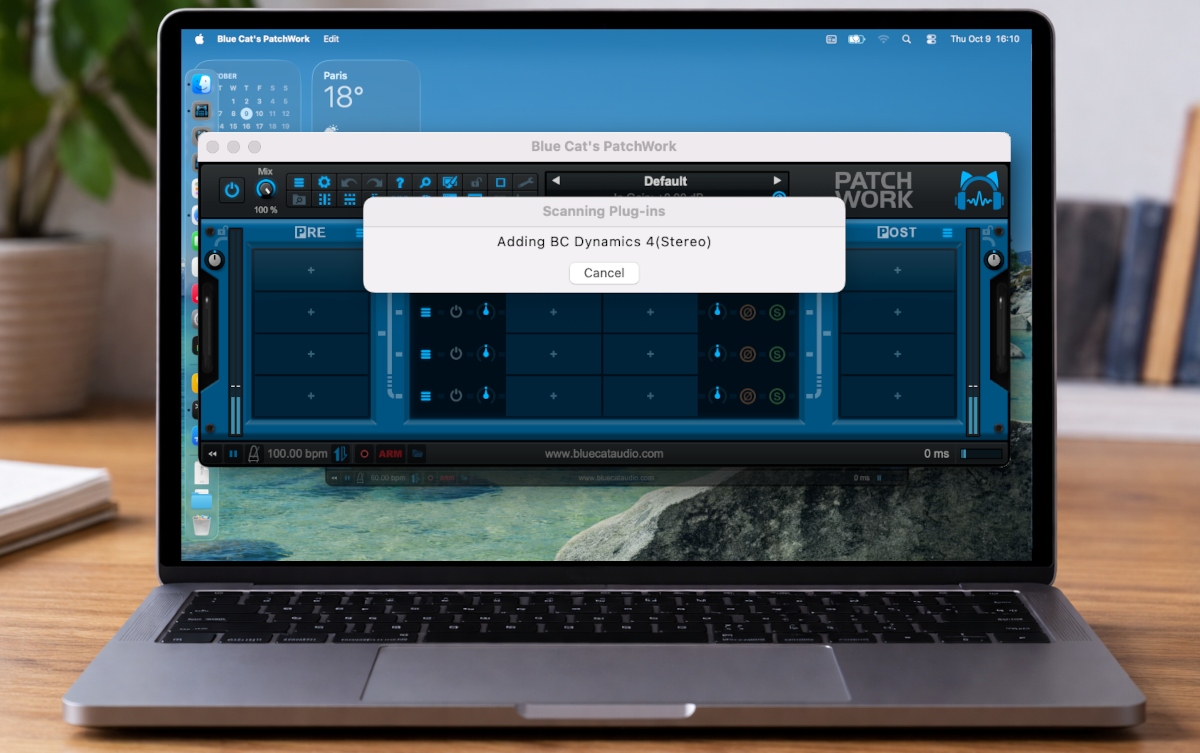
FYI, some of you might be interested in checking out the latest preview! :party:

PatchWork's upcoming plug-ins scanner details

Image

Post

Oh fun. Testing new plugin scanner is always "interesting".

It took me three scan attempts to get through the scan process. First was an ilok-instantiation stall. These are common on Windows when plugins that check the ilok license on instantiation are scanned very quickly one after another. I think the SDK versions the plugins are built with matters for that, but even though ilok/pace claim they have fixed it, it remains an issue. Second one was I think Reaktor 6 which crashed the Patchwork app altogether. Third scan went smoothly and finished the scanning.

Suggestion: in your log file, you might want to log something like this to have more useful facilities to hunt down the problems which you'll no doubt have.

Code: Select all

4047	[2026-04-09 21:54:00.520] [debug] [Worker #6] Scanning: C:\Program Files\Common Files\VST3\Sonnox\Oxford Limiter Native.vst3
4050	[2026-04-09 21:54:00.645] [info] [Worker #6] SUCCESS Oxford Limiter Native.vst3 -> Oxford Limiter (21ms)
...
[2026-04-09 21:56:27.246] [error] [Worker #1] TIMEOUT Marshall Plexi Super Lead 1959.vst3 (120056ms)
I.e., before you scan and after instantiation with scan time. Along with something like when the scanner started. So you'll be able to identify the culprit plugins of users (last plugin before restart) and identify how long things take to scan. There are some interesting ones like Guitar Rig which are incredibly slow to scan (>60s) to be aware of.

Post

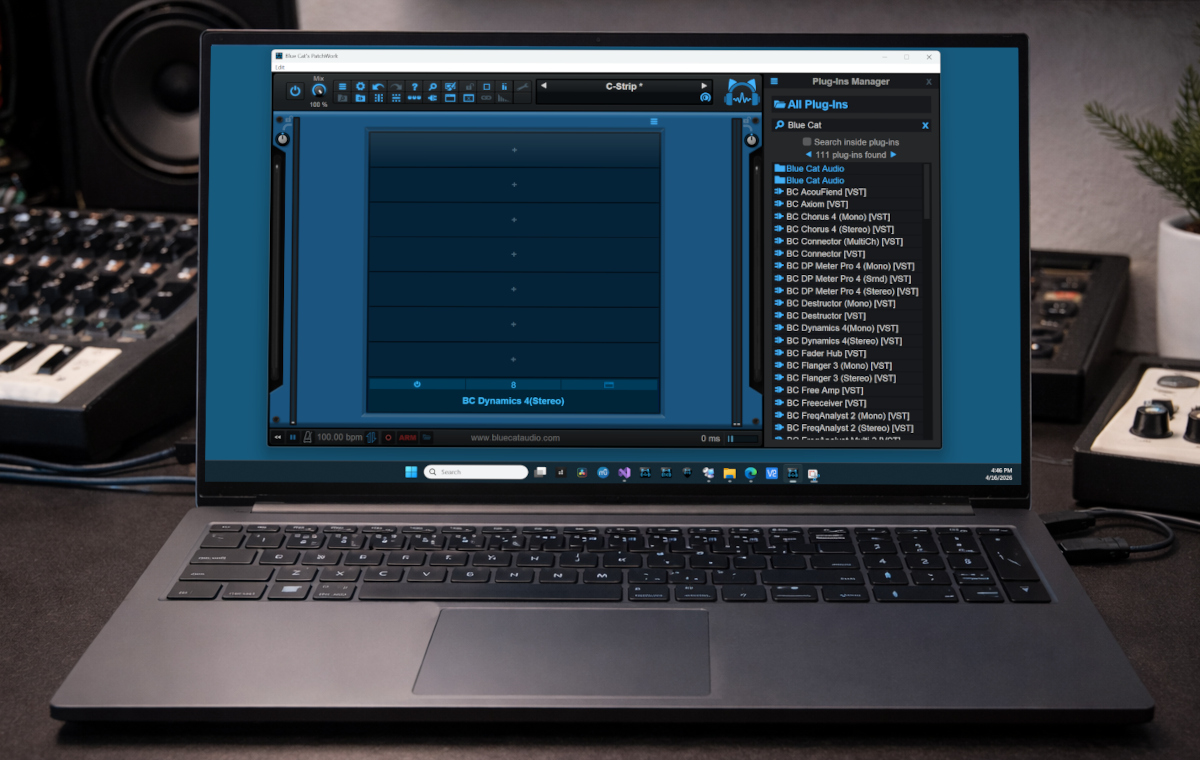
Thanks for the suggestions. The scanner has been improved quite a bit and should now work better with faulty plug-ins (out of process scanning, retries upon crash, plug-ins list stored in a shared folder with other Blue Cat Audio hosts...), and a new plug-ins browser/manager has been added to the latest preview:

Image

Since the location and format of the scan data has changed you will have to rescan the plug-ins again (it should be the last time).

Post

No crashes any more with my not so small plugin collection, well done!

Post

The new plugin browser is great. What would be even better is a more keyboard driven work flow:

1) hit shortcut to open the browser
2) cursor is placed directly in the search field when plugin manager is clicked or opened through shortcut

Or better yet: the dragging is a bit cumbersome. What I think would be even quicker is the pro tools way to open the search directly on the slot with "Search..." as part of the context menu. Type to narrow down the plugin list, cursor selection, hit enter, done. No need to drag anything.

Post

Yes this could be added via the menu in the future, but just like with presets sometimes you want to keep it opened to add a couple of plug-ins quickly.

Keyboard shortcuts is a pain (and most of the time impossible) in plug-ins, so this would be possible only in the standalone app.

Post

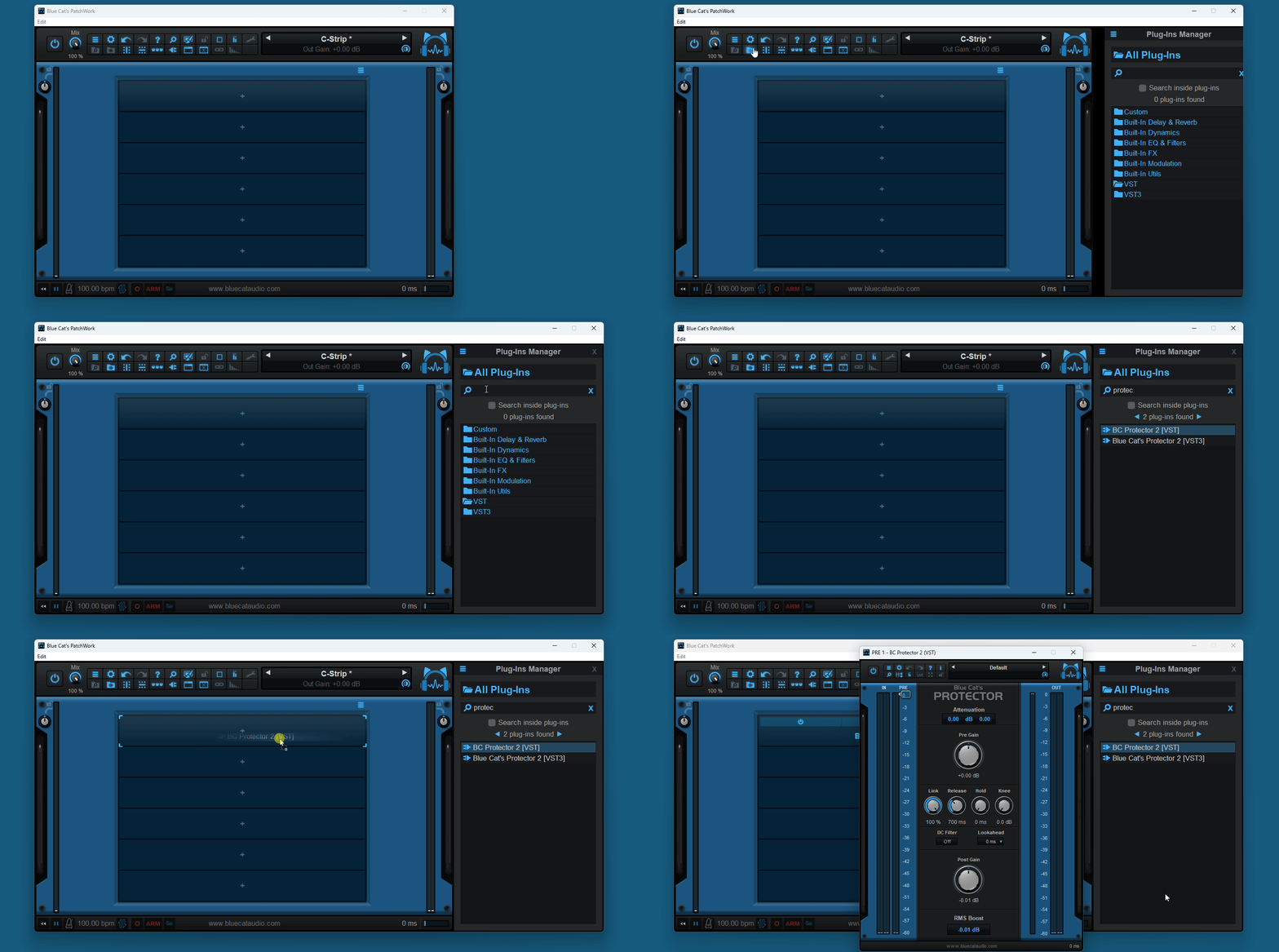
PatchWork's new plug-ins browser in action:

Image

Post

Blue Cat Audio wrote: Thu Apr 16, 2026 4:13 pm PatchWork's new plug-ins browser in action:

Image
Looking great! The plugins browser is such a qol feature compared to the old way of having to load plugins. Soo soothing now 😊

Something I have not shared about the latest release of PatchWork out of fear of coming across as pedantic but will do so now anyway: I love almost everything about it, but very much dislike the addition of a splash screen that appears on startup.

Post

Morty-C-137 wrote: Thu Apr 16, 2026 6:16 pm Something I have not shared about the latest release of PatchWork out of fear of coming across as pedantic but will do so now anyway: I love almost everything about it, but very much dislike the addition of a splash screen that appears on startup.
What don't like in it? It does not slow down startup but helps knowing that the app has actually been launched up on slower systems, or if your default preset takes ages to load. It avoids trying to launch it twice by accident (especially on Windows).

Post

Like I said, some people will perhaps find it pedantic, but personal preference and all that. I just really don’t like splash screens. Really. Just launch the app. No need to announce that it has launched. We can see that already on the menu bar or dock (whichever OS one is on).

Again. Just my opinion and a personal preference.

Post

Morty-C-137 wrote: Fri Apr 17, 2026 7:51 am Like I said, some people will perhaps find it pedantic, but personal preference and all that. I just really don’t like splash screens. Really. Just launch the app. No need to announce that it has launched. We can see that already on the menu bar or dock (whichever OS one is on).

Again. Just my opinion and a personal preference.
No problem, just trying to understand :-). The issue is actually mainly on Windows: nothing appears until the main window is actually fully built, which may take time if you have dozens of audio/MIDI peripherals connected or a heavy default preset with many third party plug-ins. That's the main reason for this addition. I understand your preference though, especially if you are on Mac. Maybe I'll add an option to disable it at some point!

Post Reply

Return to “Effects”