

Is that for both the audio engine AND the modwheel and "macro's"?Urs wrote: Wed Apr 29, 2026 2:08 pmCheck in the preferences. There's an automatic reset option on playback start, which you can switch off.mearnsmusic2 wrote: Wed Apr 29, 2026 2:05 pm Is anybody else having an issue where the mod wheel and internal controls ABCD get reset to 0 every time they load a project?

Zebra 3.0 - out now
-

- KVRAF
- 3385 posts since 25 Apr, 2011
-

- u-he
- Topic Starter
- 30180 posts since 8 Aug, 2002 from Berlin
I would have to read the manual, but would guess "yes".exmatproton wrote: Wed Apr 29, 2026 4:20 pmIs that for both the audio engine AND the modwheel and "macro's"?Urs wrote: Wed Apr 29, 2026 2:08 pmCheck in the preferences. There's an automatic reset option on playback start, which you can switch off.mearnsmusic2 wrote: Wed Apr 29, 2026 2:05 pm Is anybody else having an issue where the mod wheel and internal controls ABCD get reset to 0 every time they load a project?
Some formats (AU comes to mind) require the host to reset the plug-in before playback start. Other formats don't, but a reverb tail leaking into song start may still be considered buggy behaviour.
-
- KVRer
- 8 posts since 10 May, 2021
Unfortunately that setting has no effect on my issue.Urs wrote: Wed Apr 29, 2026 2:08 pmCheck in the preferences. There's an automatic reset option on playback start, which you can switch off.mearnsmusic2 wrote: Wed Apr 29, 2026 2:05 pm Is anybody else having an issue where the mod wheel and internal controls ABCD get reset to 0 every time they load a project?
I have just tested this further by using a FL Studio control surface to link a knob to the internal control A and then set it to max value, saved the project and then reloaded. When I reloaded the project the control surface knob was in the same position but the internal control A was reset to 0, as soon as i moved the control surface knob it matched up the knob again.
-
- KVRer
- 8 posts since 10 May, 2021
I have managed to create a workaround by using a Patcher with a midi out plugin in between the knob and Zebra, where the knob basically controls another knob on the midi out plugin which has a CC value attached. I'm not sure if this is any help in diagnosing the issue. This is at least a workable way for me to work for now, but obviously I would rather just be able to use the macros on Zebra without this extra set up.
-
- KVRer
- 8 posts since 10 May, 2021
I can create a video explaining the issue if needed
-
- u-he
- Topic Starter
- 30180 posts since 8 Aug, 2002 from Berlin
That would be great. Maybe post it in this thread, where our team looks for such reports: viewtopic.php?t=629513
-
- KVRer
- 8 posts since 10 May, 2021
Thanks, i've posted it in that thread. I'll also post it here just for quick reference too.
-----------------------------------------------
Zebra 3 performance controls reset to 0 when loading a project, UNLESS I link an internal midi cc knob via the Midi Out plugin.
-----------------------------------------------
Zebra 3 performance controls reset to 0 when loading a project, UNLESS I link an internal midi cc knob via the Midi Out plugin.
-
- KVRer
- 8 posts since 10 May, 2021
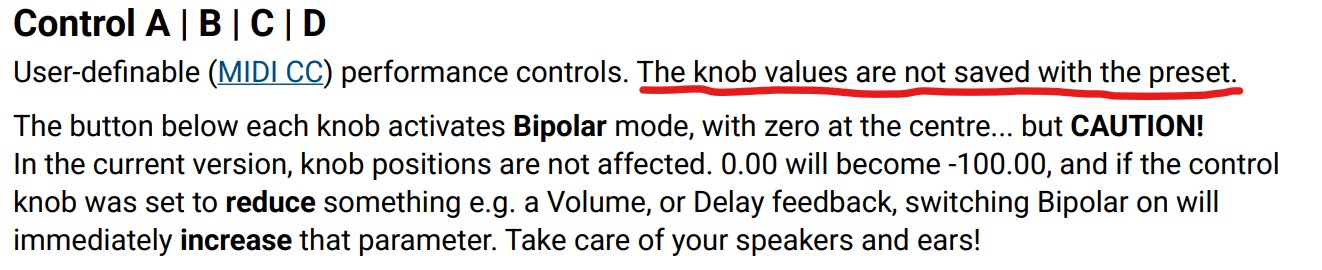
I think I found my answer in the manual...
-
- KVRist
- 138 posts since 15 Dec, 2023
Anyone have a workaround to the Bitwig init patch issue? I made myself a custom init for now but I realized it actually still has a bunch of "inactive" mod routings from the previous patch I attempted to clear
Just want a basic patch to start with until Bitwig hopefully resolves the issue
Just want a basic patch to start with until Bitwig hopefully resolves the issue
-
- KVRian
- 710 posts since 25 Apr, 2005
Here's an init. Just open it, then 'Save as default' in Bitwig.
sunthief01 wrote: Wed Apr 29, 2026 9:05 pm Anyone have a workaround to the Bitwig init patch issue? I made myself a custom init for now but I realized it actually still has a bunch of "inactive" mod routings from the previous patch I attempted to clear
Just want a basic patch to start with until Bitwig hopefully resolves the issue
You do not have the required permissions to view the files attached to this post.
-
- KVRist
- 138 posts since 15 Dec, 2023
You are a god amongst men!cb8rwh wrote: Wed Apr 29, 2026 11:03 pm Here's an init. Just open it, then 'Save as default' in Bitwig.
sunthief01 wrote: Wed Apr 29, 2026 9:05 pm Anyone have a workaround to the Bitwig init patch issue? I made myself a custom init for now but I realized it actually still has a bunch of "inactive" mod routings from the previous patch I attempted to clear
Just want a basic patch to start with until Bitwig hopefully resolves the issue
-
- KVRian
- 1275 posts since 3 Jan, 2020
That's such an odd choice. Are these controls only meant for live performances? Can I deactivate them, so I don't accidentally use them and get confused that my project sounds different the next time I work on it?
-
- u-he
- Topic Starter
- 30180 posts since 8 Aug, 2002 from Berlin
Yes, pretty much.
They are meant to give people access to MIDI Control Changes (Performance!) from DAWs and workflows that are not MIDI based. They do automate, so one can make them part of a project simply by automating them.
We tried to also turn them into Macros that save with presets, but this resulted in highly confusing behaviour for people who have MIDI based workflows (e.g. MPE).
Because they are not saved with preset now, they also do not recall with project unless automated.
We might try to resolve this issue by saving them with project only. Not sure how involved this would be, and how fail safe.
-
- KVRAF
- 3385 posts since 25 Apr, 2011
Maybe it would be easier to implement a choice. Or make 2 sets. 1 set for mpe (etc) and 1 set for macro behavior which can be saved in presets. I believe Equator2 has this as well. Works pretty goodUrs wrote: Thu Apr 30, 2026 4:09 pmYes, pretty much.
They are meant to give people access to MIDI Control Changes (Performance!) from DAWs and workflows that are not MIDI based. They do automate, so one can make them part of a project simply by automating them.
We tried to also turn them into Macros that save with presets, but this resulted in highly confusing behaviour for people who have MIDI based workflows (e.g. MPE).
Because they are not saved with preset now, they also do not recall with project unless automated.
We might try to resolve this issue by saving them with project only. Not sure how involved this would be, and how fail safe.
 *edit: just checked to be sure and, nah..equator just has 2 sets of midi controls; 1 typically for normal midi work and 1 for MPE work..macro's are just the 5 macro's which do save with the presets