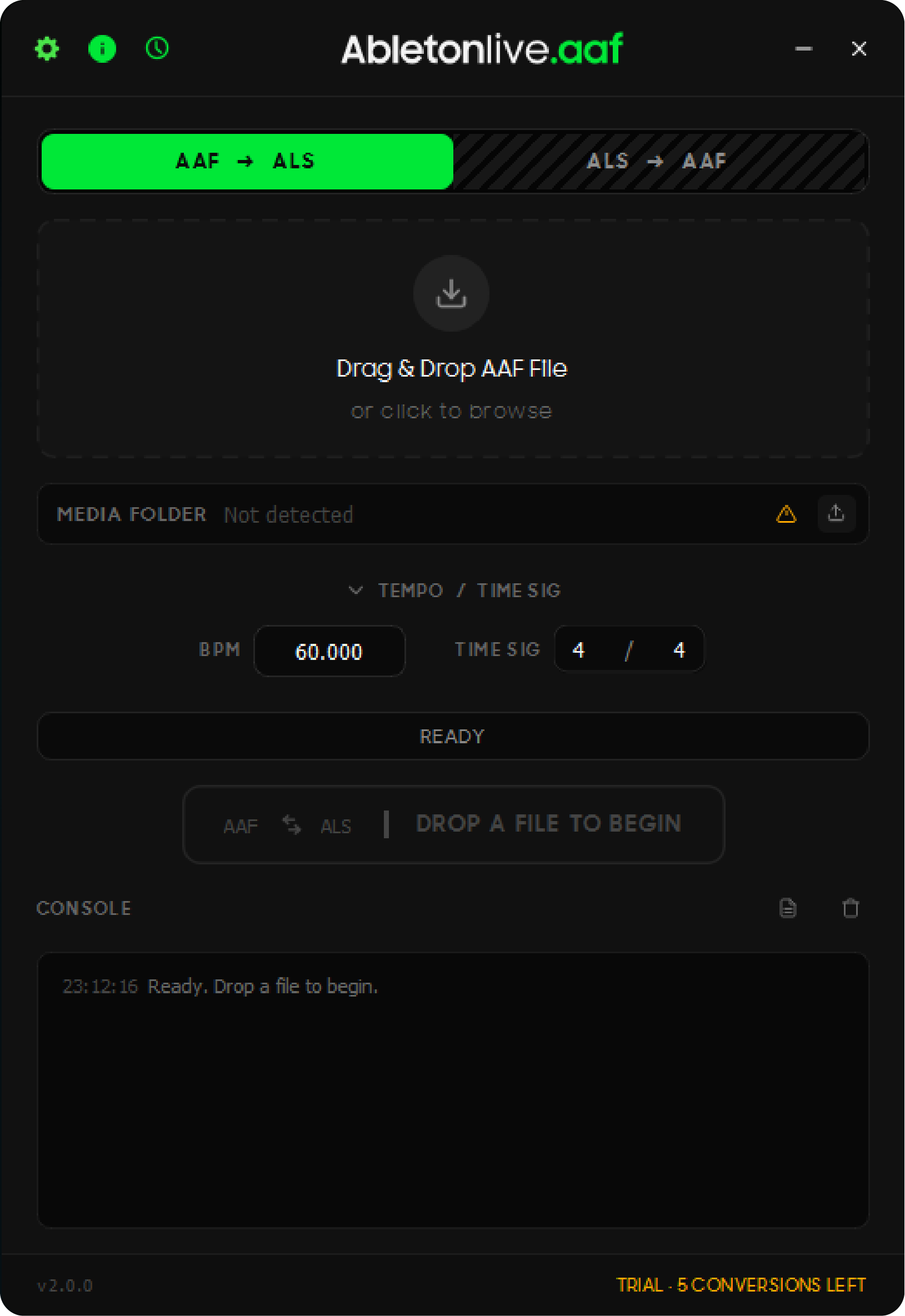
v2.0.0 IS OUT -- Major Update with MXF Auto-Conversion, Tempo Input, and Complete UI Redesign
Hi everyone,
Version 2.0.0 of Abletonlive.aaf is now available. This is the biggest update since launch -- a ground-up UI redesign with several new features that solve real workflow problems.
If you work with Pro Tools, Premiere Pro, DaVinci Resolve, or any other DAW/NLE and need to bring sessions into Ableton Live, this tool converts AAF files into ready-to-use .als projects.
DEMO:
New in v2.0.0:
- Complete UI redesign with real-time conversion feedback
- Set BPM and time signature before conversion -- no more manual adjustment in Ableton
- MXF to WAV auto-conversion via bundled FFmpeg -- no manual steps for Resolve users
- DaVinci Resolve stereo channel splitting (L/R tracks)
- Email-based trial activation with 6-digit verification code
- Conversion history with one-click folder access
- BPM and time signature validation with inline error feedback
- Footer license status indicator
- Bug fixes and reliability improvements
What it transfers:
- Audio clip placement with accurate timing
- Volume automation
- Clip gain
- Fades and crossfades
- Markers
- Tempo and time signature (new in v2)
- MXF audio automatically converted to WAV (new in v2)
- DaVinci Resolve stereo tracks split into L/R channels (new in v2)
Compatible with:
- Avid Pro Tools
- Adobe Premiere Pro
- Adobe Audition
- DaVinci Resolve
- Media Composer
- Any AAF-compatible software
Requirements:
- Ableton Live 10 or later
- Windows 10/11 or macOS 10.14+
Coming next:
- ALS to AAF conversion
You can try 5 free conversions before purchasing a lifetime license ($59.99, lifetime updates included).
Download and more info: https://abletonliveaaf.shop/
Happy to answer any questions.