


reFX Nexus 5 - Disable the damn preset preview
-
- KVRAF
- 1696 posts since 7 Dec, 2017
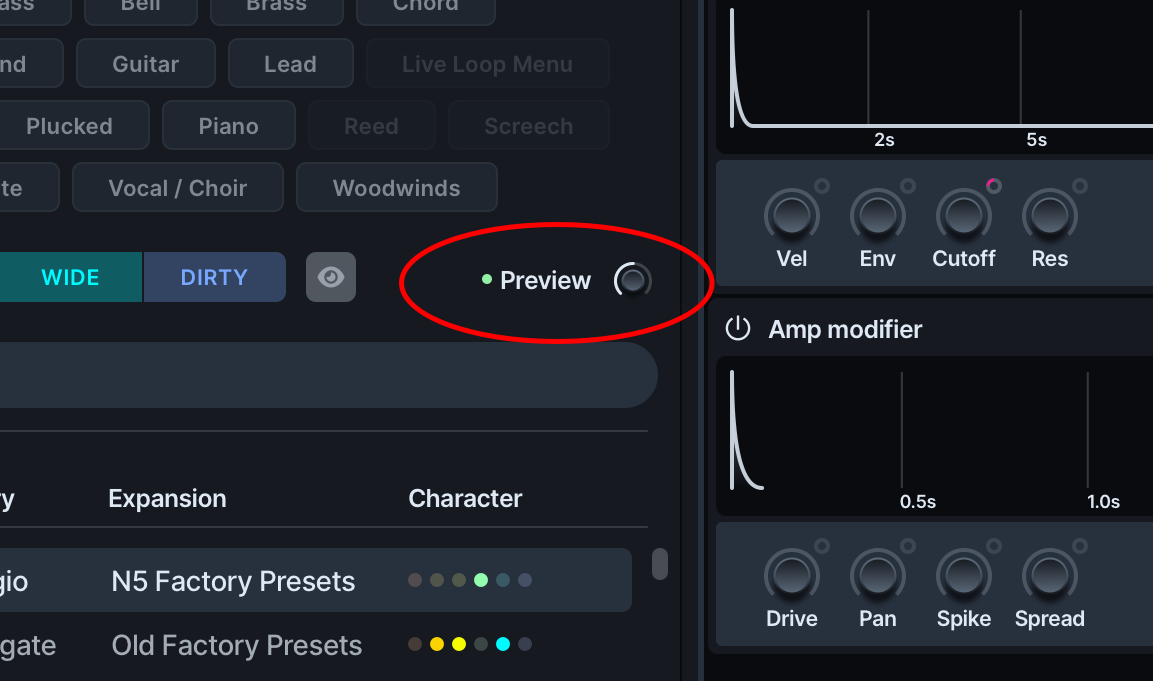
Anyone know how to turn of the preset preview in Nexus, when I click any preset now in Nexus 5 it plays a preview note which is driving me f-ing crazy. It wasn't doing that before but there must have been some update that turned that on. Been googling for an answer and looking in the Nexus manual but no luck. I thought there was an easy way to turn off the preview but can't find it, maybe I'm just getting stupider. Thanks for any help.
-

- KVRian
- 1289 posts since 3 May, 2005 from Victoria, BC
Click where it says preview and the green indicator goes off. Or turn on single click preset load.
-
- KVRAF
- Topic Starter
- 1696 posts since 7 Dec, 2017
Thanks, the only thing is that "Preview" button isn't displayed in Nexus for me. I'm updated to the latest version too. Weird, I thought it was displayed previously like you have in your screenshot, maybe a bug or something.FigBug wrote: Thu Jun 11, 2026 11:49 pm Click where it says preview and the green indicator goes off. Or turn on single click preset load.
You do not have the required permissions to view the files attached to this post.
-
- KVRian
- 1289 posts since 3 May, 2005 from Victoria, BC
Is you go to the SYS page, do you have "Single click preset load" enabled? If so, try disabling it, turning off preview, and then re-enabling it. Sounds like a bug, but I currently can't reproduce it.
-
- KVRAF
- Topic Starter
- 1696 posts since 7 Dec, 2017
Those exact steps fixed it, the preview is off now. Thank you, you saved me from a night of torture (not a fan of the preview, though I know some people like it). Thanks again.FigBug wrote: Fri Jun 12, 2026 12:36 am Is you go to the SYS page, do you have "Single click preset load" enabled? If so, try disabling it, turning off preview, and then re-enabling it. Sounds like a bug, but I currently can't reproduce it.
-

- KVRAF
- 3394 posts since 25 Apr, 2011
Do you guys experience audio dropouts when editing parameters while audio is playing? This one is the only one which does that...(Win11). Not been able to fix it 
