



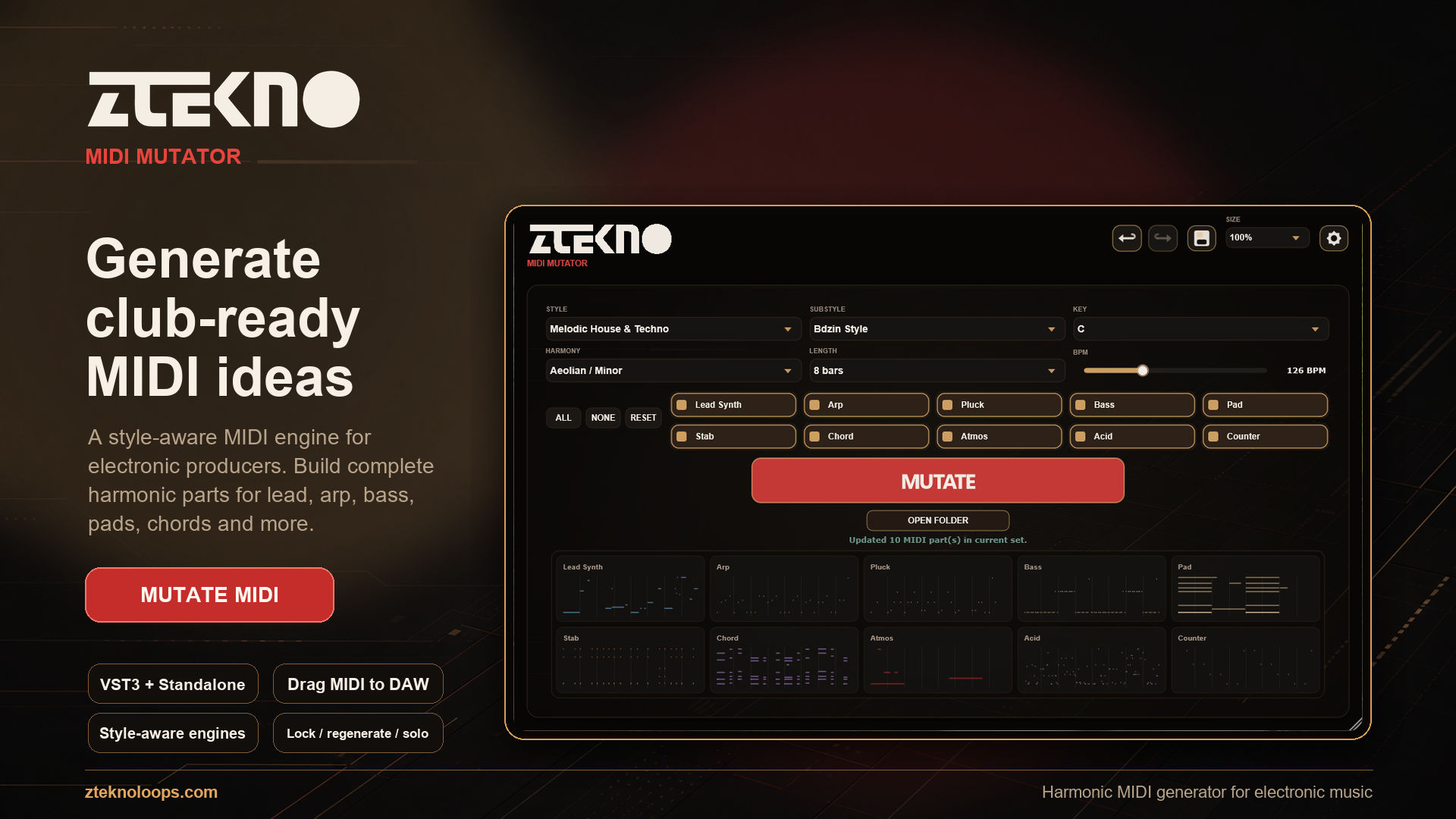
ZTEKNO MIDI MUTATOR
A style-aware MIDI idea engine for electronic music producers
Generate complete, harmonically connected MIDI song starters for lead synth, arp, pluck, bass, pad, stab, chord, atmos, acid and counter parts. Pick a style, choose a substyle, press MUTATE, then drag the best ideas straight into your DAW.
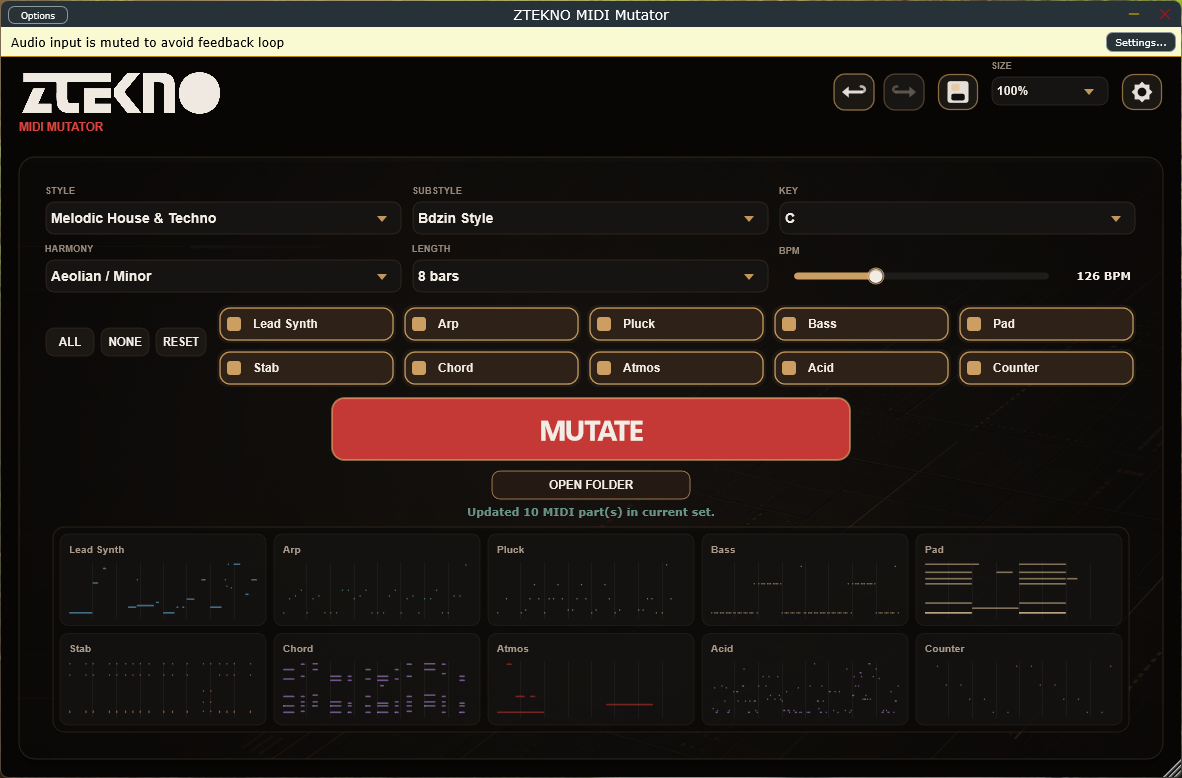
MUTATE. DRAG. BUILD THE TRACK.
ZTEKNO MIDI Mutator is built for the moment when you need more than a random loop. It creates a playable set of MIDI parts that already belong together, so you can move from an empty project to a serious musical direction in seconds.
WHY PRODUCERS WILL WANT IT
• Style-aware generation across House, Tech House, Techno, Melodic House & Techno, Deep House, Progressive House, Afro House, Organic House, Piano, Minimal / Deep Tech, Indie Dance, Trance, Breaks, Drum & Bass, Rave 90 and Underground Chaos.
• Every substyle can use its own musical logic: default instruments, BPM range, harmony, bass density, chord behavior, lead phrasing, arp movement and atmosphere design.
• The lower MIDI card area shows thin piano-roll note marks, making it easy to judge density, rhythm and musical shape before dragging anything into the project.
• Lock the ideas you like, regenerate only the parts that need a new direction, mute or solo cards, and keep moving without losing the good takes.
• Use it as a MIDI source inside a DAW: place Mutator before a synth, select or solo MIDI cards, and the following instrument receives the notes in sync with the project.
• Save complete creative states as .zmm presets, including MIDI data, selected instruments and card states.
FAST CREATIVE WORKFLOW
1. Choose a Style and Substyle. Mutator automatically prepares the most suitable instruments, BPM and harmonic direction.
2. Set Key, Harmony, Length and BPM, or enable Sync Host BPM to display the tempo from your DAW.
3. Press MUTATE. Active MIDI cards flash with a short color pulse and a new musical set appears in the card area.
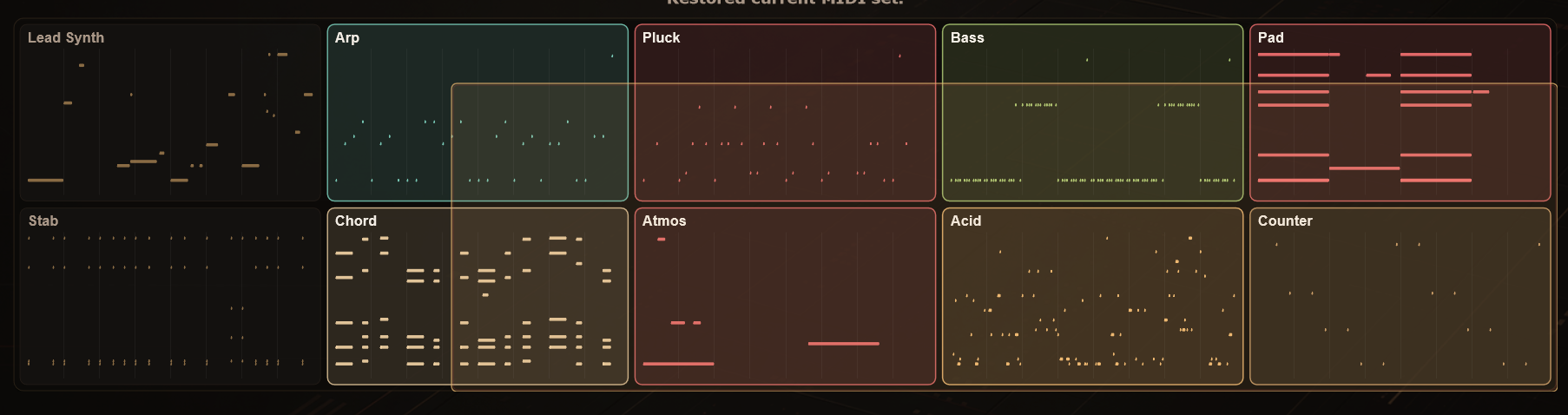
4. Click one card, marquee-select multiple cards, or keep a whole generated set.
5. Drag the MIDI straight to your DAW timeline, a folder, or the desktop.
INSTRUMENT PARTS
The instrument matrix decides which MIDI files are created. Active parts are highlighted in the plugin, while inactive parts remain dimmed. ALL, NONE and RESET make it quick to build a full set, clear the selection, or return to the recommended default instruments for the current substyle.
Lead Synth: Main melody, hook, riff or analog-style lead phrase.
Arp: Arpeggios, sequenced figures and repeating grid-based movement.
Pluck: Short pluck motifs, rhythmic answers and melodic club phrases.
Bass: Mono bassline generation with overlapping notes avoided.
Pad: Long harmonic beds, atmospheric chords and emotional space.
Stab: Short chord hits, synth stabs and rhythmic accents.
Chord: Chord parts, block chords, house-style keys, melodic progressions and tasteful added notes.
Atmos: Low textures, cinematic movement and background tension.
Acid: 303-style acid lines with strict, energetic pattern behavior.
Counter: Answer phrases and secondary musical details.
MIDI CARDS
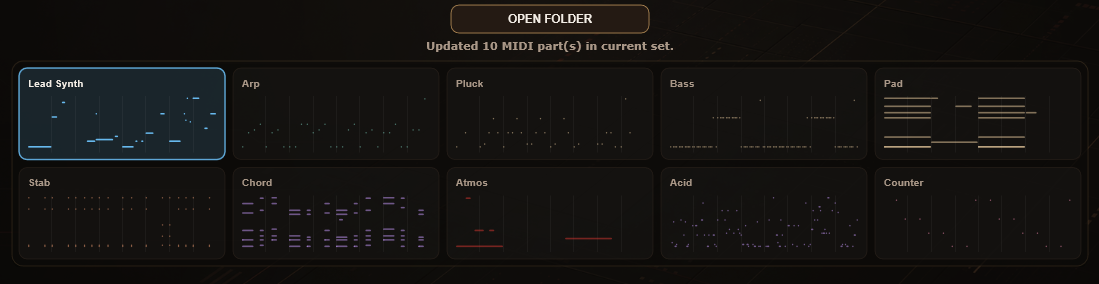
• Preview: a selected card can play on hover, while a playhead shows the current playback position.
• Click-to-preview: click inside a card to restart preview from that exact place.
• Regenerate: the card regenerate button rewrites only that instrument using the current style, key, harmony and length.
• Lock: a red lock protects a good idea from future mutation, style changes, key changes and length changes.
• Mute / Solo: M and S control the MIDI that Mutator sends onward inside the DAW. If any cards are soloed, only soloed cards play.
• Drag-and-drop: drag one card, a selected group, or a full generated set directly into the DAW or a folder.
DAW PLAYBACK AND SIGNAL FLOW
ZTEKNO MIDI Mutator is not only an export tool. It can sit before a synthesizer in the DAW chain, pass audio through, and send selected or soloed MIDI cards to the next instrument while the project is playing.
• Place ZTEKNO MIDI Mutator before the synth or instrument that should receive MIDI.
• Select one or more MIDI cards, or activate Solo on the cards you want to hear.
• Press Play in the DAW. Mutator sends MIDI onward in time with the project.
• Hover Preview is independent from DAW playback. You can turn hover preview off and still use DAW playback from selected or soloed cards.
PLUGIN OPTIONS
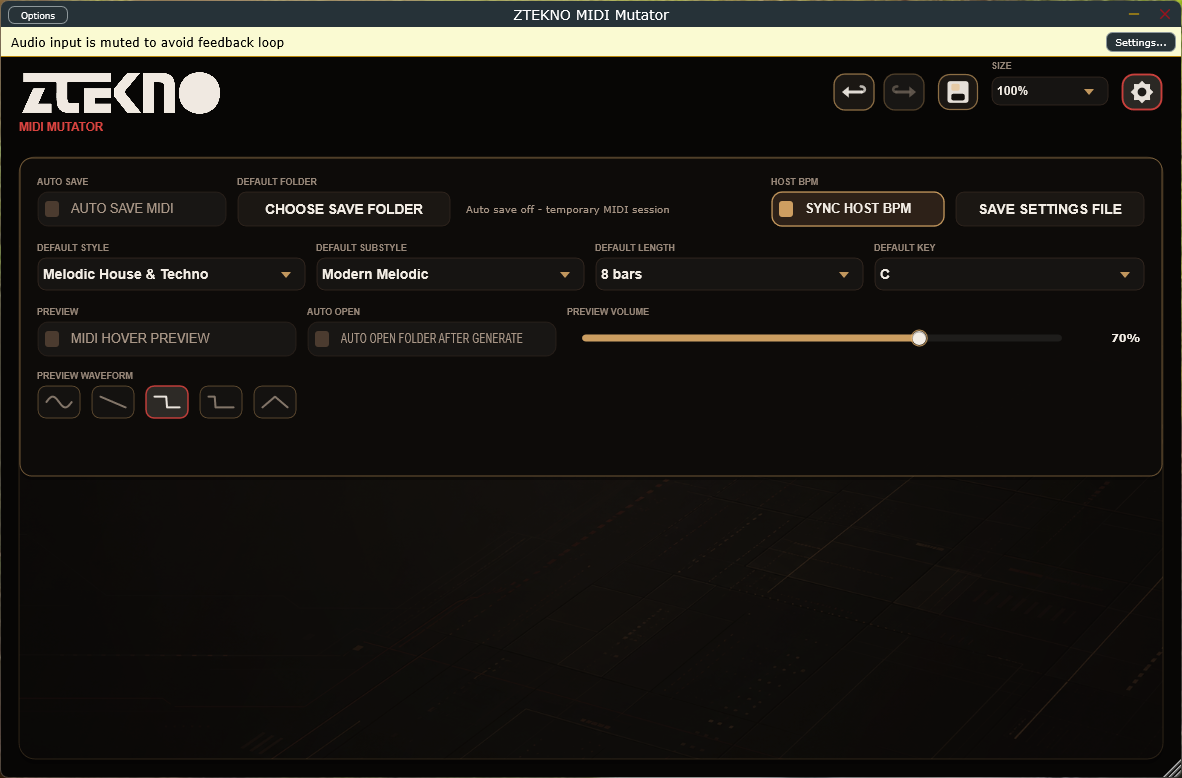
• AUTO SAVE MIDI enables automatic MIDI writing to the selected folder. If the folder is missing or deleted, Mutator asks for a new destination.
• CHOOSE SAVE FOLDER selects the destination folder. When Auto Save is enabled, the current MIDI set is written to the chosen location.
• SYNC HOST BPM displays the DAW tempo and locks the manual BPM slider while host sync is enabled.
• SAVE SETTINGS FILE exports general plugin settings as a .zmms file.
• DEFAULT STYLE, SUBSTYLE, LENGTH and KEY define the startup defaults.
• MIDI HOVER PREVIEW enables or disables internal card preview. Preview Volume controls loudness, and Preview Waveform selects Sine, Saw, Square, Pulse or Triangle.
• AUTO OPEN FOLDER AFTER GENERATE opens the MIDI folder after generation when Auto Save is active.
PRESETS AND SESSION RECALL
• Save preset / Load preset stores a musical session as .zmm: style, substyle, key, harmony, length, BPM, enabled and disabled instruments, MIDI data, selection, lock, mute, solo and out-of-key states.
• Window size, preview waveform and preview volume are not stored in .zmm because they are interface preferences, not part of the musical idea.
• .zmms settings files store general plugin preferences such as folder behavior, Auto Save, default style, default substyle, default length, default key and Host Sync.
• If Auto Save is off, Mutator does not require a folder on first launch and does not ask for one when you press MUTATE. MIDI remains available through card drag-and-drop.
STYLES AND SUBSTYLES
The style list is designed like a producer's map of modern electronic music. The plugin does not simply rename the same generator. It changes the underlying musical behavior for different genres and substyles.
• House: Classic House, Organic House, Melodic House, Afro House, Funky House, Jackin House and Bass House.
• Tech House: modern club grooves, Latin-influenced patterns, Deep Tech behavior and tight bass logic.
• Techno: Peak Time / Driving, Raw / Hypnotic, Hard Techno, Acid Techno, Dub Techno, Detroit Techno and Minimal Techno.
• Melodic House & Techno: modern melodic, emotional, dark, cinematic and Bdzin Style approaches.
• Progressive House: Underground, Mainroom, Deep and Tribal Progressive directions.
• Afro House, Organic House, Minimal / Deep Tech, Indie Dance, Trance, Breaks / Breakbeat, Drum & Bass and Rave 90.
• Underground Chaos: the final style in the list, designed for controlled musical disorder while keeping the MIDI usable.
MUSICAL CONTROLS
• Key sets the tonal center. Unlocked MIDI can adapt when the key changes.
• Harmony defines the available notes and emotional color: Aeolian / Minor, Dorian, Latin Dorian, Phrygian, Arabic / Hijaz, Harmonic Minor, Hungarian Minor, Double Harmonic, Melodic Minor, Minor Pentatonic, Psy Phrygian, Mixolydian, Lydian, Major and None / Percussive.
• Length creates MIDI at 4, 8, 16, 32, 64 or 128 bars. Unlocked parts regenerate for the new length.
• BPM works from 100 to 180 BPM, or displays the DAW tempo when Sync Host BPM is enabled.
WHO IT IS FOR
• Electronic music producers who want a fast, musical starting point instead of an empty timeline.
• Loop makers, MIDI pack creators and labels building style-specific production material.
• Artists who want to lock strong ideas, mutate the weak parts and keep the session moving.
• Producers who think visually as well as musically, using the MIDI card previews to understand rhythm and density instantly.
RELEASE PACKAGE
• Windows VST3 installer with license agreement.
• Standalone version for fast MIDI generation outside the DAW.
• RU/EN PDF manuals
ZTEKNO MIDI Mutator
A creative MIDI engine for producers who want harmonically connected, style-aware ideas fast. Press MUTATE, choose the strongest cards, drag them into the session, and keep producing while the inspiration is still alive.
Grab here:
https://zteknoloops.com/plugins/midi-mutator.html

 )....
)....