


AUTO-ADMIN: Non-MP3, WAV, OGG, SoundCloud, YouTube, Vimeo, Twitter and Facebook links in this post have been protected automatically. Once the member reaches 5 posts the links will function as normal.
Outboard Audio has released Outboard-C, a studio compressor for Windows andmacOS built around four voicings, a servo that continuously rides the
threshold, and a sidechain section deep enough to replace a second plugin.
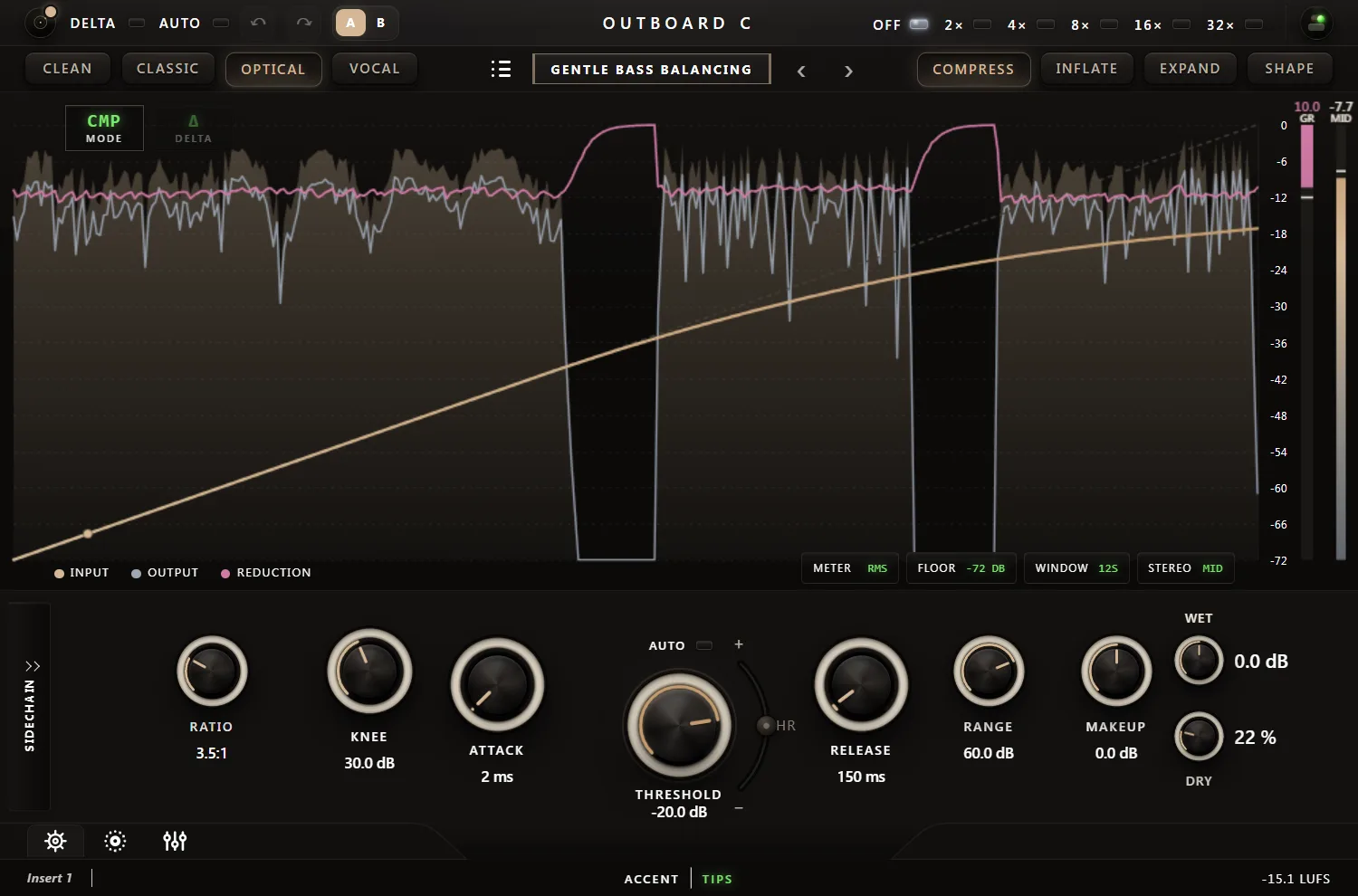
Outboard-C is built to be precise when a mix needs surgery and musical when
it needs to glue. Four voicings — Clean, Classic, Optical, Vocal — and four
directions — Compress, Inflate, Expand, Shape — sit behind the same set of
knobs, so switching character never means losing the settings you dialed in.
Classic and Optical switch the detector to a feedback topology for the
smoother, self-limiting gait of classic studio and opto-style hardware;
Clean stays a neutral, precise feed-forward compressor for mix bus and
mastering work; Vocal is tuned specifically for the voice.
A Threshold That Listens Back
Most compressors leave finding the right threshold to your ears and a
static setting. Outboard-C's Auto-Threshold is a continuous servo: it rides
the threshold so the average gain reduction settles on a musical target,
independent of input level, with a silence gate so it never chases room
tone between phrases. The Threshold knob and the transfer curve move live
while it works — switch it off at any point and the value it found is kept,
turning it into a fast way to find a starting po
riding tool.
Ballistics are calibrated the same honest way: dial in 20 ms of Attack and
the plugin measures 20 ms (10%-90% of the gain-reduction transition) — not
a number picked to look good on a spec sheet. Curve shapes knee hardness
and level-dependent ratio together in one control; Smooth crossfades into a
decoupled detector for springy, click-free releases; Pump scales release
time to the programme's crest factor for snappier or glued behaviour
depending on what's hitting the compressor.
Built for Modern Production
- Headroom: a bipolar trim right at the Threshold knob — run the whole
engine colder (more reserve, less reach) or hotter (denser, more colour)
at a compensated output level, inspired by classic console headroom
calibration
- Shape stage: a saturation path with antiderivative anti-aliasing and up
to 32x oversampling, from a barely-there fattening to a fully committed
clip
- Measured Auto-Gain: compares actual loudness in and out and compensates,
so A/B comparisons stay honest instead of "louder equals better"
- Variable, smoothed lookahead from -20 to +20 ms — zero added latency at
the default setting
- Full parallel/dry blend, Wet M/S balance, Range cap (or uncapped), and a
Delta mode that plays back only what the compressor is changing
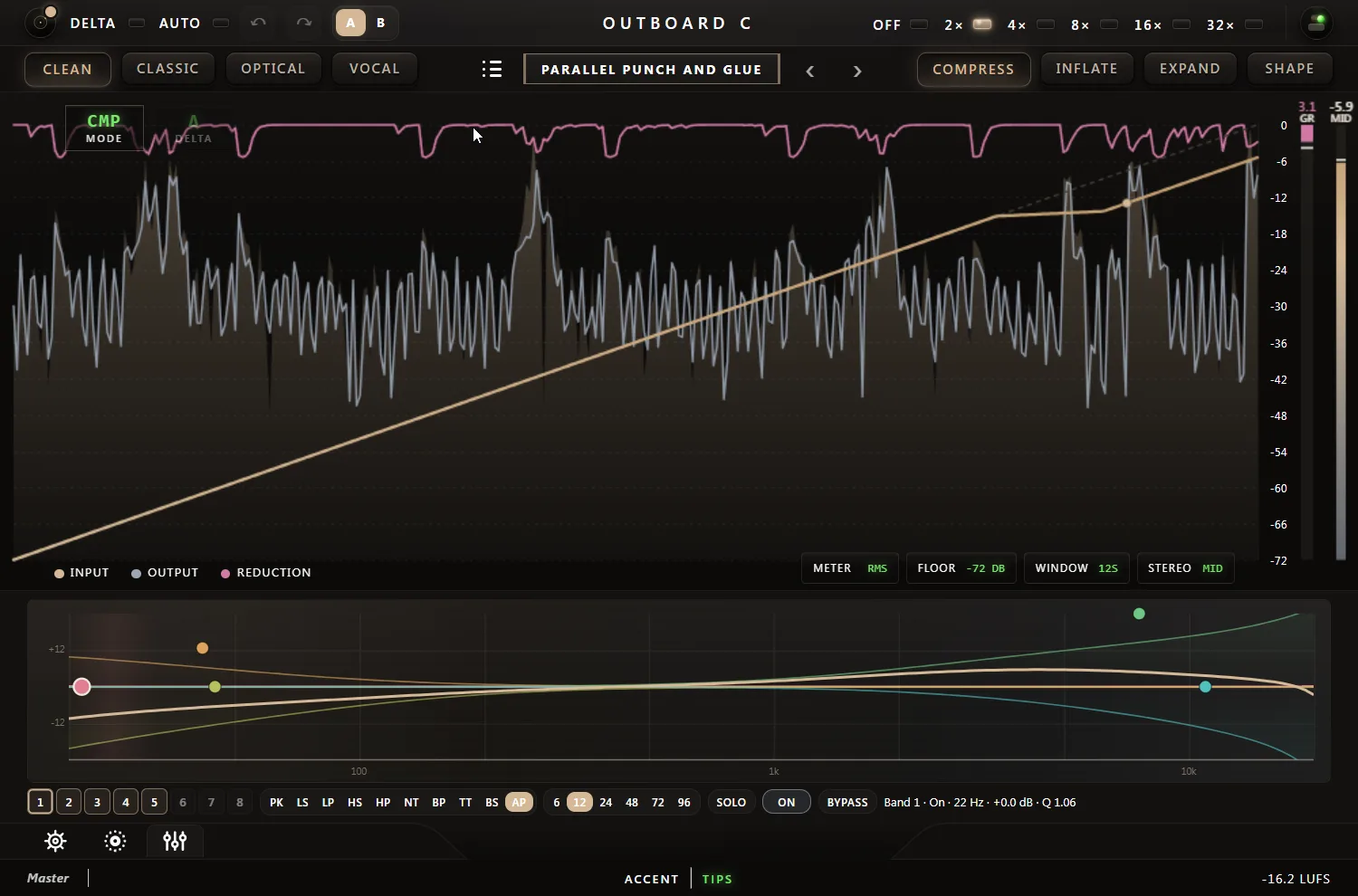
- A live display: transfer curve with a moving operating point, scrolling
input/output/gain-reduction history, peak-hold meters and a running LUFS
readout
- 76 factory presets across ten categories, a personal Default slot, and
favorites that sync across every instance on the machine
- Machined-metal knob styling with a deliberately high-contrast readout
ring around every control, so settings stay legible even in a crowded
session
A Sidechain Section Worth Using
Ext SC listens to the host's sidechain input for real ducking, and SC
Listen makes the detector itself audible — instant confirmation that
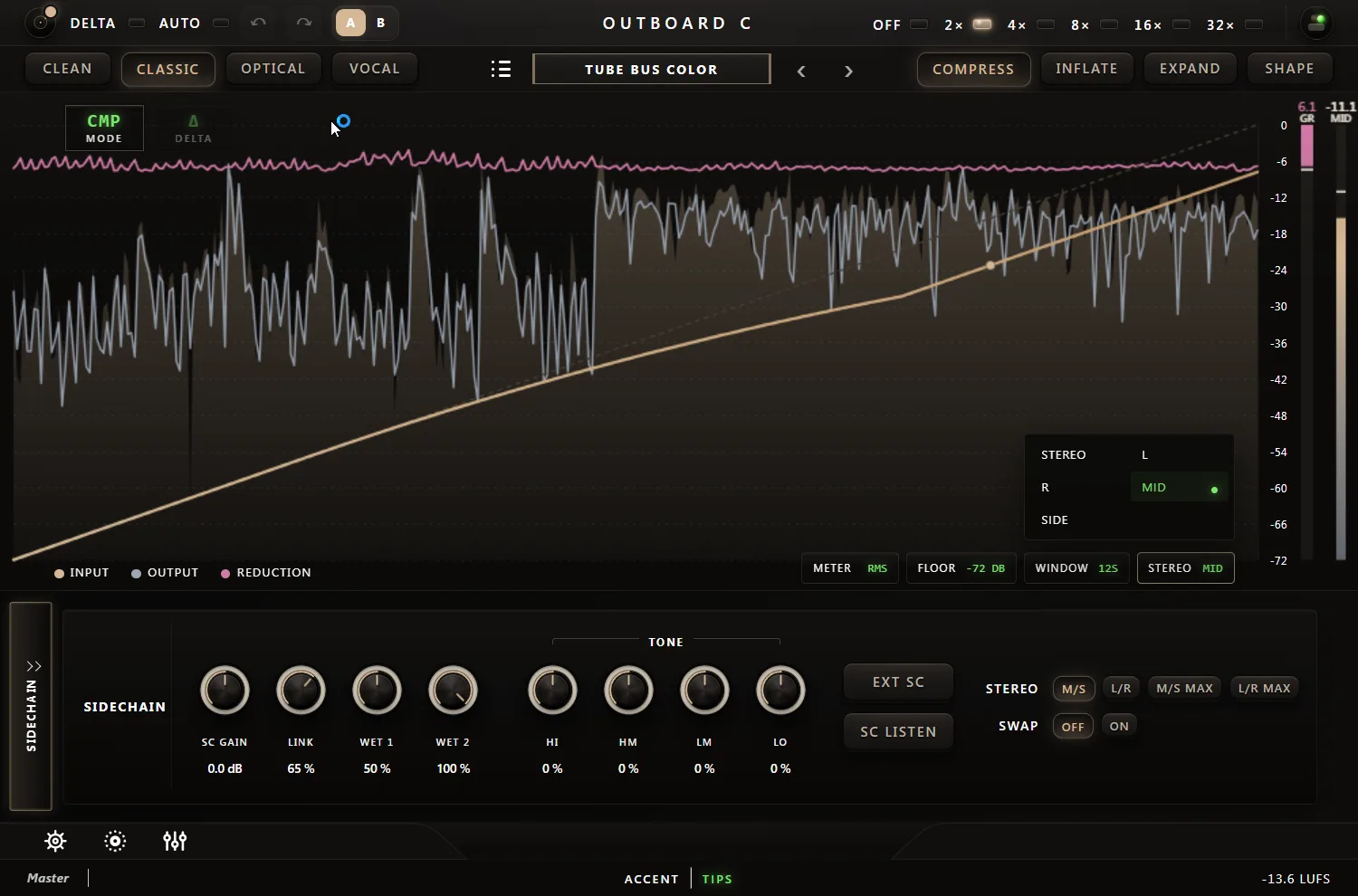
routing is working before you second-guess a patch. Stereo detection runs
L/R or M/S, including a Max-linked variant, with stepless Link, Swap, and
independent Wet-1/Wet-2 amounts per detector branch. Sidechain Tone adds
four broad, resonance-free bands that tilt only what the compressor hears,
never the audio itself — and underneath that sits a fully parametric
8-band EQ for the detector alone, with per-band type, slope, frequency,
gain, Q, and solo. De-essing, frequency-aware ducking, and multiband
triggers all live inside one plugin.
A Few Things To Try
_Instant Mix-Bus Glue: Classic voicing, Auto-Threshold engaged, a gentle
2:1 ratio. Let the servo settle for a few bars and the bus locks together
without ever touching the Threshold knob by hand.
_Vocal Riding Without a Fader: Vocal voicing, Auto-Threshold on, Smooth
around 40%. The servo chases the performance, so quiet phrases come
forward and loud ones get pulled back automatically.
_A Kick That Only Hears the Kick: Route a kick to the sidechain input,
enable Ext SC, then pull Sidechain Tone's HI and HM down so hats and snare
bleed stop triggering the pump — only the low thump gets through.
_De-Essing With No Second Plugin: Open the 8-band sidechain EQ, add a peak
band around 6-8 kHz, solo it to dial in the exact sibilant frequency, then
let a fast Attack/Release pair do the rest.
_Parallel Punch on Drums: Shape direction, Drive past halfway, Dry blended
in around 40-60%. The crushed, saturated wet signal sits under the clean
transient for dense, New-York-style drum bus compression.
_Angrier Glue on Demand: Same Classic voicing, same knob positions — just
drop Headroom into negative territory. The threshold digs in harder and
the Shape stage saturates sooner, for a denser, more aggressive bus at the
same settings.
_Honest A/B Testing: Turn Measured Auto-Gain on before comparing bypass
against processed. It compensates for the loudness actually removed, so a
heavier setting doesn't just win the comparison because it's louder.
Availability
Outboard-C is available now for Windows (VST3, CLAP) and macOS (VST3, AU,
CLAP) at €65, with a full 14-day trial — the complete plugin, every
feature unlocked, no account required to download. The plugin has passed
pluginval at the highest strictness level.
Right now, all Outboard plugins — including Outboard-C — are 45% off with code WM2026
More information, the trial download, and the full feature list:
https://outboard.audio/outboard-compressor (https://outboard.audio/outboard-compressor)