Arcoline — free metering plugin (LUFS / True Peak / Dynamics / Stereo / Tonal Balance)

VST, AU, AAX, CLAP, etc. Plugin Virtual Effects Discussion
Post Reply New Topic
RELATED
PRODUCTS

Post

AUTO-ADMIN: Non-MP3, WAV, OGG, SoundCloud, YouTube, Vimeo, Twitter and Facebook links in this post have been protected automatically. Once the member reaches 5 posts the links will function as normal.
Hi everyone,

I'm the developer behind Audivea, and I've just released my first plugin — Arcoline, a free metering suite for the final delivery check. The idea was to stop juggling three or four separate meters before an export and read the whole picture in one window, at whatever level of detail you need.

Two views, switchable with Tab:
Dive — the full workbench, every reading at once.
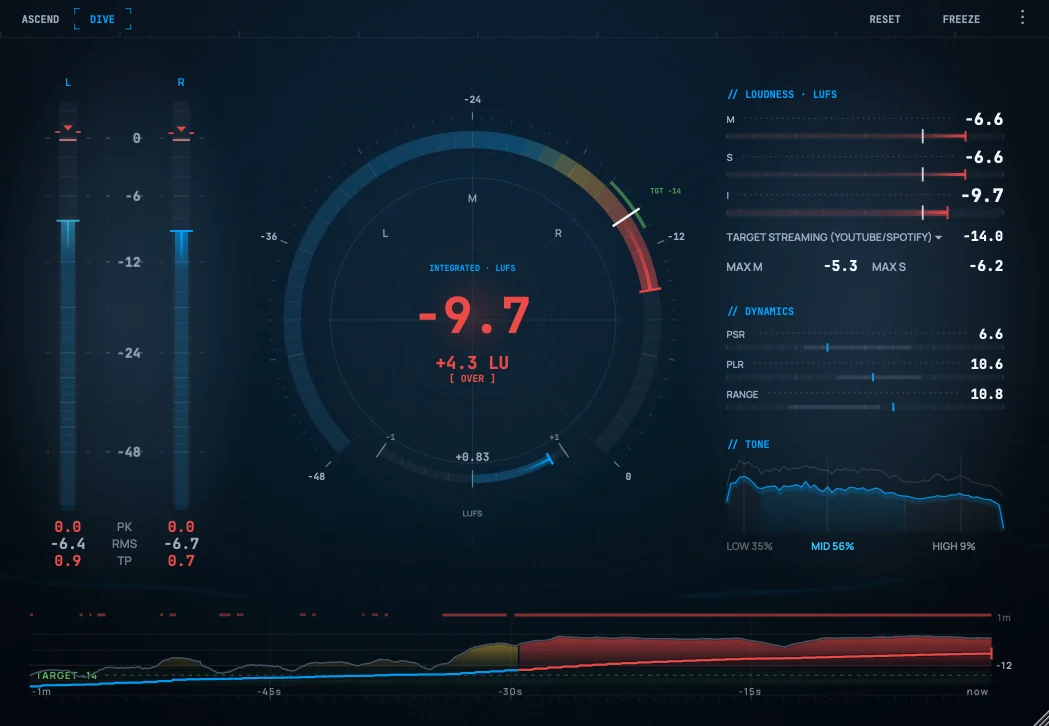
Image

Ascend — a stripped-back at-a-glance readout: one big Integrated-LUFS number and a ±LU delta against your target, for a quick "am I safe to deliver?" check.
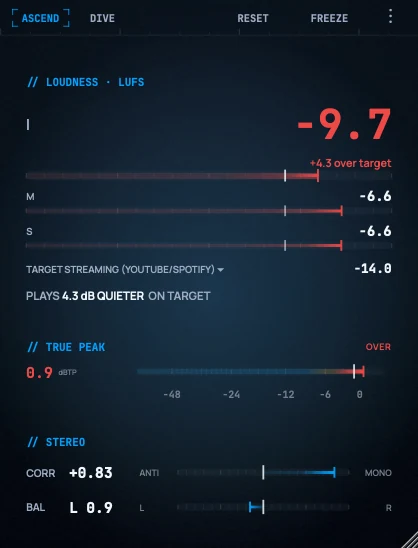
Image

What it measures
- Loudness — Momentary / Short-term / Integrated LUFS, ITU-R BS.1770-4 K-weighting
- True peak — inter-sample dBTP via oversampling, with a sticky over-flag so a stray transient can't slip past
- Level — per-channel peak & RMS, peak-hold, clip detection
- Dynamics — PSR, PLR and loudness range (LRA)
- Stereo image — goniometer, phase correlation and L/R balance
- Tonal balance — low / mid / high energy split
- Delivery targets — built-in presets for Spotify, Apple Music, YouTube, broadcast and film

Three themes — Deep Blue, Neutral Dark, Light:
arcoline-themes-strip.png
Formats: VST3, AU, Standalone
Platforms: macOS (universal — Intel + Apple Silicon) and Windows
Price: Free — no account, no email wall

Download & details: https://audivea.com/products/arcoline.html (https://audivea.com/products/arcoline.html)

It's version 1.0 and I'm actively working on it. I'd really value this crowd's feedback — especially whether the Ascend view delivers the "one glance and you know" read it's aiming for, and whether the target presets match how you actually deliver. Thanks for taking a look!
You do not have the required permissions to view the files attached to this post.

Post

Wow, beautiful design! Will download and test when I have the chance. Thanks for sharing, and for doing it for free!
Mac Mini M4 Pro | 14 Cores (10P/4E) | 48GB RAM | Studio One | Reason | Bitwig Studio | Logic Pro | FL Studio | Cubase Pro | Waveform | Reaper | Renoise | ~1000 VSTs/AUs | ~350 REs

Post

Seems pretty lightweight, attractive and efficient. I like it, thanks :)

Post

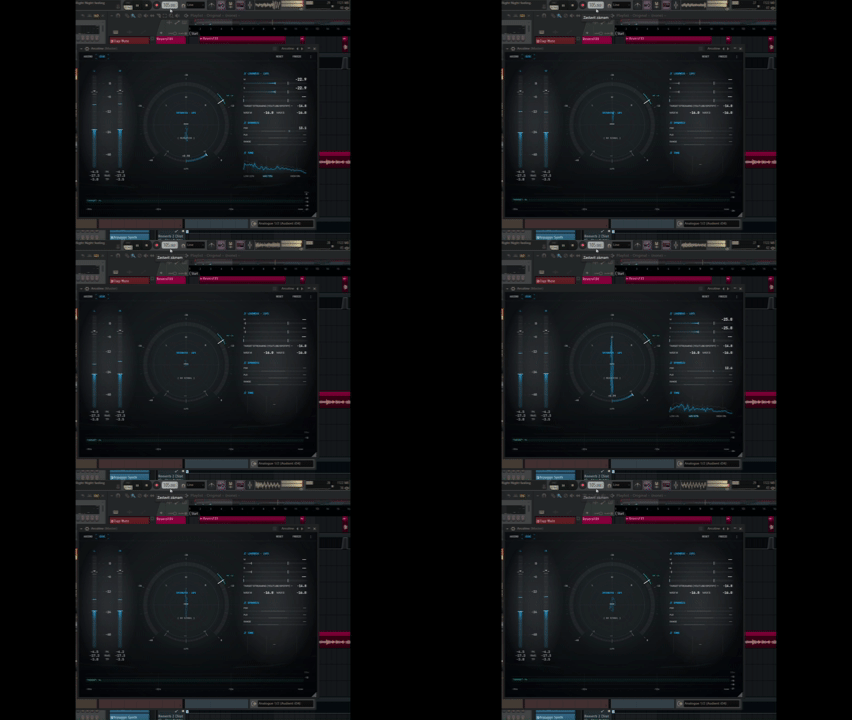
Strange behavior in FL Studio. The meters are jumping around crazy as if it were a techno track, even though it's a regular song, and the main meter displaying LUFS keeps switching between "No signal" and the current value. But I like the concept. Maybe I am doing something wrong...

Image

Post

Really glad the design lands. That "read the whole delivery picture in one window" idea is the whole reason it exists, so hearing it click means a lot. Would genuinely love to hear how it feels once you've run a few sessions through it.

And thanks for the report, really appreciate it. I ran into the same thing on FL Studio here, so you're not doing anything wrong.

Quick way to confirm it's the same issue: in the plugin wrapper's Troubleshooting → Compatibility tab, tick "Use fixed size buffers" (see below). If the meters settle down with that on, that's the one.
Screenshot 2026-07-12 221835.png
I've already fixed it and pushed a new build, v1.0.1 — so you won't even need that toggle. You can grab it from the download link on the website (same page as before). Please give it another try when you get a chance and let me know if anything's still off. Thanks again for taking the time, and for the screenshot.
You do not have the required permissions to view the files attached to this post.

Post

Thanks for the incredibly quick fix! I downloaded v1.0.1 and tested it in FL Studio, and everything is working perfectly now. The meters are stable, and the "No signal" issue is gone.

I also wanted to say how impressed I am with both your responsiveness and the plugin itself. It's rare to see someone identify, fix, and release an update this quickly.

I've been comparing it directly with Youlean Loudness Meter 2 Pro, and I honestly think they complement each other perfectly. Youlean is excellent for loudness, but it doesn't include a goniometer, tonal balance display, or phase correlation. Having all of those in your plugin makes it incredibly useful for final mix checks.

In my opinion, this is easily the best freeware final mix metering plugin available for Windows. No question about it.

I even tried loading an instance on every channel in one of my sessions just to see how it handled it. I saved the project, reopened it, and everything worked flawlessly. CPU usage is practically zero.

Such a shame you didn't release it in time for KVR DC26. I think it would have been a very strong contender.

Thanks again for creating it and for making it available for free.

---

"More tools in development" sounds very promising. Looking forward to seeing what you come up with next!

Post Reply

Return to “Effects”