


I just bought this theme... both the manual with the theme and the manual for the Diva plug-in mentions how to install them... but unless I missed it, not how to activate them?
Am I blind? I can't see where to select the installed theme?
MONA - New GUI for Diva
-
- KVRAF
- 4722 posts since 25 Mar, 2016 from Seattle
Did you try right clicking on the GUI and selecting it from there?eobet wrote: Tue Dec 19, 2023 11:05 pm I just bought this theme... both the manual with the theme and the manual for the Diva plug-in mentions how to install them... but unless I missed it, not how to activate them?
Am I blind? I can't see where to select the installed theme?
Screenshot 2023-12-20 000447.jpg
-

- KVRist
- Topic Starter
- 395 posts since 3 Mar, 2015 from Japan
Thank you for purchasing MONA!eobet wrote: Tue Dec 19, 2023 11:05 pm I just bought this theme... both the manual with the theme and the manual for the Diva plug-in mentions how to install them... but unless I missed it, not how to activate them?
Am I blind? I can't see where to select the installed theme?
Just the other day, I provided support for the same issue. If everything goes right, there's a menu item "default skin" on the preference panel:
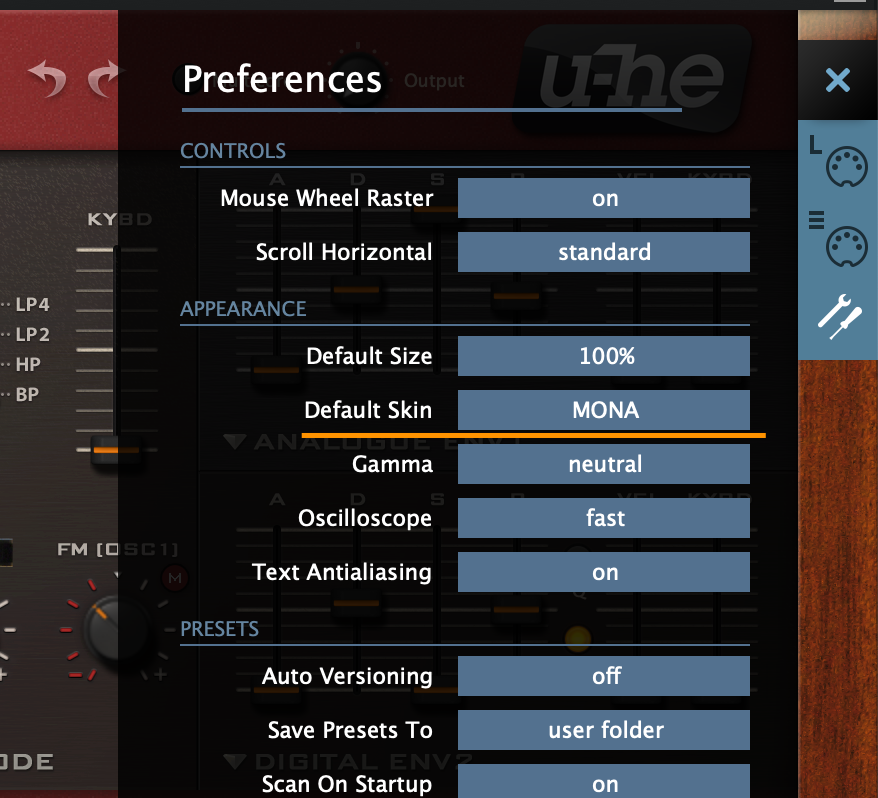
The behavior of the "default skin" item not appearing in the settings panel occurs when Diva does not detect any custom skins. In other words, there is a high likelihood that the file placement structure is incorrect. For instance, placing the parent folder containing MONA in the theme folder, or (on Mac) confusing the user library with the system library, could be potential reasons for this issue.
After unzipping the package you get the folder named "MONA v1.0.3 Install Package", but what you have to install is the folder exactly named "MONA" put under the folder "1. Install Themes".
Following is the correct folder structure on Mac:
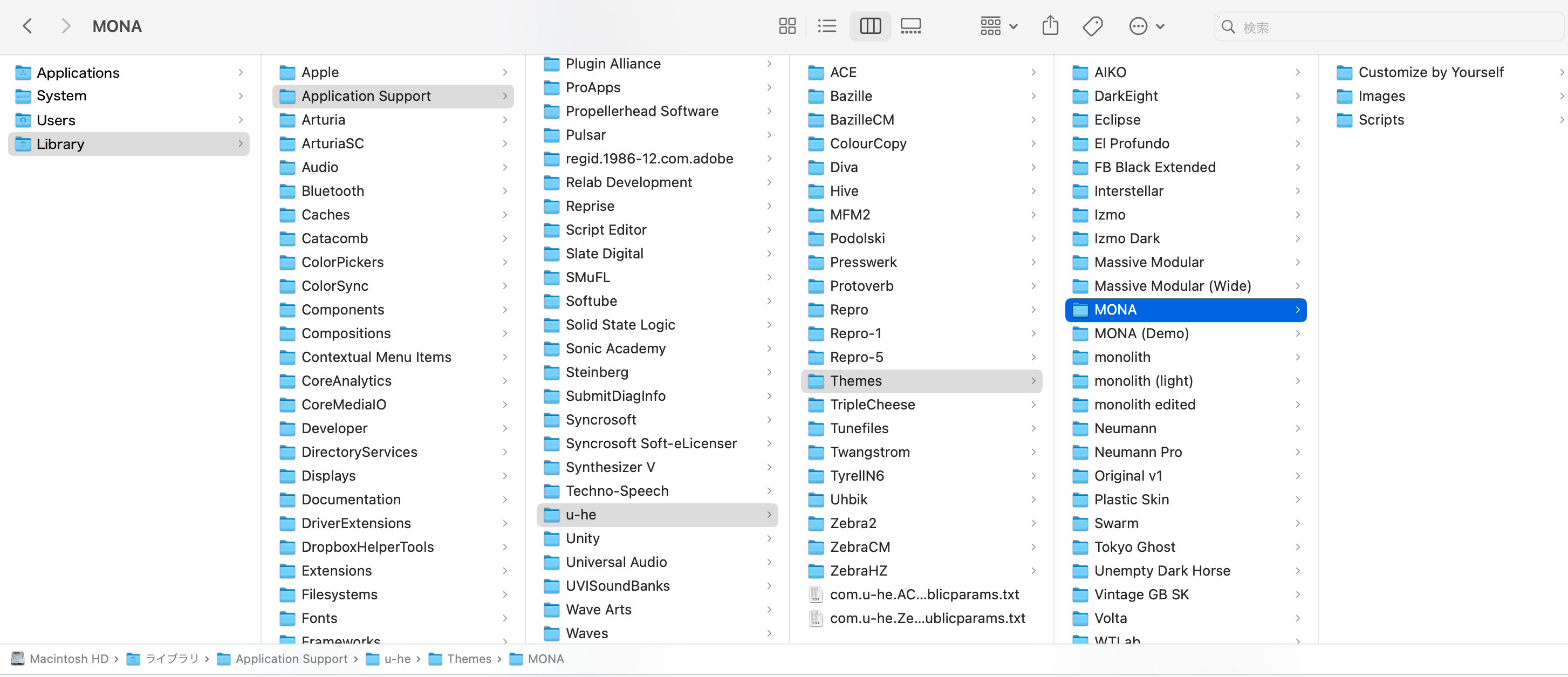
On Windows, it would be something like:
C:VSTPlugins:u-he:Diva.data:Support:Themes:MONA
If the folder structure is correct, the option "default skin" should appear.
Also, as simmo75 suggested, MONA should appear in the right click menu if correctly installed.
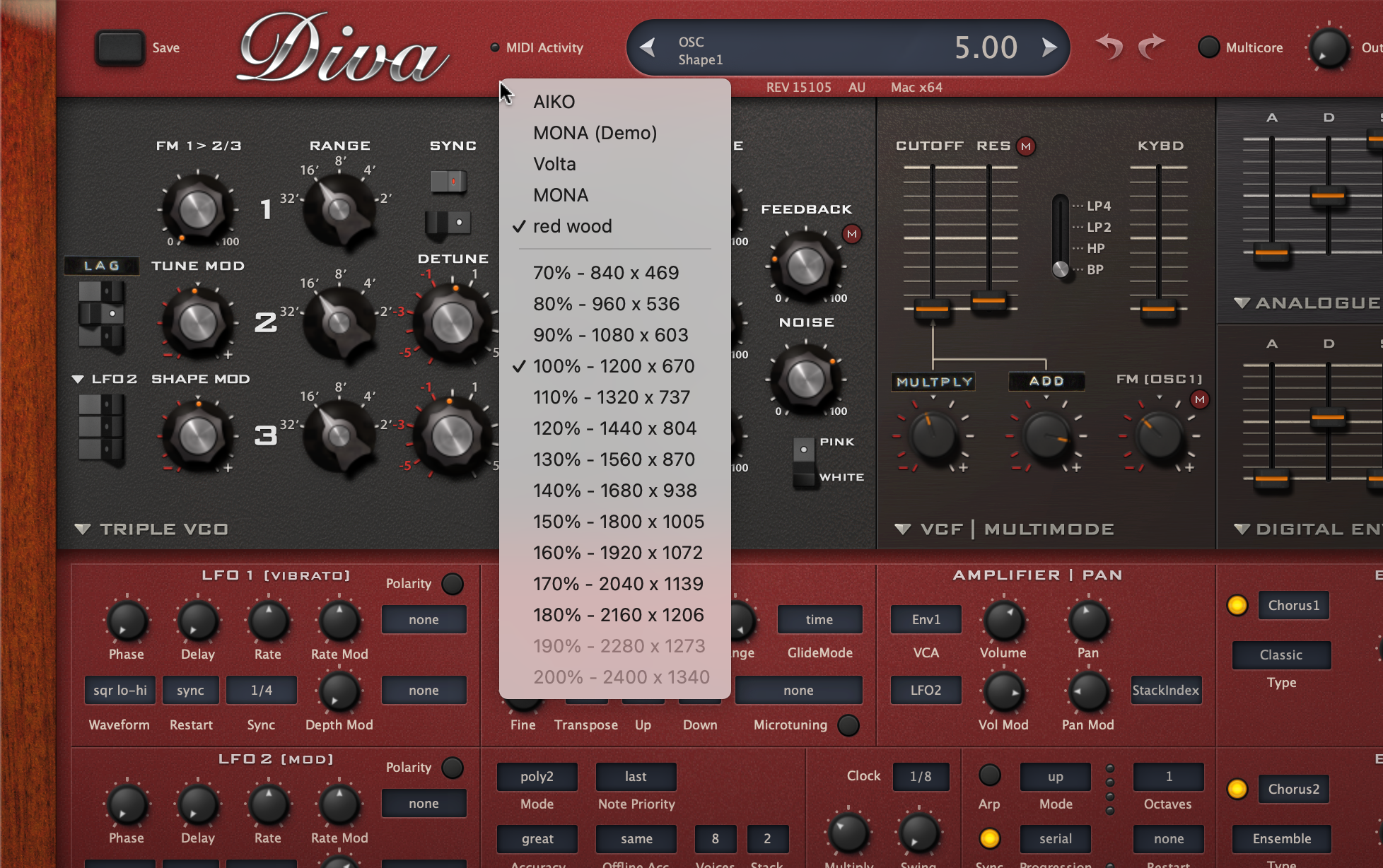
Although selecting from this menu does not allow you to set it as the default skin, this menu serves as one means to verify whether at least a skin is being detected.

-
- KVRer
- 9 posts since 11 Oct, 2023
I just remembered that I had tried a theme before, and that doesn't show up anymore either.
So, do the current CLAP MPE betas which are listed on this very forum not support themes? I just downloaded the latest update posted here a few days ago, and still nothing.
So, do the current CLAP MPE betas which are listed on this very forum not support themes? I just downloaded the latest update posted here a few days ago, and still nothing.
You do not have the required permissions to view the files attached to this post.
-
- KVRist
- Topic Starter
- 395 posts since 3 Mar, 2015 from Japan
I'm not a Windows man but IIRC the folder "Theme" must be placed under "Support" folder.eobet wrote: Wed Dec 20, 2023 9:53 pm I just remembered that I had tried a theme before, and that doesn't show up anymore either.
So, do the current CLAP MPE betas which are listed on this very forum not support themes? I just downloaded the latest update posted here a few days ago, and still nothing.
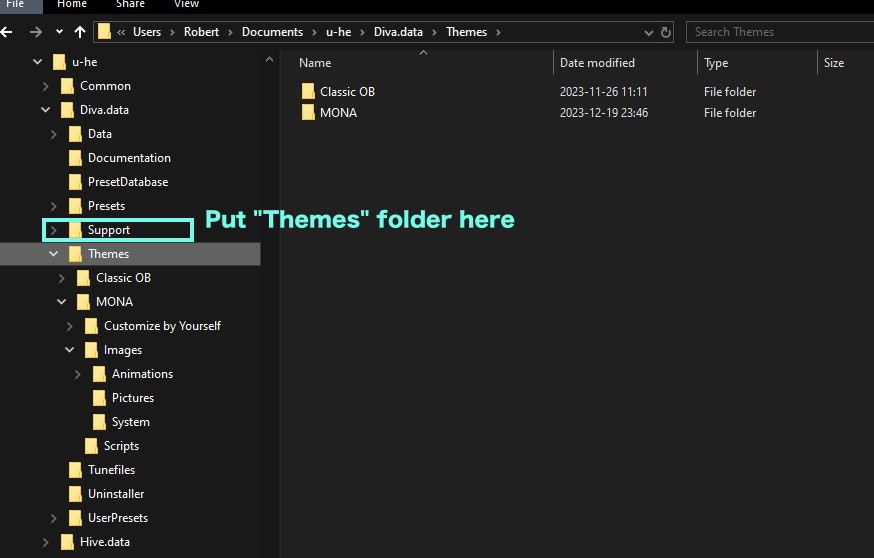
-

- KVRist
- 73 posts since 24 Jul, 2014 from London, UK
purchased MONA today. It's absolutely gorgeous. Very well done. Just missing the MPE toggle but imagine it will get updated shortly after DIVA MPE is out of beta 
-
- KVRist
- Topic Starter
- 395 posts since 3 Mar, 2015 from Japan
yes, the skin is in principle aimed at the stable release. If beta lasts too long, however, I'll add one for beta as well.humpo72 wrote: Sat Jan 20, 2024 3:12 pm purchased MONA today. It's absolutely gorgeous. Very well done. Just missing the MPE toggle but imagine it will get updated shortly after DIVA MPE is out of beta
-
- KVRist
- Topic Starter
- 395 posts since 3 Mar, 2015 from Japan
I'm just working on it. It's on a good course and I'll be able to update the package tomorrow

Fortunately MONA had large space on header and it will look like this:
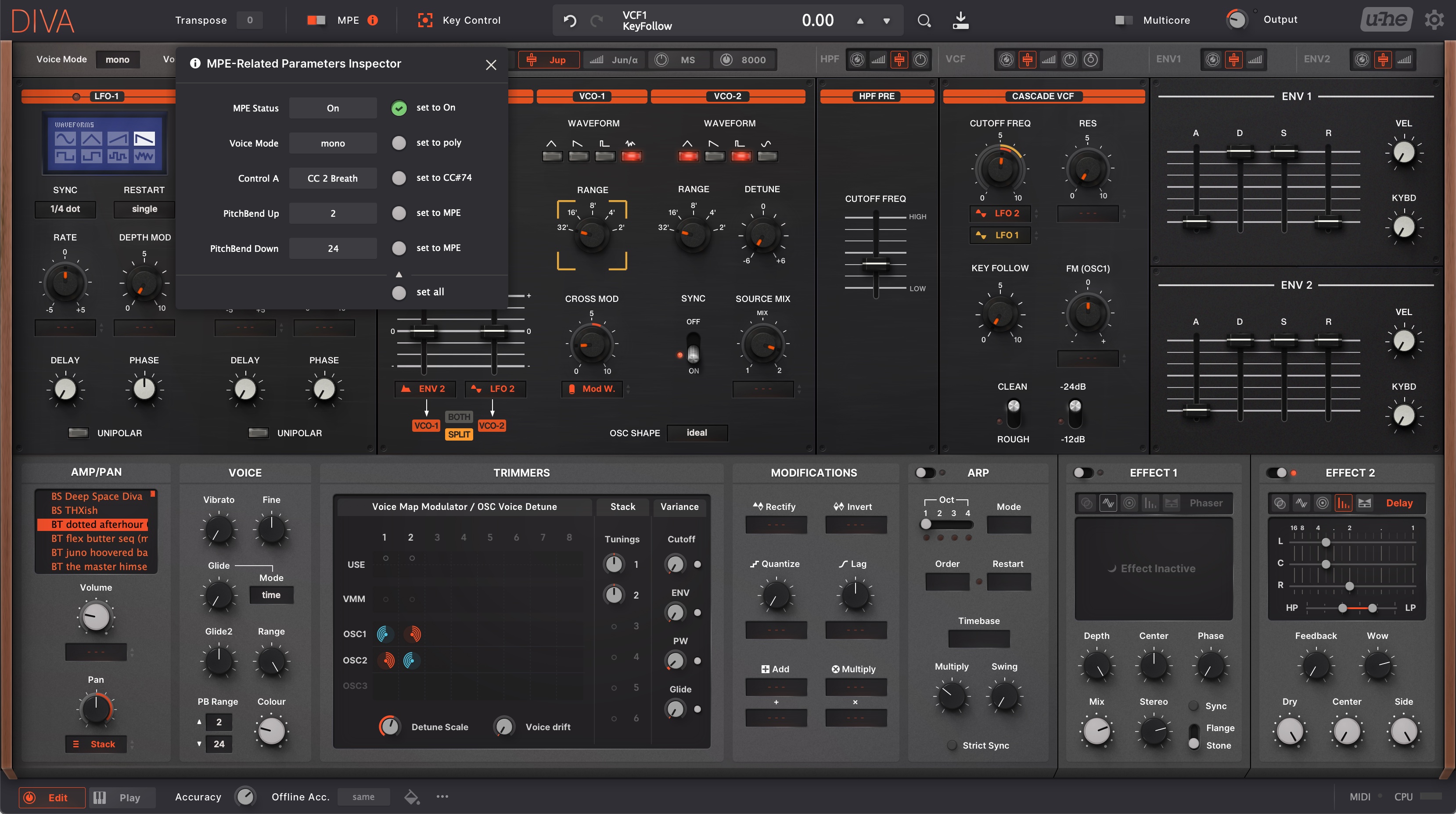
But bad news is that the key focus control disappears on unassigned mod boxes, maybe because MONA uses quite quirky layering techniques to realize the "Massive-modulation system".
-
- KVRist
- Topic Starter
- 395 posts since 3 Mar, 2015 from Japan
It's easy...easy if you are a super-hackerPuffin617 wrote: Sat Aug 31, 2024 1:05 am Is there a way to change the "supersaw" waveform to my own JP-8000 sample?

That's more than what users can customize.
And IIRC u-he is not fond of using samples as the basis of synthesis.
-
- KVRist
- Topic Starter
- 395 posts since 3 Mar, 2015 from Japan
Update done!
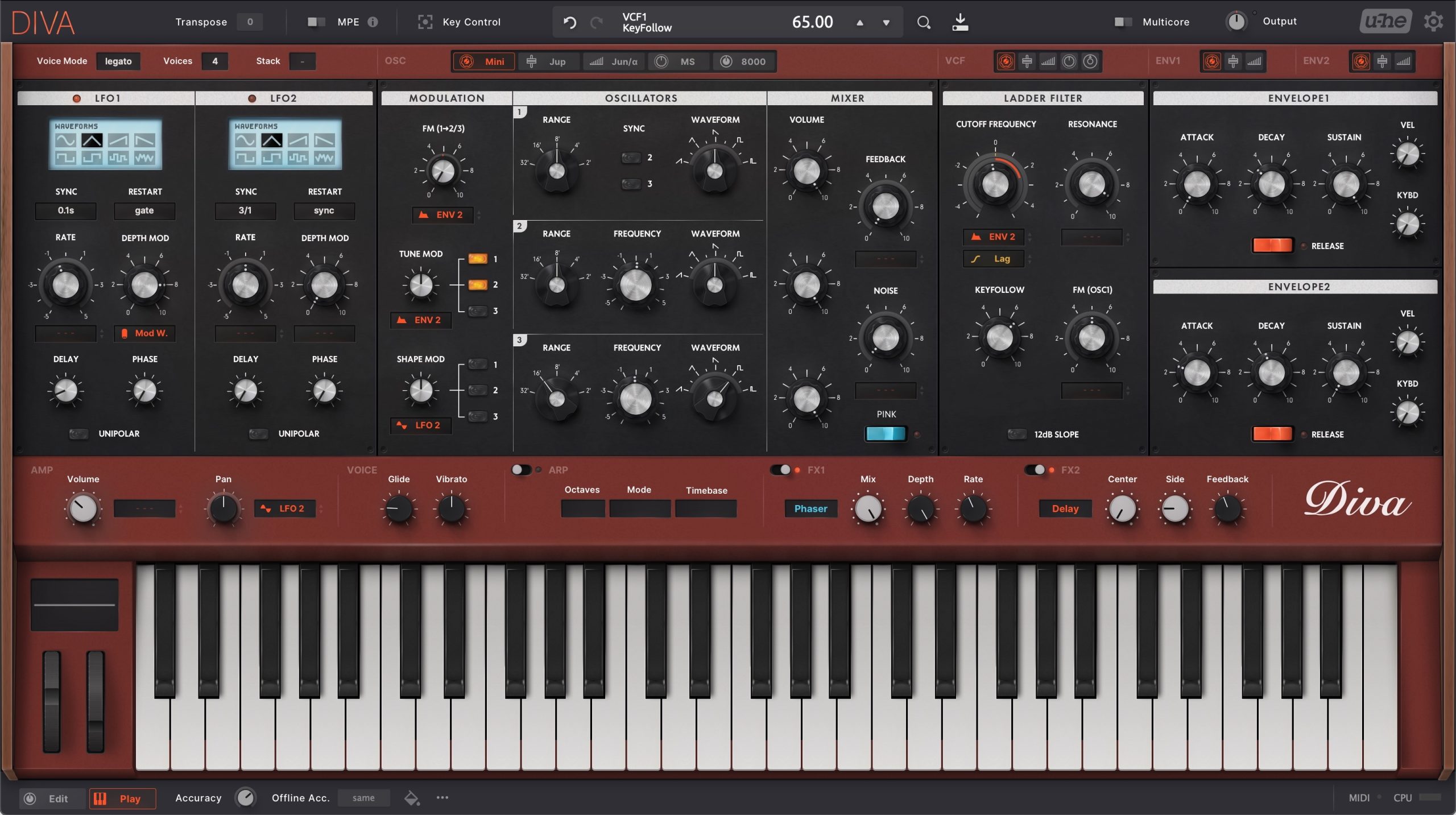
Added MPE and Key Control compatibility. Also, it includes some usability and fun update.
1. Addtitional Red version!
2. Optional larger font images
(*users have to manually replace image files.)
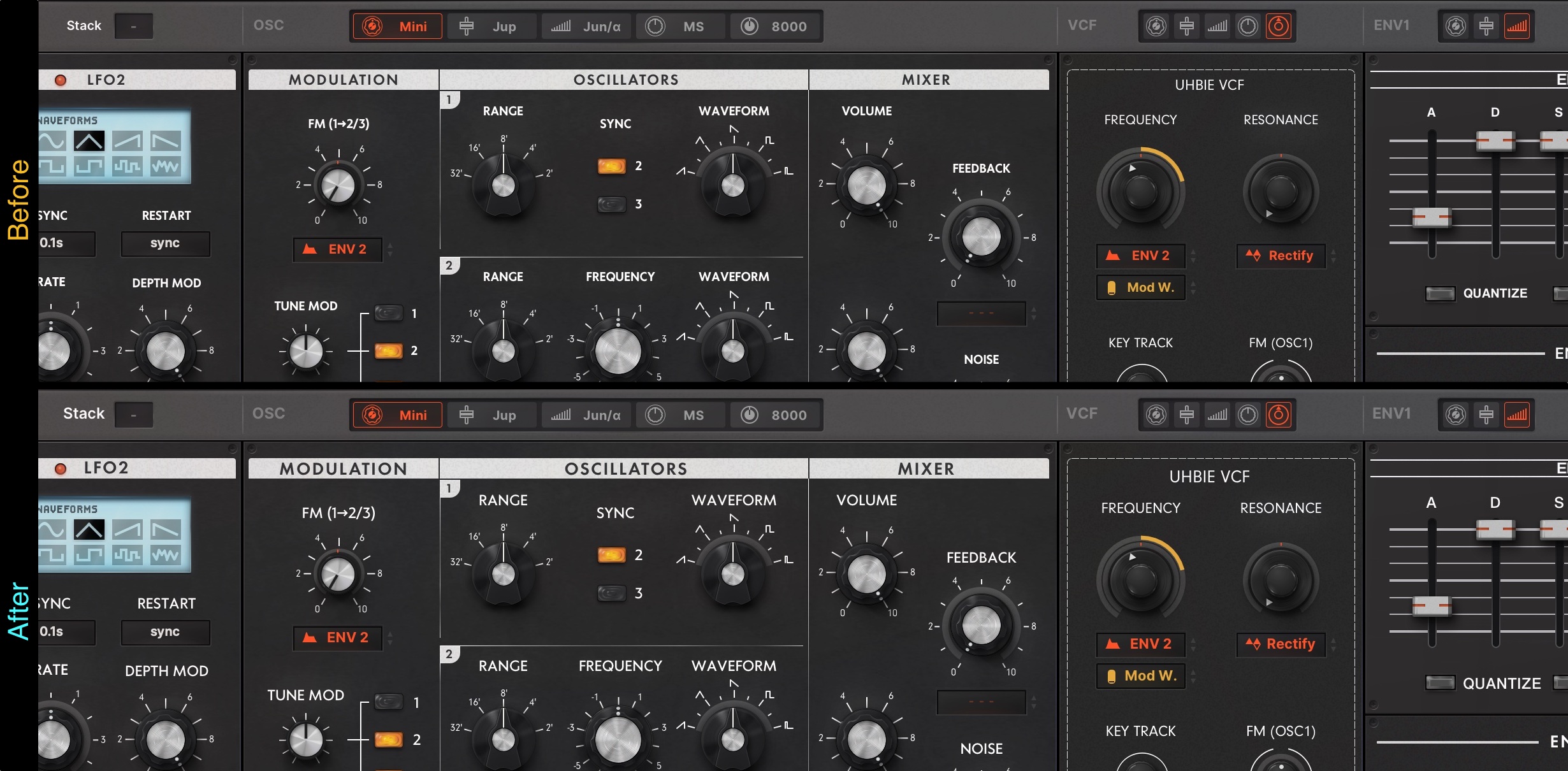
This is a remedy for those who find the font too small when displaying MONA at 80% or 90% zoom rate.
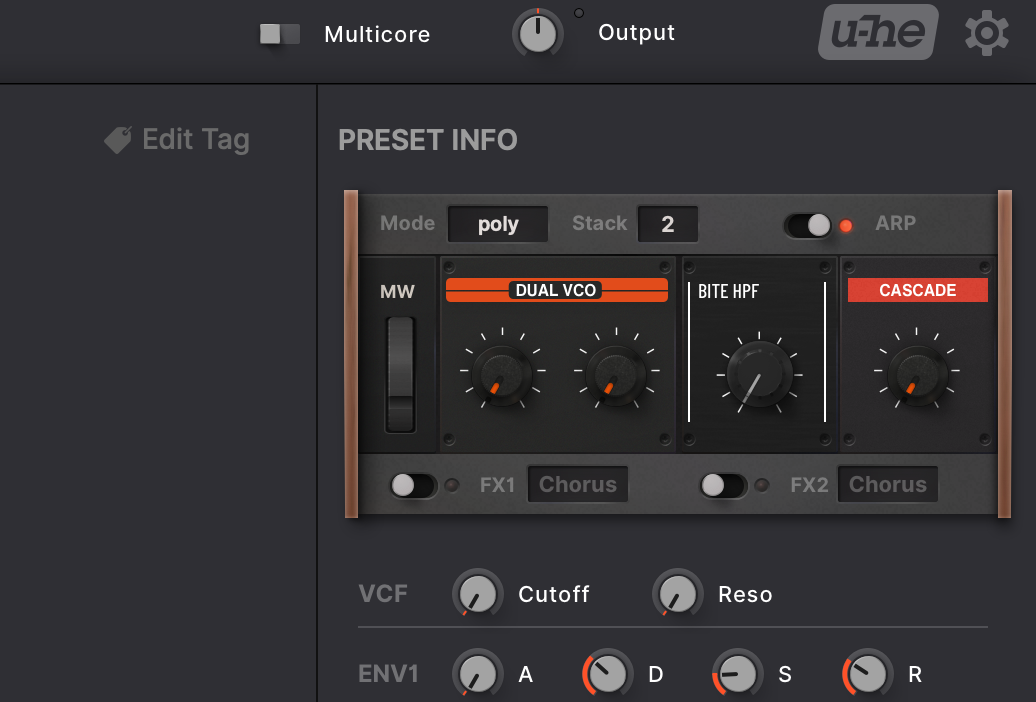
3. Mod Wheel in the Easy Access section
You can get the latest version from your account page:
https://plugmon.jp/my-account/
Added MPE and Key Control compatibility. Also, it includes some usability and fun update.
1. Addtitional Red version!
2. Optional larger font images
(*users have to manually replace image files.)
This is a remedy for those who find the font too small when displaying MONA at 80% or 90% zoom rate.
3. Mod Wheel in the Easy Access section
You can get the latest version from your account page:
https://plugmon.jp/my-account/
-

- KVRAF
- 14437 posts since 16 Feb, 2005 from Planet Earth, Somewhere
Ahh optional Larger Fonts.. yes!!!
Question though: the Larger font size didn't apply to the preset browser did it? Those are still hard to read for my aging eyes.
Thanks (OT, I hope Izmo Dark is next)
rsp
Question though: the Larger font size didn't apply to the preset browser did it? Those are still hard to read for my aging eyes.
Thanks (OT, I hope Izmo Dark is next)
rsp
sound sculptist