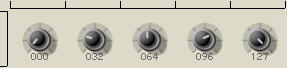
KnobMan, the VSTGUI AnimationKnob bitmap generator

DSP, Plugin and Host development discussion.
Post Reply New Topic
RELATED
PRODUCTS

Post

So, you would prefer this:
Image
?
follow me on Image

Post

bootsie wrote:So, you would prefer this:
Image
?
Yeah I think it looks better like that, with all the elements getting their light from more or less the same direction. Somehow more vintage too, and even a bit more aggressive to my eyes, though I ain't no artist, so I shouldn't be trusted too much.

In fact it now looks so good to my eyes that the screws start looking a bit plastic (like if they're just bumpmaps to the plate, lacking hard edges that are typical for such screws or at least the holes not going deep enough, but that's completely off topic then). Anyway, that's the problem with making something too realistic: even the minute detail starts popping out for being just slightly off.. assuming it's off.. this is now so minor already that I hardly trust my untrained eyes anymore. :D

Post

I tried this today for the first time and i must say I'm impressed. It was maybe the fastest way ever I could render out a newly designed, fully functioning dial graphic. And I have still the feeling there's still a lot to try out :hihi:

Two things threw me a bit out of the workflow:
- the open/save dialog could save the last path (I tend to render a series of similar graphics one after each other to have some comparison and prefer to save them in the same directory)
- the saving itself ("export") could be done in a separate thread to not freeze the application (it could let the thread run and set the cursor to the hourglass for the time being)

Nothing to lose sleep over though, very useful and inspiring application, thanks a lot g200kg ;)

Post

hi g200kg,

could it be that there's a lot of room for improovement for the antialiasing algorithm?
just a question, as i can manage to get circles or anything round way cleaner than in knobman at the same size ... meaning, i have to diffuse everything _that_ hard, so that it starts to lack of precision comparing to photoshop ...
i am talking of relativeley small knobs here ...
bigger knobs are not so much of a problem, but the art is to do _small_ interresting ones ...
any chance to get back to me on thatone, also on my other requests?

again thanks a lot for knobman!
regards,
brok landers
BIGTONEsounddesign
gear is as good as the innovation behind it-the man

Post

brok - create it large, and scale the result down using photoshop/GIMP/PSP/etc. Best results are probably done through that method ;)

DSP
Image

Post

duncanparsons wrote:brok - create it large, and scale the result down using photoshop/GIMP/PSP/etc. Best results are probably done through that method ;)

DSP
Yup. 4x oversampling should be enough. If you want a 32x32 knob, make it at 128x128, and resize it in PS or whatever.
An idiot on Set Theory:
"In some cases there is an object called red that contains everything that is red. In much the same way a pot is a plate."

Post

Sean, I really miss the old Quoth, you know... I realise it was a lot of work when the quote tags are already setup!

I'll get Ben to change your tag to "b'ware the wrote:" ;)

DSP
Image

Post

duncanparsons quoth Sean, I really miss the old Quoth, you know... I realise it was a lot of work when the quote tags are already setup!

I'll get Ben to change your tag to "b'ware the wrote:" ;)

DSP


Yeah, its much easier to just use the quote tag.

Plus I got too many people complaining that the italics were unreadable. Oh and a couple of lunatic grammar Nazi's who didn't quite get part of the joke.
An idiot on Set Theory:
"In some cases there is an object called red that contains everything that is red. In much the same way a pot is a plate."

Post

duncanparsons wrote:brok - create it large, and scale the result down using photoshop/GIMP/PSP/etc. Best results are probably done through that method ;)

DSP
hi duncan, thanks for your reply ...
you mean render large in knobman, then import the whole png-stripe into photoshop and scale it down?
well, that might work in the end, but afaik knobman can't reload the png-stripe, so i'm not able to see if the movement of the knob would create artefacts ...
hmmm ... sounds like a workaround, not a real solution ...
regards,
brok landers
BIGTONEsounddesign
gear is as good as the innovation behind it-the man

Post

whyterabbyt wrote:
duncanparsons wrote:brok - create it large, and scale the result down using photoshop/GIMP/PSP/etc. Best results are probably done through that method ;)

DSP
Yup. 4x oversampling should be enough. If you want a 32x32 knob, make it at 128x128, and resize it in PS or whatever.
thanks whyterabbyt ...
seems it's the only way to do so, until the antialias algo is improoved ...
will try ...
regards,
brok landers
BIGTONEsounddesign
gear is as good as the innovation behind it-the man

Post

brok landers wrote:hi g200kg,

could it be that there's a lot of room for improovement for the antialiasing algorithm?
brok, thanks for the info.
16x16pixels circle by the GIMP(left) and KnobMan(right).
Image

in knobman, the circumference seems not clear. and the shape seems a little bit distorted (probably because the knobman setup the circumference at center of the pixel).

have i understand the problem you mentioned correctly?

Post

first off, thank you so much for the reply!
i just have to say again: knobman is unbelievable great, don't forget that over my complaining, i just want to help to make it perfect! :)

on topic:

yes, that could be the problem.
my main problem is, that smaller circles tend to distort, somehow tear up the edges. i have to diffuse too much, the whole thing gets too "unsharp" then ...
so, having sharp edges on smaller knobs (where the sharpness is essential) is really a hard one ...

does that explanation help you in any way?

ps, what do you think of my other ideas in the posts before?

thanks again!
regards,
brok landers
BIGTONEsounddesign
gear is as good as the innovation behind it-the man

Post

well, here's my contribution ... nothing special ...
merely only for showing off to g200kg what i meant with "i have to diffuse the knobs too much" ...
i wanted to have normal, slightly 3dimensional, relativeley small knobs, but good looking ...

beware, the image lowered the quality quite a bit, the knob is not _that_ bad ... ;)

Image

get the knobman file for knobman 1.07 here, if you like ...

btw, i don't know if the font comes with win xp, it's called: ".Dialog 9" ...
you'll find it on the net somwhere, or simply replace it with a system font ...
or you just draw it within the gui by calling it off the system directly, which is anyway more likeley the way to do it, no?
regards,
brok landers
BIGTONEsounddesign
gear is as good as the innovation behind it-the man

Post

g200kg wrote:in knobman, the circumference seems not clear. and the shape seems a little bit distorted (probably because the knobman setup the circumference at center of the pixel).
There's some useful info about aliasing over on the Anti-Grain Geometry website. AGG is an Open Source graphic rendering engine for C++ and even if it you can't use it, there's lots of info on the site that might help you. Check out the documents pages here.

Post

Sorry if this has already been mentioned, I haven't read the whole thread, having a option to use a large image that could be moved around as a background instead of a colour. It would make testing to see if it looks right quicker I am constantly having to save knob, then open programme to test it close programme slightly adjust knob. Great program thanks.

Post Reply

Return to “DSP and Plugin Development”