

Maybe this video will help, it shows how to change the note names in the Reaper midi piano roll editor.


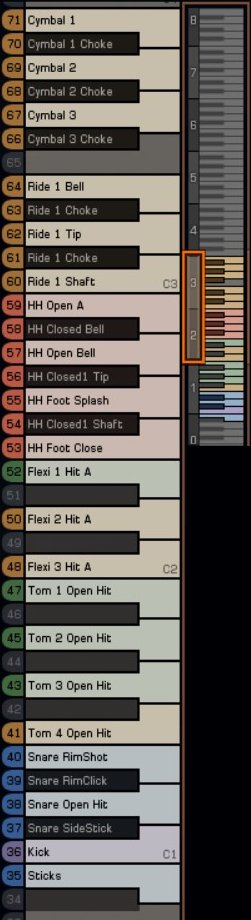
I don't really know what you mean, but here is an example of what I mean. TAL Drum sends the names of its pads (drum map or MIDI note names) to the host and the host writes them on the piano roll. Makes it so much easier to program in those non-GM-standard Urs and Heinbach kit pieces.rod_zero wrote: Mon Feb 24, 2025 3:55 am If I understand well, you need the names of the MIDI outputs some how showed by the DAW?
Yup. I can either see the map or draw the notes, but it's much more difficult to do both at the same time. Unless the notes have the names where you draw them, in which case I don't even need to look at the map. It's right where I'm drawing them.Dirk Diggler wrote: Mon Feb 24, 2025 2:02 pm You do understand that the map window gives you all the info you need to know already right? Including midi note number and the AD specific slot name.
Submit: News, Plugins, Hosts & Apps | Advertise @ KVR | Developer Account | About KVR / Contact Us | Privacy Statement
© KVR Audio, Inc. 2000-2026