

£91.01 >> https://isotonikstudios.com/product/modulat/ if you needEchoes in the Attic wrote: Wed Dec 02, 2020 1:07 pm Sorry to bring up the modulators again, but I'm confused by why the clip envelopes can be additive (relative to absolute position) but none of the modulators work this way? Is this a Max for Live limitation? Or has nobody made any mod devices that work this way? Or have they? It seems like the obvious way it should work - that is, the modulated position should be indicated by the little blue dot (for sliders) or the blue ring around a knob, as opposed to changing the absolute position of the knob. Do no M4L macros or modulators work in this additive way like clip envelope modulations?
Ableton Live 11
-
- KVRAF
- 5144 posts since 3 Oct, 2013
Last edited by xbitz on Wed Dec 02, 2020 10:18 pm, edited 3 times in total.
"Where we're workarounding, we don't NEED features." - powermat
-
Echoes in the Attic Echoes in the Attic https://www.kvraudio.com/forum/memberlist.php?mode=viewprofile&u=180417
- KVRAF
- 12006 posts since 12 May, 2008
It looks to me like these assignments lock Live parameters as well. But I guess you can at least have a modulator like an envelope as well as a macro within the same modulat device, which is somthing. Still seems annoying that the target device parameter will be locked (I assume because it gets greyed out in videos).xbitz wrote: Wed Dec 02, 2020 9:39 pm£91.01 >> https://isotonikstudios.com/product/modulat/ if you needEchoes in the Attic wrote: Wed Dec 02, 2020 1:07 pm Sorry to bring up the modulators again, but I'm confused by why the clip envelopes can be additive (relative to absolute position) but none of the modulators work this way? Is this a Max for Live limitation? Or has nobody made any mod devices that work this way? Or have they? It seems like the obvious way it should work - that is, the modulated position should be indicated by the little blue dot (for sliders) or the blue ring around a knob, as opposed to changing the absolute position of the knob. Do no M4L macros or modulators work in this additive way like clip envelope modulations?
-
- KVRAF
- 5144 posts since 3 Oct, 2013
^^^ yepp, it locks the targets so can't change the architecture of Ableton Live to the Bitwig one but after the locking the inner system of Modulat can be used the same way as Bitwig (or at least very similialry)
offtopic, just learning Voltage2 and because it's CV-based Poly Modular Eurorack like system has the same freedom as Bitwig has
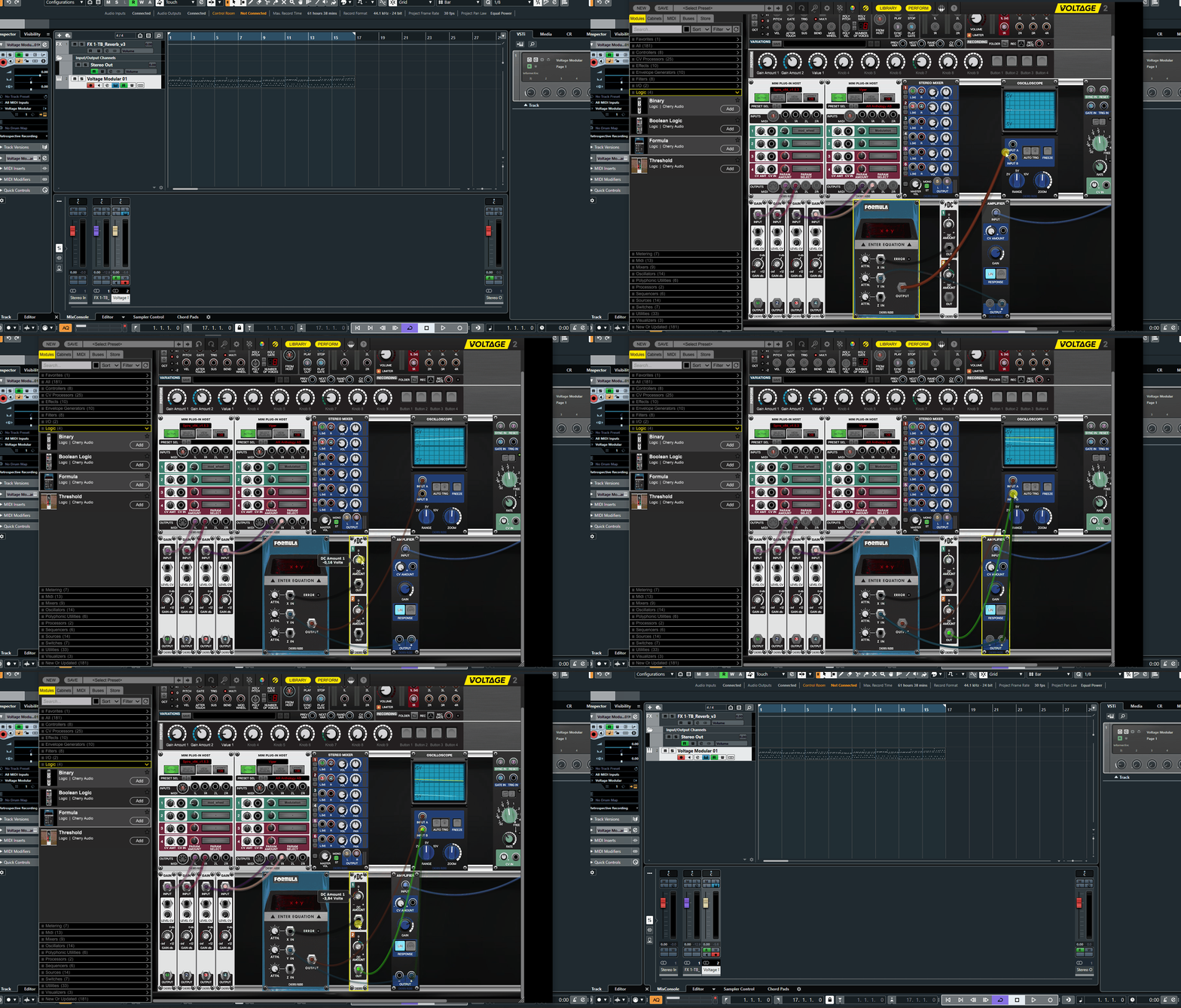
luckily can host VSTs(with MIDI-out) not like the plugin version of Reason and can be used in any DAW, the macro what you miss from Ableton Live is here https://store.cherryaudio.com/modules/macro-cv
but I think you know this one already ...
...
offtopic, just learning Voltage2 and because it's CV-based Poly Modular Eurorack like system has the same freedom as Bitwig has
luckily can host VSTs(with MIDI-out) not like the plugin version of Reason and can be used in any DAW, the macro what you miss from Ableton Live is here https://store.cherryaudio.com/modules/macro-cv
but I think you know this one already
..."Where we're workarounding, we don't NEED features." - powermat
-
- KVRAF
- 2297 posts since 23 May, 2012 from London
Ah yes, those look great, can't wait to check them out!SLiC wrote: Wed Dec 02, 2020 1:30 pmAh yes sorry, I was thinking of the 6 instruments and effects created in collaboration with Dillon Bastan (inspired by nature stuff)
Always Read the Manual!
-
- KVRAF
- 12083 posts since 2 Dec, 2004 from North Wales
Live 11 Beta Release Notes
11.0b20 Release Notes
New features and improvements:
The Audio Effects categories have been refined.
Velocity of probability lane can be activated by clicking on the "header" / vertical ruler view on the left
The active lane's header has a highlighted background.
When the MIDI velocity or probability editor is very small, it's now easier to drag the markers to precise values. It's now also possible to hold the Shift key to allow fine-tuning the values with further increased precision.
When changing MIDI note velocities or probabilities with the up/down arrow key, the value changes in steps of 10 by default.
Again, you can hold the the Shift key to increase the precision and change the value in steps of 1. Previously, this behavior was inverted. It has been changed to match the usual "fine tune" modifier conventions in Live.
In order to change velocity ranges with the keyboard, it is now sufficient to hold Cmd on Mac / Ctrl on Windows. Previously, the modifier was Cmd+Shift. It was changed to allow using the fine tune modifier also to change velocity ranges.
The probability lane remains active when the velocity lane is made visible.
On Push, when pressing and holding a note in any sequencer and clip view, the velocity range displayed should go from -127 to 127 and have a + sign in front of it when positive.
For Hybrid Reverb, the user will now be able to use the arrows near the impulse response dropdowns to flip through impulse responses even while Convolution is technically inactive at Blend 100 in Parallel mode.
The mixer button to show and hide the CPU metering section has been changed to the letter 'c'.
Cleanup out of note bounds per note events during operations that causes selected notes to be resized. Such operations are Legato, Quantize, Reverse, Midi stretch markers and mul2/div2.
Expression curves no longer "squish" destructively when dragged up or down, i.e., if you drag a curve upwards or downwards until it squishes, dragging it back in the opposite direction during the same gesture will restore its previous shape.
In multi-clip editing, with large numbers of arrangement clips selected, this makes switching the foreground clip, switching on and off focus mode, and deselecting all clips a lot faster.
Allows users to show or hide keyword folders in some browser labels (Instruments, AudioFX).
Core Library
Added MIDI clips including a variety of single chords
Added new (MPE) Instrument Racks, Audio Effect Racks and Drum Racks
Added new presets for Hybrid Reverb
Scale Device presets got aligned with new MIDI clip scales
Brought back Live 10 MIDI Effect Racks
Demo & Sketch template now comes with improved Drum clips and Instrument Racks
Please note: File names and locations may change until the official release. Remember to "collect all and save" when working with the Live 11 Beta Core Library and new and updated Packs!
Max for Live
Updated the bundled Max build to version 8.1.9 Beta a22d309
M4L Live Object Model: updated for Live 11
Audio Plug-In Scanner: works on Windows
mtr: read message works properly
Jitter in javascript (jsjitter): fixed usage
Bugfixes:
For Hybrid Reverb, loading mono IR presets works without problems now.
When a time selection is set from the magnitude editors (velocity, probability)
The state of Chance UI controls (Velocity Range and Randomize Value) are now updated accordingly
The Transpose slider will correctly affect the notes from background clip effectively falling in this time selection.
When a probability value is entered for the selected notes using the keyboard, the value box now appears centered horizontally on the selected lollipops.
The detail view's leftmost border is aligned with the browser again when the info view is closed.
Fixes some inconsistencies in the focus and selection behavior when clicking on automation lane envelope and device chooser, '+'-button and fold button.
Fixes a flickering note highlight when hovering over a note while holding a key.
Fix incorrect drawing of clip names on take lane clips when sample is offline or when monitoring is set to "In".
Fixed a crash that could happen when zooming into a clip with a trackpad gesture.
Fixed a crash that happened when a user requested Clip Warp Markers from a midi clip.
The name of a Max For Live device is again visible in the device chain scroller.
Fixes an issue where per-note pitchbend curves would show unexpected snap-to-semitone behavior.
Insert take lanes in all linked tracks even if not all linked track headers are selected.
This fixes an issue where wrong values of per-note expression would be played when having ramps or curves between breakpoints.
This lets users route audio into Max for Live Instruments over input 1 / 2 again.
Browser: Fix keeping column setup for color labels
Fix rename folders
Before, when unfreezing a track with a Hybrid reverb, changing the impulse response and then selecting 'freeze track' again, live would use the frozen file rather than compute a new one.
LFO scope would not function properly if the device was instantiated while the audio engine was not active.
LFO might fail to display the LFO waveform under certain circumstances.
DS-Kick would click when triggered with the mouse.
Fixes some crashes related to (nested) group tracks.
Don't enable warp so often when replacing samples
Audio hangs if in Live 9 created Simple Delay clip automation on audio track is changed in the Delay Device
Core Library
Some Hybrid Reverb presets opened with the wrong algorithm type selected
A missing sample was reported when loading the Hybrid Reverb preset Voice Plate.adv
Some mod wheel mappings in Wavetable presets have been disabled
11.0b20 Release Notes
New features and improvements:
The Audio Effects categories have been refined.
Velocity of probability lane can be activated by clicking on the "header" / vertical ruler view on the left
The active lane's header has a highlighted background.
When the MIDI velocity or probability editor is very small, it's now easier to drag the markers to precise values. It's now also possible to hold the Shift key to allow fine-tuning the values with further increased precision.
When changing MIDI note velocities or probabilities with the up/down arrow key, the value changes in steps of 10 by default.
Again, you can hold the the Shift key to increase the precision and change the value in steps of 1. Previously, this behavior was inverted. It has been changed to match the usual "fine tune" modifier conventions in Live.
In order to change velocity ranges with the keyboard, it is now sufficient to hold Cmd on Mac / Ctrl on Windows. Previously, the modifier was Cmd+Shift. It was changed to allow using the fine tune modifier also to change velocity ranges.
The probability lane remains active when the velocity lane is made visible.
On Push, when pressing and holding a note in any sequencer and clip view, the velocity range displayed should go from -127 to 127 and have a + sign in front of it when positive.
For Hybrid Reverb, the user will now be able to use the arrows near the impulse response dropdowns to flip through impulse responses even while Convolution is technically inactive at Blend 100 in Parallel mode.
The mixer button to show and hide the CPU metering section has been changed to the letter 'c'.
Cleanup out of note bounds per note events during operations that causes selected notes to be resized. Such operations are Legato, Quantize, Reverse, Midi stretch markers and mul2/div2.
Expression curves no longer "squish" destructively when dragged up or down, i.e., if you drag a curve upwards or downwards until it squishes, dragging it back in the opposite direction during the same gesture will restore its previous shape.
In multi-clip editing, with large numbers of arrangement clips selected, this makes switching the foreground clip, switching on and off focus mode, and deselecting all clips a lot faster.
Allows users to show or hide keyword folders in some browser labels (Instruments, AudioFX).
Core Library
Added MIDI clips including a variety of single chords
Added new (MPE) Instrument Racks, Audio Effect Racks and Drum Racks
Added new presets for Hybrid Reverb
Scale Device presets got aligned with new MIDI clip scales
Brought back Live 10 MIDI Effect Racks
Demo & Sketch template now comes with improved Drum clips and Instrument Racks
Please note: File names and locations may change until the official release. Remember to "collect all and save" when working with the Live 11 Beta Core Library and new and updated Packs!
Max for Live
Updated the bundled Max build to version 8.1.9 Beta a22d309
M4L Live Object Model: updated for Live 11
Audio Plug-In Scanner: works on Windows
mtr: read message works properly
Jitter in javascript (jsjitter): fixed usage
Bugfixes:
For Hybrid Reverb, loading mono IR presets works without problems now.
When a time selection is set from the magnitude editors (velocity, probability)
The state of Chance UI controls (Velocity Range and Randomize Value) are now updated accordingly
The Transpose slider will correctly affect the notes from background clip effectively falling in this time selection.
When a probability value is entered for the selected notes using the keyboard, the value box now appears centered horizontally on the selected lollipops.
The detail view's leftmost border is aligned with the browser again when the info view is closed.
Fixes some inconsistencies in the focus and selection behavior when clicking on automation lane envelope and device chooser, '+'-button and fold button.
Fixes a flickering note highlight when hovering over a note while holding a key.
Fix incorrect drawing of clip names on take lane clips when sample is offline or when monitoring is set to "In".
Fixed a crash that could happen when zooming into a clip with a trackpad gesture.
Fixed a crash that happened when a user requested Clip Warp Markers from a midi clip.
The name of a Max For Live device is again visible in the device chain scroller.
Fixes an issue where per-note pitchbend curves would show unexpected snap-to-semitone behavior.
Insert take lanes in all linked tracks even if not all linked track headers are selected.
This fixes an issue where wrong values of per-note expression would be played when having ramps or curves between breakpoints.
This lets users route audio into Max for Live Instruments over input 1 / 2 again.
Browser: Fix keeping column setup for color labels
Fix rename folders
Before, when unfreezing a track with a Hybrid reverb, changing the impulse response and then selecting 'freeze track' again, live would use the frozen file rather than compute a new one.
LFO scope would not function properly if the device was instantiated while the audio engine was not active.
LFO might fail to display the LFO waveform under certain circumstances.
DS-Kick would click when triggered with the mouse.
Fixes some crashes related to (nested) group tracks.
Don't enable warp so often when replacing samples
Audio hangs if in Live 9 created Simple Delay clip automation on audio track is changed in the Delay Device
Core Library
Some Hybrid Reverb presets opened with the wrong algorithm type selected
A missing sample was reported when loading the Hybrid Reverb preset Voice Plate.adv
Some mod wheel mappings in Wavetable presets have been disabled
X32 Desk, i9 PC, S88MK3, S1, BWS, Live + PUSH 3, Osmose, RedShift 6 Pro3, Tempera, Syntakt, Digitone II, OP1-F, OPXY, Eurorack, TD27 Drums, Guitars, Basses, Amps and of course lots of pedals!
-
 WatchTheGuitar WatchTheGuitar https://www.kvraudio.com/forum/memberlist.php?mode=viewprofile&u=440193
 - KVRAF
- 13256 posts since 30 Apr, 2019
I still haven’t heard back about the beta:(
-

- KVRAF
- 26937 posts since 3 Feb, 2005 from in the wilds
It is still the same... and Modulat is clunky to use.Echoes in the Attic wrote: Wed Dec 02, 2020 11:10 pmIt looks to me like these assignments lock Live parameters as well. But I guess you can at least have a modulator like an envelope as well as a macro within the same modulat device, which is somthing. Still seems annoying that the target device parameter will be locked (I assume because it gets greyed out in videos).xbitz wrote: Wed Dec 02, 2020 9:39 pm£91.01 >> https://isotonikstudios.com/product/modulat/ if you needEchoes in the Attic wrote: Wed Dec 02, 2020 1:07 pm Sorry to bring up the modulators again, but I'm confused by why the clip envelopes can be additive (relative to absolute position) but none of the modulators work this way? Is this a Max for Live limitation? Or has nobody made any mod devices that work this way? Or have they? It seems like the obvious way it should work - that is, the modulated position should be indicated by the little blue dot (for sliders) or the blue ring around a knob, as opposed to changing the absolute position of the knob. Do no M4L macros or modulators work in this additive way like clip envelope modulations?
-
Echoes in the Attic Echoes in the Attic https://www.kvraudio.com/forum/memberlist.php?mode=viewprofile&u=180417
- KVRAF
- 12006 posts since 12 May, 2008
I can see how it could be a bit of a workaround to the issue of having an lfo or envelope as well as being able to control the target parameter, since you can map to both a modulator and dial. It doesn't seem like that's possible with normal live/m4L devices. Or even just to have two modulators on a single parameter in general. From what I can tell, in Live, you get one modulator and then that's it. Assign an envelope to a a filter, then you can't also assign an lfo device. So I guess modulat lets you do that.pdxindy wrote: Thu Dec 03, 2020 2:29 pmIt is still the same... and Modulat is clunky to use.Echoes in the Attic wrote: Wed Dec 02, 2020 11:10 pmIt looks to me like these assignments lock Live parameters as well. But I guess you can at least have a modulator like an envelope as well as a macro within the same modulat device, which is somthing. Still seems annoying that the target device parameter will be locked (I assume because it gets greyed out in videos).xbitz wrote: Wed Dec 02, 2020 9:39 pm£91.01 >> https://isotonikstudios.com/product/modulat/ if you needEchoes in the Attic wrote: Wed Dec 02, 2020 1:07 pm Sorry to bring up the modulators again, but I'm confused by why the clip envelopes can be additive (relative to absolute position) but none of the modulators work this way? Is this a Max for Live limitation? Or has nobody made any mod devices that work this way? Or have they? It seems like the obvious way it should work - that is, the modulated position should be indicated by the little blue dot (for sliders) or the blue ring around a knob, as opposed to changing the absolute position of the knob. Do no M4L macros or modulators work in this additive way like clip envelope modulations?
Last edited by Echoes in the Attic on Thu Dec 03, 2020 3:15 pm, edited 1 time in total.
-
- KVRAF
- 12083 posts since 2 Dec, 2004 from North Wales
Frankly you are not going to get a 'Bitwig' like modulation system in Live, Bitwig is the undisputed heavyweight of modulation, its in its DNA. Live however still has many other advantages, trying to just cover everything with one of the DAWS is still not possible in my opinion, but for many users their 'priorities' will be coved by one. I am not one of those users, I use both 
X32 Desk, i9 PC, S88MK3, S1, BWS, Live + PUSH 3, Osmose, RedShift 6 Pro3, Tempera, Syntakt, Digitone II, OP1-F, OPXY, Eurorack, TD27 Drums, Guitars, Basses, Amps and of course lots of pedals!
-
Echoes in the Attic Echoes in the Attic https://www.kvraudio.com/forum/memberlist.php?mode=viewprofile&u=180417
- KVRAF
- 12006 posts since 12 May, 2008
Yeah I can see why. I moved away from Live when I think I was on version 8. Can't remember now, but moved to Bitwig V1. Since then Live has actually introduced quite a few things and improved some things that really bugged me. I've been thinking about using it again, but wouldn't get rid of Bitwig.SLiC wrote: Thu Dec 03, 2020 3:09 pm Frankly you are not going to get a 'Bitwig' like modulation system in Live, Bitwig is the undisputed heavyweight of modulation, its in its DNA. Live however still has many other advantages, trying to just cover everything with one of the DAWS is still not possible in my opinion, but for many users their 'priorities' will be coved by one. I am not one of those users, I use both
-
- KVRAF
- 26937 posts since 3 Feb, 2005 from in the wilds
Once Live 11 is released I might upgrade to try out the MPE implementation. I'll decide at that time. Comping and Tempo Follow are both enticing features.Echoes in the Attic wrote: Thu Dec 03, 2020 2:43 pmI can see how it could be a bit of a workaround to the issue of having an lfo or envelope as well as being able to control the target parameter, since you can map to both a modulator and dial. IT doesn't seem like that's possible with normal live/m4L devices.pdxindy wrote: Thu Dec 03, 2020 2:29 pmIt is still the same... and Modulat is clunky to use.Echoes in the Attic wrote: Wed Dec 02, 2020 11:10 pmIt looks to me like these assignments lock Live parameters as well. But I guess you can at least have a modulator like an envelope as well as a macro within the same modulat device, which is somthing. Still seems annoying that the target device parameter will be locked (I assume because it gets greyed out in videos).xbitz wrote: Wed Dec 02, 2020 9:39 pm£91.01 >> https://isotonikstudios.com/product/modulat/ if you needEchoes in the Attic wrote: Wed Dec 02, 2020 1:07 pm Sorry to bring up the modulators again, but I'm confused by why the clip envelopes can be additive (relative to absolute position) but none of the modulators work this way? Is this a Max for Live limitation? Or has nobody made any mod devices that work this way? Or have they? It seems like the obvious way it should work - that is, the modulated position should be indicated by the little blue dot (for sliders) or the blue ring around a knob, as opposed to changing the absolute position of the knob. Do no M4L macros or modulators work in this additive way like clip envelope modulations?
The modulation however, I know will be disappointing after getting used to Bitwig. Modulat is still just an add-on and not an integrated part of the application. Bitwig's modulation is so elegantly integrated and implemented. Being able to see all the sources and targets right in the Inspector without have to open anything is so advantageous for workflow. Also, the big one for me is that with Bitwig instruments, Bitwig modulation can be per voice. That is not possible in M4L (or Modulat obviously)
If I were to get Live 11, I wouldn't get Modulat. Back when I used Live, I mainly used all 3rd party VST instruments that had plenty of modulation internally and gave up trying to modulate stuff in Live. That worked okay and that would be my approach again.
When Live 11 is released, it will be stability reports that likely decide it. And if I have to time then to explore it. Live used to crash on my regularly when using M4L. I eventually just stopped using M4L. I haven't had a crash in Bitwig in years.
-
- KVRAF
- 12083 posts since 2 Dec, 2004 from North Wales
Once Live 11 is released I assume you will be able to download a demo to try it properly first without having to buy it!
X32 Desk, i9 PC, S88MK3, S1, BWS, Live + PUSH 3, Osmose, RedShift 6 Pro3, Tempera, Syntakt, Digitone II, OP1-F, OPXY, Eurorack, TD27 Drums, Guitars, Basses, Amps and of course lots of pedals!
-
- KVRist
- 120 posts since 11 Oct, 2020
I posted earlier in the thread about my similar troubles with M4L in 10 and how those old problematic projects were still struggling in the 11 beta but FWIW, I haven't had a single crash yet with 'fresh' 11 projects. And I've been doing stupid stuff to tempt fate as well because whether I stay with Live or move to another DAW mostly depends on whether things improve in this area so I've been pretty much stress testing stability, piling LFOs onto Repro-1, having Pitchloop afterwards being modulated and those modulators modulated etc.pdxindy wrote: Thu Dec 03, 2020 3:22 pmWhen Live 11 is released, it will be stability reports that likely decide it. And if I have to time then to explore it. Live used to crash on my regularly when using M4L. I eventually just stopped using M4L. I haven't had a crash in Bitwig in years.
It's hung a few times and I've been sure it was about to go but so far it's always managed to recover itself. I've been quite impressed on that front really.
-
- KVRAF
- 26937 posts since 3 Feb, 2005 from in the wilds
Good to hear... what OS? I'm on OSX. I don't recall if there was any difference in stability between platforms.Mumdad wrote: Thu Dec 03, 2020 5:18 pmI posted earlier in the thread about my similar troubles with M4L in 10 and how those old problematic projects were still struggling in the 11 beta but FWIW, I haven't had a single crash yet with 'fresh' 11 projects. And I've been doing stupid stuff to tempt fate as well because whether I stay with Live or move to another DAW mostly depends on whether things improve in this area so I've been pretty much stress testing stability, piling LFOs onto Repro-1, having Pitchloop afterwards being modulated and those modulators modulated etc.pdxindy wrote: Thu Dec 03, 2020 3:22 pmWhen Live 11 is released, it will be stability reports that likely decide it. And if I have to time then to explore it. Live used to crash on my regularly when using M4L. I eventually just stopped using M4L. I haven't had a crash in Bitwig in years.
It's hung a few times and I've been sure it was about to go but so far it's always managed to recover itself. I've been quite impressed on that front really.