

Just messed with this on a demo machine @ Tom Lee, and I gotta say, "WOW! Where the hell have I been???"
Everything about the UI is amazingly clean and organised. Even the VST wrapper window looks just so... errr... clean... (although, that might just be my over-enthusiasm at the time).
I was starting to get a handle on how arrangements work (I do mostly midi with some audio overlays). I gotta say, the workflow seems incredibly intuitive!
My biggest question is the VST/VSTi support... The machine I was playing with only had RMX and some VA that I didn't recognise off hand. Is the VST support pretty thorough? I love automating VST parameters, so I'd like to know if that is fully functional in L5.
I suppose I could download the demo, but I am almost full-up on stuff right now, I really need to remove some things first.
If the VST support is pretty solid, I might just be making a host switch soon... Never thought I'd be saying that!
Cheers.
Live 5!
-
- KVRAF
- 2327 posts since 13 Apr, 2004 from Vancouver, Canada

-
- KVRAF
- 7489 posts since 6 Jul, 2004
Good questionadvaya wrote:Just messed with this on a demo machine @ Tom Lee, and I gotta say, "WOW! Where the hell have I been???"

No... it really is very clean compared to *the others*Everything about the UI is amazingly clean and organised. Even the VST wrapper window looks just so... errr... clean... (although, that might just be my over-enthusiasm at the time).
 . A superb GUI in every way!
Yes it is... although as with every sequencer you get the occasional incompatibility. I think there is a thread on the Abelton forum listing known incompatibilities, but there only seem to be a few causing problems now.My biggest question is the VST/VSTi support... The machine I was playing with only had RMX and some VA that I didn't recognise off hand. Is the VST support pretty thorough? I love automating VST parameters, so I'd like to know if that is fully functional in L5.
As for automating parameters, you can automate up to 128 parameters either on a clip basis ("Clip Envelopes" in the properties section at the bottom of the screen) or using linear automation envelopes/curves on a track-by-track basis in the Arrangement View (as in most other sequencers). Automation is drawn directly on top of the audio or MIDI data, rather than in a seperate GUI-hogging lane of its own... again, very clean!!
We LIve users look forward to your company soon, thenIf the VST support is pretty solid, I might just be making a host switch soon... Never thought I'd be saying that!
-
- KVRAF
- 1530 posts since 20 Feb, 2003
Is this a meeting for hypnotized cult members, or can anyone join in ?
-
- KVRAF
- 7489 posts since 6 Jul, 2004
Well anyone can join in... but you're asking an important and worthwile question there, Cabinfever 
Could it be that the Ableton Live demo contains some kind of memory-modifying subliminal message? Because the only other explanation would have to be that Live really is The Best
Could it be that the Ableton Live demo contains some kind of memory-modifying subliminal message?
Because the only other explanation would have to be that Live really is The Best -
- KVRAF
- Topic Starter
- 2327 posts since 13 Apr, 2004 from Vancouver, Canada
That's fantastic news! I mentioned my preference for layered automation curves in an earlier thread.headquest wrote:
As for automating parameters, you can automate up to 128 parameters either on a clip basis ("Clip Envelopes" in the properties section at the bottom of the screen) or using linear automation envelopes/curves on a track-by-track basis in the Arrangement View (as in most other sequencers). Automation is drawn directly on top of the audio or MIDI data, rather than in a seperate GUI-hogging lane of its own... again, very clean!!
It's funny... I had always thought Ableton Live was just a novelty soft, for DJs and those doing live performances... I had no idea that it was actually a full sequencer... Guess I should listen to what others have to say more often!

-
- KVRAF
- 7489 posts since 6 Jul, 2004
Just curious advaya... which is your current host?
-
- KVRAF
- Topic Starter
- 2327 posts since 13 Apr, 2004 from Vancouver, Canada
Heh... I am guilty of being a steinborg since the VST 5 days... I have invested so much time in learning Cubase in and out, and to be honest, I have no major gripes with SX at all...headquest wrote:Just curious advaya... which is your current host?
It's just that after I was shown a bit about Live 5, it really got me interested... So much so, that I have started pondering the idea of abandonment (if ya get me!
)I guess I'll give it a test spin for a bit... It's almost the weekend, and I've nothing to do!
-
- KVRAF
- 3125 posts since 6 Dec, 2002 from Ljubljana/ Slovenia
-
- KVRAF
- 7489 posts since 6 Jul, 2004
OK. Well there's obviously some things you can in Cubase that Live doesn't do (e.g. some of the advanced MIDI stuff like the list editor, staff notation, etc... and stuff like video/surround). Cubase is a full-on studio production tool in its own right, and trys to provide a very comprehensive solution for all your needs. To my mind this is potentially where it falls down though (and btw, I am ex-Cubase myself).
On the other hand Live can do a few things that Cubase doesn't do, and does a lot of the things Cubase does do... but easier/faster/better.
If you already own and like Cubase, my advice is to run the Ableton demo and spend more time having fun with it. As an all round tool for composing music, I think that Live is way ahead of Cubase in most situations... it's made by musicians, for musicians.
You may end up finding that you want both programs, for use in different situations.
On the other hand Live can do a few things that Cubase doesn't do, and does a lot of the things Cubase does do... but easier/faster/better.
If you already own and like Cubase, my advice is to run the Ableton demo and spend more time having fun with it. As an all round tool for composing music, I think that Live is way ahead of Cubase in most situations... it's made by musicians, for musicians.
You may end up finding that you want both programs, for use in different situations.
-
- KVRAF
- Topic Starter
- 2327 posts since 13 Apr, 2004 from Vancouver, Canada
Soulata: Heh... I suppose adding would make more sense... Although I guess I've always been a one-host-only kind of person. I get distracted too easily if I have too many options at my disposal!
headquest: Yeah, I was also wondering what I'd have to give up by making a switch... I think the only thing, in the list you mentioned, that I'd miss would be the list-editor. I guess I am still a little old-school with some things. I still find it quite useful for fine-tuning CC data and/or making program changes. But that kind of stuff seems less and less important these days.
And I will take your advice about running the demo. I am sure I'll be having fun with it all weekend!
headquest: Yeah, I was also wondering what I'd have to give up by making a switch... I think the only thing, in the list you mentioned, that I'd miss would be the list-editor. I guess I am still a little old-school with some things. I still find it quite useful for fine-tuning CC data and/or making program changes. But that kind of stuff seems less and less important these days.
And I will take your advice about running the demo. I am sure I'll be having fun with it all weekend!
-
- KVRAF
- 1682 posts since 13 Oct, 2003 from Oulu, Finland
Don't add: combine! Use both hosts at the same time with ReWire!
Oh! And when you try the demo, go to the help menu and do some of the tutorials you find from there
Oh! And when you try the demo, go to the help menu and do some of the tutorials you find from there
Misspellers of the world, unit!
https://soundcloud.com/aflecht
https://soundcloud.com/aflecht
-
- KVRAF
- 6519 posts since 13 Mar, 2002 from UK
No matter how good you think it is already, try this...
1. Go into midi assign mode

2. Assign your keyboard's mod wheel to the scene select
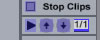
3. Assign any convenient keys to track launch
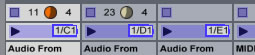
4. Scroll up and down the screen launching tracks from your keyboard. They can even be velocity sensitive.
Honestly, if you haven't tried this you'll be shocked.
1. Go into midi assign mode
2. Assign your keyboard's mod wheel to the scene select
3. Assign any convenient keys to track launch
4. Scroll up and down the screen launching tracks from your keyboard. They can even be velocity sensitive.
Honestly, if you haven't tried this you'll be shocked.

Now with improved MIDI jitter!
-
- KVRAF
- 1974 posts since 21 Jun, 2002 from Earth
just to clearify this point... you can automate VST parameters 1 thru 128, however if your vst has more than 128 params (which a few I have do)... those params will NOT be available to automate.headquest wrote:As for automating parameters, you can automate up to 128 parameters either on a clip basis ("Clip Envelopes" in the properties section at the bottom of the screen) or using linear automation envelopes/curves on a track-by-track basis in the Arrangement View (as in most other sequencers). Automation is drawn directly on top of the audio or MIDI data, rather than in a seperate GUI-hogging lane of its own... again, very clean!!
 I was suprised when I dicovered this. I've reported it to Ableton. Fingers crossed they will resolve the issue.
beyond that, enjoy it!
ModuLR / Radio
-
- KVRAF
- 2875 posts since 28 Jan, 2004 from Da Nang, Vietnam
Nothing beats Live for getting ideas down quickly and experimenting, and it's great as a live improvisation tool. I do find it starts to get a little clunky compared to something like Logic or Cubase once you start to get into detailed arrangements and editing.