You can ask questions on this thread if any.
2007/06/15
Classic Drum sequencer

http://mokafix.chez-alice.fr/vst/SE_modules/drumseq.rar
A drum sequencer.
Required: DH, SL, KDL modules.
It has almost all the features of a classic drum sequencer, except "flam".
It is quite simple inside, I think. Only GUI modules, only 9 modules per pad, so it's hard to make it simpler.

It has 9 velocity levels. I set it to a max of 24 patterns per midi patch, because DH text array mem only accepts 1000 characters. 1024 would rise the number to 32.
Feel free to improve it by adding features

2007/05/25
Preset morphing
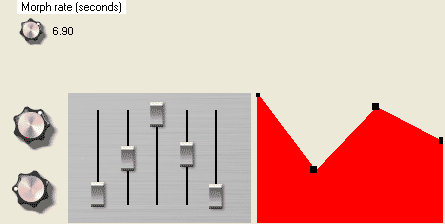
http://mokafix.chez-alice.fr/vst/SE_modules/morpher.rar
required for morphing:
KDL ramp, and delays (for the ticker).
DH pack#1
I used the DH breakpoint input in the prefab, but it is not necessary, of course. it is just here to show that this morphing method can apply to anything.
You simply set the morphing time (in seconds) with the small knob on top of GUI, and when you change patch, the controls will all ramp smoothly.
I put a container called "morphing" in the main window, which I designed to be simply implemented easily in any existing knob or slider.
You should simply copy that one and paste it in your knobs and sliders containers to use it. Then you just make all the morph time and ticker routing, and it's ready to work.
Note that you'll need to use the float output of the morphing container, instead of the one of your old patch mem, as that one is now used only to store values.
Manual change of parameters isn't morphed, of course. Only patch change.
The morph time minimum should be 1 ms. "0" would not work.
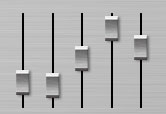
This prefab contains several things using Dave Haupt mouse-detector:
FADERS :
- you can click anywhere, and the fader will automatically go to the pointer position. This is a really great feature, even for a single slider.
- you can drag horizontally to update each fader one by one, without needing to release the mouse and click again.
ROTARY KNOB :
you can click anywhere around it, and drag it however you want, cause it responds much better than SE basic rotary (if you drag very far on SE knob, it will lose pointer position and won't match it; this one alwys point at the pointer position)
JOYSTICK :
same as SE basic one, but you can click anywhere in the area to move it.
VERTICAL KNOB :
a basic vertical knob, but with a nice feature: when you hold "shift" key while dragging it, it will move much slower, for accurate tunning.
INIFINITE VALUE :
same as the vertical knob, but with value displayed.
Can be dragged upward or downard to an infinite value.
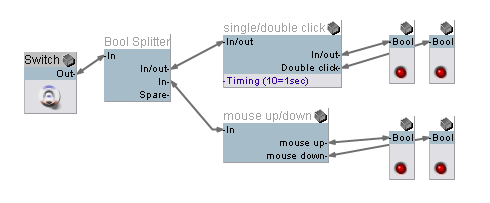 Those are mouse operators that do what you can imagine from the pic.
the double click uses only free modules.
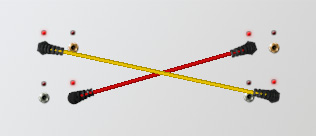 Those are jack cables you can drage from an output hole and plug to an input.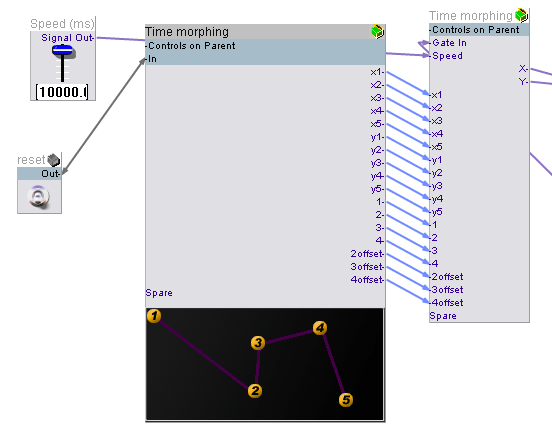
this one does what it looks like :
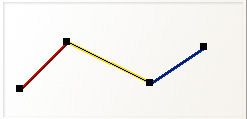
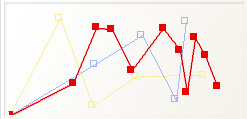
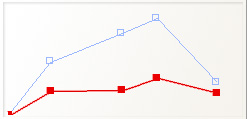
It outputs cartesian coordinates, and follows the path you draw.
This prefab has 5 points, but you can edit it and add more points if you want.
(EDIT)
You can reset it to 1 point, and add points yourself.
I fixed it.
it was crap, now it is perfect, both withh polyphony and program changes.
now the time really correspond to the total time.
the path is correctly saved to patch now.
The graphic being separate from the envelope section, some cpu is saved.
morpher3.zip
Hope someone can do something out of it.