Waveshaping Appreciation

VST, AU, AAX, CLAP, etc. Plugin Virtual Effects Discussion
Post Reply New Topic
RELATED
PRODUCTS

Post

I pretty much grabbed waveshaping by the balls today. I always kind of considered it to be a harsh/digital form of distortion but at school today I learned the mathematical significance of how it ticks and came home to the FL Studio fruity waveshaper to see how wicked it really is if you know what youre doing Image
I think everyone should give it a try. Basically any waveshaper with spline/curve control and upsampling can bare you sick results.

Post

care to educate us ?

Post

i use it occasionally, haphazardly!

am very interested to actually learn how it works!
blasphemy is a victimless crime

Post

I like it best when it's available in the signal path at the individual voice level. Once you start running a polyphonic signal, or multiple tracks, through a waveshaper, things can turn into undifferentiated noise pretty fast.

Virsyn TERA has the most powerful waveshaping resources of any synth in my arsenal. (I wish there were a software version of the Shaper and related modules from my old Kurzweil K2500, but that stuff is still unique.)
If you like 80s retro sounds, check out my latest tune…

Post

Yeah whats up teach, care to give a lecture or do I have to come Chase your toilet? :lol:

Post


Post


Post

Image

:shrug:

Post


Post

<3 cyanide.

I love shaping waves.
oh my god what is this futorisitic studio?

Post

I've always been fond of the waveshaper in Vaz Modular...

Jack:

What's up with that ancient *mac* pic?
!!!!!!!!!!!!!!!!!!!!!!!!!!!!!!!!!!!!!!!!!

Post

My favorite was the sonicfoundry one from acid 4. Sadly I dont use warez anymore. But that 8 bit one looks awsome! I thought it was some kind of bitcrusher effect but it just works in that 8-bit range, hence the name, no sample-rate crap that I assumed! I like the cyanide 2 also, but not as much As I will like 8-bit!
Do not lick the fablanky

Post

my favourites are Gclip, tapebus and elephant clip mode. camel crush/phat is a great one, too, although I wish it did oversampling as it's quite crucial on anything higher than 2rd order polynomials.

I have to say I'm somewhat past mere waveshaping thanks to that little tool of mine down at the sig.

Post

Liquidclear wrote:I've always been fond of the waveshaper in Vaz Modular...

Jack:

What's up with that ancient *mac* pic?
Whats up with not checking your email? :evil:


:p

Post

camsr wrote:Yeah whats up teach, care to give a lecture or do I have to come Chase your toilet? :lol:
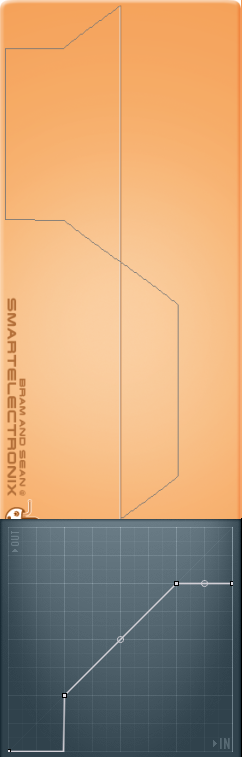
Well kind-of knowing it for 2 days doesnt really give me lecturing leverage [and plus I suck at words and explaining things] but here's my take on it. In waveshaping, X is the input and Y is the output - with the curve dictating the formula between the two. Y=X is obviously uneffecting the signal as Y=-X is the input signal inverted and Y=0.5X is the input signal at half the range and etcetera. Say that a signal ranges from -1 to 1 (as it's bound to here and in most cases):
Image(pic found on the net)

On both axis' you've got the range, -1 to 1. I imagine the input signal coming in through the left and coming out the top (given a bipolar waveshaper). With a sine wave going in: Image
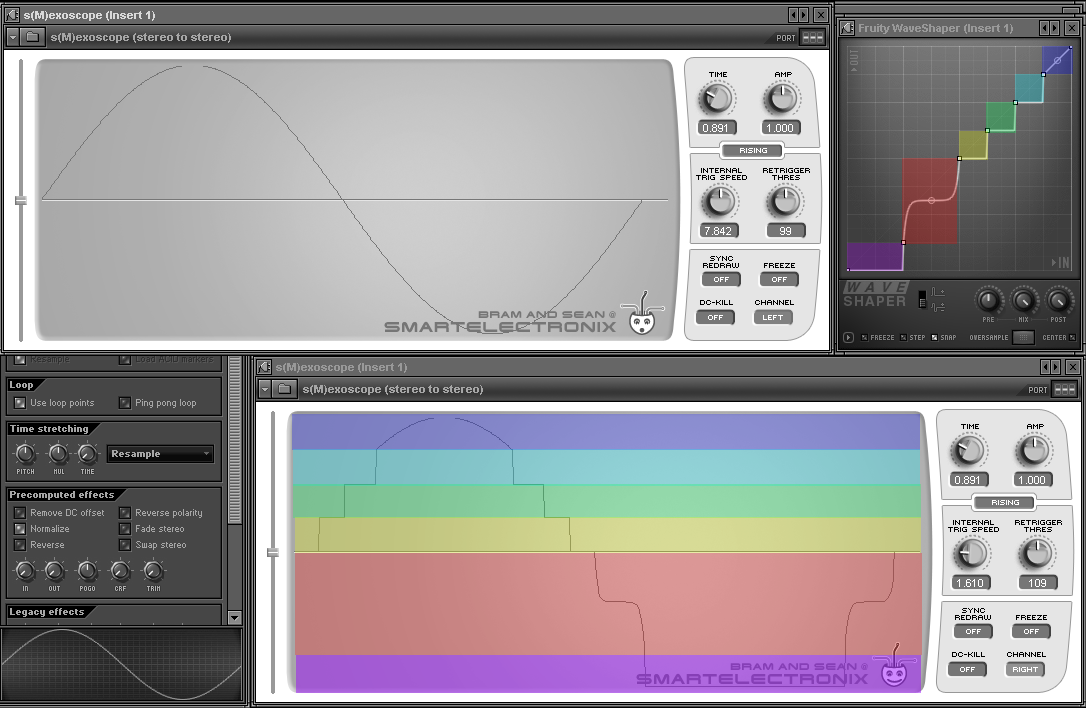
see how the thresholds I created are analogous with the clipping on the waveform? They line up perfectly. With simple curves it's easy to visualize the output with a sine wave going in. Here are color-coded thresholds with their corresponding results, using a more complicated waveshaping curve:
Image
See how the blue is left as a linear straight line, and therefore is literally linear as it does not effect the signal above its threshold. The Yellow, purple, green, and kind-of-sky-blue-ish-teal color are limited to one value, and therefore quantize the signal at those points. The red has a curvy...erm...curve, so the output signal corresponds accordingly.

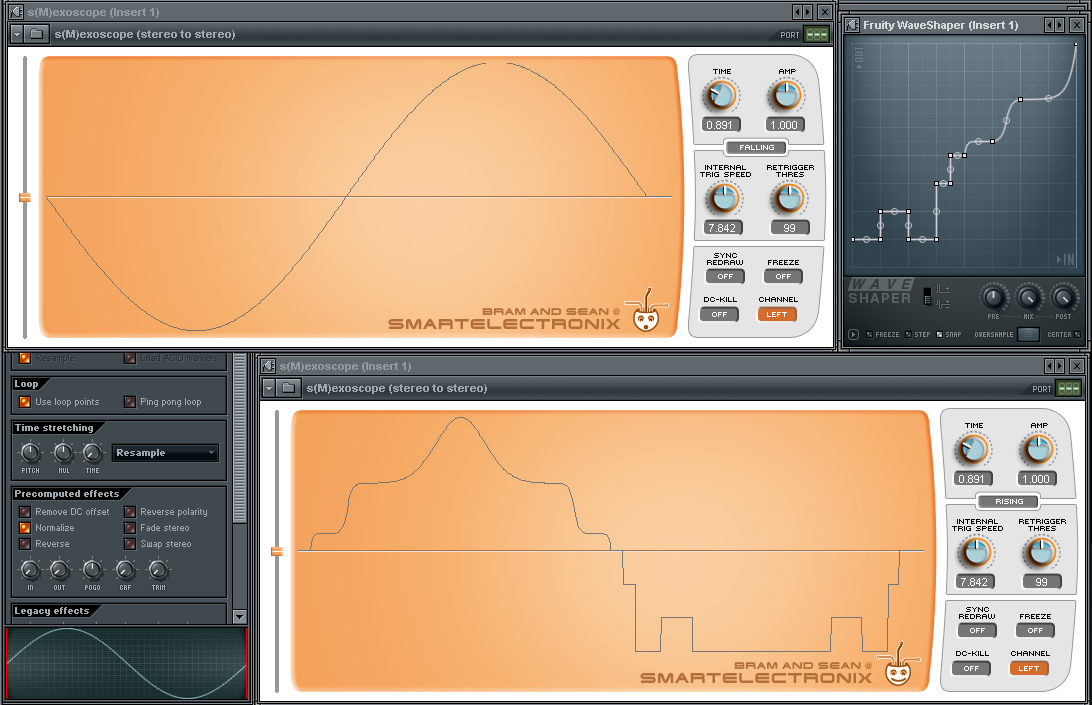
So it's basically a rule of thumb that sharp angles on the waveshaper will give you harsher results. With a bunch of crazy sharp points it's easy to create white noise from all the harmonics added - especially with a more complicated input signal. See here the positive waveform values are curved and the negative values are more geometric:
Image
To me this basically means curvy for thicker/fatter distortion and more geometric for chiptuney mangling - adding that waveshapers can give a lot of control for the chiptune quantization I want (like flexable, assymetrical bitcrushing)

If I said anyhting wrong here please correct me

Have some ReeCes with only waveshaping types of distortion used (32-bit waves so they might clip in media players)

Post Reply

Return to “Effects”