

A video is available at
Your iPad/iPod/iPhone and Mac have to be connected to the same network or with ad-hoc network connection.
1. Open Audio MIDI Setup app
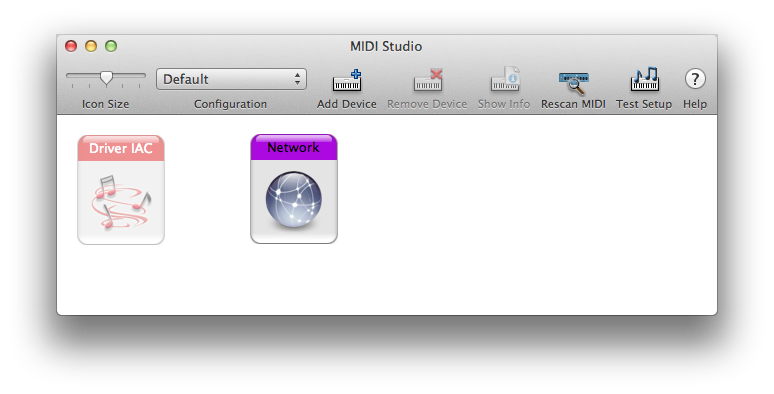
2. Go to Windows > Open MIDI Window
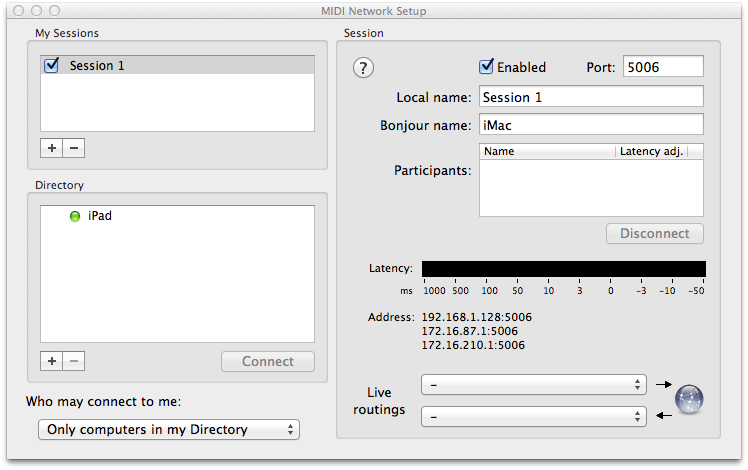
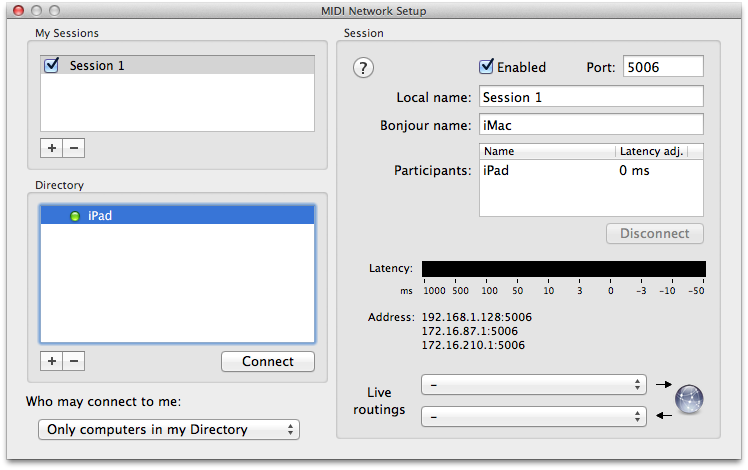
3. Click iPad and then Connect button
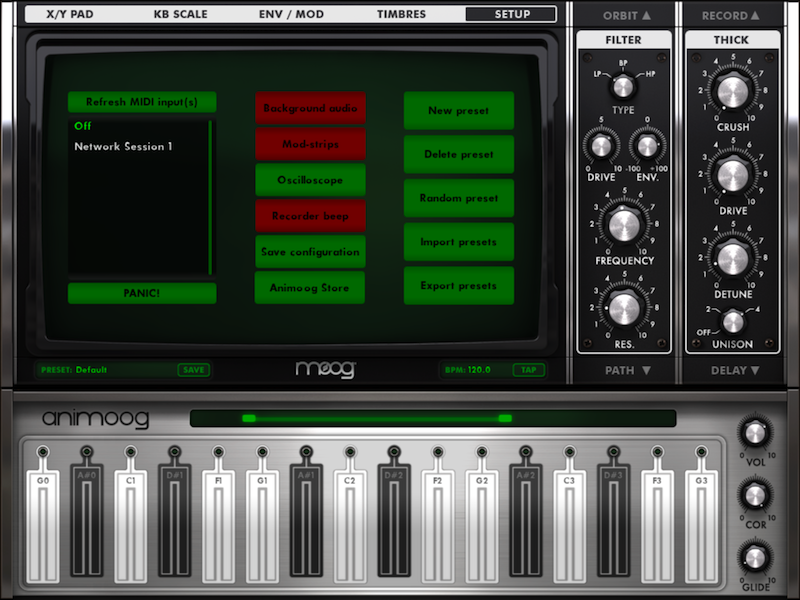
4. On your iOS CoreoMIDI app, make sure to select the MIDI network session.
5. On Reaper. Go to Preferences > Audio > MIDI Devices and double click MIDI Output with the same Network Session.
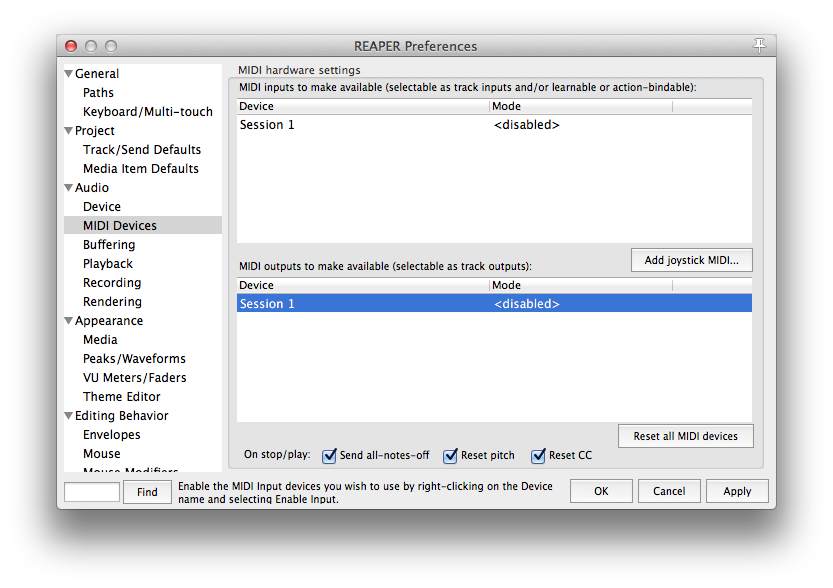
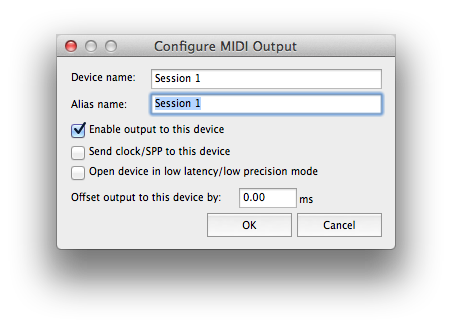
6. Click Enable output to this device
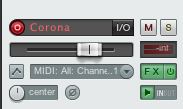
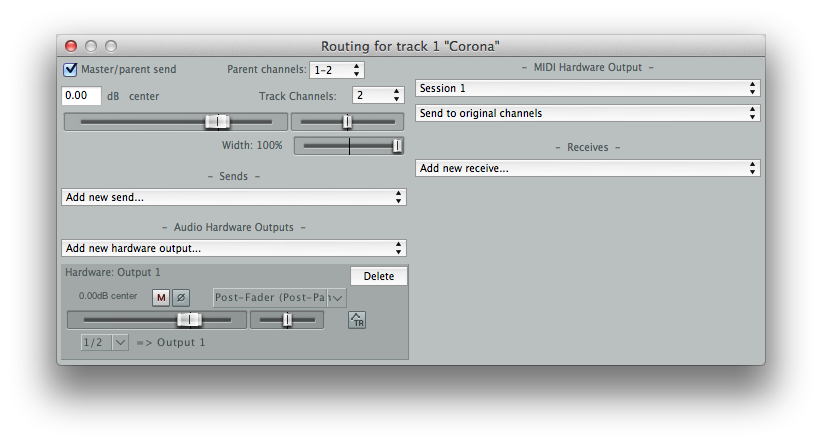
7. Insert a Virtual Instrument track and click the I/O button.
8. Click the first drop down below - MIDI Hardware Output -
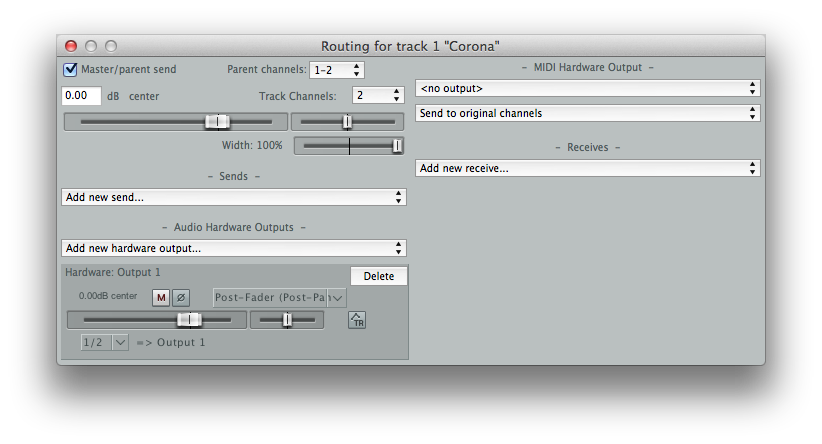
9. Select the same MIDI Network Session and you're ready to go! Any notes played on the same track or real time will be send to the iOS device.
10. Make sure to click the MIDI button below MASTER to mute Corona audio engine and send MIDI notes only. Enable ARP and have fun!


