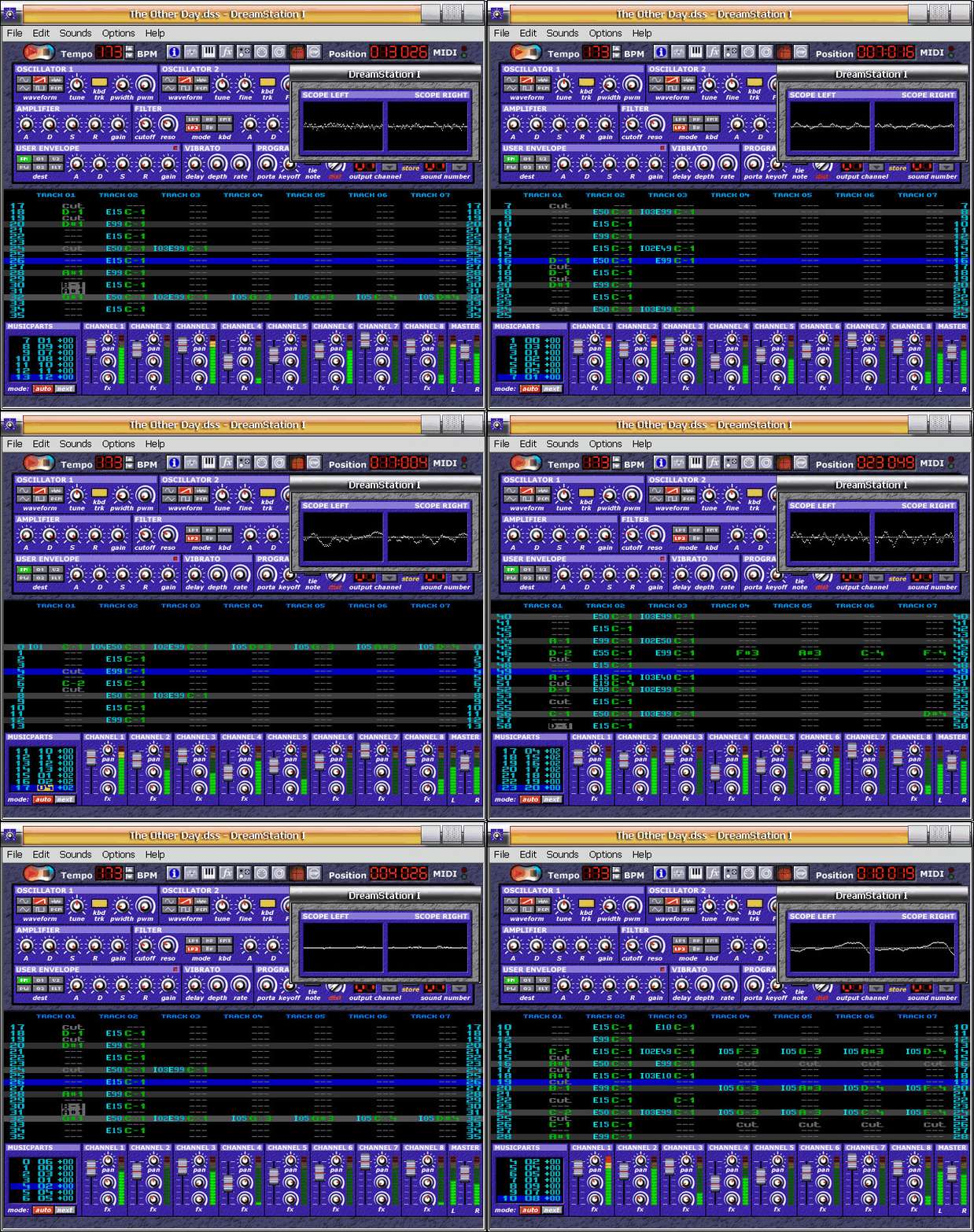
Been giving DreamStation 1 the 'full exam' last couple days>>>
It's mostly good... As you may know this free tracker was originally commercial from 1998 to around 2004 or so when they stopped selling it then made free in 2008 when DS2 came out>>>
89 bucks back in late 90's was way cheaper than Rebirth & very good synth for the time, VERY GOOD!... Actually still sounds great, nice, thick without being overly modulated like today's crap. If it were not good Cakewalk would not have licensed it for many years in SONAR & Project5>>>
It TOO became a free (DXi only) in 2008 as well, You can get both that & Dreamstation 1 off the wayback-
https://web.archive.org/web/20131230025 ... ation.com/
The Synth portion is capable of simulating a large variety of instruments so in many cases all that's needed to add is drums or other perc>>>
Works well with MIDI keyboards>>>
There is some strangeness like the complete absence of line skipping...YUP, If you want to step record you'll have to advance manually or optionally turn BPM down to lowest (60 BPM) & plunk in notes as it goes by>>>
Also there is no Velocity/Volume lane & it does not record such from MIDI keyboard. In order to change such you would have to invoke pattern commands or use automation for a quicker-dirtier method>>>
Pattern FX commands are limited & one would probably more use automation for much of what is needed to do. There are 2 FX rows per note which are ON THE LEFT of the note in question>>>
That pretty much covers the bad & strange other than that it's rock-stable unless you try something STUPID like loading in stereo samples then a crash may ensue>>>
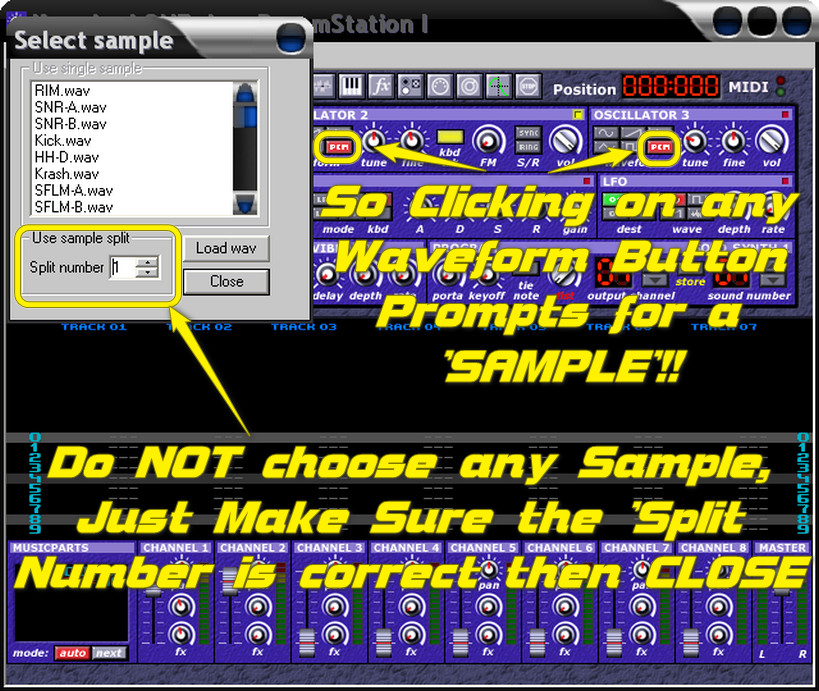
You must use 16bit Mono samples, You say "Where the Hell is the Sampler?!"... There is NONE your WAVs are loaded into the Synth as waveforms & you can load into all three OSCs as well which is good if your sample is not too loud>>>
This is unique to the Tracker version of the Synth & NOT IN THE DXi VERSION-
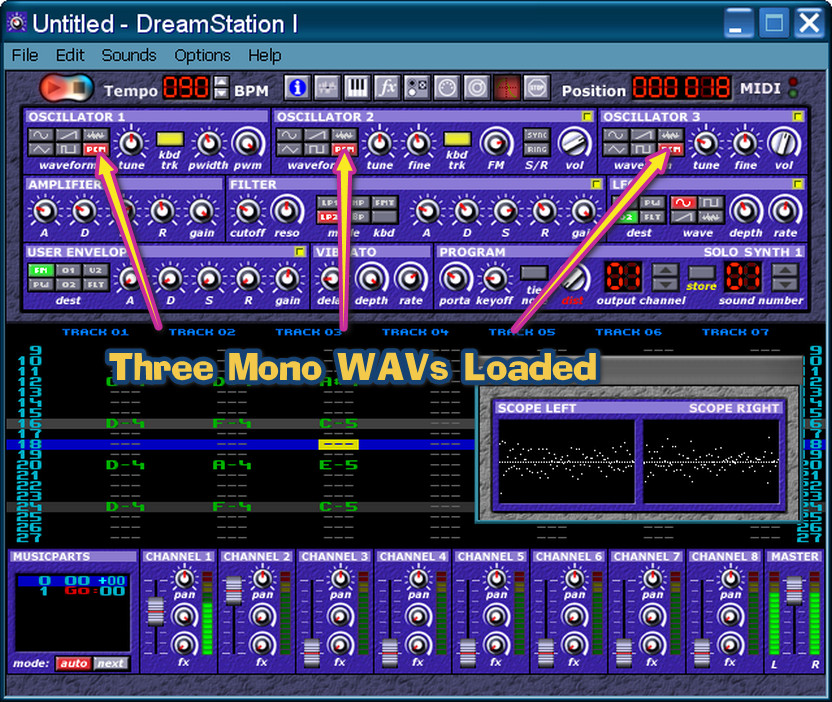
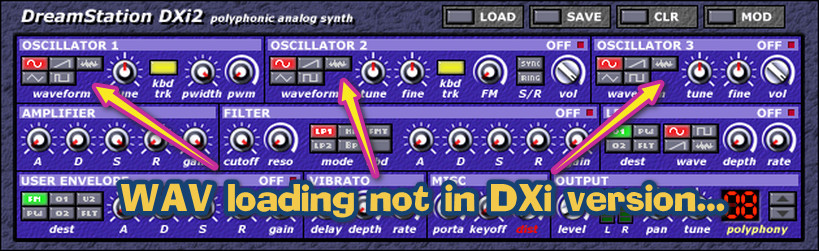
So you can use the Synth FX sector on your samples, DreamStation respects loop points which will keep playing unless a CUT command is reached or you have the 'KEYOFF' knob turned up>>>
With today's screen resolutions visualizing can be a problem you can either change to lowest or perhaps use a magnifier like FatBits-

Here is DS1 with 800x600 REZ...Plenty big enough>>>
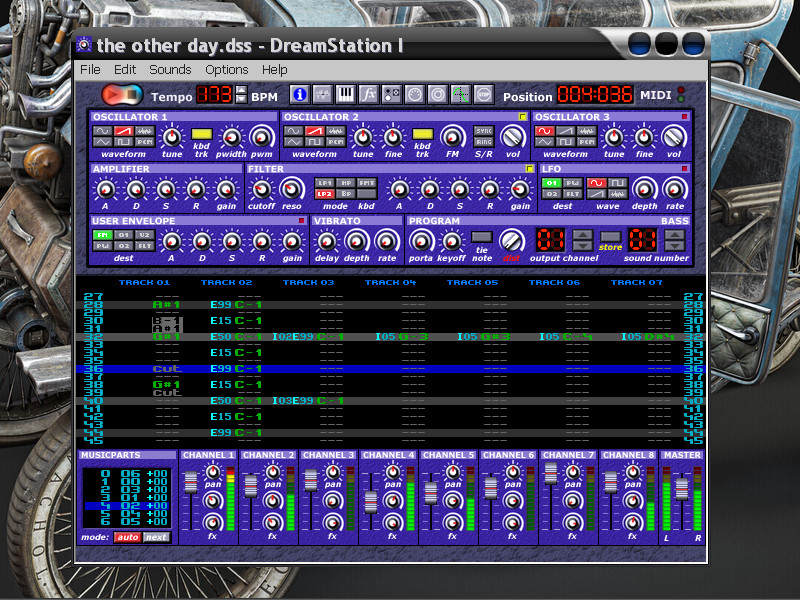
The MusicParts sector is real simple-
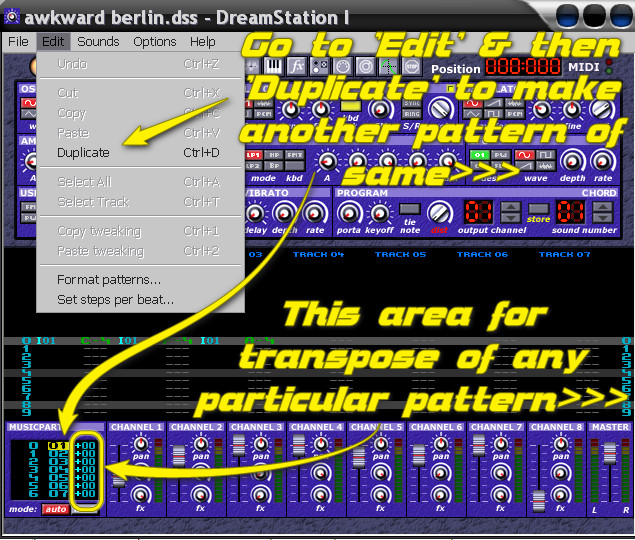
If later in the tune you needed to add a way previous pattern then you do the 'insert blank pattern' command which is a keyboard shortcut, then copy-paste the required pattern onto it, there is also a 'jump back to' command>>>
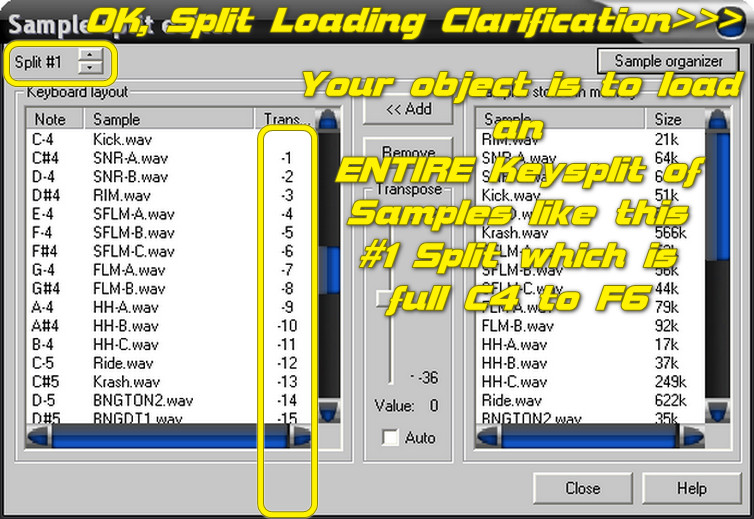
The sample split editor could've been better, everything comes in at C4 so you have to transpose everything that is NOT on C4-
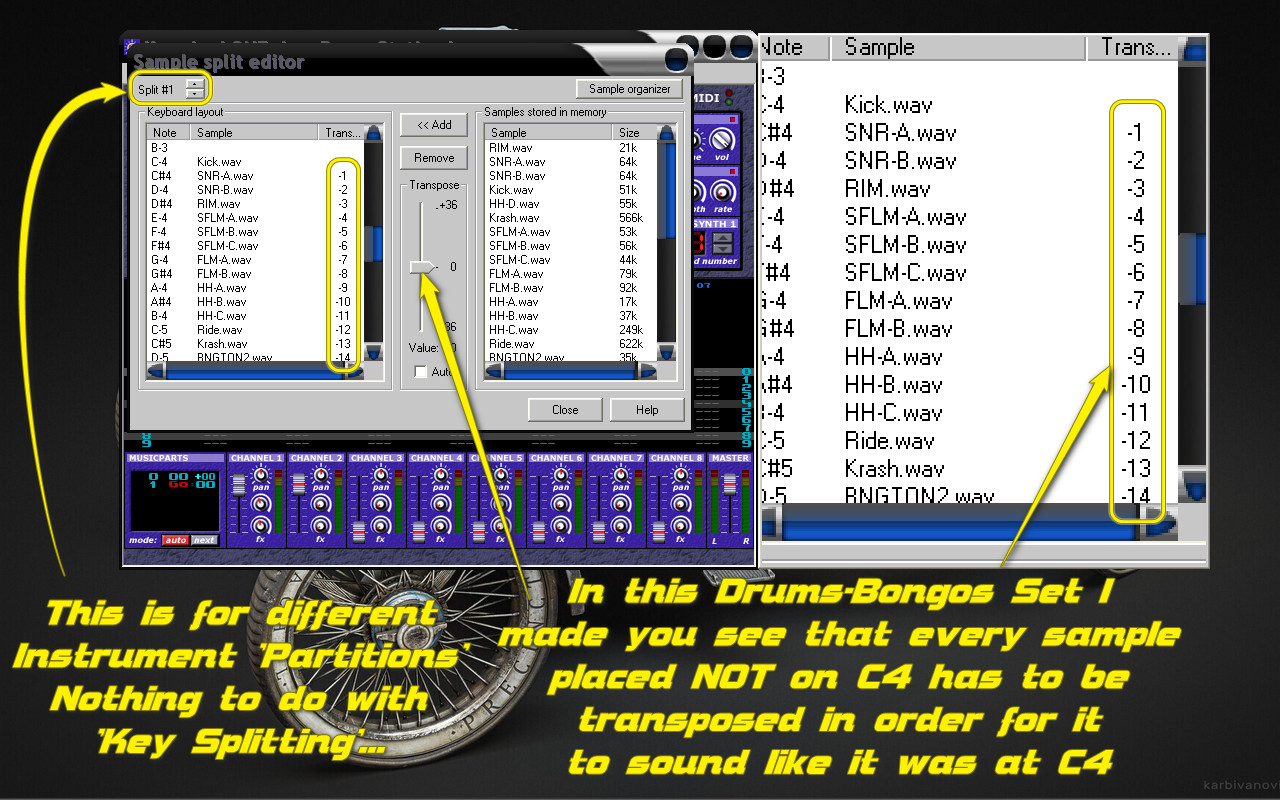
The 'SPLITS' at upper left are for different instruments you can have 32 different sample instruments each one keysplit (or not)>>>
Since you can have 99 Synth instances no problem, however you only have 8 mixer slots to route to. The automation rack is limited to 10 assignable knobs which is OK pattern commands may be needed to fill the gap>>>
There are 32 Tracks available with the ability to use any instrument on any track at anytime so nobody is gonna run outta workspace>>>
WAV render works great & there is also a 'Capture Output' if you are controlling DS1 with something else through MIDI, haven't tried that yet>>>
All-in-All VERY useable & unique-different with fabulous synth that was highly touted for many years>>>
https://web.archive.org/web/20070403064 ... t/102.html
Here's the 'glory days' of DS1-
https://web.archive.org/web/20010118223 ... tation.de/
There are some very good tunes that come with it, I very much like 'The Other Day', 'Space Debree', 'Into The Unknown' & others some very nice use of the Synth>>>