FX modulators TIME1 and GATE1 vst3 released

VST, AU, AAX, CLAP, etc. Plugin Virtual Effects Discussion
RELATED
PRODUCTS

Post

As an alternative to plugins like GrossBeat and TimeShaper I bring you GATE1 and TIME1 open source plugins.

TIME1 is an open source delay modulator similar to plugins like GrossBeat or TimeShaper. Can be used for stutter effects, tape stop, glitch, scratch, reverse, pitch shift and more. Github

Image

Features:
  • Multi-segment editor
  • 12 patterns triggered by midi notes
  • Paint mode - erase, line, saw up, saw down ..
  • Point type - hold, curve, s-curve, stairs ..
  • Anti clicking with 3 modes (Off, Low, High)
  • Pre and post waveform display
  • MIDI trigger mode

GATE1 is an open source envelope generator for gate/volume control. Github

Image

Features:
  • Multi-segment editor.
  • 12 patterns triggered by MIDI notes.
  • Paint mode - erase, line, saw up, saw down ..
  • Point type - hold, curve, s-curve, stairs ..
  • Tempo sync or LFO rate (Hz).
  • Attack and release smooth.
  • Pre and post waveform display.
  • Global tension control.
  • MIDI trigger mode.

For now only VST3 WIN64 is available, if anyone is willing to build OSX builds I can even pay a buck (say 30$) for each build, its made with Iplug2.

Cheers,

Post

Awesome, Tilr8!
Thank you!

Post

Cool!
FL Studio 25 | AudioThing JULY - Deimos - U-he Filterscape - NI Kontour - Softube Model 80 - LUSH-2 - UAD Opal - WaveOSC

Post

Thank you! I'll try them tomorrow

Post

Looking good! Thank you.

Post

Thanks, these are excellent and good fun on top.

Post

So...

I tested them a little bit in latest version of FL Studio on Win11.

Plugins are low on CPU, UI is simple, easy to use, mouse wheel support works fine for knobs and zooming too.

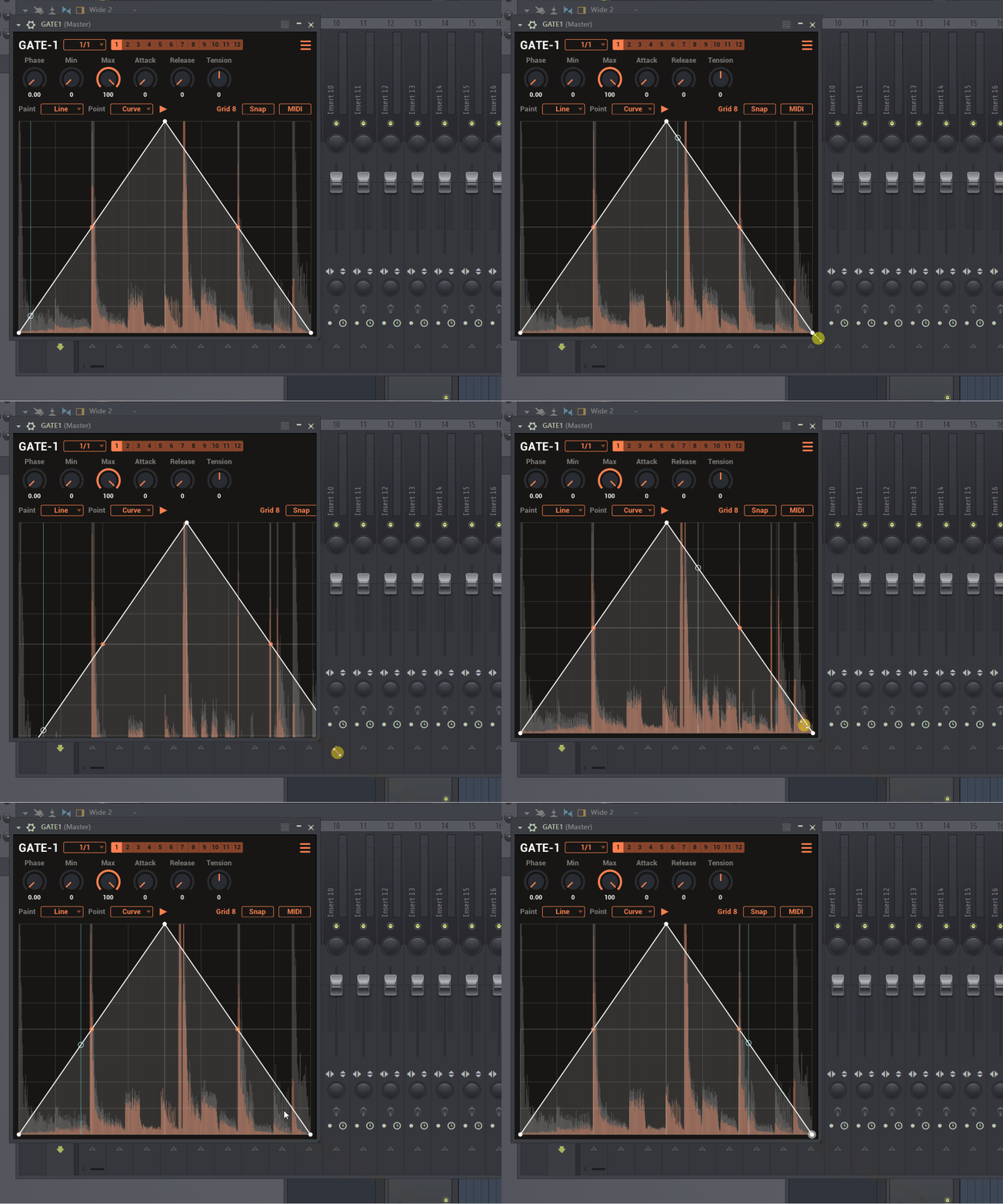
I don't know it these plugins are resizable, but if so, it does not work. There is arrow in bottom right corner in plugin window, but it only zoom the grid and points - the window has still the same size (for both plugins).

When I put plugin(s) into one of the effect slots and press play in FL Studio and than press Stop it freezes the sound like time stretching plugin and need to mute this plugin.

If you fix this bugs in future updates, it will be great free (donationware) alternatives for commercial plugins.

Post

Thanks for these. They sound right up my street. Will try them out in Live later ... :)

Post

yzcoruhT wrote: Mon Feb 19, 2024 5:29 pm When I put plugin(s) into one of the effect slots and press play in FL Studio and than press Stop it freezes the sound like time stretching plugin and need to mute this plugin.
There's a play/pause looking button in the GUI that toggles this on/off, confused me too at first :)

Post

diroxe7660 wrote: Mon Feb 19, 2024 6:11 pm
yzcoruhT wrote: Mon Feb 19, 2024 5:29 pm When I put plugin(s) into one of the effect slots and press play in FL Studio and than press Stop it freezes the sound like time stretching plugin and need to mute this plugin.
There's a play/pause looking button in the GUI that toggles this on/off, confused me too at first :)
Oh, thank you for info. :dog:

Post

yzcoruhT wrote: Mon Feb 19, 2024 5:29 pm So...

I tested them a little bit in latest version of FL Studio on Win11.

Plugins are low on CPU, UI is simple, easy to use, mouse wheel support works fine for knobs and zooming too.

I don't know it these plugins are resizable, but if so, it does not work. There is arrow in bottom right corner in plugin window, but it only zoom the grid and points - the window has still the same size (for both plugins).

When I put plugin(s) into one of the effect slots and press play in FL Studio and than press Stop it freezes the sound like time stretching plugin and need to mute this plugin.

If you fix this bugs in future updates, it will be great free (donationware) alternatives for commercial plugins.
Thanks for testing,

It does not support resizing lower, however resizing to bigger sizes should work, what DAW are you using? FL Studio? There should be no arrow on bottom right corner aswell - that's odd.

I'm testing on FL Studio, I don't see the arrow, I am also able to resize to a bigger size

Image

As diroxe7660 pointed out there is a button for continuous playing in background, there is an issue in fact in FL studio when stopping the audio, thanks for reporting, will try to fix it the coming days.

Post

Fixed the issue on latest version of the TIME1 (also applied the fix to GATE1 for good measure), thanks for reporting.

Post

Thank you so much for update. Now it works OK, except resizing. I don't know what I am doing wrong. Any ideas?

Image

Post

What version of FL Studio is that? here is a default installation of FL studio 20 without issues. Either its the FL studio version or some setting.

Image

Post

tilr8 wrote: Tue Feb 20, 2024 8:59 pm What version of FL Studio is that? here is a default installation of FL studio 20 without issues. Either its the FL studio version or some setting.

Image
Image

Post Reply

Return to “Effects”