Tracktion Horizen Thread (new expansion released)

VST, AU, AAX, CLAP, etc. Plugin Virtual Instruments Discussion
RELATED
PRODUCTS
Horizen 2

Post

A quick note to say there's a new expansion pack - details currently at the end of the thread (page 3), and Horizen V2.6.2 was released this week too - with a number of minor bug fixes.

********************************************************************************************************

Tracktion and The SynthFactory are pleased to announce the soon to be released Horizen 2.6 update, scheduled for this month (December) and a free update to all Horizen 2.x owners.

Image

Horizen 2.6 is a huge update to an already powerful and award nominated virtual instrument, even better it will be a free upgrade for all 2.x owners. Here’s a rundown on some (not all) of the enhancements coming in Horizen 2.6:

Expansions
Horizen can now display, load and play expansions, so now you can enhance and extend the sound sources available to you. You decide which expansions you want to install and use, on launch we will be providing 3 expansion packs for sale: DeepHorizons(ambient and beautiful) , Tape-Op(Dusty old vibes) and 84 All Year(the 1980s reimagined). Each expansion comes with a range of between 50 and 150 new sound sources and loops to add into the samplers and loop players, and a set of presets that utilise these sounds. We plan to release a lot more expansions in 2025.

Tag Based Browsing
So the addition of expansions means its likely you will end up with many many hundreds of sounds and presets available to you, so you’ll need a fast and easy way to search and retrieve these, so now Horizen uses a tag-based retrieval engine for sounds, loops and presets. Each of these is already tagged with what we think are appropriate key-words, but you can add and remove tags and favourite any that you like.

Scalable Vector Interface
So we wanted you to be able to set the size of the Horizen UI to anything you wanted, and to have it show up as clean and clear at any sizing. So now it does. We also wanted to avoid a characterless “flat” interface too so we worked hard to retain the visual feedback available in previous versions. Whilst we were here we added a truck load of quality of life enhancements like a skin-able interface, and the ability to name each voice, so no longer just sampler 1, synth 4, loop 2 etc. you decide what each voice will be named. We also added zoomable loops, parametric EQs and LFOs, so now you get up to 4x zoom for finer granular control along with LFO animation so now the LFO output scrolls across the screen so you can see the effect of your LFO changes.

All New FX
We added 6 new FX to the FX section - Soft Clipper, Wavefolder, Compressor 2, Twin Chorus, Spectral Tilt EQ and Transient Shaper, we also moved the note effects (like Glide and Note Harmoniser) to their own Note FX panel, as well as adding an octave folder FX and per voice user-drawn velocity mapping, as well as an improved limiter in the global output.

Tempo-Sync Additions
So everywhere you can use a tempo synced value - thats effects, Arps and LFOs we added 5 more slower tempo settings, so now you can go as slow as 2 bar, 3 bar, 4 bar, 6 bar and 8 bar playback for those really long term effects and transitions.

There are literally dozens of other additions and improvements, including channel aftertouch applied to LFO depth which is our sound designers favourite addition, if you own Horizen 2.x or above then these are all free to you.

Look out for walkthru videos covering the new features coming soon.

Here’s a full(er) list of the additions to Horizen 2.6:
  • Expansion load and play
  • Tag based Sound Browser
  • Tag based Presets Browser
  • Tag based Loop Browser
  • Vector based interface
  • User Draggable Plugin UI resizing
  • Smart Pattern Generators for the Arps.
  • Velocity based depth for Filter LFOs
  • Velocity based depth for Filter Envelopes
  • Loop Display pop-up window
  • Expandable Loop Display Zoom x2 & x4
  • Expandable Master EQ Displays x2 & x4
  • Expandable LFO Shape Mod Displays x2 & x4
  • Expandable Gate Mod Displays x2 & x4
  • Loop controls moved to extended display for more clarity
  • Selectable CC-based Modulators x 2
  • FM LFO Depth increased x12
  • LFO Tempo Sync speeds increased (2/1,3/1,4/1,6/1,8/1)
  • In Send EQs
  • Voice Selector button moves down to show it is selected
  • User settable Voice names
  • Optional LFO Plot displays
  • Soft Clipper FX
  • WaveFolder FX
  • New Compressor FX
  • Spectral Tilt EQ FX
  • Transient Manager Send FX
  • New NOTE FX sub-tab in the centre FX tab
  • CONTROL elements moved to the NOTE FX sub-tab of the FX tab
  • Octave Folder FX
  • User defined and drawn per Voice Velocity Map
  • Realism and Settings panel rationalised, input panel and output panels added.
  • Loadable Skins
  • Skin selection from list - requires plugin restart.
  • Sample start randomisation and depth for samplers
  • Synth Dual-Osc Mix modulation
  • Sample folder relocation option
  • In plugin update
  • Voice Keyswitching
  • Global LFOs - Depth Modulation by named CC - incl 129=Channel Aftertouch.
  • Loop Player random reverse playback
  • Removed Old Look Ahead Limiter
  • Soft Clip and Transient Manager in Master output
  • New Limiter on the Master output
  • LFO invert option
Horizen 2.6 coming soon to a computer near you.
Last edited by Lind0n on Fri Sep 26, 2025 10:51 am, edited 5 times in total.
VST/AU Developer for Hire

Post

thanks for letting us know!

Post

Just a quick note to say Horizen 2.6 is now released - we had to wait to clear the Biotek 3 release - and is now available from the Tracktion site here:

https://www.tracktion.com/products/horizen

Currently on sale(the core product and the expansions) with 30% off, so get in quick, Tracktion sales don't historically last too long.
VST/AU Developer for Hire

Post

This seems exciting to check out and I'm looking forward to it! There are a few little niggles though...

On Tracktion's website, it says that there is a 30-day trial available, but once installed, it says there are 7 days left in the trial (see screenshot below).

Also, it would be super cool if Tracktion would let folks know how massive this is. The plugin itself is less than 130mb for AU/VST, but once opened in the DAW, it needs to download sample data. I'm at 7 out of 14 files and it's already at 10 gigs and it is sloooowwwww. My download speed is just under 400Mb/s and this has been throttling at around 1.5Mb/s. Restarting the DAW between each of the file downloads helps, but I can't help but think that this will unfortunately deter a lot of people from checking this out.
You do not have the required permissions to view the files attached to this post.
Duality without regard to physicality

Post

Thanks for the feedback,

I will let Tracktion know their web site is in error....and I thought their downloader told you how big the plugin download is (if not I will let them know this too)

As to download speeds, I feel your pain my Windows machine will max out at 9M/bits whilst the Mac sitting right next door to it will happily churn away (for a lot less time) at 20-30Mbs - the thing I found most useful for tuning is 1. getting connected to the fastest wifi you have available, and then getting as close to the router as possible. Of course you may already be doing this and the blockage may well be somewhere else in your providers network or beyond...

There's also a known MacOS issue where downloads just start to slow down over time ....dunno if there's a fix for that as it seems to only affect some people and I'm not one of them.
VST/AU Developer for Hire

Post

Absolutely no worries & thanks for the response! It looks like a great piece of software and I’m very much looking forward to taking a deep dive with it. Thanks! :)
Duality without regard to physicality

Post

Just a quick heads up for anyone who may have user/non factory presets created in earlier versions of Horizen - they do not get carried over automatically into 2.6.

There is a workaround, but it involves the user manually editing the User Preset json file to add each user preset - not too bad a process unless you have a lot of your own presets. Happy editing!

Below is the fix sent to me by Lindon:

1. Open Horizen 2.6 and save whatever is there as a new preset - give it any name you like - say: TempPresetName if you exit the preset browser and re-enter you will see there is a new tag called "User" - clicking on it should show you "TempPresetName" in there....

2. Ok go to:
C:/Users/Yourname/AppData/Roaming/TheSynthFactory/Horizen - and you should see a file called User_presets.json

3. Open User_presets.json in a text editor and you should see an entry like this:

{
"ExpansionName": "User",
"Key": "Not Set",
"PresetCollection": [
{
"PresetName": "TempPresetName",
"PresetLocation": "{PROJECT_FOLDER}/User Presets",
"PresetTags": [
"User"
],
"DataFile": "User_presets.json"
}
]
}

4. OK so all you need do is change "TempPresetName" to the name you want to use for your preset - it has to be the same as one of your preset file names, make sure you keep the quotes...and then set the PresetLocation to:

"{PROJECT_FOLDER}/User Presets/MyOwn"

Save the file.

Post

First of all, thank you for this great update! :tu:

Some feedback (if you don't mind): :oops:

1) With regard to what avid_d has already posted, isn't editing the JSON file a bit too complicated and tedious (especially, if you have quite a few pre-2.6 user presets)? Could you add some kind of IMPORT function for older presets (or a tool that does this)?

What I was trying to do yesterday was to load the Stream presets (from Andy's livestream some weeks ago). Could you provide a JSON file at least for these presets? That would be great.

2) What is the point of the OPEN PRESET FOLDER function? Pressing the button opens a window that shows empty folders, but not the presets in these folders (so you cannot load, delete or drag or drop any presets).

3) On the settngs page, there is an empty black box. What is that for (see picture attached)?

4) What is the point of having that EXP tab? Isn't that redundant? I feel expansions could be better at home in the preset browser.

5) I find the current tagging system a bit irritating. To me, "Factory", "User" or "All Year 84" are locations/folders/expansions, and "Keys" or "Bass" are sound categories; the remaining adjectives are indeed characterstics or "tags". Also, I would prefer the browser to be larger, and the PRESET column on the right to be slightly wider. For a few suggestions, see the pictures attached.

6) Maybe for a better workflow, favorite icons (little stars) that you could click on could be placed next to the preset name in the list (just like in Vital) - instead of the ADD AS FAVORITE button below the list. [NB: This idea is not part of the mock-ups below]

7) The little dice icon is not clearly recognisable (it might be just me, but it looks like a small cogwheel from afar). Maybe a flat dice symbol (like in the AudioThing plug-ins) would be better - the more so since the whole header section is flat ( a 3D dice is not in line with the rest of the design; cf. the settings icon in the same row).

8 ) I have found that the GUI is not ultimately resizable. When I click on and drag the triangle in the bottom right, the GUI will stop becoming larger at some point (although a few more pixels would be possible). Is that by design? Does this fuction adjust to the actual screen size?
You do not have the required permissions to view the files attached to this post.

Post

I am having trouble installing Expansions with the Tracktion Download Manager. It seemed to update Horizen to version 2.6 as it shows clicking on the 'logo' but the Download Manager is reading my purchased expansions as 'downloaded' only - I see the .Zenexp files in my Download folder but I am not seeing the 'Preset Browser' window as it shows above - I have only the Categories and Tags and there is no information regarding Expansions Installed or Available - that whole are of the window is blank - can anyone help with proper procedure to install the expansions and is there any 'manual' for the synth on-line anywhere? Thanks

Post

e-musician wrote: Sun Jan 05, 2025 8:16 pm First of all, thank you for this great update! :tu:

Some feedback (if you don't mind):
- feedback always welcome...
e-musician wrote: Sun Jan 05, 2025 8:16 pm 1) With regard to what avid_d has already posted, isn't editing the JSON file a bit too complicated and tedious (especially, if you have quite a few pre-2.6 user presets)? Could you add some kind of IMPORT function for older presets (or a tool that does this)?
-- yes its's clearly something I will need to return to in the near future, sorry this is a bit clunky right now.
e-musician wrote: Sun Jan 05, 2025 8:16 pm What I was trying to do yesterday was to load the Stream presets (from Andy's livestream some weeks ago). Could you provide a JSON file at least for these presets? That would be great.
-- send Andy an email at thesynthfactory support _ Im sure he will help out.
e-musician wrote: Sun Jan 05, 2025 8:16 pm 2) What is the point of the OPEN PRESET FOLDER function? Pressing the button opens a window that shows empty folders, but not the presets in these folders (so you cannot load, delete or drag or drop any presets).
-- the idea is to allow you access to the preset folder so you can copy and share presets...
e-musician wrote: Sun Jan 05, 2025 8:16 pm 3) On the settngs page, there is an empty black box. What is that for (see picture attached)?
-- it shows you the directly connected MIDI devices, which is useful in stand alone mode - which is on the road map...
e-musician wrote: Sun Jan 05, 2025 8:16 pm 4) What is the point of having that EXP tab? Isn't that redundant? I feel expansions could be better at home in the preset browser.
-- it shows you all your installed expansions, and is the mechanism for allowing you to install new expansions. We dont feel the realestate an extensive preset collection would occupy justifies its inclusion in the preset browser - where real estate is at a premium.
e-musician wrote: Sun Jan 05, 2025 8:16 pm 5) I find the current tagging system a bit irritating. To me, "Factory", "User" or "All Year 84" are locations/folders/expansions, and "Keys" or "Bass" are sound categories; the remaining adjectives are indeed characterstics or "tags". Also, I would prefer the browser to be larger, and the PRESET column on the right to be slightly wider. For a few suggestions, see the pictures attached.
-- sorry its not working well for you. We decided to go exclusively with tags as they are considerably more flexible, e.g. you could add a 1980s-style preset and tag it with 84 All Year, or remove the tag on something you think didnt fit - locations and categories are almost always very fixed things that you get no influence over, this way you can reconfigure your presets in any way you like.
e-musician wrote: Sun Jan 05, 2025 8:16 pm 6) Maybe for a better workflow, favorite icons (little stars) that you could click on could be placed next to the preset name in the list (just like in Vital) - instead of the ADD AS FAVORITE button below the list. [NB: This idea is not part of the mock-ups below]
-- Just click on the favourites tag to see a list of favourites, there would still need to be some sort of mechanism to add and remove favourites so the ADD AS FAVOURITE would need to stay. We used to use the star-based approach - it may make a come back.....
e-musician wrote: Sun Jan 05, 2025 8:16 pm 7) The little dice icon is not clearly recognisable (it might be just me, but it looks like a small cogwheel from afar). Maybe a flat dice symbol (like in the AudioThing plug-ins) would be better - the more so since the whole header section is flat ( a 3D dice is not in line with the rest of the design; cf. the settings icon in the same row).
-- noted, I will see if I can find something a little more obvious
e-musician wrote: Sun Jan 05, 2025 8:16 pm 8 ) I have found that the GUI is not ultimately resizable. When I click on and drag the triangle in the bottom right, the GUI will stop becoming larger at some point (although a few more pixels would be possible). Is that by design? Does this fuction adjust to the actual screen size?
-- Im not sure what you mean by "ultimately resizable". There is a finite range on the resize options yes, within this very large range you can set the UI to any size you like.
VST/AU Developer for Hire

Post

tigerose01 wrote: Mon Jan 06, 2025 3:39 am I am having trouble installing Expansions with the Tracktion Download Manager. It seemed to update Horizen to version 2.6 as it shows clicking on the 'logo' but the Download Manager is reading my purchased expansions as 'downloaded' only - I see the .Zenexp files in my Download folder but I am not seeing the 'Preset Browser' window as it shows above - I have only the Categories and Tags and there is no information regarding Expansions Installed or Available - that whole are of the window is blank - can anyone help with proper procedure to install the expansions and is there any 'manual' for the synth on-line anywhere? Thanks
The preset browser shown above is not how the preset browser works, its e-musicians suggestions for changes.

Once you have your .Zenexp files downloaded open the EXP central tab and click on the INSTALL AN EXPANSION button then follow the prompts. If you have any problems give support a call.
VST/AU Developer for Hire

Post

Thanks, the 'EXP' tab revealed the menu after a re-install of 2.6 update and restart of the plugin.

Post

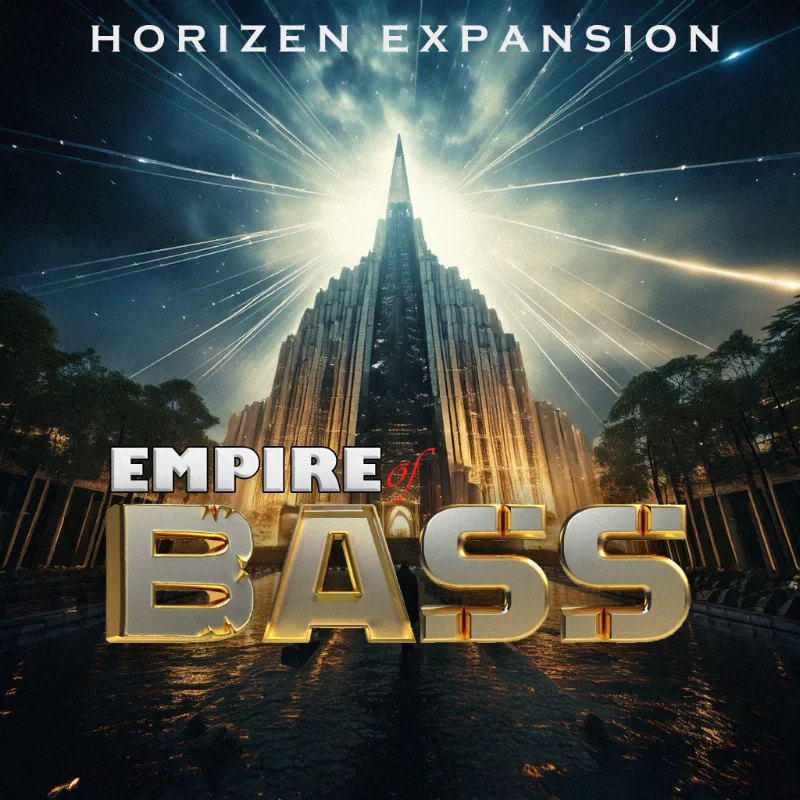
Tracktion and The Synthfactory are pleased to announce our latest expansion pack...Empire of Bass.

Image

Empire of Bass - Professional-Grade Low-End Enhancement. Empire of Bass is more than just a bass sound expansion—it's a meticulously crafted collection of presets designed to bring unparalleled low-end clarity to your tracks. Developed by a leading industry professional, this pack leverages the powerful Horizen 2 toolset to deliver studio-grade sounds that are expertly filtered, processed, and ready for immediate use. Whether you're producing electronic, hip-hop, or cinematic music, these presets seamlessly integrate into the most popular genres, ensuring depth, precision, and impact in every mix. Features 60+ presets and 100 brand new samples.

Normally $30.00 but currently part of the Tracktion Sound Packs sale with 40% off, so only $18.00. Check it out here:

https://www.tracktion.com/products/hori ... 5-28#packs
VST/AU Developer for Hire

Post

Great sampler/synth, use it often. :party: :tu:

Post

i sent a mail about a month ago, no reply from Horizen guys :(

wondering if granular synths is on the featurelist for it?
DAW FL Studio Audio Interface Focusrite Scarlett 1st Gen 2i2 CPU Intel i7-7700K 4.20 GHz, RAM 32 GB Dual-Channel DDR4 @2400MHz Corsair Vengeance. MB Asus Prime Z270-K, GPU Gainward 1070 GTX GS 8GB NT Be Quiet DP 550W OS Win10 64Bit

Post Reply

Return to “Instruments”