
Bliss Sampler 3.4 released

VST, AU, AAX, CLAP, etc. Plugin Virtual Instruments Discussion
Locked New Topic
RELATED
PRODUCTS
Bliss$99.00Buy

Post

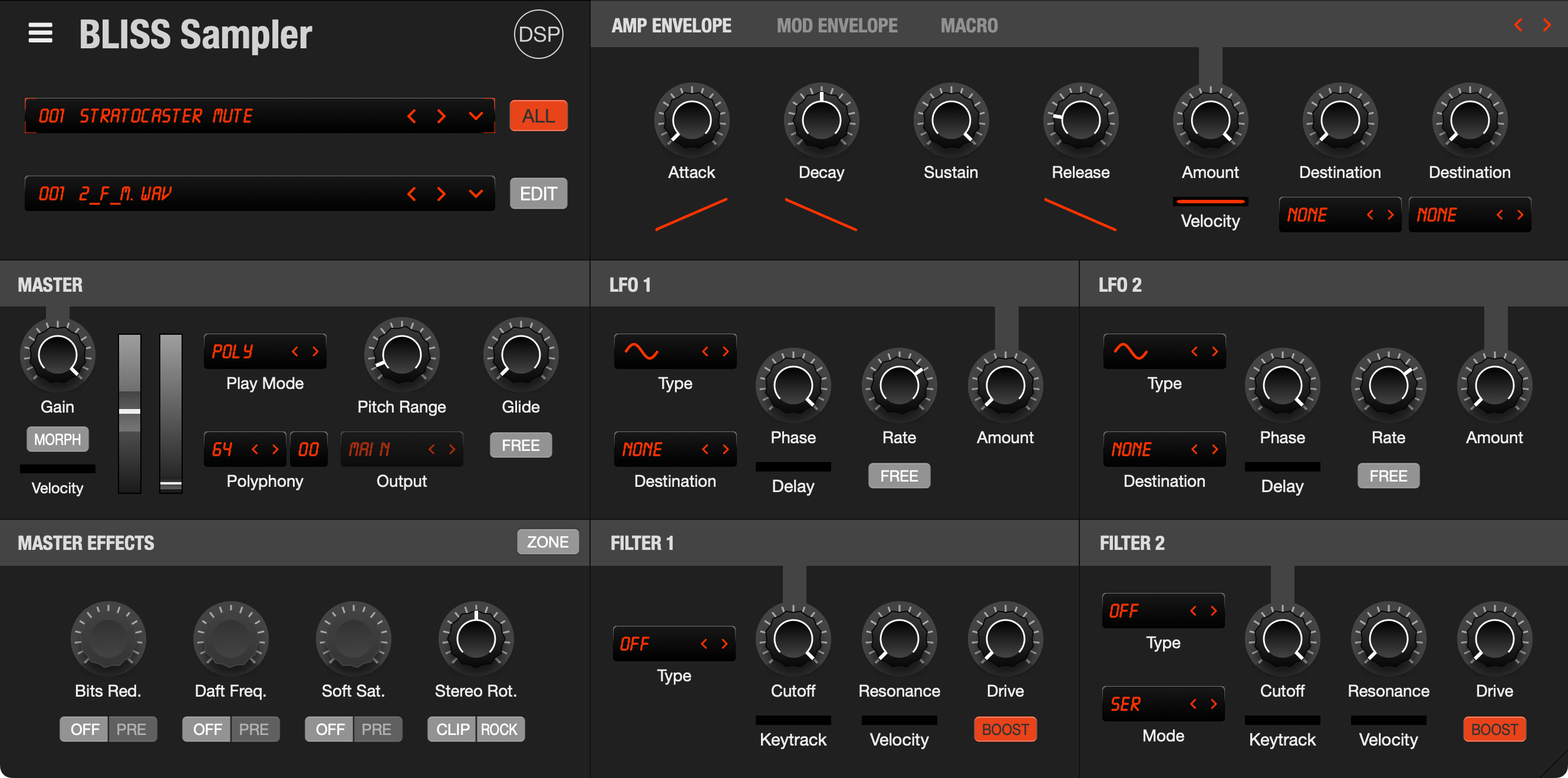
Bliss 3.4 has been released.

Image

Bliss is a professional sampler with VST/AU instrument recording capabilities, SFZ export, Visual Key Mapper for zone editing, built-in wave editor with loop tools, dual 24dB filters, and 7 integrated effects. Supports multiple formats including AKAI S5000/S6000, NKI, EXS, SFZ, SoundFont2, and Renoise Instruments with SIMD-optimized playback engine.

What's new
  • SFZ Loading Improvements
    • Fixed SFZ loading failures on Windows
    • Fixed relative path handling for SFZ sample files on Windows
    • Fixed Sample Editor > Recent sample loading not focusing properly the waveform
    • Fixed memory corruption crash in parallel sample loading
  • Visual Interface
    • Implemented native macOS interface for better system integration
    • Added context menu support in Performance and Main Editor via right-click
    • Updated internal default theme colors to match Bliss 3 defaults
  • Linux Improvements
    • Replaced zip distribution with .deb package
This is a free update for Bliss 2.x and 3.x customers.

https://www.discodsp.com/bliss/

Post

Bliss 3.4.1

macOS Native Interface
  • Replaced all 20 popup menus with native macOS NSMenu implementation for better system integration
  • Up to 26x faster performance for long menu lists with proper Retina display rendering
  • Auto-scroll to current selection in preset browsers for improved navigation
User Interface Enhancements
  • Added comprehensive right-click context menus to Main Editor and Sample Editor waveform view
  • Added keyboard shortcuts dialog accessible from both Main Menu and Sample Editor
  • Fixed Sample Editor not focusing zone when loading from Recent Samples menu
Stability & Bug Fixes
  • Fixed memory corruption crash in parallel sample loading
Cross-Platform Compatibility
  • All menu enhancements maintain full compatibility with Windows and Linux platforms
  • Automatic fallback to standard popup menu on non-macOS systems
https://www.discodsp.com/bliss/

Post

Bliss 3.4.2

Loop Crossfade Compatibility
  • Restored backward compatibility for loop crossfade settings in older patches
Multi-Zone Batch Operations
  • Apply sample editing operations to multiple selected zones simultaneously
  • Added batch processing for: Normalize, Trim Silence, Find Loop Points, Reverse, Invert, Remove DC, and Swap Channels
  • All batch operations support unified undo/redo
https://www.discodsp.com/bliss/

Post

Bliss 3.4.3
  • Professional Equal-Power Crossfading System
    • Replaced linear crossfading with professional equal-power sin/cos algorithm
    • Expanded crossfade range from 2%-15% back to 2%-50% (matching original Bliss capabilities)
    • Eliminates clicking and popping at loop points with smooth, artifact-free transitions
    • Maintains constant power throughout crossfade, preventing volume dips during loop transitions
  • Automatic Program Conversion & Backwards Compatibility
    • Added automatic crossfade conversion for programs from v3.0-v3.1 (inverted scale, 10%-50% range)
    • Added conversion for programs from v3.2.0-v3.3.1 (5%-50% range with different formula)
    • Added conversion for programs from v3.3.2-v3.4.2 (2%-15% limited range)
    • Programs from all previous versions now load with crossfades preserved and properly converted
    • One-time automatic conversion preserves original sound and eliminates legacy clicking issues
  • Stability & Crash Prevention
    • Added null safety checks in BLISS_ZONE::copy_wave_from() to prevent crashes with missing samples
    • Added null checks in SampleEditorWaveView::updateMinMaxCache() for safe display of zones without samples
    • Fixed crashes when loading programs where sample files couldn't be found
    • Fixed crashes when opening sample editor on zones without samples
    • Fixed crashes during undo/redo operations on programs with missing samples
  • VSTi Sampling Workflow Improvements
    • Reorganized VSTi sampling output into structured folders: Instrument Library/Sampled Instruments/[Plugin Name]/[Program Name]
    • Updated SFZ export to automatically set zone paths to exported WAV files
    • Ensures proper sample references in .zbp files after export
    • Improved SFZ importer error reporting to track and display missing sample files
https://www.discodsp.com/bliss/

Locked

Return to “Instruments”