Log InCreate An Account
  1. Plugins
  2. »
  3. Estudio 528
  4. »
  5. AAF Audio Extractor
  6. »
  7. Details
AAF Audio Extractor
AAF Audio Extractor by Estudio 528 is a Software Application for Windows. It functions as a Standalone Application.
Product
Version
1.8.0
- Windows 10 or higher

- No Python installation or additional dependencies required
Other
Stand-Alone Utility / Application
Sample Formats
Loads and/or Saves
aaf, WAV
Copy Protection
None
Important Note
Fades, volume automation, and effects are not applied (these are metadata-only in AAF; use your editor's render/export to bake them in if needed) 'FAT sector count' warnings during import are normal and harmless—the extraction works perfectly

MyKVR: Groups, Versions, ...

0 KVR members have added AAF Audio Extractor to 0 MyKVR groups 0 times.

Download KVR Studio Manager (FREE)

Not In Your MY KVR Groups
(or group limitation prevents versioning)

KVR Rank

Overall: 28517   21576

30-Day: 25924; 7-Day: 16879; Yesterday: 35240

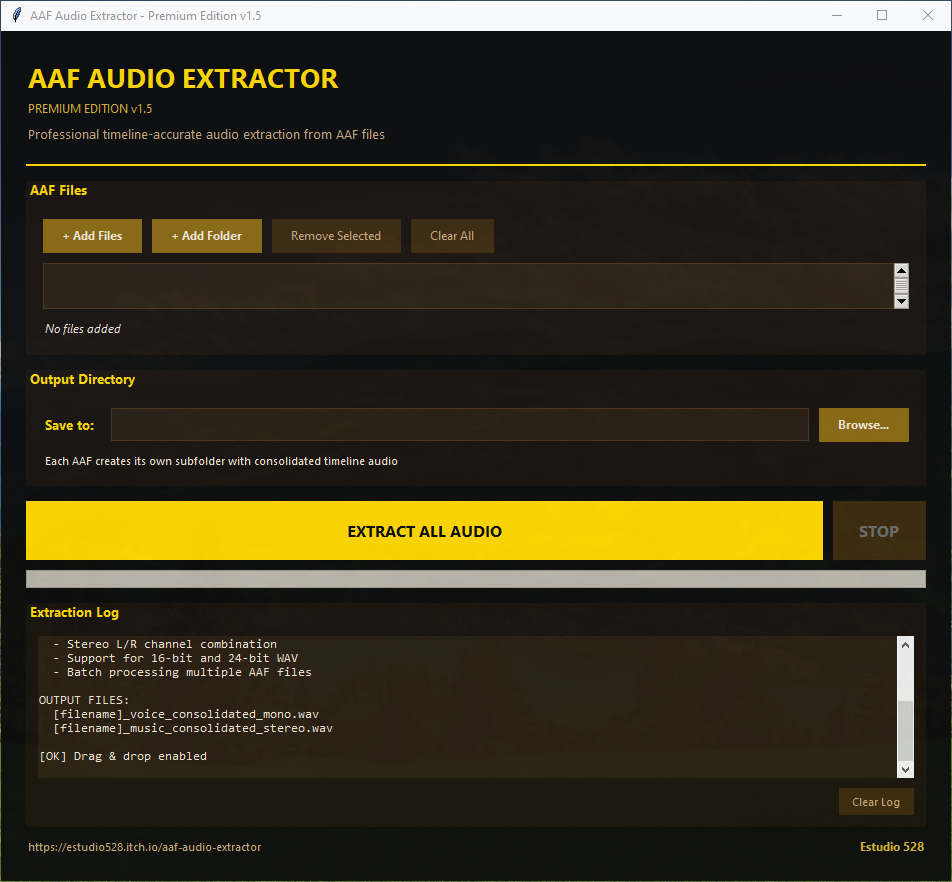
Tired of tedious manual imports or re-renders just to access your audio stems from AAF files? AAF Audio Extractor is a lightweight, standalone Windows tool designed specifically for video editors, composers, and post-production workflows using Premiere Pro, DaVinci Resolve, or any editor that exports Advanced Authoring Format (.AAF) files.

It extracts clean audio tracks without needing complex software suites, Python, or extra dependencies—perfect when you need isolated elements fast.

Key Features:

  • Automatic extraction of:
  • Mono voice/dialogue track.
  • Combined stereo music bed.
  • Intelligent handling of multiclip tracks: seamlessly stitches individual clips into complete, continuous audio files.
  • Modern GUI with drag & drop support for single files or entire folders.
  • Batch processing for multiple AAFs.
  • Organized output: Creates a dedicated subfolder per AAF file ([filename]_extracted/) containing .WAV files (16-bit or 24-bit, matching source bit-depth).

How to Use (Simple Workflow):

  1. Launch AAF_Audio_Extractor.exe (no installation required).
  2. Add files/folders via 'Add Files', 'Add Folder', or drag & drop.
  3. Choose your output directory.
  4. Hit 'Extract All Audio Files'.

Done—ready-to-use WAVs in neatly organized folders.

Supported Formats:

- Input: .AAF files.

- Output: .WAV (bit-depth preserved from source).

Limited demo available @ https://estudio528.itch.io/aaf-audio-extractor

Ideal for grabbing raw stems quickly; combine with your DAW for full post-production polish.
Streamline your AAF workflow today! All feedback is welcome—active development ongoing (selective track export, more formats, etc. planned).

Latest User Reviews

Average user rating of 0.00 from 0 reviews

Products similar to AAF Audio Extractor...

Comments & Discussion for Estudio 528 AAF Audio Extractor

Discussion
Discussion: Active

Please log in to join the discussion

Log In To KVR Audio
