
Thank you for purchasing Wellencraft from KVR Marketplace.
Please redeem your coupon to download your product at the following link:
EXAMPLE:
To unzip (extract) Wellencraft_Tambora.zip do one of the following:
- Windows
1. Open the zipped folder, then drag the folder from the zipped folder to a new location.
2. To unzip all the contents of the zipped folder, press and hold (or right-click) the folder, select Extract All..., and then follow the instructions.
- Mac
Unzip (expand) a compressed item: Double-click the .zip file. The unzipped item appears in the same folder as the .zip file. If you want to, you can delete the .zip file. Note: If you can't open the .zip file, make sure you have enough space on your Mac for the unzipped item.
To activate Tambora please proceed as follow:
1) When you open the Tambora in Kontakt for the first time you will see an activation portal.
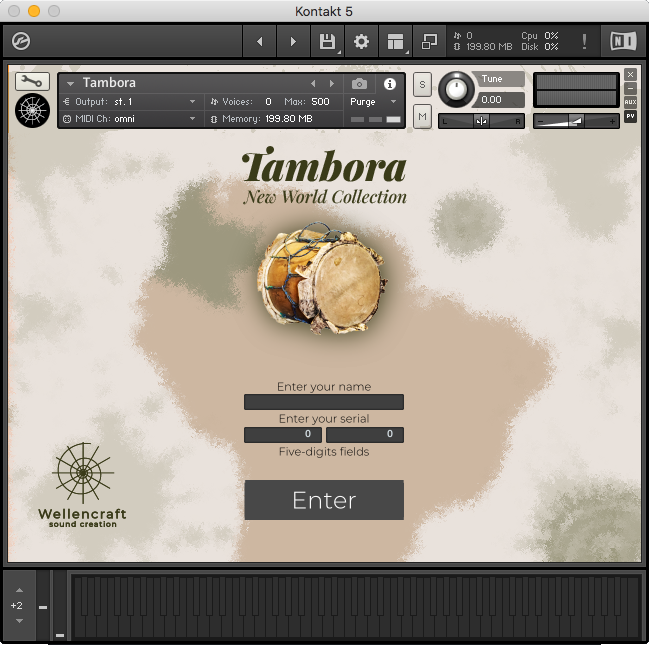
2) You will be required to enter your name and the serial code that you received by email when you purchased the instrument. If the information entered is valid the Tambora will be unlocked.
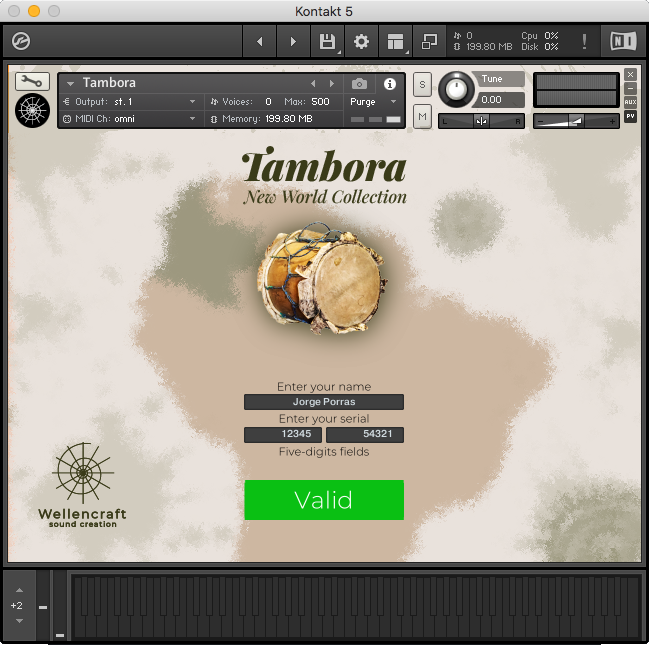
3) Once unlocked you must save the instrument as "Patch only" in the Kontakt save menu, overwriting the original instrument.
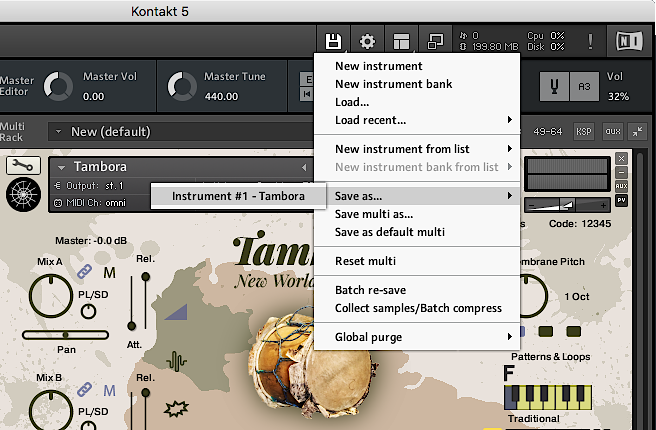
If you use your Kontakt GUI in minimized mode:
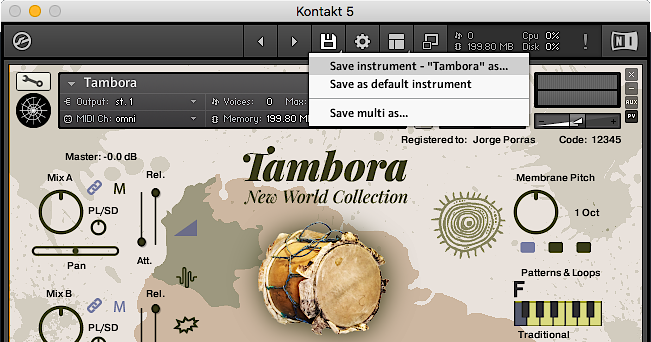
Overwriting Tambora, "Patch Only" into "Instruments" folder.
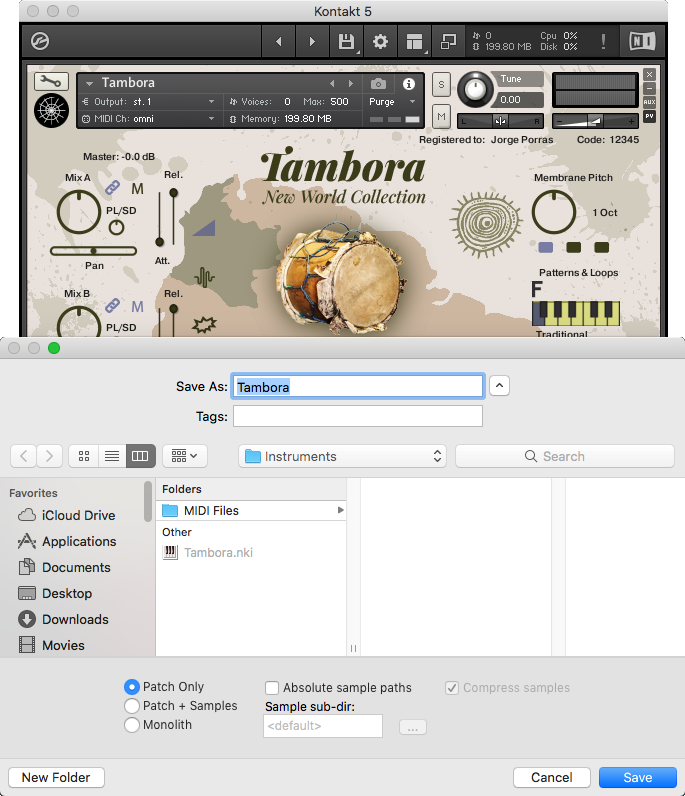
This procedure is done once, so that you do not need to activate the Tambora every time you use it.
To seek Tech Support contact us at info@wellencraft.com

Please log in to join the discussion
Submit: News, Plugins, Hosts & Apps | Advertise @ KVR | Developer Account | About KVR / Contact Us | Privacy Statement | Sell @ KVR | KVR Marketplace Terms & Conditions
© KVR Audio, Inc. 2000-2026

