
3 KVR members have added ARIA ONE to 3 MyKVR groups 3 times.
Download KVR Studio Manager (FREE)
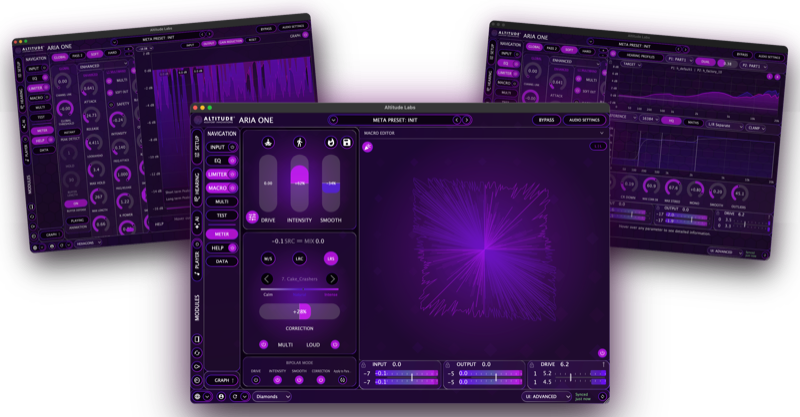
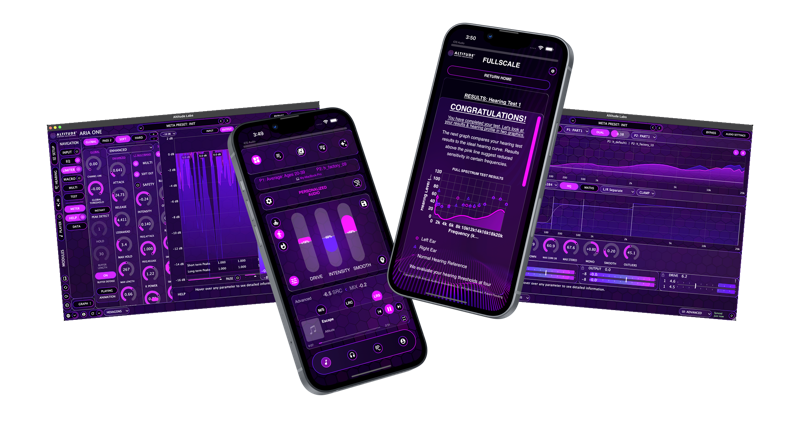
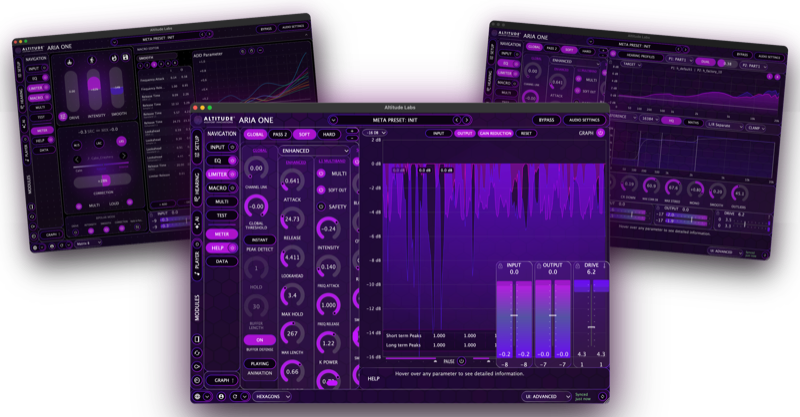
ARIA ONE is a multi-platform audio application suite built around your hearing. It consolidates a full-spectrum hearing test, high-resolution hearing correction, a dual-pass modular multi-algorithm lookahead limiter, AI-assisted preset personalization, cross-device sync, and a built-in audio player into one interconnected system across macOS, Windows, iOS, and Android.
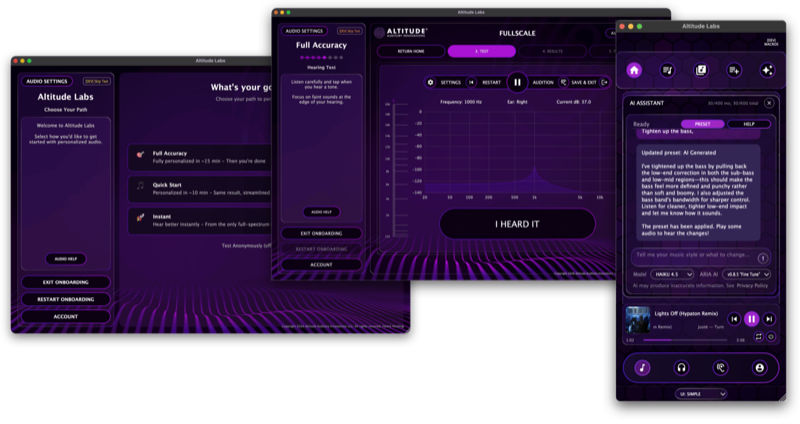
The hearing test runs inside ARIA ONE itself, measuring up to 37 frequencies per ear between 125 Hz and 20 kHz. Those results drive the correction engine, limiter behavior, preset generation, and device-specific listening states from onboarding forward.
This post is a high-level summary of the system. The follow-up posts in this thread go deeper into each area — find the ones that interest you.
───────────────────────────────────────.
ARIA ONE walks you through a guided onboarding flow the first time you launch. Three starting paths:
At the end of onboarding, ARIA ONE introduces you to ARIA AI and generates your first AI-created preset based on your hearing profile — you audition the result immediately and can continue refining from there.
───────────────────────────────────────.
ARIA ONE is the connected center of the Altitude Audio ecosystem. FullScale provides the hearing test layer — embedded inside ARIA ONE on desktop and available as a standalone app on macOS, Windows, iOS, and Android. Hearing data from any FullScale path feeds back into the same system.
The limiter engine shares architecture and preset logic with the broader Altitude product line through the local preset library. Limiter presets, adaptive input states, and related subpresets built or refined in one product are available in others that share the same architecture.
ARIA Studio is the offline, production-focused branch of the workflow. ARIA ONE can export Full Preset and EQ Full states to ARIA Studio as a one-way copy — ARIA Studio does not import states back into ARIA ONE.
Crossfeed is integrated directly into the listening chain as a dedicated module.
───────────────────────────────────────.
The correction engine offers both FIR convolution and SOS cascaded biquad filter paths built from your hearing profile:
───────────────────────────────────────.
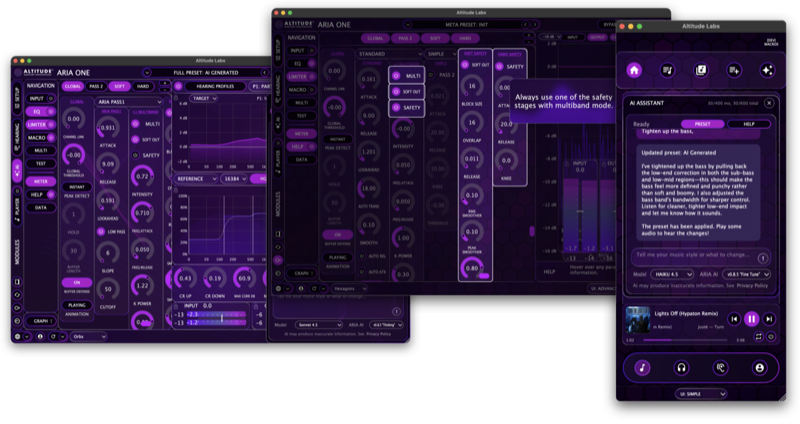
ARIA AI is built into ARIA ONE and works from your hearing profile, your current DSP state, and your listening goals:
ARIA AI is available in both Simple View and Advanced View and requires Cloud Mode.
───────────────────────────────────────.
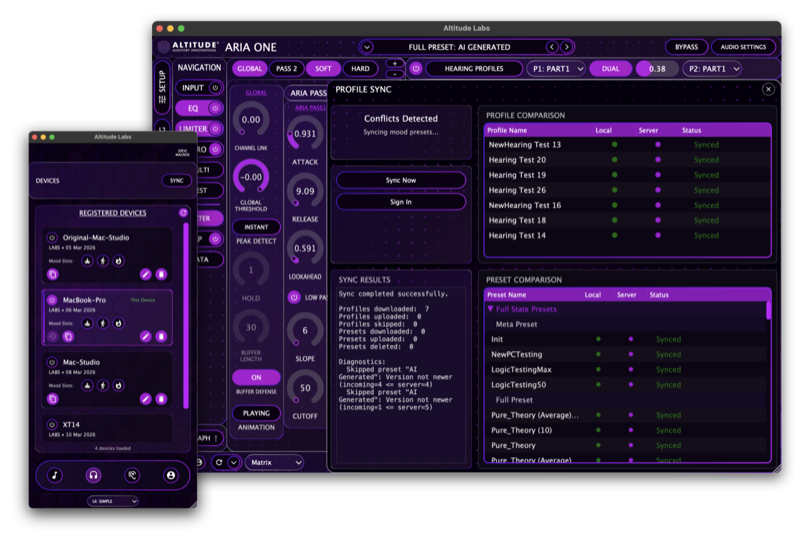
Hearing profiles, presets, and listening states sync across all registered devices in Cloud Mode. Each device maintains its own set of three mood preset slots — full DSP state recalls. The typical workflow is to build and refine presets in Advanced View on desktop, then push those states out to your phone or other devices so each endpoint has tuned listening ready to go. You can also check out another device's state, audition and edit its presets locally, and commit changes back.
───────────────────────────────────────.
ARIA ONE includes a built-in audio player that routes playback directly through the correction and limiting chain. In standalone mode on desktop, system audio can also be routed through ARIA ONE using a Virtual Audio Device. The mobile applications on iOS and Android run the same DSP engine in a streamlined player-focused layout without the Advanced View interface.
───────────────────────────────────────.
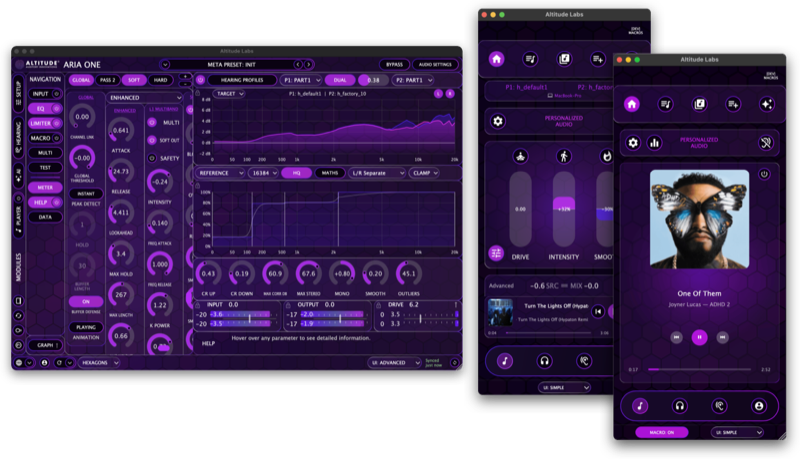
ARIA ONE has two operating surfaces on the same engine.
Both views share the same hearing profile, presets, sync state, and underlying processing.
───────────────────────────────────────.
Cloud Mode enables sync, AI features, and cross-device continuity. Local Mode keeps the entire workflow private and offline on a single machine with no cloud dependency. This is a per-machine choice made during setup and is permanent for that installation. Automatic sync is in place and will notify you if a sync failure occurs. Manual batch sync is available as a fallback.
───────────────────────────────────────.
Sign in with an Altitude Audio account to use ARIA ONE. Each account can activate up to five machines. Five free AI credits are included with every account.
───────────────────────────────────────.
Website: https://altitude.audio/aria-one
User Manual: https://altitude.audio/aria-one/manual
 $149.00Presswerk
Please log in to join the discussion
Submit: News, Plugins, Hosts & Apps | Advertise @ KVR | Developer Account | About KVR / Contact Us | Privacy Statement | Sell @ KVR | KVR Marketplace Terms & Conditions
© KVR Audio, Inc. 2000-2026

