
18 KVR members have added Audio Plugin Uninstaller to 11 MyKVR groups 33 times.
Download KVR Studio Manager (FREE)
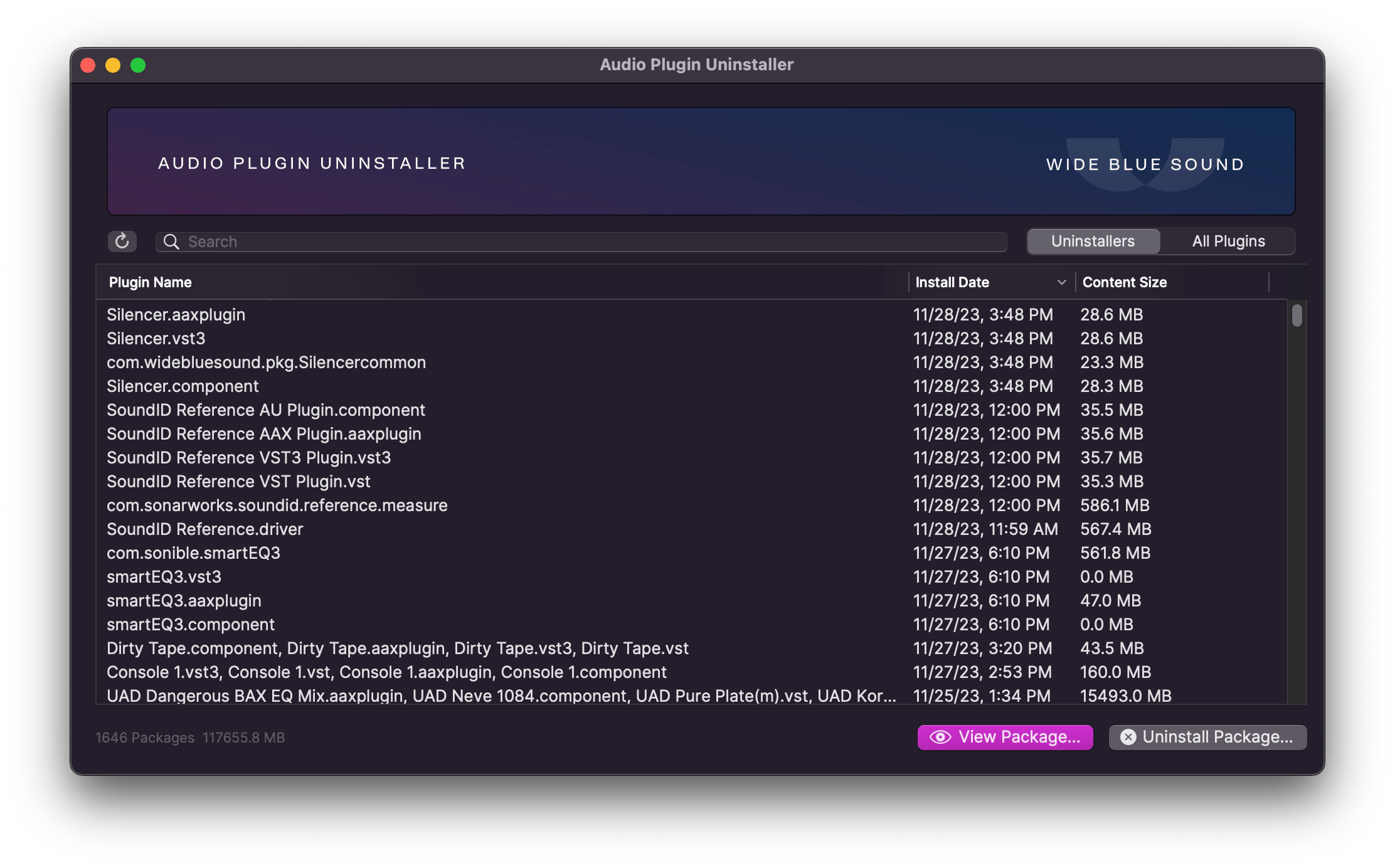
Audio Plugin Uninstaller is the easiest way to uninstall your audio plugins on Mac.
If you make music on a Mac, there's no reason not to have this.
Plugins throw files all over your computer, and each developer has a different philosophy about where their files should go. And for whatever reason, Apple does not provide a proper uninstaller.
Enter Audio Plugin Uninstaller: your one-click solution to effortless plugin management.
Plugin Paralysis? Too many options can slow you down. Boost productivity by keeping only your best tools.
Remove entire plugin formats that you don't use (e.g. AU or AAX), often cleaning up 20 GB or more.
Is a plugin crashing your session or not showing up at all? Clean it up with one click.
If you want to completely uninstall a few plugins, try this mode first. It will remove all files originally installed by the plugin.
Uninstaller mode works by reading the original installation receipts and reversing the process, while making sure not to uninstall files used by other plugins. If a plugin doesn't appear, then it doesn't have a normal receipt, but you can still remove it using All Plugins mode.
Work with individual plugin files, or reveal them in Finder:
Works with all formats: VST3, VST2, AU, AAX, CLAP, RTAS
macOS 10.14 Mojave and up (including Sequoia)
Current version: 1.1.2 (to update, simply redownload from your original email).


Hello,
Audio plugin uninstaller does not work on Macos Sonoma 15.5.
It is unable to install the helper and when starting the app it get a fatal error:
XPC connection invalidated.
You can contact our support with detailed information so that we can fix this problem.
Information: XPC_ERROR_CONNECTION_INVALID:
/Library/PrivilegedHelperTools/BresinkSoftwareUpdater-PrivilegedTool: {
NSFileAppendOnly = 0;
NSFileCreationDate = "2024-12-01 14:25:22 +0000";
NSFileExtensionHidden = 0;
NSFileGroupOwnerAccountID = 0;
NSFileGroupOwnerAccountName = wheel;
NSFileHFSCreatorCode = 0;
NSFileHFSTypeCode = 0;
NSFileImmutable = 0;
NSFileModificationDate ...
(Remaining message omitted).
Please log in to join the discussion
Submit: News, Plugins, Hosts & Apps | Advertise @ KVR | Developer Account | About KVR / Contact Us | Privacy Statement | Sell @ KVR | KVR Marketplace Terms & Conditions
© KVR Audio, Inc. 2000-2026

