
2 KVR members have added AutoGlitch to 2 MyKVR groups 2 times.
Download KVR Studio Manager (FREE)
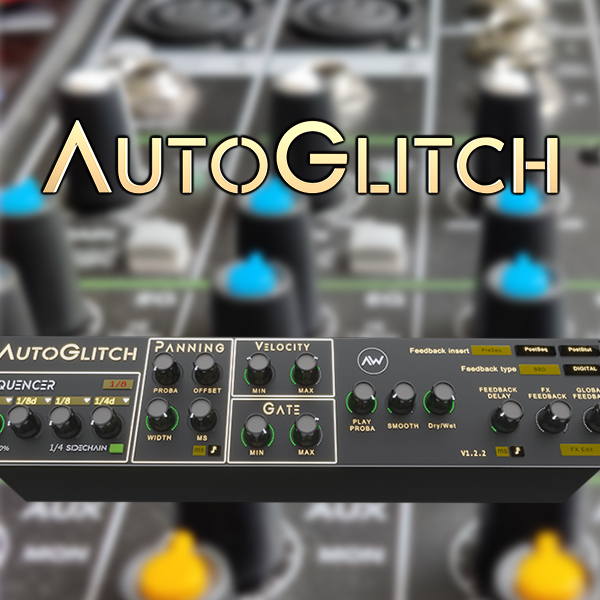
AutoGlitch is the crazy sibling of Autoplay, borrowing to it its random step sequencer, but using that step sequencer to control not only volume but many included effects.
At the heart of AutoGlitch stand a stuttering engine, decomposing each of the main steps into a sub-glitches sequence of up to 32 stutters, play forward or backward, up to 8x faster, with their random param section.
Following the stutter section I've added many randomly controlled effects:
- A repan section.
- A bitcrush/downsample engine.
- A pitch shifter (-48/48 semitones).
- A comb filter.
- A multimode filter.
Plus after all that, a delayed feedback loop allowing to feed the ouptut sound of the device back to 3 different sections of it.
Beware, this device needs to be tamed as it's quite versatile and it may mangle your input sound into something unrecognizable.
Check the full demo and showcase on my Youtube channel :
And an "in-project" demo by Psydrop:
Demo by Psydrop
Please note you need to have Max 4 Live to use this device (included with Ableton Live Suite, or available as an add-on for other Live versions)
!! There will be no refund in case of mistakingly purchasing this item !!
V.1.1: initial public release.

Please log in to join the discussion
Submit: News, Plugins, Hosts & Apps | Advertise @ KVR | Developer Account | About KVR / Contact Us | Privacy Statement | Sell @ KVR | KVR Marketplace Terms & Conditions
© KVR Audio, Inc. 2000-2026

