1 KVR member has added AutoPlay to 1 MyKVR group 1 time.
Download KVR Studio Manager (FREE)
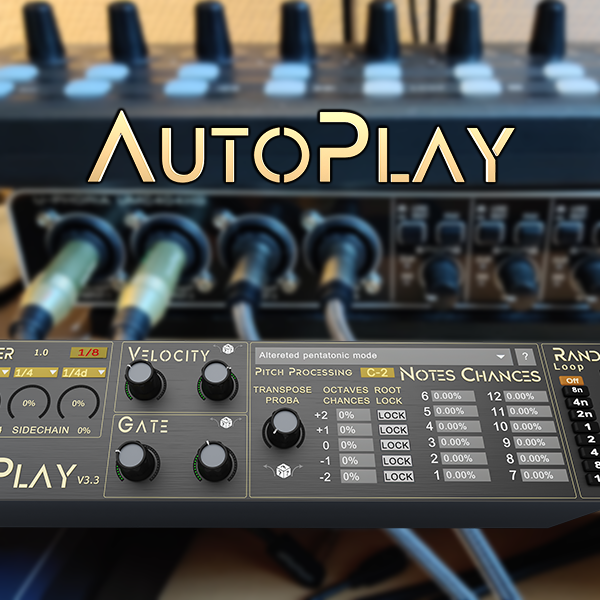
Tired of having to draw rhythmic sequences by hand, or feeling they always "look the same" ? Don't think more, as here comes AutoPlay, the randomly controlled step sequencer for infinite combinations of unexpected patterns.
Autoplay is a Max 4 Live MIDI device, that processes incoming (usually one long monophonic note) input, and automatically plays random sequences providing:
- freezable random engine to retrigger the same random sequence again and again.
- configurable time allocation control from: 1/32 to 8 bars including dotted and triplet notes.
- minimum and maximum gate length per note.
- minimum and maximum velocity per note, scaleable using input velocity.
- possibility of preventing down-beat note triggering ("sidechain").
- note probability (to insert some random silence and thus lower density).
- transposition probability (to output randomly pitched note).
- pitch transpose in octaves, uni or bidirectiona up to 5 octaves in each direction.
- per note probability when transposing (starting from incoming note, range 1 to 12 get a chance between 0 and 100). Note chances can also be set up automatically to follow one scale among 65 with a simple menu.
- triggering of 4 random modulations (mapped parameters) or 4 MIDI controls at each note, which a configurable attack and release for each of them.
Update 3.3 walkthrough: {See video at top of page}
Update 3.0 walkthrough:V3.0 Walkthrough
Check this presentation on V1.6.1 here:V1.6.1 Walkthrough
Please note you need to have Max 4 Live to use this device (included with Ableton Live Suite, or available as an add-on for other Live versions)
!! There will be no refund in case of mistakingly purchasing this item !!
Update 1.4:
- New workflow.
- UI improvements.
Update 1.4.1: proper init values and mod names.
Update 1.4.2: Migration to common sequencer with other devices.
Update 1.5.1:
- Added per note probability (1-12).
- Added number of octaves (0-5).
- Cleaned up automation params list and names.
Update 1.5.2:
- Added automatic scaling through dropdown menu.
Update 1.6.1:
- Added bidir octave transpose.
- Added parameters modulation.
Update 1.7:
- Added MIDI CC modulation on top of parameter modulations.
Update 1.8:
- Changed length and velocity for min/max config, simpler.
- Added two additional modulations and MIDI CC, added Attack and Release time per parameter/CC.
Update 2.0:
- AutoPlay now has a memory, a given sequence can be frozen or reloaded with a simple seed number (provided the knobs have not been modified of course), and if saved as a preset the full sequence can be reloaded identical, and of course saved within the project.
Update 2.0.1:
- Removed the history save of the seed within the project as they were filling the undo buffer (so they will NOT be saved with the preset either). Not sure if it's a big concern though.
- Changed background colors of notes probabilities so they are still readable no matter what skin you're using.
Update 2.0.2:
- Reworked a tiny bit on the random engine to have it better looping.
- Added swing option (even 16th get slightly delayed, configurable).
Update 3.0:
- Completely redesigned UI.
- Completely rewritten sequencer for even tighter accuracy.
- Added dotted and triplet values.
- Added on-beat MIDI sidechain.
- Added Modwheel and CC passthrough.
- Added velocity scaling from input notes.
Update 3.3:
- Added per octave probability when transposing notes.
- Added possibility to force any octave to play root note only (no transpose).
- Added per sub module random variations (changing only one element without touching the rest).
- Replaced ON/OFF sidechain button by a probability of sidechain (from no note downbeat to all notes passing through).
- Added multi input notes handling (when a chord is presssed a random note will be chosen at each step).

Please log in to join the discussion
Submit: News, Plugins, Hosts & Apps | Advertise @ KVR | Developer Account | About KVR / Contact Us | Privacy Statement | Sell @ KVR | KVR Marketplace Terms & Conditions
© KVR Audio, Inc. 2000-2026