
77 KVR members have added Black Diamond Distortion to 72 MyKVR groups 85 times.
Download KVR Studio Manager (FREE)
Black Diamond Distortion is the first plugin from Aspen Instruments. It is a flexible distortion engine designed to cover everything from subtle preamp-style warmth to aggressive modern waveshaping. You can start from a curated library of presets—including classic hardware-inspired designs—or build your own distortion from first principles using four distinct editing modes.
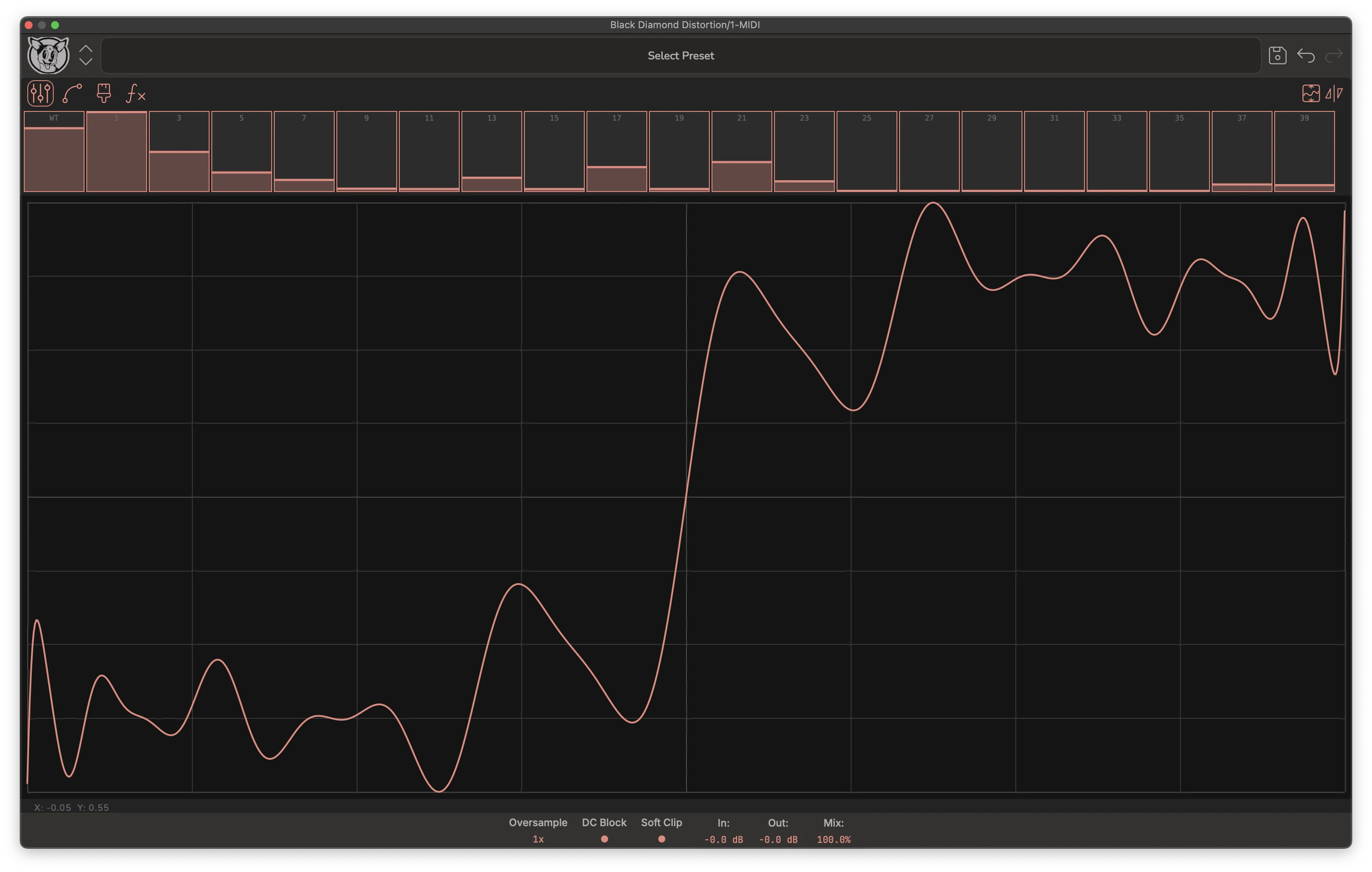
Harmonic Mode is the "bunny hill" of the plugin: it makes it extremely easy to dial in great-sounding distortion quickly. Nearly any configuration of the harmonic sliders produces a usable, musical result.
Under the hood, this mode gives you direct control over which harmonics are excited by the distortion algorithm. Traditional harmonic distortion plugins—often based on Chebyshev polynomials—tend to generate spiky waveforms that are difficult to manage in mixing and mastering. Black Diamond improves on this approach with a novel algorithm that excites harmonics while maintaining a significantly higher crest factor (the ratio between peak headroom usage and RMS energy). The result is distortion that is both harmonically rich and mix-friendly.
Spline Mode allows you to shape the transfer curve using spline anchors. You manipulate the curve directly by dragging these anchors in the editor.
The spline-fitting algorithm is optimized to use as few anchors as possible, which makes each anchor extremely powerful. A single adjustment can reshape large portions of the waveform, encouraging broad, intentional changes rather than tedious micro-editing.
Brush Mode is designed for adding texture and irregularity to the distortion.
The standard brush lets you draw the distortion curve pixel by pixel. Because humans are not particularly good at drawing smooth curves, this often results in "broken" shapes—and sometimes that brokenness is exactly the sound you want.
To compensate for this limitation, the Roller Brush smooths the curve as you draw, flattening jagged edges that can otherwise lead to overly brittle or unstable distortion.
In addition, several texture brushes introduce controlled noise into the curve. These brushes create subtle randomness and unpredictability, making this mode especially fun and rewarding to experiment with.
Equation Mode is the core of Black Diamond. It allows you to define the distortion directly by entering the mathematical equation that computes it.
For users willing to learn a small amount of signal processing, this becomes an extremely powerful tool. Math describes nonlinear behavior far more precisely than manual curve drawing ever could. In fact, equations are the foundation of Harmonic Mode—Equation Mode simply removes the guardrails. This opens the door to experimenting with an effectively infinite range of distortion algorithms.
Our free companion plugin, Black Diamond Probe, allows you to reverse-engineer almost any hardware or software distortion, provided it is memoryless.
The Probe works by scanning a unit under test and extracting the nonlinear transfer function that defines its behavior. Once captured, this curve can be imported into Black Diamond Distortion's preset library. If you enjoy cloning gear and dissecting nonlinear systems, this is where things get dangerous—in a good way.
 $49.00Dist OPAMP-21$79.00Dist TUBE-CULTURE
Please log in to join the discussion
Submit: News, Plugins, Hosts & Apps | Advertise @ KVR | Developer Account | About KVR / Contact Us | Privacy Statement | Sell @ KVR | KVR Marketplace Terms & Conditions
© KVR Audio, Inc. 2000-2026

