



136 KVR members have added Bloom Palette Object to 150 MyKVR groups 150 times.
Download KVR Studio Manager (FREE)
Sequence Organic Sounds
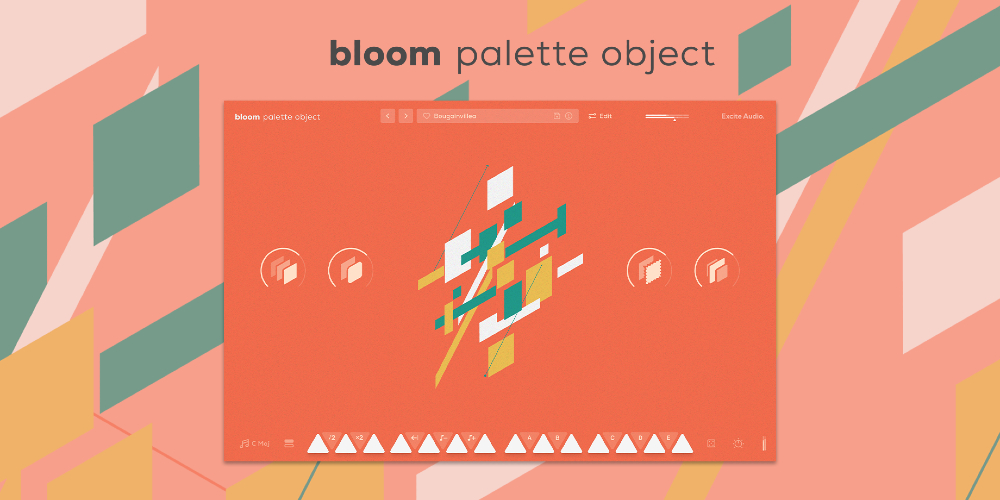
Bloom Palette Object merges organic one-shots and loops from household objects, machinery, and tuned foley with the rich acoustic character of instruments and percussion from around the world - all powered by Excite Audio's new Sequencer.
Often in digital music, a lack of 'real' sounds can lead to lifeless and cold sounding tracks. This versatile instrument is built to bring real-life sounds and textures into your productions inspired by the music of Four Tet, Burial, Fred Again, and more.
Object is the first instalment in a new category of Bloom instruments called Palettes designed to combine sounds from multiple sources delivering everything from unique songstarters to detailed ear candy for your music.
The all-new Sequencer enables you to arrange complex patterns, interlocking rhythms, chord progressions, and even sequence complete beats. Unlike traditional sequencers, Bloom has been designed to not only trigger one-shots, but also sequence loops.
Paired with powerful pitch and effect modulation, Bloom Palette Object is the key to giving your music reality.
What Bloom Palette Object Can Do:
Sound Sources
Bloom Palette Object offers a diverse collection of meticulously captured sound sources, blending musical instruments such as the Taishogoto, Vibraphone, and Upright Bass with raw textures of everyday items like Velcro, Glass Bottles, and Mechanical Ratchets.
Recorded by professional foley artists and sound designers, these sounds are perfect for bringing your projects to life with unexpected layers and depth. Some of the sounds include:
How it Works
Start in your desired tempo, choose a sample bank or preset, and trigger one of 14 bpm-synced samples spread across two octaves. White notes set off drum samples and loops, while black notes alter properties like playback speed and pitch and trigger sequences and effect modulation.
Four powerful macros control a specialised chain of effects, fine-tuned to the diverse sound palette samples that form Bloom Palette Object.
There are eight banks of sounds to choose from - organised into easy to find categories, and the sounds in each bank can be dragged onto any of the 14 white notes.
The Edit Page: Sculpt Your Sound
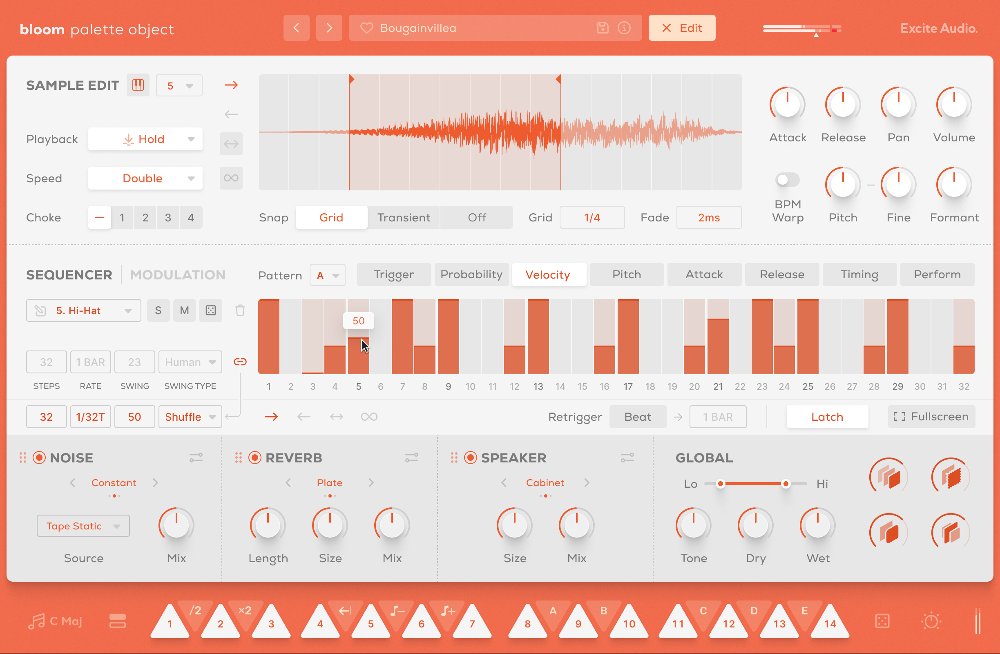
The Edit page is the central hub for refining and making the library of samples your own. Adjust start and end points, manipulate playback speed and direction, and tweak the timbre with pitch and formant controls.
Unlike traditional sequencers, the Bloom Sequencer is designed for triggering and layering one-shots and looping sequences, allowing for endless rhythmic and melodic creation. In the modulation section, automate pitch, volume, and filter settings as well as three effects to add depth and dimension to your music.
Bloom Palette Object offers three bespoke effects modules: Noise for adding organic texture and atmospheric layers that respond to your audio. Reverb to create space and depth using Hall, Plate and Spring algorithms from the Lifeline Series. Speaker simulates different reamping techniques and loud speakers, from handheld devices to guitar amps to studio monitors.
Import Your Own Samples
Make the Bloom instrument your own with the ability to drag and drop audio files into it. You can do this via the waveform view on the edit page or any empty slot on the banks page. Set the key and BPM of your samples to make them integrate seamlessly with the Bloom engine.
Features:
Edit Page - Sample Edit:
Edit Page - Sequencer:
Edit Page - FX:

Please log in to join the discussion
Submit: News, Plugins, Hosts & Apps | Advertise @ KVR | Developer Account | About KVR / Contact Us | Privacy Statement | Sell @ KVR | KVR Marketplace Terms & Conditions
© KVR Audio, Inc. 2000-2026

