Log InCreate An Account
  1. Plugins
  2. »
  3. Viator DSP
  4. »
  5. BT-Clipper
  6. »
  7. Details

BT-Clipper

BT-Clipper
BT-Clipper by Viator DSP is a Virtual Effect Audio Plugin for macOS and Windows. It functions as an Audio Units Plugin and a VST 3 Plugin.
Product
Version
2.0.0
Product
Version
2.0.0
Effect
Formats
Copy Protection
None
Open Source
Other / Unknown

MyKVR: Groups, Versions, ...

31 KVR members have added BT-Clipper to 30 MyKVR groups 34 times.

Download KVR Studio Manager (FREE)

Not In Your MY KVR Groups
(or group limitation prevents versioning)
+30 in private groups

KVR Rank

Overall: 7825   6097   6838

30-Day: 6687; 7-Day: 1586; Yesterday: 179

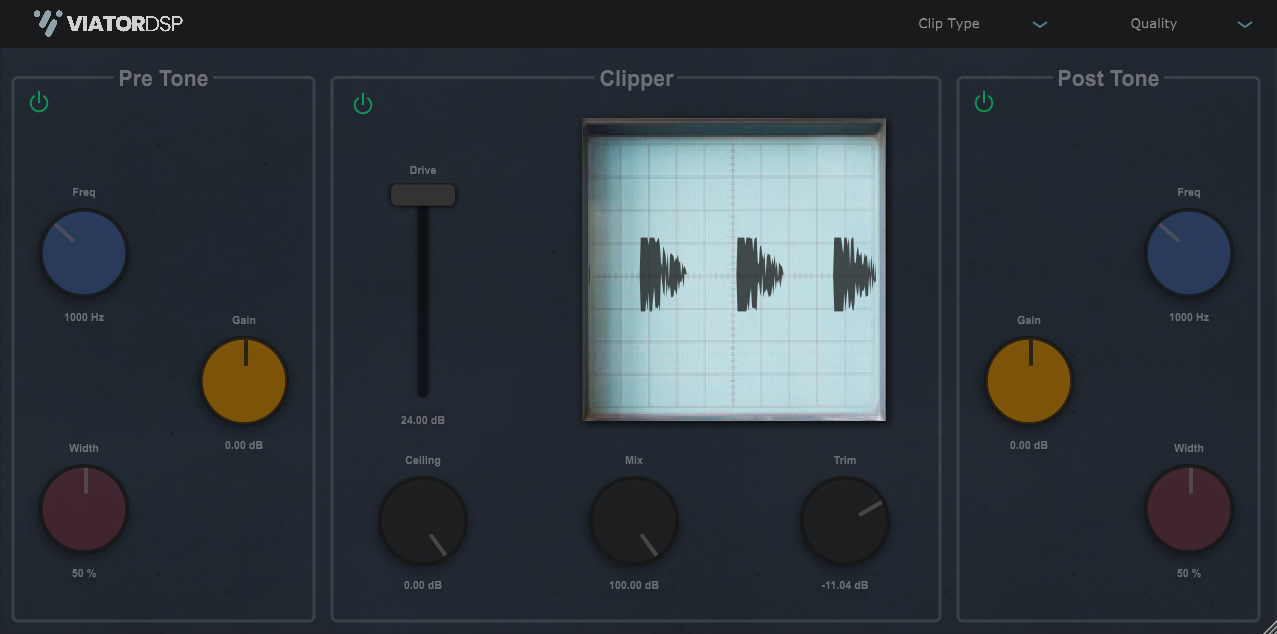
The point of a clipper is to raise the apparent loudness of your input without the meter going up, especially above 0 dB. This plugin does that, but it lets you set the ceiling. Say you have a track peaking at -18 dB. You want to make it louder without the meter going above -18 dB, so with BT-Clipper, you can set a ceiling for your track, and the signal won't go above that ceiling.

Features:

  • 3 clipping types: hard, soft, and analog.
  • Quality: toggle between normal quality and high quality (8X oversampling).
  • Pre Tone: a mid-range parametric tone control to color the clipper signal.
  • Post Tone: a mid-range parametric tone control to change the shape of the clipping.
  • Clipper:
    • Drive: amount of signal driven into the signal between 0 and 24 dB.
    • Ceiling: the level that the clipper will clip up to and not exceed.
    • Mix: mix between wet clipped signal and dry signal.
    • Trim: output volume control just in case you want to adjust the clipped signal loudness.
    • Analyzer: waveform view that lets you see what the signal looks like while clipping.
  • Platforms: Universal Mac AU & VST3 Windows 10 VST3.

Latest User Reviews

Average user rating of 0.00 from 0 reviews

Products similar to BT-Clipper...

Comments & Discussion for Viator DSP BT-Clipper

Discussion
Discussion: Active

Please log in to join the discussion

Log In To KVR Audio
