1 KVR member has added Dragout 2 to 1 MyKVR group 1 time.
Download KVR Studio Manager (FREE)
Export mixdowns, renders and complex spatial setups more accurately, and to anywhere, with Dragout 2.
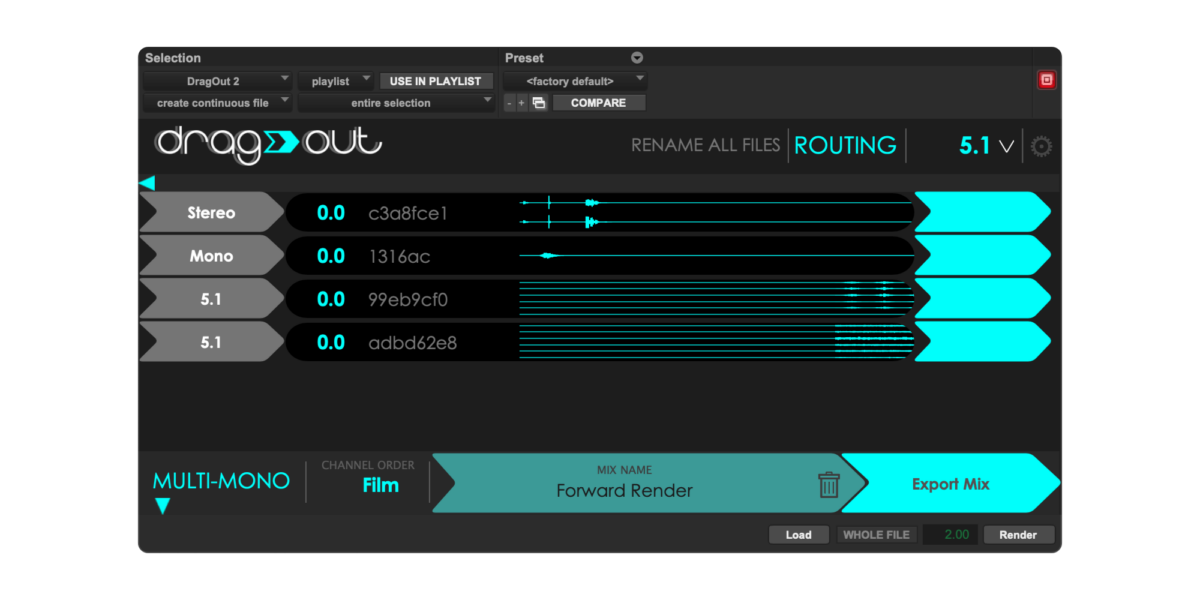
A Mac-only AudioSuite plugin, Dragout 2 loads a selection of audio across your timeline and multiple tracks, and makes it available to drag anywhere else you want it. You can change stereo format, re-order tracks, name them, and change the gain applied to each channel. Dragout doesn't require a bouncing process, since it accesses audio files straight from the hard disk.
{See video at top of page}
Select your tracks and timeline then export it without Bouncing. Send it back to Pro Tools, drag it into another DAW, or maybe to Finder or File Explorer, WeTransfer, Gmail...
Go between 7.1.2 and any other multichannel format. Export interleaved or Multi-Mono files, and re-order the stack so everything's in the correct order on arrival.
Inputs go down the left side, outputs go along the top. Reach for preset routings with the correct channel ordering and gain settings, or go custom and make it work your way.
Choose your output format from the top-right menu. Dragout will upmix or downmix your loaded tracks to match, and you just drag them out. Grab the full mix, single files, or multiple single files.
Rename files in batches before you drag them out, not after. Dragout makes it simpler to name your output file or individual tracks within a stack of files.
It gets your audio formulation right. Each track represented in Dragout has the right name and stereo formulation as it does in your Pro Tools timeline. If you're running Pro Tools 2023.12, see this video.

Please log in to join the discussion
Submit: News, Plugins, Hosts & Apps | Advertise @ KVR | Developer Account | About KVR / Contact Us | Privacy Statement | Sell @ KVR | KVR Marketplace Terms & Conditions
© KVR Audio, Inc. 2000-2026