13 KVR members have added FlipCraft to 11 MyKVR groups 16 times.
Download KVR Studio Manager (FREE)
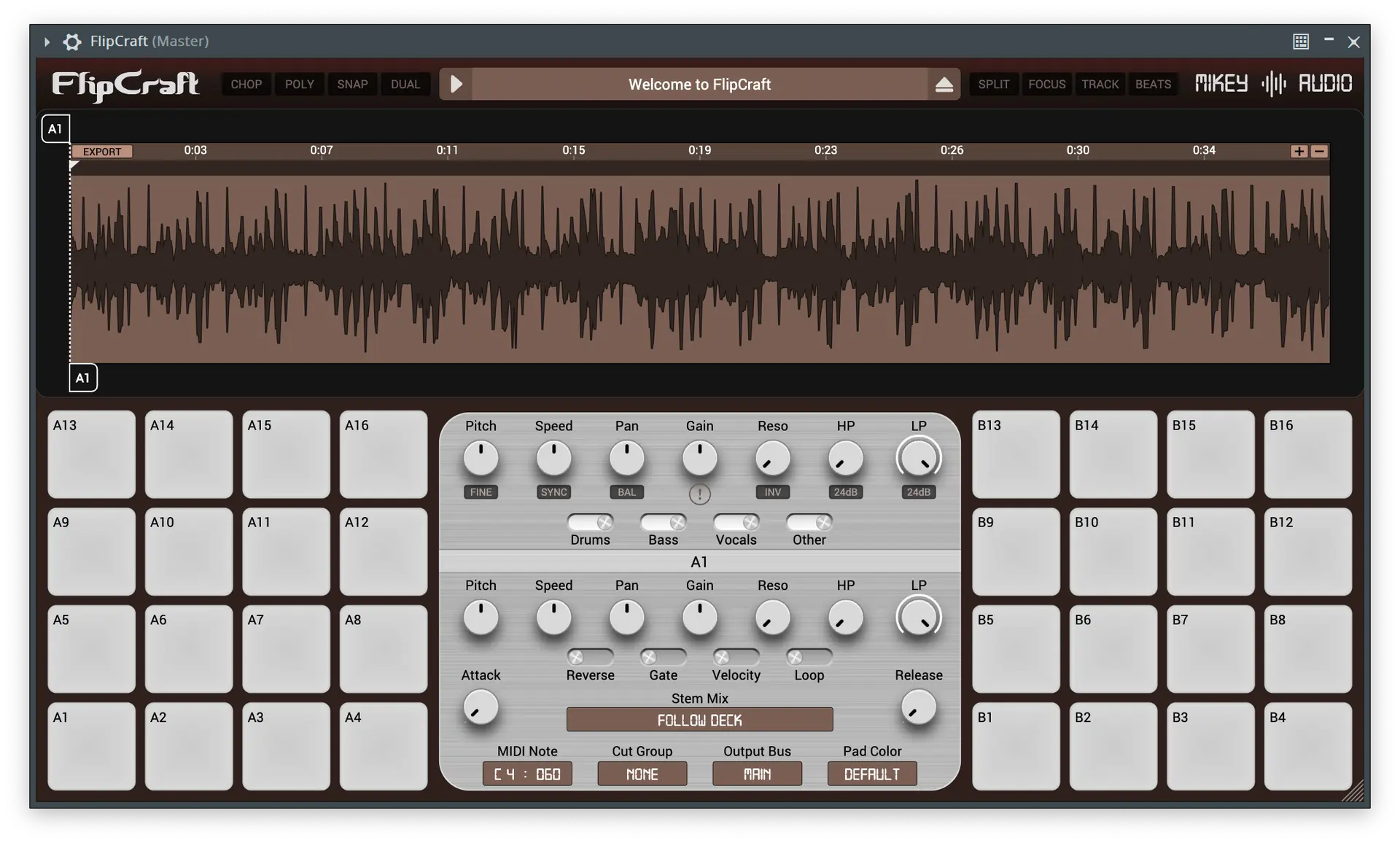
FlipCraft includes everything you need to creatively chop and flip samples.
Choose from 12 color themes to match your style. 100% vector graphics stay crisp at any window size. Enable Candy Wave for colorful gradient waveforms.
High-resolution stereo waveform with smooth zoom and pan. Split view for separate L/R channels. Right-click anywhere to audition forward or backward. Auto-scroll keeps the playhead centered.
Split audio into drums, bass, vocals, and other stems. Toggle each stem in real time. GPU-accelerated on Apple Silicon. Assign different stem mixes per pad.
Automatic tempo and beat detection with visible markers and snap-to-beat slicing. Key detection displays musical key with enharmonic equivalents and Camelot notation.
4 layers of 32 pads. Configurable MIDI note assignments with sequential mapping. Cut groups, velocity sensitivity, 16 pad colors, and pad locking to protect slices.
Work with two independent audio files simultaneously. Each deck has its own pads, slices, and settings.
Lazy-chop during playback, auto-chop by beat step, or random-chop across detected beats. Click the cue marker to create slices.
Full MIDI support for triggering pads and chopping. CC processing for waveform navigation and parameter control. Custom MIDI mapping across all 128 pads.
Route each pad to a dedicated stereo output. Apply independent FX chains to different slices in your DAW. Main output plus 32 additional stereo buses.
Adjust playback speed from 0-400% in real time. Tempo sync automatically matches DAW tempo. Half and double speed with a single click. Per-pad speed control.
Shift pitch by ±24 semitones or fine-tune by ±50 cents. Formant preservation option avoids the chipmunk effect on vocals. Independent pitch control per pad.
High-pass and low-pass filters with resonance control. Choose between 12dB or 24dB slopes. Notch mode for phaser-like sweep effects. Per-pad filter settings.
Full Attack-Hold-Decay-Sustain-Release envelope per pad. Adjustable curve shapes for each stage. Visual display with animated playhead. Free mode skips sustain hold.
Transform any layer into a pitched instrument. All pads play the same slice at different pitches. Choose from 77 musical scales including chromatic, modes, and world scales.
Each pad has independent pitch, speed, pan, and gain. Reverse, gate, and loop modes per pad. Full velocity support or fixed velocity. Global mode for bulk editing.
Export all slices and stems as WAV files. Each slice respects its own stem mix setting. Custom folder naming with tokens for date, time, and source name.
Load WAV, MP3, AIFF, and FLAC audio files. Export slices as WAV. Background file loading keeps the interface responsive.
Contextual dynamic hints for every control appear at the bottom of the window.
Every purchase includes free updates forever. New features, improvements, and fixes at no extra cost.
{See video at top of page}

Please log in to join the discussion
Submit: News, Plugins, Hosts & Apps | Advertise @ KVR | Developer Account | About KVR / Contact Us | Privacy Statement | Sell @ KVR | KVR Marketplace Terms & Conditions
© KVR Audio, Inc. 2000-2026